Modify your browser tab title when visitors switch tabs and grab their attention with engaging messages. Encourage customers to return to your WooCommerce store and continue shopping.
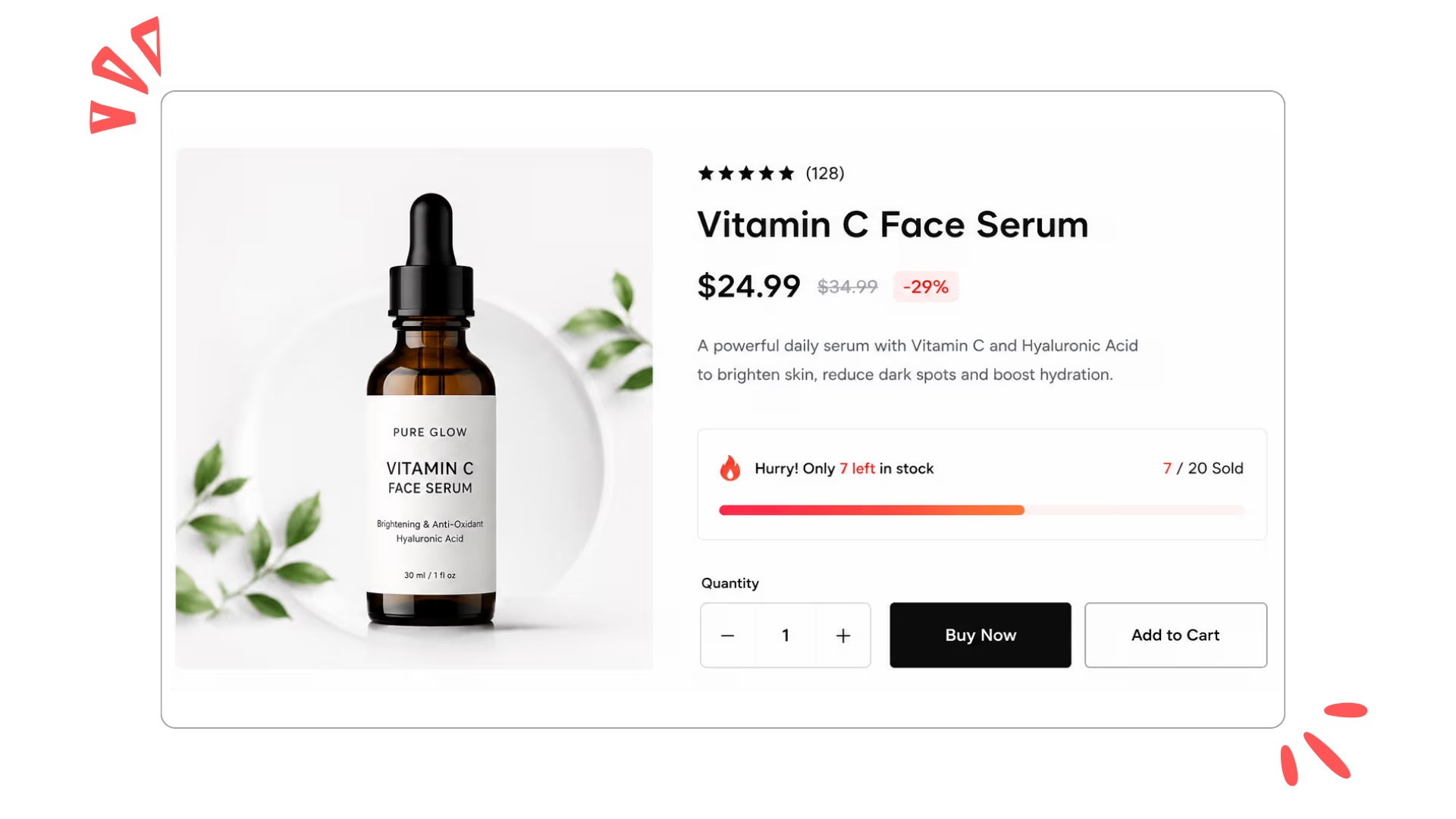
Live stock bars, dynamic messages, and a real sold counter, all pulled from your actual inventory and styled to match your store. No code, no fake numbers.
Set Stock Mode to Default Product and the widget reads your live inventory. Availability shows only when stock falls below your chosen threshold, so it reflects genuine scarcity.
Give low, medium, and high stock their own messages and thresholds. The text switches automatically as inventory drops, from "Selling fast!" to "Almost sold out! Only". {stock}" Left
Turn on Enable Sold Count to show units sold beside the bar, pulled straight from your order data. It updates on its own as new purchases come in.
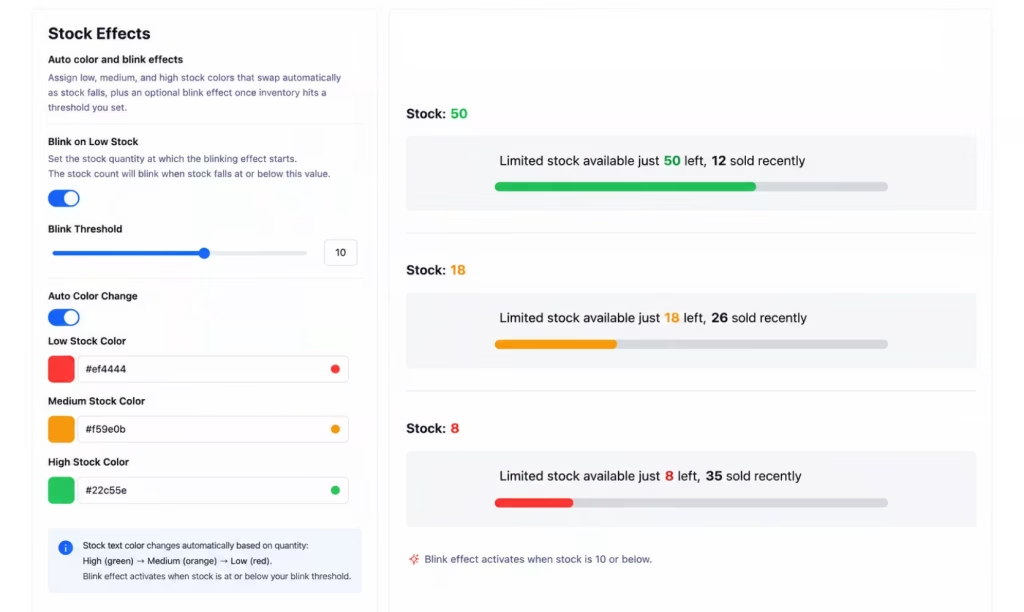
Assign low, medium, and high stock colors that swap automatically as stock falls, plus an optional blink effect once inventory hits a threshold you set.
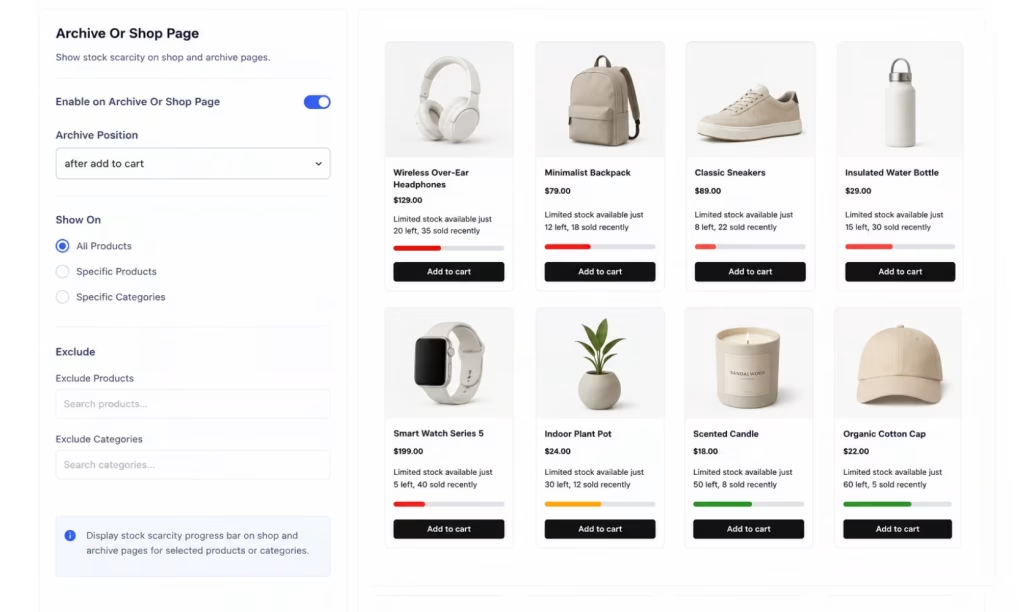
Show it on all products, specific products, or categories, across single product pages and shop grids. Exclude any product or category you want to skip.
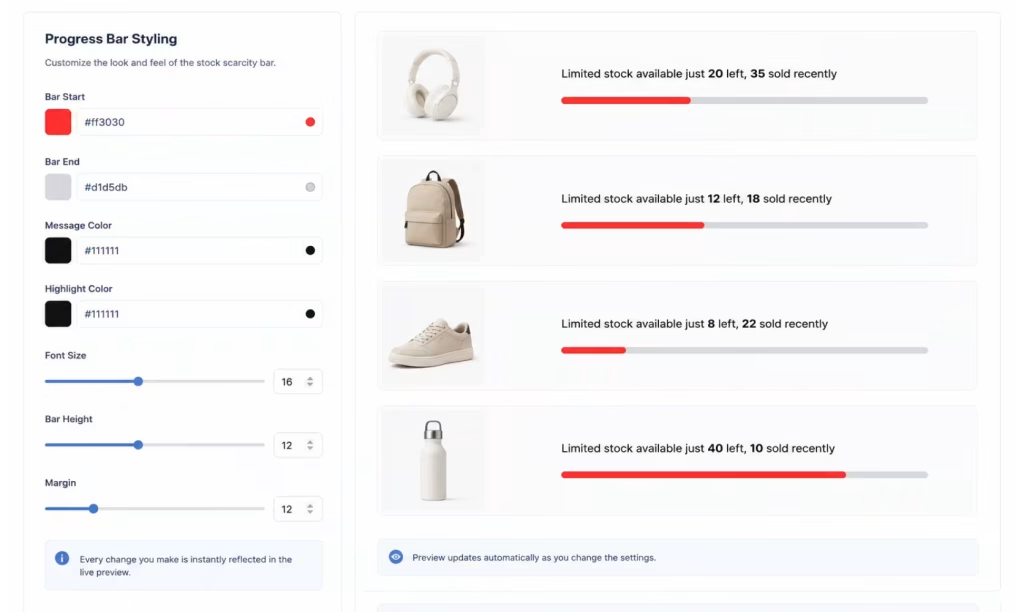
Control bar start and end colors, message and highlight colors, font size, bar height, and margin. Every change reflects in the live admin preview.
Choose between real or custom stock values, hide out-of-stock products, and control when scarcity alerts appear.
DYNAMIC DISPLAY
Smart Scarcity Messages
Display dynamic stock and sold count messages using customizable placeholders and progress indicators.
VISIBILITY CONTROL
Product & Page Targeting
Show stock scarcity alerts on selected products, categories, shop pages, or single product pages.
STYLE CUSTOMIZATION
Fully Customizable Progress Bars
Customize progress bar colors, fonts, heights, highlight colors, and stock alert styles to match your store branding.
Benefits
How Stock Scarcity Works and Its Benefits
Stock Scarcity helps store owners increase conversions by displaying real-time or custom stock availability messages. Customers see limited stock alerts and recent sold counts, making products feel more in demand.
With customizable messages, progress bars, display controls, and styling options, you can create powerful urgency campaigns that improve engagement and sales performance.
Creates urgency by displaying low stock availability alerts on WooCommerce product pages.
Shows sold counters and animated stock progress bars to increase customer attention.
Supports both real WooCommerce stock data and custom scarcity settings easily.
Display scarcity alerts on shop pages, archive pages, and single product pages.
Customize colors, fonts, messages, and progress bar styles to match your store design.
CUSTOMER TESTIMONIALS
See Why Users Love Stock Scarcity
“Adding stock scarcity alerts increased our product conversions almost immediately. Customers respond much faster now.”
Ethan Parker
UrbanCart Store
“The sold counters and progress bars make products feel more active and in demand. Great addon for boosting urgency.”
Shephard Hayes
TrendHive Market
“We love how easy it is to customize stock messages and colors to match our store branding.”
“Stock Scarcity is simple to configure, lightweight, and highly effective for increasing quick purchases.”
Craig Bennett
Vista Commerce Store
Simple Pricing Plan
One license. Every premium plugin you'll ever need.
Pick the plan that fits — one plugin, the full suite, or everything for life.
Included in Complete & Lifetime Agency
All 10 premium plugins below are unlocked — no add-ons to buy separately.
Prices in USD. Renewals optional — your plugins keep working after expiry.
FAQ's
Common Questions About Stock Scarcity
What is the Stock Scarcity?
Stock Scarcity is a WooCommerce addon that displays low stock alerts, sold counters, and progress bars to create urgency.
How does Stock Scarcity work?
The addon shows stock availability messages and recent sold counts to encourage customers to purchase products faster.
Can I use real stock values?
Yes, the addon supports both real WooCommerce stock data and custom stock values.
Can I set stock values manually?
Yes. If you don't track live inventory in WooCommerce, you can set a stock range manually. We recommend using real stock data wherever possible so your urgency reflects genuine availability.
Can I customize the scarcity message?
Yes, you can fully edit stock messages using dynamic placeholders like stock and sold values.
Does the addon support progress bars?
Yes, you can enable animated stock progress bars with customizable styles and colors.
How can I contact if face any issue
No problem, we are one mail away from you — just contact us.
Ready to increase your revenue?
Start using Store One today to grow your business, attract more customers, and manage your store effortlessly from one powerful modules.
We use cookies on our website to give you the most relevant experience by remembering your preferences and repeat visits. By clicking “Accept”, you consent to the use of ALL the cookies.
This website uses cookies to improve your experience while you navigate through the website. Out of these, the cookies that are categorized as necessary are stored on your browser as they are essential for the working of basic functionalities of the website. We also use third-party cookies that help us analyze and understand how you use this website. These cookies will be stored in your browser only with your consent. You also have the option to opt-out of these cookies. But opting out of some of these cookies may affect your browsing experience.
Necessary cookies are absolutely essential for the website to function properly. This category only includes cookies that ensures basic functionalities and security features of the website. These cookies do not store any personal information.
Any cookies that may not be particularly necessary for the website to function and is used specifically to collect user personal data via analytics, ads, other embedded contents are termed as non-necessary cookies. It is mandatory to procure user consent prior to running these cookies on your website.