
The short video trend is everywhere, from Instagram Reels and YouTube Shorts to TikTok. Short videos are getting more engagement because people want short information and things they can understand in a short time.
Likewise, as e-commerce sites evolve new shopping experiences, video commerce is growing even faster. eCommerce websites are now adding video commerce features like shoppable videos to their websites.
In this article, we will take a look at some of the best shoppable video plugins that can enhance your website’s user experience and help you get more sales through video commerce on your WooCommerce store.
Top Shoppable Video Plugins for WooCommerce: Quick Comparison
Here is how the plugins compare in terms of free limits, video sources, layouts, and pricing.
| Plugin | Best for | Free version | Video sources | Pro price |
|---|---|---|---|---|
| Store One | Free all-in-one toolkit | Yes, shoppable videos included free | Media Library uploads | $49/year |
| VidShop | AI-generated videos | Yes, includes 1 free AI video | Upload, video URL, AI-generated | From $49.99/year |
| ReelsWP | Reels-style layouts | Yes, with limits | Self-hosted (Vimeo, YouTube Shorts and video URL in Pro) | From $39/year |
| GoDAM | Video hosting and analytics | 60-day free trial | Uploads with cloud hosting and transcoding | From $90/year |
Store One is the best free all-in-one option for Shoppable videos, VidShop is best for AI-generated videos, ReelsWP suits reels-style layouts, and GoDAM is best for video hosting and analytics.
What Is a Shoppable Video Plugin?
A shoppable video plugin lets you tag a product on your WooCommerce store inside a video, so shoppers can view the product and directly add the item to their cart from the video without leaving it.
Traditionally, shoppers would watch a video and then search for the product. Now, with a shoppable video plugin, shoppers can see the product with its price and description, along with the video and a buy button, to make a purchase decision directly.
These shoppable videos can be used to show products in grids, sliders, or a Reels-like feed on your website’s homepage, any other page, shop page, or product page of your store.
It is a great way to engage shoppers, help them make a quick purchase decision, and get more sales through videos on your website.
New to this? Read our step-by-step guide on how to add shoppable videos to a WooCommerce WordPress store.
Best WooCommerce Shoppable Video Plugins
1. Store One (Best Free All-in-One Toolkit)
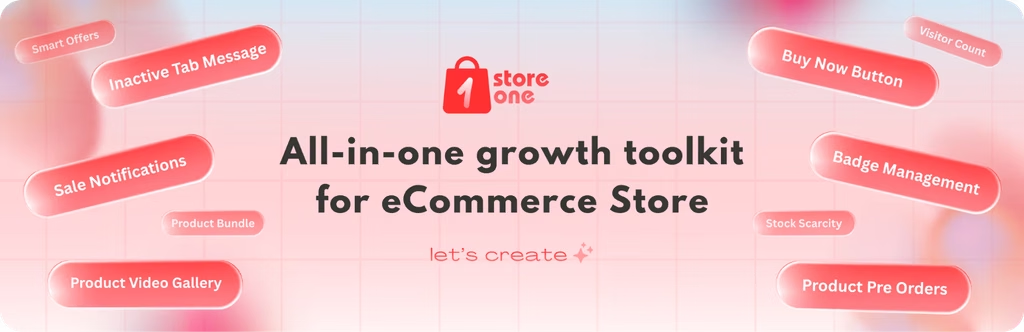
Store One is an all-in-one WooCommerce Toolkit plugin from ThemeHunk that includes a Shoppable Videos free module along with other useful modules.
With it, you can tag a product in the videos, show them in grid or slider layouts, and add them anywhere on your website pages. Alongside this, it also provides free modules like Smart Offers (Pro), Sticky Cart Bar, Sale Notification, etc.
It suits store owners who want shoppable videos without installing a separate plugin for every feature, as it offers many other features that would otherwise require separate plugins.
Key Features:
- Multiple products per video: tag as many products as you need on a single video.
- Add to cart from the card: the cart button sits on the video card, so shoppers buy without leaving the page.
- Grid or slider layout: show videos in a standard grid or a swipeable slider.
- Two card styles: Default places the product bar inside the video, and Modern places it below the card.
- Full design control: change the border, colors, corner radius, cart button and video progress bar.
- Unlimited rules (Pro): create separate video lists for different pages, each with its own title and heading tag.

Pricing
The Shoppable Videos module is fully included in the free version. Store One Pro costs $49 per year for a single site and adds other modules, such as Inactive tab message, Trust Badges, Sale notifications, Frequently Bought Together (Pro) and Product Bundle Pro.
Pros and Cons
Pros:
- Shoppable videos are free, with no separate premium tier for this module.
- Videos stay on your own hosting, with no third-party video platform needed for enhanced security.
- Comes with other free WooCommerce tools in the same plugin
Cons:
- Videos must be uploaded to your site, with no YouTube or Vimeo embeds
- Multiple Rules are available on the Pro version
Best for: Store owners who want free shoppable videos and other sales tools in one plugin.
If you only want to show videos inside the product image gallery, without product tagging, Store One also includes a free Product Video Gallery module.
2. VidShop (Best for AI-Generated Videos)
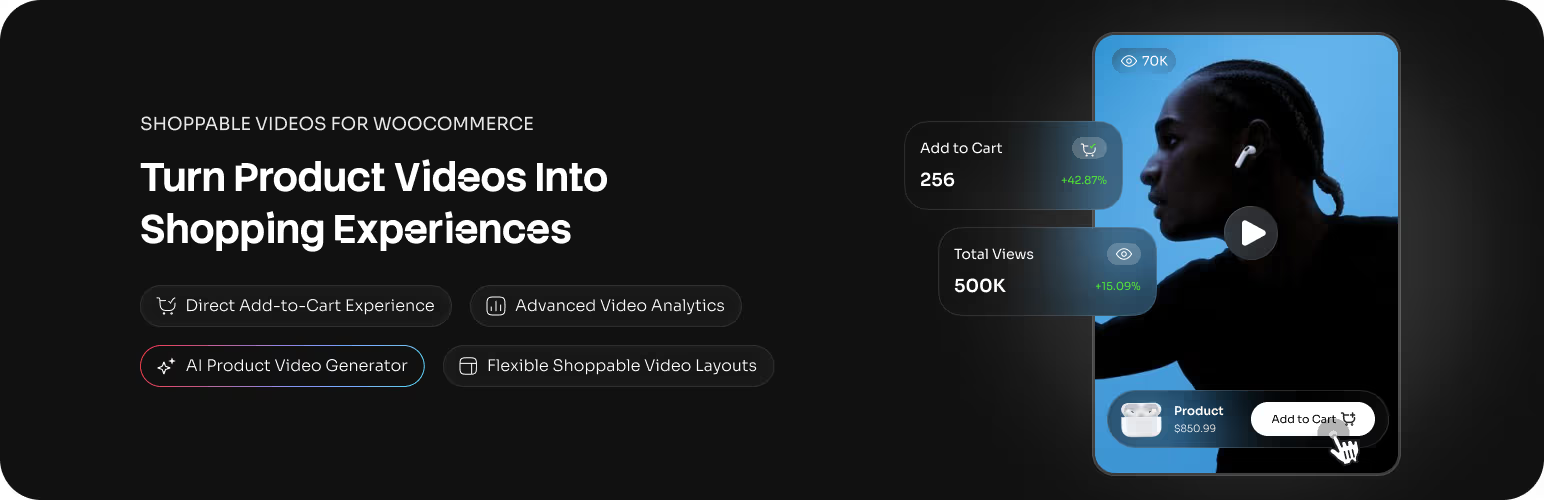
VidShop offers a dedicated shoppable video plugin and provides many features in this category. Its main feature is AI video generation, which turns a product into a short video.
This is suitable for stores that have product photos but no video content, as they can create AI videos and transform them into shoppable videos.
It also offers a feed-based layout for these videos. You can upload videos, select a layout, choose colors, and make other changes as well.
Key Features:
- AI video generation: turns a product photo into a short vertical video, using style templates.
- Four layouts: grid, carousel, TikTok-style feed and stories.
- Cart and checkout in the video: shoppers add to cart and check out without leaving the video.
- Variable product support: customers can choose a variation, such as size or color, inside the video.
- Flexible video sources: upload to the Media Library or link an external video URL.

Pricing
The free version includes video uploads, all layouts, analytics and one AI-generated video. For more AI videos, you need VidShop Pro, which starts at $49.99 per year for about 14 videos. Higher plans cost $99.99 per year for about 42 videos and $299.99 per year for about 150 videos.
Pros and Cons
Pros:
- Analytics and all four layouts are included in the free version
- Checkout happens inside the video player
- Pick custom background music
Cons:
- Only one AI video is free, and Pro plans cap AI videos by credits
- AI generation needs a separate WPCreatix account
- Placement is by shortcode only, with no Gutenberg block or Elementor widget mentioned in the listing
Best for: Stores that have product photos but no videos, and want AI to create them.
3. ReelsWP (Best for Reels-Style Layouts)
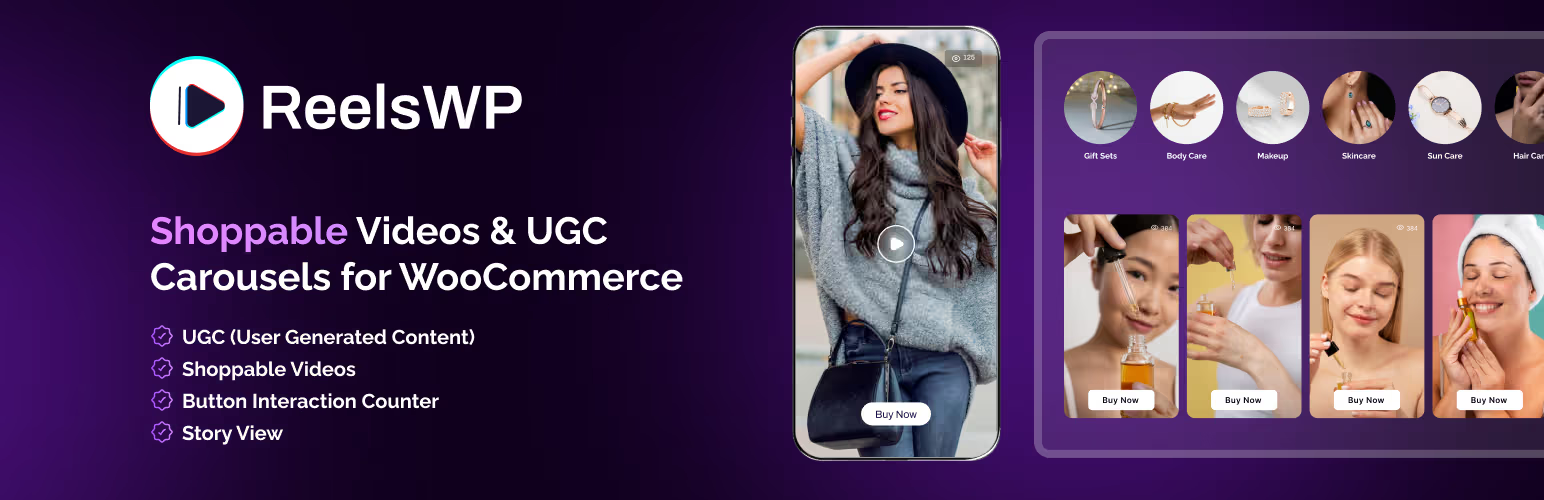
ReelsWP provides Instagram Reels-style video layouts for WooCommerce, similar to what you may have seen on Instagram ads and TikTok videos for product-related content.
The plugin’s free version covers grid and carousel layouts, while the Pro version adds more display options and styles.
It also offers marquee reels layouts and popup layouts in the Pro version. Apart from this, it also provides many video-based solutions like floating video popups and group stories.
Key Features:
- Grid and carousel layouts: show videos in a responsive grid or an Instagram-style carousel.
- Product tagging: tag WooCommerce products inside videos.
- Custom call-to-action links: add your own links inside a video.
- Video view counter: tracks views and clicks.

Pricing
The free version includes grid and carousel layouts, product tagging and self-hosted videos. According to its WordPress.org listing, ReelsWP Pro adds marquee, stacked and popup layouts, autoplay, drag-and-drop reordering, and support for Vimeo, YouTube Shorts and custom video URLs. Pro starts at $39, and a lifetime deal for unlimited websites costs $340.
Pros and Cons
Pros:
- Gutenberg block and Elementor widget are included in the free version
- The widest range of layouts once you upgrade to Pro
- Regular Updates
Cons:
- Autoplay and all external video sources (Vimeo, YouTube Shorts, video URLs) need Pro
- One WordPress.org reviewer criticises how limited the free version is
Best for: Stores that want the widest choice of reels-style layouts and are willing to pay for Pro.
4. GoDAM (Best for Video Hosting and Analytics)
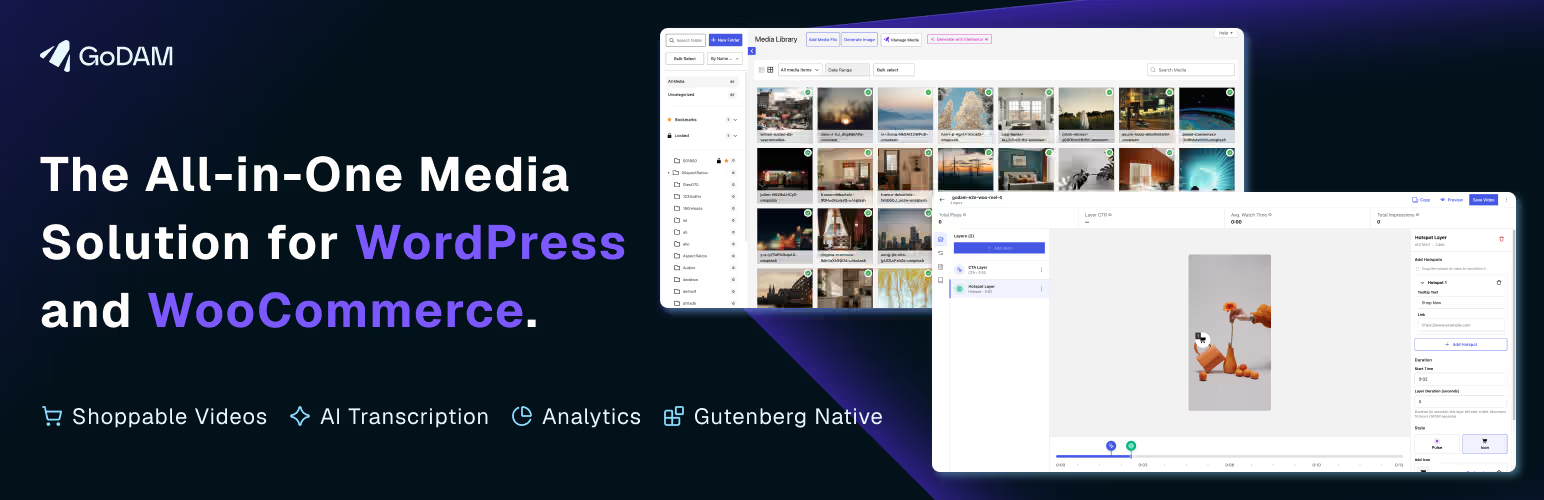
Make your videos more interactive and commerce-friendly with GoDAM. Add product hotspots directly to videos so viewers can discover featured products while watching and take action without leaving the experience.
With interactive video layers, CTAs, and product hotspots, you can transform ordinary product videos into engaging shopping experiences that help drive clicks, add-to-carts, and sales.
Key Features:
- Cart inside video: customers add products to the cart without leaving the video.
- Reels Swipe-style video feeds: a Reels-like browsing experience for your store.
- Product gallery videos: show videos alongside images on product pages.
- Revenue analytics: see the order value credited to each video, plus video-to-cart and video-to-purchase rates.
- Page builder support: works with Gutenberg, Elementor and WPBakery.

Pricing
GoDAM has no permanent free version for shoppable videos. It offers a 60-day free trial with 20GB of storage and bandwidth. After that, plans start at $9 per month or $90 per year (20GB), then $190 per year (100GB) and $290 per year (250GB). Every paid plan includes all the WooCommerce shoppable video features.
Pros and Cons
Pros:
- Displays how much revenue each video and each product hotspot brings in
- All shoppable features are included in every paid plan
Cons:
- No free version beyond the 60-day trial
- Storage and bandwidth are capped by plan
Best for: Larger stores that publish a lot of video and want hosting and revenue analytics in one place.
Free vs Pro: What Each Plugin Gives You for Free
The free versions of all the plugins differ a lot. Here is what you get without paying and what each plugin keeps for its paid plan.
| Plugin | Free version includes | Paid only |
|---|---|---|
| Store One | The full Shoppable Videos module: multiple products per video, grid and slider layouts, two card styles, design controls | Nothing in this module. Pro adds other modules, such as Pre Order and Bundle Product |
| VidShop | Video uploads and URLs, four layouts, analytics, unlimited products per video, one AI video | More AI videos, capped by yearly credits |
| ReelsWP | Grid and carousel layouts, product tagging, self-hosted videos, Gutenberg block and Elementor widget | Marquee, stacked and popup layouts, autoplay, Vimeo, YouTube Shorts and video URLs |
| GoDAM | 60-day trial with all features and 20GB of storage | Everything after the trial ends |
If you’re looking for a solution just for shoppable videos without paying anything extra, Store One and VidShop offer the most in their free versions, which are enough for any store to get started. ReelsWP keeps most layouts for Pro, while GoDAM is a paid product after its trial.
Standalone Shoppable Video Plugin vs All-in-One Toolkit
According to our findings, shoppable video plugins currently fall into three types. The first is standalone plugins that are made specifically for shoppable videos.
The second is all-in-one store toolkits like Store One, which include shoppable videos alongside other useful features.
The third is plugins like GoDAM, which are all-in-one media management plugins that can manage your media and let you do more with video content beyond just shoppable videos.
When a Standalone Plugin Makes Sense
Use a standalone shoppable video plugin like VidShop or ReelsWP if your only motive is to display shoppable videos and product video marketing is your objective.
These plugins are mainly made for video marketing-specific features such as AI video creation, creating story video layouts, in-player checkout features, and video analytics.
When an All-in-One Toolkit Is Better
Choose an all-in-one toolkit like the Store One plugin if you want more marketing features like Smart Offers, sale notifications, product bundles, pre-orders, trust badges, and shoppable video features without installing an extra plugin for each feature.
This plugin offers many more useful features that would otherwise require standalone plugins. So, if you want a better marketing-centric plugin that also offers shoppable videos, you can use the Store One plugin.
With Store One, fewer plugins mean fewer updates to manage, fewer possible conflicts, and one dashboard for all your settings. It suits new stores and store owners who want to keep their setup simple and fast.
In short, pick a standalone plugin for advanced video features, and an all-in-one toolkit if you want video as one part of a wider set of store tools.
How to Choose the Right Shoppable Video Plugin
So, in the end, which plugin should you choose? The right plugin depends on where your videos come from, how you want to show them to your customers, and how much you want to spend, or whether you want to use a completely free plugin.
Here are some questions that may help you choose the perfect plugin.
Where Are Your Videos Hosted?
If you’re going to host the videos on your own site, Store One and the free version of ReelsWP both work well. If you want an external video source via video URLs, VidShop supports them for free.
If you have no videos at all, VidShop can help you create AI-generated videos, but it requires the Pro plan, as the free plan only provides 1 video generation, so keep that in mind.
If your store is big and requires a large video library, GoDAM is a good option for you, as it hosts the files in the cloud so they do not use your server’s storage.
How Do You Want to Display Them?
For a simple grid or slider, Store One covers both. If you want Stories or TikTok-style layouts and feeds, VidShop includes them for free.
ReelsWP offers the most layout and style options to choose from, but most of them are available only in the Pro version.
Also, check how you will place the videos, as ReelsWP has a Gutenberg block and Elementor widget, while Store One and VidShop use shortcodes. However, they work well with both the Elementor and Gutenberg editors, so you don’t need to worry about that.
What Is Your Budget?
If you want a free plugin and don’t want to pay anything, Store One gives you its full Shoppable Videos module with all Pro features for free, while VidShop is free for everything except the extra AI video generation. ReelsWP Pro starts at $39, and GoDAM starts at $90 per year after its 60-day trial period.
Will Your Hosting Handle Video?
As you may know, self-hosted videos use your own hosting storage and bandwidth, so keep the videos short and compressed before uploading them to your media library.
This matters most on shared hosting. If you plan to publish a lot of videos, a cloud-hosted option like GoDAM can take that load off your server.
FAQs
What is a shoppable video plugin for WooCommerce?
A shoppable video plugin lets you tag WooCommerce products inside videos so customers can view the product, see its details, and add it to their cart directly from the video.
What is the best free shoppable video plugin for WooCommerce?
Store One is a strong free option because its full Shoppable Videos module is included in the free version. VidShop also offers a generous free version with video uploads, URLs, layouts, analytics, and one AI-generated video.
Which WooCommerce shoppable video plugin is best for AI-generated videos?
VidShop is best suited for stores that have product images but do not have video content. It can generate short AI videos from product photos and turn them into shoppable videos.
Can I add shoppable videos without paying for a premium plugin?
Yes. Store One includes its full Shoppable Videos module in the free version, while VidShop also provides several shoppable video features for free. ReelsWP has a limited free version, and GoDAM provides a 60-day trial rather than a permanent free version.
Can shoppable videos work with Elementor and Gutenberg?
Yes. ReelsWP provides a Gutenberg block and Elementor widget. Store One and VidShop use shortcodes, which can also be placed in pages built with Elementor or the Gutenberg editor.
Final Thoughts
Shoppable videos are becoming a useful way for WooCommerce stores to showcase products and give customers a more engaging shopping experience. But the right plugin depends on what you actually need from your store.
If you want a free all-in-one solution with shoppable videos and other WooCommerce tools, Store One is a strong choice. If AI-generated videos and different video layouts are your priority, VidShop is worth considering.
ReelsWP is better suited for stores that want more Reels-style layouts and are comfortable upgrading to Pro. For larger video libraries, cloud hosting, and detailed video analytics, GoDAM is a better fit.
Before choosing a plugin, consider your video source, preferred layout, hosting requirements, and budget. A plugin that fits your current setup will make it easier to add shoppable videos without adding unnecessary complexity to your WooCommerce store.
Please subscribe to our YouTube Channel. We also upload great content there. Do follow us on Instagram, Facebook, and X.


