Variation Swatches for WooCommerce, minus the dropdowns
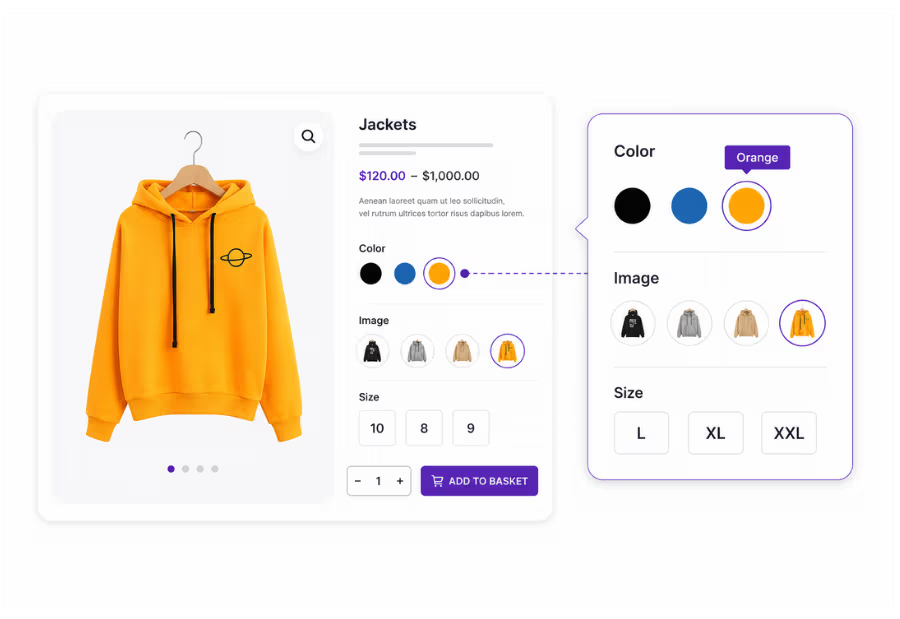
TH Variation Swatches transforms WooCommerce’s plain variation dropdowns into beautiful color, image, and button swatches that customers can easily see on product pages, shop pages, quick view, and filters.
↑ This is what your shoppers get. Hover swatches for text & image tooltips.
Why replace WooCommerce dropdowns with variation swatches?
Default WooCommerce variation dropdowns hide product options behind a click. Customers cannot instantly see that a shirt comes in six colors or that a phone case is available in multiple finishes, which can lead to missed purchases. TH Variation Swatches replaces those dropdowns with clickable color, image, and button swatches, making every option visible at a glance.
TH Variation Swatches automatically converts your existing WooCommerce product attributes into beautiful variation swatches. There is no need to rebuild products or use shortcodes. Simply install the plugin, choose a swatch type for each attribute, and give your store a modern, user friendly shopping experience.
Mix and match swatch types for each attribute. Use color swatches for colors, image swatches for patterns, and button swatches for sizes.
Color Variation Swatches
Replace the color attribute dropdown with clickable color swatches. Customers can view your entire color palette at a glance, making it perfect for apparel, home décor, accessories, and more.
Image Variation Swatches
Show the actual pattern, texture or print as a thumbnail. When the design is the difference, an image swatch converts far better than a text label.
Button Variation Swatches
Replace the color attribute dropdown with clickable color swatches. Customers can view your entire color palette at a glance, making it perfect for apparel, home décor, accessories, and more.
Image Variation Swatch
Image Variation Swatch is best for those who want to show much about their product by displaying an image. It does more than color swatches. When it comes to displaying images as product variation, this option has a highly engaging conversion.
Present variations with stunning image previews
Create a modern and interactive shopping experience
Encourage quicker purchase decisions
Designed for high converting WooCommerce stores
Color Variation Swatch
Color Variation Swatch option turns product select options drop down into color swatches. It is a best option for the variable products that come with multiple variations. Customer will easily choose their product by selecting desired color.
Replace dropdowns with beautiful color swatches
Display all available colors at a glance
Make variation selection fast and intuitive
Improve the overall shopping experience
Tooltip in Variation Swatches
Tooltip describes more about the swatches and acts like a variation description. By hovering over the swatches it will display a text tooltip in your variation Swatches. It is necessary to give all the important details about a product for converting visitor into paying customer.
Display informative tooltips on hover
Show variation names instantly
Improve product clarity for shoppers
Help customers make confident choices
Button Variation Swatch
Button Variation Swatch is best for displaying product size, quantity, and other variation related details. This Variation Swatch boost conversion extensively. It also helps the customers to select their desired product variation quickly.
Replace dropdowns with clickable buttons
Perfect for sizes, quantities, and labels
Make variation selection faster and easier
Interactive button based selection
Rounded and Squared Attribute Shape Style
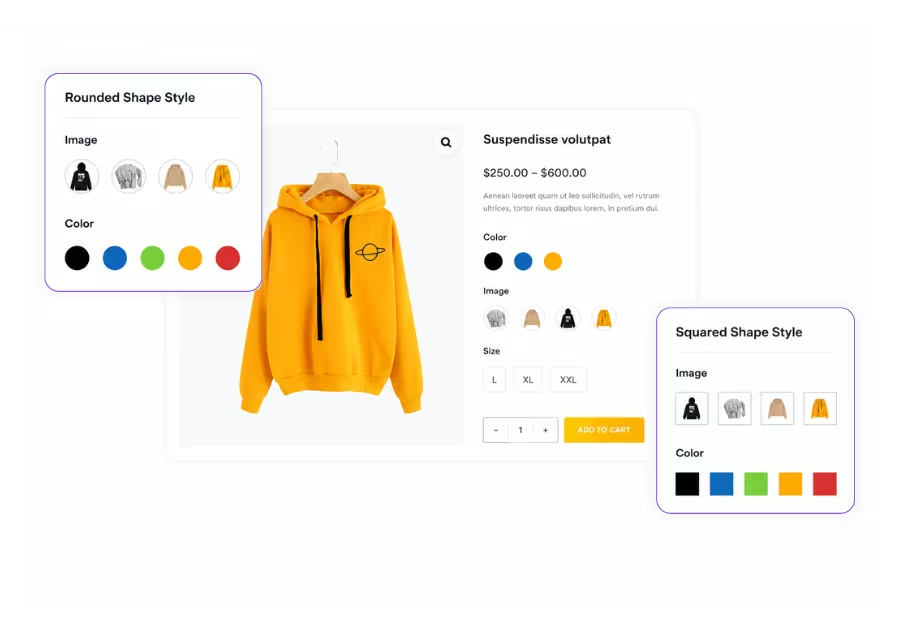
This plugin comes with Two different Attribute Shape Styles i.e Rounded & Squared. This is one of the helpful & unique feature in plugin. You can use these shapes in color, image and button swatches. Instead of compared to Round, use a Squared shape in your Image swatches.
Choose between rounded and square swatches
Apply styles to color, image, and button swatches
Match your store's branding effortlessly
Create a consistent product page design
Attribute Behavior (Blur/Hide)
In any eCommerce website it is very necessary to show unavailable or out of stock variation. This plugin offers an option to blur or hide the attribute which has no variation or not available. There are three different Attribute Behaviour.
Blur or hide unavailable variations
Keep product pages clean and organized
Prevent customers from selecting unavailable options
Fully customizable attribute behavior
Swatches for Quick View
Along with showing swatches on the product single page, shop page and archive pages. TH WooCommerce Variation Swatches plugin can enable swatches on Quickview lightboxes ( Popup ) too, which will attract more customers and increase the sales.
Enable swatches inside Quick View popups
Select variations without leaving the shop page
Faster product browsing and selection
Improve customer convenience and engagement
Display Options (Attribute Title, Name & Separator)
Using Display setting option for your swatches, You can enable Attribute Title, name and a separator in your swatches variation. You can add a separator symbol between title and name.
Show or hide attribute titles
Display custom attribute names
Add separators for better readability
Create a cleaner product layout
Swatches for Shop and Archive page Widget Area
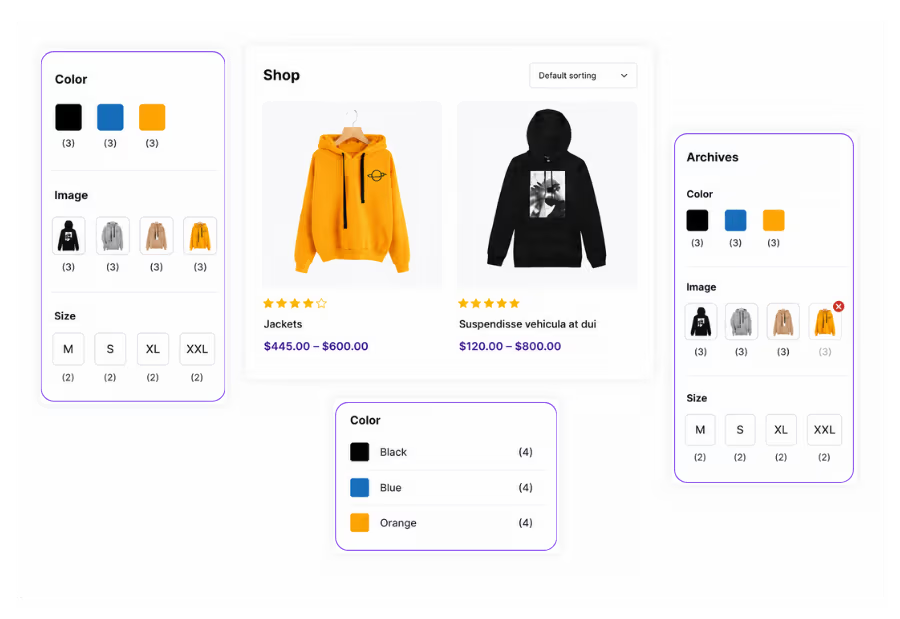
This plugin enables Variation Swatches in your Shop Page, Archive and Category pages sidebar & Footer Widget area. It will helps in boosting Store conversion and engagement. It allows customers to check product variations from the Shop page, archive page and add them to the cart.
Display swatches in shop and archive widgets
Filter products using visual swatches
Improve product discovery and navigation
Enhance browsing with interactive filters
Swatches for Product Catalog
Using this option you can enable swatches in your Shop page product catlog. This will make the visitor to easily select the variation and proceed to buy that product.
You can display Color swatch, Image swatch or button swatch in product catlog. You can also align your swatches left, center or right respectively.
Display swatches directly in product catalogs
Preview variations before opening the product
Support color, image, and button swatches
Customize swatch alignment with ease
Highlight Attributes
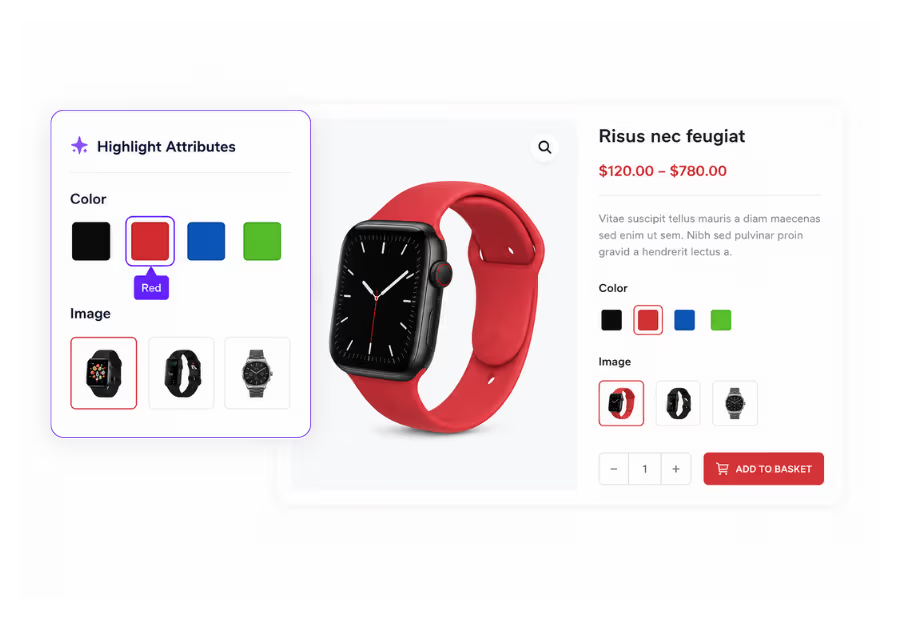
With Pro plugin you can easily highlight desired Attribute. This will grab visitor’s attention on any particular attribute. You can select Color, button or image swatch and make it large on single product page. Adjust the Font size, Width & height of your highlighted Attribute.
Highlight important product attributes
Draw attention to featured variations
Customize size, width, and appearance
Create a more engaging shopping experience
Stock Availability
Using this option you can display the Availability stock quantity with tooltip. It is very necessary to show the remaining product variation. It can show the clients all the remaining stock for any particular variation. It will boost your site usability and boost sales.
Display live stock availability for variations
Show remaining quantity with tooltips
Create urgency with low stock indicators
Improve transparency and user confidence
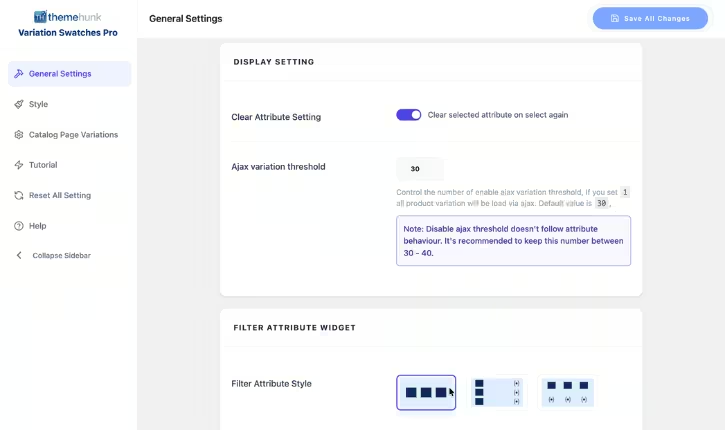
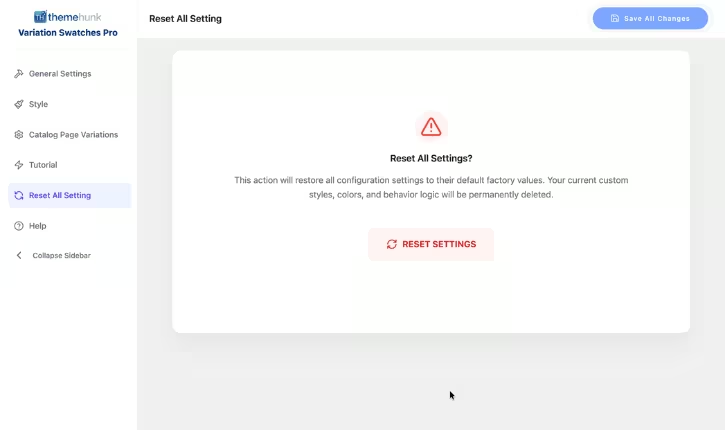
Easy to Use and Highly Customizable Dashboard
Manage all settings from a simple, intuitive dashboard with full control over layout, fields, and display options.
General Settings
Style Options
Catalog Page Variations
Reset Settings
Why Go Pro?
See the difference between the Free version and Pro power.
Join 10,000+ happy customers who are growing with us.
"We've tried several variation swatch plugins, but this one stands out for its ease of use and flexibility. The image and color swatches look fantastic, and our customers find products much faster. Highly recommended!"
Michael Anderson
United States
"The plugin was incredibly easy to set up and worked flawlessly with our WooCommerce store. Features like Quick View swatches and stock availability have made product selection much more intuitive."
Markus Schneider
Germany
"The customization options are excellent. We matched the swatches perfectly with our store's branding, and the interface feels premium. It has definitely improved our customers' shopping experience."
Ray Dubois
France
Simple Pricing Plan
One license. Every premium plugin you'll ever need.
Pick the plan that fits — one plugin, the full suite, or everything for life.
Included in Complete & Lifetime Agency
All 10 premium plugins below are unlocked — no add-ons to buy separately.
Prices in USD. Renewals optional — your plugins keep working after expiry.
Frequently Asked Questions
Which types of swatches are supported?
The plugin supports Color Swatches, Image Swatches, Button Swatches, and Radio Button Swatches, allowing you to display product variations in the most suitable format.
Is the plugin compatible with the latest WooCommerce and WordPress versions?
Yes. The plugin is regularly updated and tested with the latest versions of WordPress and WooCommerce to ensure maximum compatibility and stability.
Can I display variation swatches on shop and archive pages?
Yes. You can display swatches on shop, category, archive, and product catalog pages, allowing customers to preview and select variations without opening the product page.
Can I upgrade from Free to Pro later?
Absolutely. You can start with the Free version and upgrade to Pro anytime directly from your dashboard without losing your settings.
Do you offer refunds?
We offer a 14-day money-back guarantee. If you're not satisfied with the plugin,
you can receive a full refund, subject to certain conditions.
Read the refund policy here.
Is it compatible with page builders like Elementor?
Yes, we have a dedicated widget for Elementor, Divi, and Beaver Builder, making it super easy to drag and drop the search bar anywhere.
Transform Your WooCommerce Product Variations Today
Give your customers a faster, more intuitive shopping experience with beautiful color, image, and button swatches.
We use cookies on our website to give you the most relevant experience by remembering your preferences and repeat visits. By clicking “Accept”, you consent to the use of ALL the cookies.
This website uses cookies to improve your experience while you navigate through the website. Out of these, the cookies that are categorized as necessary are stored on your browser as they are essential for the working of basic functionalities of the website. We also use third-party cookies that help us analyze and understand how you use this website. These cookies will be stored in your browser only with your consent. You also have the option to opt-out of these cookies. But opting out of some of these cookies may affect your browsing experience.
Necessary cookies are absolutely essential for the website to function properly. This category only includes cookies that ensures basic functionalities and security features of the website. These cookies do not store any personal information.
Any cookies that may not be particularly necessary for the website to function and is used specifically to collect user personal data via analytics, ads, other embedded contents are termed as non-necessary cookies. It is mandatory to procure user consent prior to running these cookies on your website.