
Creating a visually appealing and highly functional website is essential for businesses, blogging, and online stores.
Having the right tool is crucial for delivering a great user experience. Elementor is one of the most used and flexible page builders for WordPress.
Elementor transformed the website’s design experience by making advanced features available to everyone.
However, to utilize the full potential of Elementor, you might need more advanced features and customization options. This is where the Elemento Addons become essential.
The Elemento Addons are designed to expand the capabilities of Elementor, enabling you to create stunning, high-performance websites without needing advanced coding skills.
This blog will explore the features, advantages, and benefits of using Elemento Addons to build and enhance your WordPress website.
What are Elemento Addons

Elemento Addons is a collection of additional widgets and extensions designed to work seamlessly with the Elementor page builder. These add-ons provide advanced design possibilities and customization options.
Whether you’re a beginner or an experienced web designer, Elemento Addons provides the flexibility to create professional websites with minimal effort.
With these add-ons, you can create everything from eCommerce to blogs, portfolios, and landing pages to business websites, all while maintaining high-quality design and performance standards.
Why Choose Elemento Addons
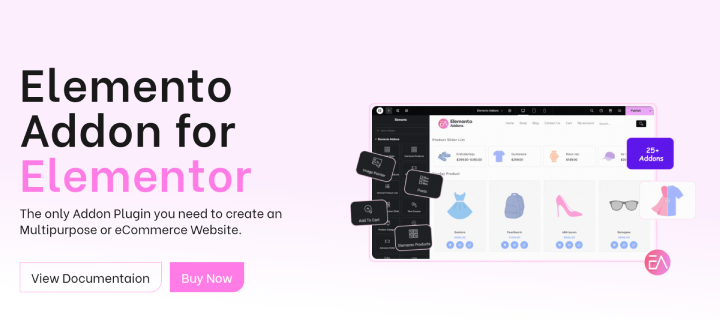
While Elementor is already a powerful page builder, its basic features may not be enough for users who need more specialized design elements or functions.
Elemento provides advanced add-ons that can significantly enhance Elementor’s capabilities.
Wide Range of Customizable Widgets
Elemento Addons comes packed with a wide range of widgets to meet the different website design needs. Whether you create an online store, a blog, or a business site, these widgets give you extra customization options to improve design and functionality. The list of widgets is as follows:
- Image Animation: This widget adds dynamic effects to images like hover animation, enhancing website engagement and user attraction.
- Advanced Heading: This widget offers customizable colors, typography, and animations, allowing you to create attractive headings with unique styles and effects.
- Blog Post: This widget helps you to display blog content with customizable layouts, styles, and slider features. This enhances readability and presentation, offering flexible options to create an attractive blog section.
- Content Switcher: This widget allows users to switch between different content sections or categories, enhancing user experience by making content navigation smooth and interactive.
- Advance Tabs: This widget offers a customizable tab design with different styles and layouts. This enhances the user experience by organizing content neatly, making navigation and content access easy.
- Image Compare: This widget allows you to display a comparison of two images with a horizontal or vertical slider. Ideal for before or after displays or product comparisons, enhancing user engagement on site.
- Image Pointer: This widget helps you add interactive pointers on images to highlight specific features or details, enhancing user engagement by making images more engaging and informative.
- Countdown: This widget allows you to create a customizable countdown timer for limited-time offers, events, promotions, or product launches. This timer increases the urgency and encourages visitors to take action before the time runs out.
- Elemento Counter: This widget helps to display animated counters that highlight numerical data, such as statistics or milestones. This attracts attention and presents important figures more engagingly and attractively.
- Icon Lists: This widget provides a customizable list with icons, allowing you to display information attractively. Perfect for showcasing features, services, or key points on your site.
- Testimonials: This widget allows you to display customer reviews and feedback in a customizable format, enhancing credibility and trust by presenting positive experiences.
- Advance Slider: This widget offers customizable and interactive sliders for showcasing images, content, or testimonials in a vertical or horizontal orientation. This helps improve visual appeal with dynamic and attractive presentation options.
- Price Box: This widget allows you to create attractive pricing tables with customizable designs. Perfect for showcasing product or service prices, enhancing clarity, and attracting potential customers.
Elemento Addons also offers advanced widgets for WooCommerce. Check below the list of widgets:
- Advanced Product Slider: This widget provides a customizable slider to display products with interactive features, enhancing product visibility and user engagement.
- Elemento Products: This widget helps to showcase your product with a customizable layout and style, making it easy to highlight and promote products effectively.
- Woo Coupon: This widget lets you create customizable discount coupons on your WooCommerce store, helping you attract visitors and improve engagement with special offers.
- Add to Cart: This widget offers customizable buttons for adding products to the cart, making shopping more intuitive and efficient.
- Product Category Slider: This widget lets you display product categories in an engaging slider. You can also customize the appearance to showcase different categories.
- Product Slider: This widget lets you display products in a dynamic, customizable slider. Perfect for showcasing multiple products attractively, helping visitors to find their desired product quickly.
- Big Products: This widget lets you showcase prominent products with customizable designs and layouts. Perfect for highlighting featured products, promotions, or important information.
- Vertical Product List: This widget allows to showcase products in a vertical, scrollable format. Ideal for efficiently organizing and displaying products on your website.
- Grid Product: This widget lets you display products in a clean, organized grid layout. It is fully customizable, allowing you to showcase multiple items and improve visual appeal and user experience.
- Product Slider List: This widget combines the features of a slider and list, displaying products in a scrollable, dynamic format. This enhances product presentation and creates a more engaging browsing experience.
These widgets allow you to easily integrate advanced functionality into your website, all without the need for coding skills.
Ease of Use
Elementor Addons are created with ease of use in mind, making them accessible even for those without coding knowledge. The user-friendly interface seamlessly integrates with the Elementor page builder.
Whether you’re a beginner or an experienced user, these add-ons are designed to be easy to use and will assist you in designing a fully functional website.
Design Flexibility
Elemento Addons offers endless design possibilities and a range of customization options. Each widget has detailed settings, enabling you to adjust colors, typography, margins, and more.
Whether you create a simple blog or a complex eCommerce site, the add-ons’ flexibility lets you fully achieve your design goals.
Enhance User Experience
Dynamic elements like sliders, animation, and carousels make your site more engaging for visitors. Websites with interactive features tend to have higher retention rates, leading to better user experience and conversion rates.
Whether you’re looking to keep visitors on your blog longer or encourage them to complete a purchase, Elemento Addons provides the tools to achieve this.
Boosts Conversion Rates
For eCommerce stores, the WooCommerce integration can greatly enhance conversion rates. By offering smooth navigation, dynamic product displays, and customizable add-to-cart buttons, you create a seamless shopping experience that encourages visitors to buy.
Additionally, the options to style floating carts and product pages improve user experience, making it easier for customers to complete their purchases.
Responsive and Retina-Ready
Each widget included in Elemento Addons is fully responsive and retina-ready. This ensures that your website looks great and performs well on any device, whether a desktop, tablet, or smartphone. This is essential for delivering the best user experience.
Fast and Lightweight
The common concern when using multiple plugins is that they can slow down your website. However, Elemento Addons is built with performance in mind.
It is lightweight so it won’t impact your website’s loading speed. This is essential for maintaining SEO ranking and ensuring a positive user experience.
SEO-Friendly
A fast and responsive website is essential for good SEO. Fast loading speed improves search engine rankings, increasing your site’s visibility to visitors.
The add-on also follows SEO-friendly design practices, ensuring your site structure is optimized for search engines.
Translation-Ready
If you are creating a website for a global audience, you will be glad to know that Elemento Addons fully supports multiple languages. The add-on is compatible with popular translation plugins like WPML and Polylong and supports Right-to-Left (RTL) languages.
Regular Updates and Supports
ThemeHunk is known for its customer service and product updates. By choosing Elemento Addons, you’re ensuring that your website stays up to date with the latest Elementor and WordPress versions, along with security improvements.
Additionally, their dedicated support team is always available to help users with any problem or question.
How to Get Started With Elementor Addons
Here’s a simple guide to help you install and start using the add-ons on your WordPress website.
Download and Install Elemento Addons
- Visit the ThemeHunk website and go to Plugins > Pro Plugins > Elemento Addons.
- Choose the plan and buy the Elemento Addons plugin.
- Once purchased, go to the member’s area and log in.
- Download the Elemento Addons for Elementor zip file.
- Now open your WordPress dashboard and go to Plugins > New Plugins > Upload Plugin
- Upload the plugin file you downloaded.
- Install and activate the plugin.
Access the Widgets
After activating Elemento Addons, you’ll see extra widgets available in the Elementor page editor. Just drag and drop these widgets onto your page, and then customize them to match your design and functionality.
Customize and Publish
After adding the widgets to your page, use the extensive customization options to adjust the design, layout, and content. Once you are satisfied with your design, click the Publish button to make your updated website go live.
Practical Use Cases for Elemento Addons
Elemento Addons is suitable for multiple industries, offering flexibility for various needs. Here are some examples:
- eCommerce Websites: Elemento Addons offers advanced WooCommerce widgets that make it easy to build fully functional eCommerce websites. Whether you are displaying a small number of products or running a large online store, Elemento Addons offers all the necessary widgets to create an engaging product page with an advanced product slider, grid product, and featured product and helps boost sales by showcasing easily redeemable Woo coupons.
- Blogs: For bloggers, the Blog Posts widget is useful for organizing and showcasing content attractively in a grid or list view. It also provides attractive slide designs that enhance engagement. The typography and layout options, allow bloggers to adjust fonts, spacing, and overall design. Bloggers can also add custom categories and related posts.
- Landing Pages: Businesses and marketers looking to build high-converting landing pages will find the Countdown Timer and Call-to-Action buttons particularly useful. These features create urgency and encourage visitors to complete purchases or sign up for services.
- Business Websites: For businesses, creating a professional website is essential. Elemento Addons lets you showcase stats, testimonials, services, and pricing plans in a clean and modern design. These features help to build trust with potential customers.
FAQ
Q: How can Elemento Addons enhance my website’s performance and design flexibility?
Ans: Elemento Addons provides a variety of widgets and design tools for easy site customization without coding. With lightweight code, responsive design, and interactive elements, it enhances visual appeal and navigation while maintaining fast load times, and improving user experience and SEO.
Q: Can I use Elemento Addons for WooCommerce websites?
Ans: Yes, Elemento Addons offers specific WooCommerce widgets like product category slider, grid product, add-to-cart, and woo coupons that are ideal for eCommerce stores.
Q: Is Elemento Addons compatible with all themes?
Ans: Yes, Elemento Addons is compatible with all themes that are built for Elementor.
Q: Does Elemento Addons provide regular updates?
Ans: Yes, Elemento Addons provides regular updates to ensure compatibility with the latest version of Elementor and WordPress.
Q: Is support available for Elemento Addons?
Ans: Yes, ThemeHunk offers dedicated support for any issues or queries.
Q: What kind of website can I build with Elemento Addons?
Ans: Elemento Addons can help you build various websites, including eCommerce, portfolios, blogging, and business websites.
Q: Is Elemento Addons free?
Ans: Elemento Addons only offers a premium version, which costs $49/yr.
Final Words
Elemento Addons for Elementor is an advanced toolkit, designed to enhance your Elementor page-building capabilities. With a wide range of widgets and creative elements, this add-on makes website creation easy and more impactful.
Whether you’re running a blog, a business website, or an online store, this add-on provides a cost-effective and efficient way to build professional and engaging websites.
Thanks for reading this blog. If you find this article helpful, do share it with your friends. If you have any questions, do not hesitate to comment below. We will help you to solve your problem.
Please Subscribe to our YouTube Channel, we also upload great content there Do Follow us on Instagram, Facebook, and Twitter.
More Helpful Reads:


