
Product sliders are an excellent way to showcase a variety of products in a visually appealing, organized manner, especially when working with WooCommerce on WordPress.
By utilizing Elementor, a popular page builder, alongside the Elementor Addon, you can effortlessly add product sliders in woocommerce that elevate the shopping experience.
In this guide, we’ll explore how to add a product slider in woocommerce with seven different layout options using the Elementor Addon.
Why should we add a product slider in WooCommerce?
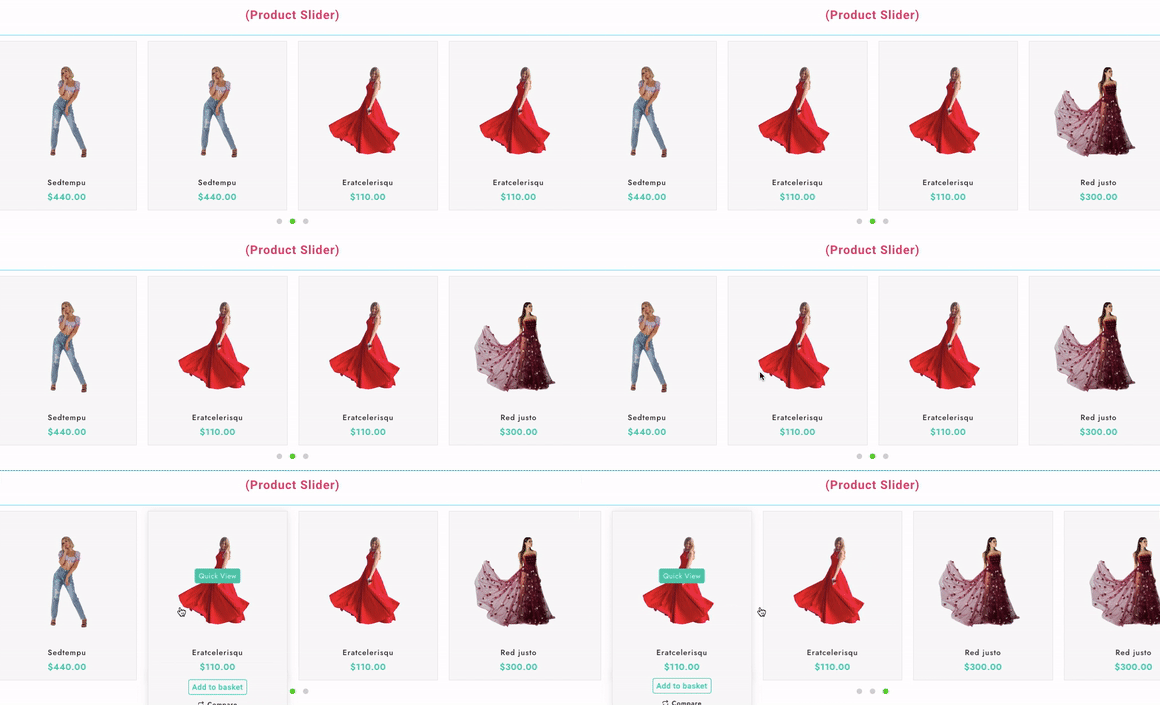
Before we proceed, let’s take a moment to understand the advantages of product slider:
Sliders enhance visual appeal and give your store a professional look. Visitors can quickly browse various products without scrolling through extensive lists. And highlight popular, new, or discounted products to boost sales.
Explore Diverse Layouts for Product Sliders
Elementor Addon offers seven versatile product slider layouts to match your store’s design aesthetic. Here’s a look at each one:
1. Advanced Slider

The Advanced Slider layout is perfect for showcasing high-quality product images with added animations. You can highlight your key products with eye-catching visuals and text overlays.
Features:
- It offers smooth transitions
- Customizable text, and
- Buttons will guide users directly to product pages.
Usage: Ideal for featured products or new collections.
Live Demo: Explore Advanced Slider
2. Advanced Product Slide
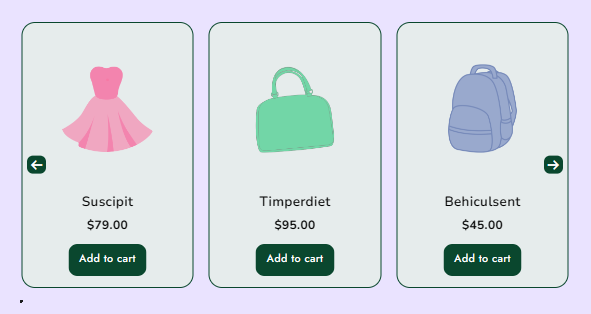
The Advanced Product Slide is a simple and effective layout that allows you to showcase your products in a horizontal scrolling slider. You can add product images, titles, prices, and even sale badges.
Features
- Horizontal scroll
- Customizable speed
- Dynamic product info display.
Usage:
- Perfect for bestsellers or limited-time offers.
Live Demo: Explore Advanced Product Slide
3. Product Category Slider
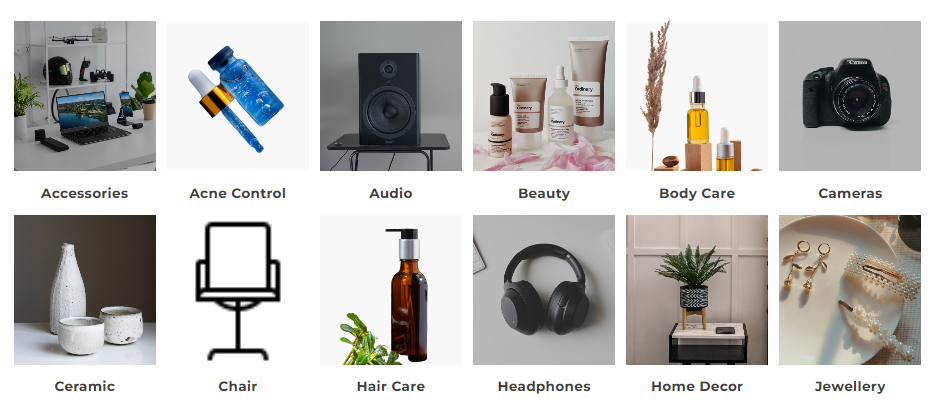
The Product Category Slider lets you feature product categories instead of individual products.
This layout works exceptionally well for stores with diverse product lines, helping users navigate through categories effortlessly.
Features:
- Category images,
- Titles, and description support.
Usage:
- Great for stores with multiple product categories.
Live Demo: Explore Product Category Slider
4. Product Slider
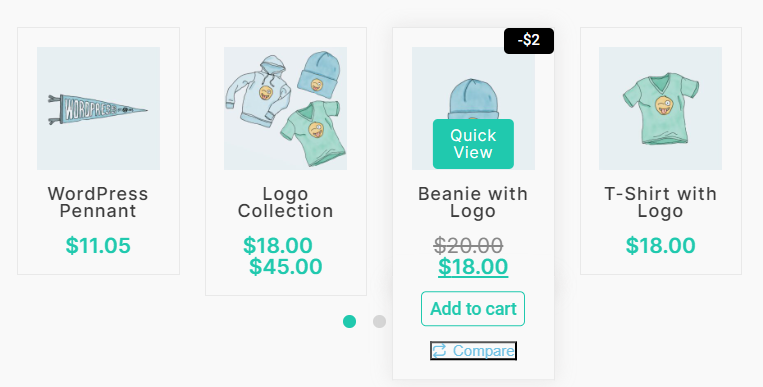
The classic Products Slider offers a simple yet effective way to showcase multiple products in a horizontal slider format.
This layout is highly customizable, allowing you to tweak everything from the number of visible products to the slider’s look and feel.
Features:
- Multiple product display
- Customizable columns
- Transition effects.
Usage:
- Suitable for promoting collections and new arrivals.
Live Demo: Explore Product Slider
5. Products Slider List
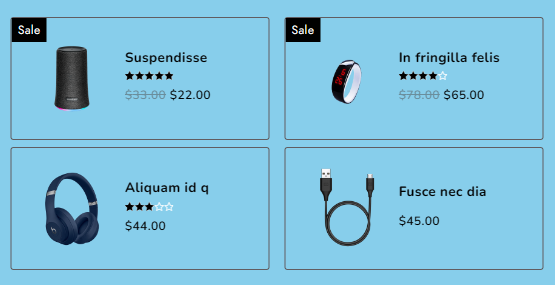
The Product Sliders List layout displays your products in a list format within a slider. This option is great for users who prefer to see more detailed information about each product while still maintaining a sliding interface.
Features:
- List view with product details
- Smooth slider transitions.
Usage:
- Ideal for stores with detailed product descriptions and specifications.
Live Demo: Explore Product Slider List
6. Vertical Product List
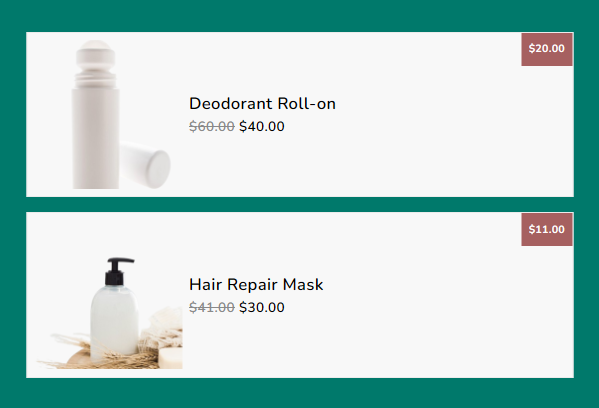
The Vertical Product List adds a unique twist to your product display. Instead of a traditional horizontal slider, this layout presents your products in a vertical scrolling format, making it perfect for sidebars or narrow sections.
Features:
- Vertical scrolling
- Customizable list elements.
Usage:
- It is best suited for side widgets or narrow spaces on your store’s homepage.
Live Demo: Explore Vertical Product List
7. Grid Product Slider
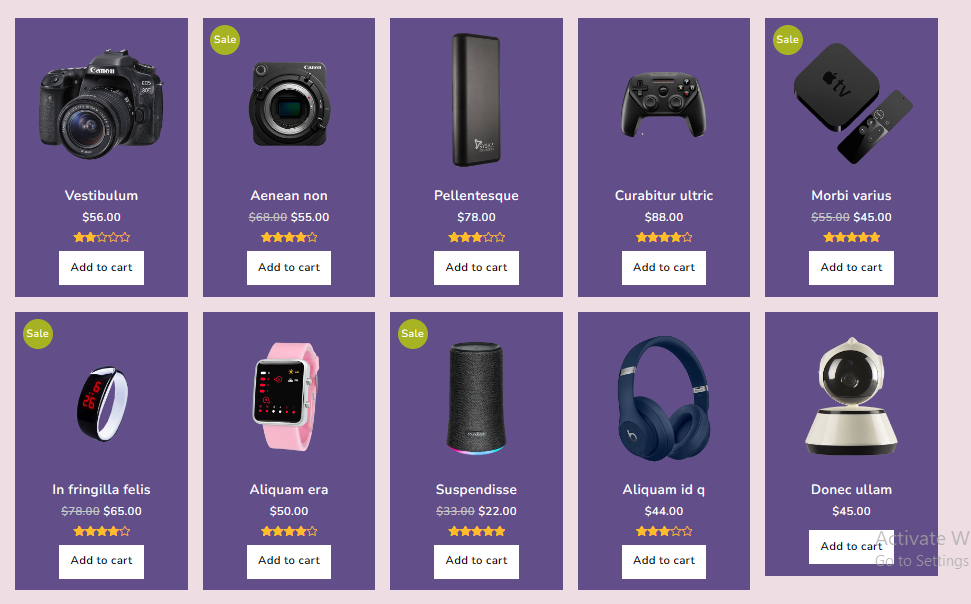
The Grid Product Slider in woocommerce is perfect for displaying products in a grid layout. This design offers a more structured and uniform presentation, allowing multiple products to be showcased at once without scrolling.
Features:
- Grid layout with adjustable columns
- easy navigation
- Dynamic product info display.
Usage:
- Excellent for stores with many products that need to be displayed simultaneously.
Live Demo: Explore Grid Product Slider
How to Add a Product Slider in WooCommerce Using Elementor Addon.
To add a product slider in woocommerce using one of these layouts, follow these steps:
- Install and Activate Required Plugins: Make sure you have Elementor, WooCommerce, and the Elementor Addon installed and activated.
- Edit Page with Elementor: Navigate to the page where you want to add the products slider and click “Edit with Elementor”.
- Add Product Slider Widget: In the Elementor editor, search for the Elementor Addon’s products slider widget (e.g., Advanced Slider, Grid Product Slider, etc.) and drag it to your desired section on the page.
- Customize the Slider: Choose your preferred layout, select the products or categories to display, and adjust settings like transition speed, grid columns, and design elements.
- Preview and Publish: After customizing the slider to your liking, preview your changes to ensure everything looks perfect, then publish the page.
Refer to this video below for assistance with Elementor Addon activation.
You can find the relevant addons here.
FAQ
Q: Can I customize the design of the product slider?
Ans: Yes! Elementor allows for extensive customization, including adjusting layout settings, typography, colours, and hover effects to match your website’s branding.
Q: Is it possible to display specific product categories in the slider?
Ans: Yes, many product slider widgets allow you to filter products by categories, tags, or attributes as part of the slider settings.
Q: Can I add animations to the product slider?
Ans: Yes, Elementor supports various animation options that can be applied to product sliders for a more engaging user experience.
Conclusion
With the Elementor Addon for Elementor, effortlessly create stunning product sliders for your WooCommerce store.
Select from a variety of product sliders featuring diverse layouts and customization options to match your brand.
Elevate your customer’s shopping experience with these engaging displays.
If you find this article helpful, do share it with your friends. If you have any questions regarding this, do not hesitate to comment below. We will help you to solve your problem. Thanks for reading this blog.
We hope this article will help you find the best possible way to Add Product slider in woocommerce to showcase your products.
Please Subscribe to our YouTube Channel, we also upload great content there and also Do Follow us on Facebook and Twitter
Discover more articles:


