
WooCommerce has become one of the most popular eCommerce platforms in the world, empowering millions of businesses to sell products online.
From small startups to established brands, store owners choose WooCommerce because it’s flexible, customizable, and built on WordPress, the world’s most widely used content management system.
WooCommerce doesn’t try to include every feature by default. Instead, it provides a solid foundation that you can expand with extensions as your business grows.
Whether you want to improve product search, optimize your store for search engines, simplify checkout, or increase conversions, there’s an extension designed for the purpose.
However, this flexibility comes with a challenge. With thousands of WooCommerce plugins available, choosing the right ones can quickly become overwhelming.
Installing too many extensions may slow down your website, create compatibility issues, and make your store harder to manage.
On the other hand, choosing the right combination of plugins can improve customer experience, streamline store management, and help grow your sales.
In this guide, we’ll explain what WooCommerce extensions are, why they’re important, the different types available, and how to choose the best ones for your online store. So you can build a fast, feature-rich, and scalable WooCommerce store.
What Are WooCommerce Extensions?
WooCommerce extensions are plugins that add new features and functionality to your WooCommerce store.
Think of WooCommerce as a newly built house. It already has the essential rooms, but you personalize it by adding furniture, lighting, security systems, and smart appliances to make it more comfortable and functional.
Extensions work in much the same way.
Instead of modifying WooCommerce’s core files, they safely extend your store with additional capabilities. This modular approach allows you to install only the features your business actually needs, keeping your website lean, flexible, and easier to maintain.
For example, WooCommerce extensions can help you:
- Improve product search with live AJAX suggestions.
- Optimize your store for search engines.
- Add advanced product filters and wishlists.
- Display trust badges and customer reviews.
- Offer multiple payment gateways and shipping methods.
- Create product bundles and upsell offers.
- Recover abandoned carts.
- Enhance checkout and product pages.
- Track analytics and customer behavior.
- Improve website speed and performance.
Rather than relying on a generic solution, WooCommerce gives you the freedom to build a store designed around your products, customers, and business goals.
Why WooCommerce Extensions Matter
Launching a WooCommerce store is just the first step. As your business grows, so do your customers’ expectations.
Modern online shoppers expect websites to load quickly, provide accurate search results, offer secure payment methods, and make the purchasing process as smooth as possible. If your store doesn’t meet these expectations, visitors may leave before completing a purchase.
This is where WooCommerce extensions make a significant difference.
Improve Product Discovery
Imagine a customer visiting your store looking for a specific product. If they can’t find it within a few seconds, they’re likely to leave and shop elsewhere.
Extensions that enhance search, filtering, and navigation make it easier for customers to discover products, reducing frustration and improving the overall shopping experience.
Help Increase Conversions
Many extensions are designed specifically to encourage purchases.
Features such as trust badges, sticky add-to-cart buttons, frequently bought together recommendations, countdown timers, and smart offers can reduce purchase hesitation and improve conversion rates.
Save Time for Store Owners
WooCommerce extensions don’t just benefit customers; they also simplify store management.
From automating marketing campaigns to generating shipping labels or managing inventory, the right plugins can reduce repetitive tasks and free up time for growing your business.
Allow Your Store to Scale
A small store might only need a handful of plugins today, but your requirements will evolve as your business grows.
WooCommerce’s extension ecosystem allows you to add new features whenever you need them, without rebuilding your website from scratch.
This scalability is one of the reasons WooCommerce remains a popular choice for businesses of all sizes.
Choosing Extensions with a Purpose
One mistake many beginners make is installing plugins simply because they look useful. Over time, this can lead to plugin overload, slower performance, and unnecessary complexity.
A better approach is to choose extensions based on your store’s specific needs.
Do your customers struggle to find products? Improve your search functionality.
Need to increase average order value? Consider product bundles or frequently bought together recommendations.
Want to speed up your website? Install a trusted caching plugin.
Each extension should solve a real problem and contribute to a better shopping experience.
In the next section, we’ll explore the most important categories of WooCommerce extensions and recommend some of the best plugins available to help you build a faster, smarter, and more successful online store.
Essential WooCommerce Extension Categories
Not every WooCommerce extension is essential for every store. A fashion retailer, for example, has different requirements than a digital download website or an electronics store. The key is to identify the areas where your customers need the most help and choose extensions that improve their shopping experience.
Below are some of the most valuable categories of WooCommerce extensions, along with recommended plugins that are widely trusted by the WordPress community.
Product Search Extensions
Imagine visiting an online store with hundreds or even thousands of products and struggling to find what you need. Most shoppers won’t spend several minutes browsing through categories, they’ll simply leave.
That’s why product search is one of the most important features of any WooCommerce store.
A modern search extension helps customers find products instantly, reducing frustration and increasing the likelihood of a purchase.
Recommended Product Search Extensions
ThemeHunk Advance Product Search

ThemeHunk Advance Product Search replaces WooCommerce’s default search with a fast, AJAX-powered search experience. Customers receive live suggestions as they type, along with product images, prices, categories, and other relevant details.
It also supports voice search, category-based searching, and customizable layouts, making it an excellent choice for stores with medium to large product catalogs.
FiboSearch

FiboSearch is one of the most popular AJAX search plugins for WooCommerce, helping customers find products faster through instant search suggestions and live results.
It offers customizable search displays, mobile-friendly performance, and advanced product search capabilities, making product discovery easier and improving the overall shopping experience.
Relevanssi

Relevanssi enhances the default WordPress search experience by delivering more relevant and accurate results.
It is particularly useful for stores with large product catalogs, helping customers find products faster through advanced indexing, improved search matching, and customizable search behavior that improves overall product discovery and usability.
Related: Best Search Plugins for WooCommerce.
Product Filter Extensions
As your product catalog grows, filters become increasingly important.
Instead of browsing dozens of products, customers can quickly narrow results by category, price, size, color, brand, or other attributes.
Recommended Product Filter Extensions
Filter Everything

Filter Everything is a WordPress and WooCommerce filtering plugin that helps customers quickly narrow down products using categories, attributes, tags, prices, and custom taxonomies.
Its AJAX-powered filtering improves product discovery, enhances user experience, and makes it easier for shoppers to find relevant products in large catalogs.
Premmerce Product Filter

Premmerce Product Filter for WooCommerce helps shoppers quickly find products using filters such as categories, attributes, price ranges, tags, and product characteristics.
Its AJAX-based filtering system improves navigation, speeds up product discovery, and enhances the shopping experience, especially for stores with extensive product catalogs.
Related: Check Out More WooCommerce Product Filter Plugins.
WooCommerce Cart Extensions
The shopping cart is more than just a place where customers review their selected items, it’s an opportunity to improve the buying experience and reduce cart abandonment.
A well-designed cart extension can make it easier for customers to update quantities, view their cart without leaving the current page, and proceed to checkout quickly.
Recommended WooCommerce Cart Extensions
ThemeHunk All in One Woo Cart

All-in-One Woo Cart enhances the WooCommerce shopping experience with a floating cart, side cart, AJAX-powered updates, quick checkout access, cart upsells, cart analytics, a free shipping progress bar, and cart milestone rewards.
Customers can view and manage cart items without leaving the current page, while store owners gain insights into cart activity, helping reduce friction, improve conversions, and increase average order value.
Side Cart WooCommerce
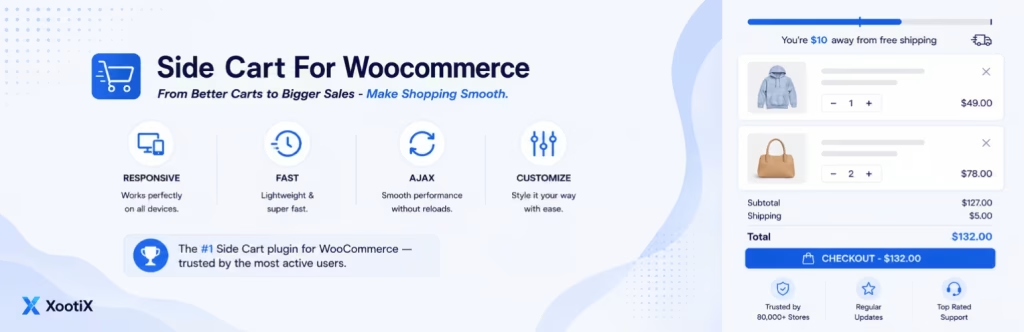
Side Cart WooCommerce adds a convenient AJAX floating cart that lets customers view, update, and manage cart contents without leaving the current page.
By reducing unnecessary page reloads and streamlining the checkout journey, it helps create a smoother shopping experience and can contribute to higher conversion rates.
Related: Best WooCommerce Floating Cart Plugins for WordPress.
Product Comparison Extensions
Customers often compare products before making a purchase, especially in categories like electronics, furniture, appliances, and fashion.
A product comparison plugin lets shoppers evaluate specifications, prices, features, and attributes side by side, helping them make informed decisions without leaving your website.
Recommended Product Comparison Extensions
ThemeHunk Product Compare

ThemeHunk Product Compare helps customers compare multiple WooCommerce products side by side based on features, specifications, pricing, and attributes.
With an intuitive comparison interface and customizable comparison fields, it simplifies product evaluation, improves decision-making, enhances the shopping experience, and helps shoppers choose the right products with greater confidence.
YITH WooCommerce Compare

YITH WooCommerce Compare allows customers to compare products side by side, making it easier to evaluate features, specifications, prices, and attributes.
By simplifying product comparisons, it improves the shopping experience, supports informed purchasing decisions, and helps customers choose the products that best meet their needs.
Related: How To Add Product Compare In Woocommerce For Free?
Variation Swatches Extensions
Default WooCommerce dropdown menus work well for basic products, but they aren’t ideal for products with multiple colors, sizes, materials, or styles.
Variation swatches replace dropdowns with visually appealing buttons, color swatches, image swatches, or labels, making product selection faster and more intuitive.
Recommended Variation Swatches Extensions
ThemeHunk Variation Swatches

ThemeHunk Variation Swatches transforms WooCommerce variation dropdowns into visually appealing color, image, button, and label swatches.
It helps customers identify available product options at a glance, improves navigation on variable products, enhances the shopping experience, and reduces selection friction.
With customizable swatch styles and display settings, store owners can create a more engaging and conversion-friendly product page.
Variation Swatches for WooCommerce

Variation Swatches for WooCommerce replaces standard WooCommerce variation dropdowns with color, image, and button swatches, making product options easier to view and select.
By improving the presentation of variable products, it enhances the shopping experience, simplifies product selection, and helps customers make faster purchasing decisions.
Related: Explore the Best WooCommerce Variation Swatches Plugins (Free & Paid).
Wishlist Extensions
Not every visitor is ready to purchase immediately.
Wishlist plugins allow customers to save products for later, increasing the chances of returning to complete a purchase.
They also encourage repeat visits and can improve customer engagement.
Recommended Wishlist Extensions
ThemeHunk Wishlist

ThemeHunk Wishlist is a feature-rich WooCommerce wishlist plugin that allows customers to save their favourite products for future purchases.
With flexible customization options, wishlist sharing, and an intuitive user experience, it encourages repeat visits and product engagement.
By helping shoppers organize products they are interested in, it can improve customer retention and support higher conversion rates.
YITH WooCommerce Wishlist

YITH WooCommerce Wishlist allows customers to save products they want to purchase later, creating a more convenient shopping experience.
It encourages repeat visits, helps shoppers keep track of favourite items, and can improve customer engagement and conversions by making product discovery and future purchases easier.
Related: How to Set Up a WooCommerce Wishlist Feature on Your Store.
Product Recommendation Extensions
Product recommendation extensions help increase average order value by suggesting complementary or related products at the right time.
Whether it’s cross-selling, upselling, or showcasing frequently purchased items, these plugins encourage customers to discover more products and make larger purchases.
Recommended Product Recommendation Extension
Store One
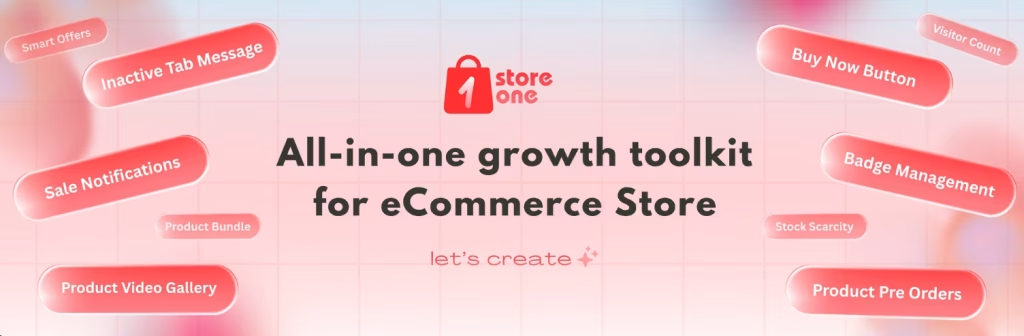
Store One is a WooCommerce conversion and product recommendation plugin designed to increase sales and average order value.
It includes features such as Frequently Bought Together, Product Bundles, Smart Offers, Visitor Count, Recently Viewed Products, and personalized recommendations.
Along with additional conversion-focused tools, it helps shoppers discover more products, encourages larger purchases, and enhances the overall shopping experience.
WPC Frequently Bought Together

WPC Frequently Bought Together helps WooCommerce store owners display related products that are frequently purchased together.
By encouraging customers to add complementary items to their carts, it supports upselling and cross-selling strategies, increases average order value, and improves product discovery while creating a more convenient shopping experience.
Related: Best WooCommerce Upsell & Cross-Sell Plugins.
Payment Extensions
A secure and flexible payment process is essential for any WooCommerce store.
Payment extensions enable you to accept multiple payment methods, making checkout more convenient for customers while helping reduce cart abandonment and improve trust.
Recommended Payment Extensions
WooCommerce PayPal Payments

WooCommerce PayPal Payments integrates PayPal into WooCommerce, allowing customers to pay using PayPal, credit cards, debit cards, and other supported payment methods.
It offers a secure checkout experience, helps build customer trust, and supports faster transactions across desktop and mobile devices.
WooCommerce Stripe Payment Gateway

WooCommerce Stripe Payment Gateway enables businesses to accept credit cards, debit cards, digital wallets, Apple Pay, Google Pay, and other supported payment methods directly on their WooCommerce stores.
It provides a secure, seamless checkout experience, supports recurring payments, and reduces friction during the purchasing process.
Razorpay for WooCommerce

Razorpay for WooCommerce is ideal for businesses in India and Malaysia, supporting UPI, credit and debit cards, net banking, wallets, and other local payment methods.
It also enables popular Malaysian payment options such as FPX, eWallets, and DuitNow, helping provide a secure, convenient, and localized checkout experience.
Related: How to Set up WooCommerce Payments in WordPress?
Shipping Extensions
Efficient shipping is essential for delivering a positive customer experience.
Shipping extensions simplify shipping calculations, automate order fulfilment, and provide accurate delivery options, making it easier to manage orders while keeping customers informed.
Recommended Shipping Extensions
Table Rate Shipping for WooCommerce

WooCommerce Easy Table Rate Shipping lets store owners create flexible shipping rules based on weight, order total, quantity, destination, and other conditions.
It simplifies complex shipping calculations, supports multiple shipping rates, and helps deliver a more accurate and transparent checkout experience for customers.
Shiprocket

Shiprocket for WooCommerce streamlines shipping and order fulfilment by connecting your store with multiple courier partners.
It offers automated shipping workflows, real-time tracking, shipping rate calculations, and label generation, helping businesses manage deliveries efficiently while providing customers with a smoother post-purchase experience.
Related: Essential WooCommerce Shipping Plugins for Your Online Store.
Marketing & Sales Extensions
Growing a WooCommerce store requires more than attracting visitors.
It also means engaging customers, recovering lost sales, and encouraging repeat purchases.
Marketing and sales extensions help automate promotions, email campaigns, and customer engagement to boost conversions.
Recommended Marketing & Sales Extensions
MailPoet

MailPoet is an email marketing plugin for WordPress and WooCommerce that helps businesses create and send newsletters, automated emails, and customer engagement campaigns directly from their dashboard.
It supports audience segmentation, email customization, and WooCommerce integrations, making it easier to nurture customers and drive repeat sales.
Email Marketing for WooCommerce by Omnisend

Omnisend for WooCommerce is a marketing automation platform that combines email, SMS, and push notifications to help businesses engage customers across multiple channels.
It offers audience segmentation, automated workflows, personalized campaigns, abandoned cart recovery, and customer retention tools, making it easier to increase conversions and build long-term customer relationships.
FunnelKit Automations

FunnelKit Automations is a WooCommerce marketing automation plugin that helps businesses recover abandoned carts, send welcome and post-purchase emails, segment customers, and automate personalized campaigns.
With pre-built workflows, audience targeting, and email automation, it simplifies customer engagement, improves retention, and helps drive more conversions and repeat sales.
Related: How to Start an Affiliate Marketing Website on WordPress: Beginner’s Guide.
Product Reviews Extensions
Customer reviews play a significant role in building trust.
Positive reviews provide social proof and help shoppers make confident purchasing decisions.
Review plugins often include photo reviews, reminder emails, verified buyer badges, and review filtering.
Recommended Product Review Extensions
Customer Reviews for WooCommerce

Customer Reviews for WooCommerce helps store owners collect and showcase verified product reviews to build trust and social proof.
It includes automated review reminders, photo reviews, review moderation, and rich snippets support, helping improve customer confidence, increase engagement, and enhance product credibility.
Related: How to Add Reviews and Testimonials to Your WooCommerce Store.
Checkout Optimization Extensions
The checkout page is one of the most critical stages of the buying journey.
A complicated or lengthy checkout process can lead to abandoned carts and lost sales.
Checkout optimization plugins simplify the purchasing experience by reducing unnecessary steps and improving usability.
Recommended Checkout Optimization Extensions
CartFlows
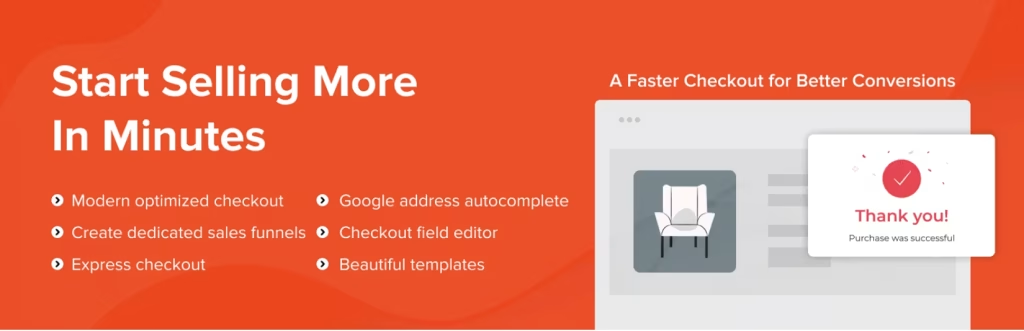
CartFlows helps WooCommerce store owners create high-converting sales funnels with optimized checkout pages, order bumps, upsells, downsells, and one-click offers.
By streamlining the purchase journey and reducing checkout friction, it can improve conversions, increase average order value, and create a smoother shopping experience.
Checkout Field Editor
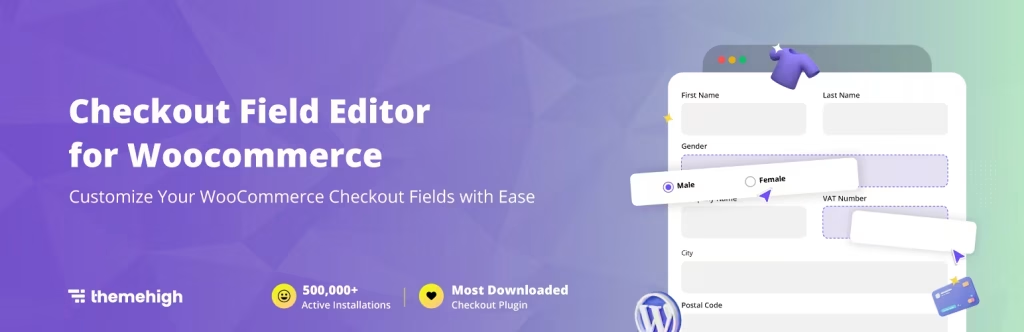
Checkout Field Editor for WooCommerce allows store owners to customize the checkout process by adding, editing, removing, or rearranging checkout fields.
It helps collect relevant customer information, streamline the checkout experience, reduce unnecessary form fields, and create a more user-friendly purchasing process that can support higher conversion rates.
Related: How to Set Up WooCommerce Checkout, Cart, Shop, and My Account Pages.
Analytics Extensions
Making business decisions without data is like driving without a map.
Analytics plugins help you understand visitor behaviour, product performance, traffic sources, and conversion trends.
Recommended Analytics Extensions
Site Kit by Google

Site Kit by Google integrates Google Analytics, Search Console, PageSpeed Insights, AdSense, and other Google services directly into your WordPress dashboard.
Independent Analytics

Independent Analytics is a privacy-friendly analytics plugin that tracks website performance directly within WordPress, giving you full ownership of your data without relying heavily on third-party services.
Related: How to Add Google Analytics to Your WordPress Website Using Site Kit.
Image Optimization Extensions
High-quality product images are essential for online shopping, but large image files can slow down your website.
Image optimization plugins compress images without noticeably affecting quality, helping improve loading speed and user experience.
Recommended Image Optimization Extensions
Smush

Smush is a popular image optimization plugin that compresses, resizes, and optimizes images without significantly affecting quality.
It helps reduce page load times, improve website performance, enhance user experience, and support better search engine rankings through faster-loading pages.
ShortPixel Image Optimizer

ShortPixel Image Optimizer automatically compresses and optimizes images, PDFs, and other media files to improve website performance.
It provides advanced image compression with support for formats like WebP and AVIF, helping reduce file sizes, speed up page loads, and enhance user experience without compromising visual quality.
Related: How to Compress Images for the Web to Speed Up Your Site.
SEO Extensions
A beautiful online store won’t generate sales if customers can’t find it.
SEO (Search Engine Optimization) plugins help improve your visibility in search engines by optimizing metadata, XML sitemaps, schema markup, and on-page SEO elements.
Recommended Security Extensions
Rank Math

Rank Math offers a beginner-friendly interface while providing advanced SEO tools such as schema generation, keyword optimization, XML sitemaps, and WooCommerce SEO features.
It helps improve search visibility, optimize content, and simplify SEO management for WordPress websites.
Yoast SEO

Yoast SEO helps WordPress users optimize content for search engines with features such as on-page SEO analysis, XML sitemaps, schema markup, and readability checks.
It simplifies SEO best practices, improves content visibility, and helps websites attract more organic traffic.
Related: Top SEO Plugins for WordPress.
Performance & Caching Extensions
Website speed directly influences user experience, bounce rate, and conversion rate.
Even a one-second delay in loading can negatively impact sales.
Performance plugins improve loading speed through caching, file optimization, lazy loading, and code minification.
Recommended Performance & Caching Extensions
LiteSpeed Cache

LiteSpeed Cache is a comprehensive WordPress caching plugin that improves website speed with page caching, image optimization, CSS and JavaScript optimization, lazy loading, browser caching, and database cleanup.
WP Fastest Cache

WP Fastest Cache is a popular WordPress caching plugin that improves website performance with page caching, browser caching, GZIP compression, CSS and JavaScript minification, image optimization, and CDN integration. It’s known for its easy setup and effective speed optimization.
Related: How to Optimize WooCommerce Store Speed for Better Performance.
Security Extensions
Online stores handle customer accounts, personal information, and payment data, making security essential.
Security plugins help protect your store from malware, brute-force attacks, and unauthorized access.
Recommended Security Extensions
Wordfence Security

Wordfence Security is a comprehensive WordPress security plugin that protects your website with a powerful web application firewall (WAF), malware scanning, brute-force attack protection, login security, real-time threat detection, and security monitoring.
Jetpack

Jetpack is a comprehensive WordPress plugin that helps secure, speed up, and grow your website. It includes real-time backups, malware scanning, spam protection, brute-force attack prevention, downtime monitoring, performance optimization, AI-powered content tools, analytics, and marketing features.
Related: Best WordPress Security Plugins for Maximum Protection.
Building the Right Combination
There’s no single “perfect” WooCommerce plugin stack.
A small store selling handmade products may only need a handful of extensions, while a large online retailer might require advanced search, filtering, analytics, and conversion optimization tools.
The goal isn’t to install as many plugins as possible; it’s to choose extensions that solve real business problems and work well together.
In the next section, we’ll explore an important decision many WooCommerce store owners face: Should you install multiple plugins for individual conversion features, or choose an all-in-one solution that combines them into a single plugin?
All-in-One Growth Toolkit vs Multiple Extensions
One of the biggest challenges WooCommerce store owners face isn’t finding plugins; it’s managing them.
When you first launch your store, you may only install a few essential extensions. As your business grows, new requirements emerge. You want to add product bundles, display trust badges, recover abandoned carts, show countdown timers, highlight low-stock products, or encourage customers with “Frequently Bought Together” recommendations.
The easiest solution is often to install a new plugin for every feature.
Over time, however, this can result in plugin overload.
A store with 20–30 active plugins isn’t unusual, but having too many plugins that perform similar tasks can make your website harder to maintain.
You’ll need to manage multiple dashboards, keep up with updates from different developers, troubleshoot compatibility issues, and ensure that each plugin continues to work smoothly with the latest version of WooCommerce.
This doesn’t mean using multiple plugins is always a bad idea. In many cases, standalone plugins are the best choice, especially if you only need one or two specific features.
The key is finding the right balance.
Using Multiple Extensions
Many WooCommerce store owners install separate plugins for conversion-focused features such as:
- Product Bundles
- Frequently Bought Together
- Sticky Add to Cart
- Buy Now Button
- Sale Countdown Timers
- Sale Notifications
- Stock Scarcity Indicators
- Recently Viewed Products
- Smart Offers
- Visitor Counter
- Quick Social Share
- Pre-Orders
This approach gives you the flexibility to choose the plugin that best fits each requirement. If you only need a countdown timer or a Buy Now button, installing a dedicated plugin can be a simple and effective solution.
However, as the number of plugins increases, so does the complexity of managing your store.
When an All-in-One Solution Makes Sense
Instead of installing a separate plugin for every conversion feature, many store owners prefer an all-in-one WooCommerce enhancement plugin.
This approach reduces plugin clutter and centralizes related features in one place.
A good example is Store One, which combines a wide range of conversion-focused modules into a single plugin.
Features Included in ThemeHunk Store One
- Sticky Add to Cart
- Product Bundles
- Frequently Bought Together
- Buy Now Button
- Product Video Gallery
- Trust Badges
- Sale Countdown Timer
- Sale Notifications
- Recently Viewed Products
- Smart Offers
- Product Labels
- Visitor Counter
- Stock Scarcity Indicators
- Quick Social Share
- Pre-Orders
- Cart Recovery
Rather than managing numerous plugins for these features, Store One brings them together in a single dashboard. This makes configuration easier, simplifies updates, and provides a more consistent workflow for store owners.
Store One is also compatible with most WordPress themes, including Shop Mania, making it easy to integrate advanced eCommerce features without disrupting your store’s design or performance.
The right choice depends on your store’s needs. If you’re looking for only one or two features, standalone plugins may be sufficient.
If you want to enhance your product pages with multiple conversion tools while reducing plugin clutter, an all-in-one solution can be a practical option.
How to Choose the Right WooCommerce Extensions
Identify Your Budget

First, know your budget. Although you will get some extensions free of cost, not all. You may need to spend some money to get your extensions.
Free extensions are good for basic tasks, but premium versions are needed when premium features are required.
You can also think about the extension if the cost of the extension matches the value of the store after using it.
It is necessary to filter the extensions above your budget.
Identify Your Needs

Identify and make a list of what you need. This will help you find the extensions with precision. Understand what features are needed to store.
Find out whether you need advanced features or if basic features are enough; do you need advanced management or not, and so on.
If you want to provide customers with the best experience, like filtering, search functionality, floating cart, or checkout, then invest in those features.
You can also consider future needs like multisite support, shipping integration, etc.
Review & Testimonial

Always see the reviews and testimonials from the users. Users can tell about the extension briefly and honestly.
You can also visit third-party review sites(like Trustpilot) where users write reviews about the site. Look if the ratings of the extension are high or not.
Pay attention to whether users are constantly complaining about the features, which means it creates problems often.
Whether the support team is replying on time, which shows the role of the support team.
You can also research the popular and trusted extensions.
Support & Documentation

Support also plays a vital role; you may need support at times. In need, you can contact the developers and you get the support. It increases users’ experience.
Support is not only needed when you are stuck, but it is also needed for guidance. If users want to inquire about custom solutions or some other things, then it is needed too.
Documentation is like a book where you get tutorials on various topics. In case you are stuck while setting up something, you can go through the documentation.
It gives clarity on features and their usage.
Safety & Security

Safety and Security are always considered as there is always a threat in this digital world. The Woocommerce extensions have access to users’ data. There are chances of hacking and data exploitation.
Users provide so much information regarding the. Woocommerce extensions are also connected to payment gateways, so they also have credit and financial transaction information; if their data is not handled securely, then there can be a security breach.
You can check whether they implemented anti-fraud measures and security protocols like SSL encryption and GDPR compliance.
Performance

Find out if the extension performs well in the stores. Also, check the compatibility of the extension with the latest version of Woocommerce and other platforms that matter.
You can check how the extension affects the website speed and overall performance.
If it is making a negative impact on your site, then it can be a red flag. Prefer the well-optimized and lightweight extensions.
Also check if the plugin is ready for scalability. It means it is ready for growth when you will have more products and users. Overall, it should be ready to accommodate future store needs.
Update

Before selecting the theme make sure the extension is updated. Because outdated software may not work as expected and may conflict with theme or other plugins.
You can check the version and date of these instead of forcing you to replace them later.
Common Mistakes to Avoid
Even experienced store owners can make mistakes when choosing extensions.
Here are some of the most common ones:
- Installing too many plugins without a clear purpose.
- Using outdated or poorly maintained extensions.
- Ignoring compatibility with WordPress and WooCommerce updates.
- Installing multiple plugins with overlapping functionality.
- Focusing only on features while overlooking website performance.
- Skipping regular plugin updates and backups.
- Not testing new plugins on a staging site before deploying them to a live store.
A well-maintained store with fewer, high-quality plugins is often faster, more secure, and easier to manage than one overloaded with unnecessary extensions.
FAQ
Q: How many WooCommerce extensions should I install?
Ans: There isn’t a fixed limit. Instead of multiple plugins, focus on their quality and purpose. Install only the extensions that solve real business problems and remove any that you no longer use.
Q: Are free WooCommerce plugins good enough?
Ans: Free plugins are excellent for getting started. As your business grows, premium versions often provide advanced features, dedicated support, and more frequent updates.
Q: Can too many plugins slow down my WooCommerce store?
Ans: Yes, but the number of plugins isn’t the only factor. Poorly coded or overlapping plugins can impact performance more than several well-optimized extensions.
Q: Should I use an all-in-one plugin or multiple plugins?
Ans: It depends on your requirements. If you only need one or two features, standalone plugins are often the best choice. If you’re looking for a comprehensive set of conversion-focused tools, an all-in-one solution like ThemeHunk Store One can simplify store management.
Final Words
WooCommerce flexibility is one of the main reasons it powers millions of stores worldwide. Its extension ecosystem allows businesses to build stores that match their unique goal, whether they are selling handmade products, digital downloads, or thousands of physical items.
The key to success isn’t installing the most plugins; it’s choosing the right ones.
Start by identifying your store’s biggest challenges. Improve product discovery with a powerful search solution, an all-in-one growth toolkit for conversion, optimize your website for speed and SEO, secure your store, and enhance the shopping experience with conversion-focused features.
If you have any questions regarding anything, do not hesitate just comment down below, and we will help you to solve your problem. Thanks for reading this blog.
Please Subscribe to our YouTube Channel, we also upload great content there, and also Do Follow us on Facebook and Twitter
Read More-


