
Overview ➣ This article explores the best WordPress carousel and slider plugins, detailing their features, use-cases, pricing, and how they enhance visual appeal and user engagement.
WordPress carousel and slider plugins are powerful tools for showcasing content, improving website aesthetics, and boosting user engagement.
Website visuals play a crucial role in user engagement, and one of the best ways to showcase your content dynamically is through carousels and sliders.
Whether you’re highlighting products, blog posts, testimonials, or portfolios, the right WordPress slider plugin can make all the difference.
This comprehensive guide will explore the best WordPress carousel and slider plugins, highlighting their features, benefits, pricing, and use cases. Let’s get started.
What are Carousels and Sliders?
Carousels and sliders are engaging components that let you present several pieces of content in one area, usually through automatic rotation or sliding transitions.
These features are frequently seen on websites to display visuals, videos, reviews, products, and other content.
They offer customization options, allowing them to be adjusted according to a site’s design and functional requirements, making them valuable tools for web creators and developers.
Why Use WordPress Carousel and Slider Plugin on Your Site?
Carousels and sliders provide a visually appealing way to display content.
They’re perfect for showcasing a variety of elements without overwhelming your visitors. By implementing a slider or carousel, you can:
- Enhanced User Engagement: Carousels and sliders capture users’ attention and encourage them to interact with your content.
- Space Efficiency: They allow you to display multiple pieces of content in a compact space, making them ideal for homepage layouts.
- Visual Appeal: Well-designed carousels and sliders can make your website look more modern and professional.
- Improved Navigation: They provide an intuitive way for users to browse through content without overwhelming them with information.
- Increased Conversions: Highlighting key products, services, or promotions in a slider can drive conversions and sales.
With these benefits in mind, let’s explore the best plugins.
Best WordPress Carousel and Slider Plugins
Elemento Addons

Elemento Addons is a powerful WordPress plugin designed to extend the functionality of the Elementor page builder.
It offers a variety of customizable widgets, including carousels and sliders, that enhance the visual appeal of the WordPress website.
These widgets allow you to add beautiful images, posts, testimonials, and custom content to your page.
You can adjust settings such as slide duration, transition effects, and design styles, giving you full control over how your content is displayed.
Elemento Addons offer intuitive drag-and-drop functionality and easy customization through the Elementor interface, making them suitable for everyone.
Whether for showcasing products, testimonials, blog posts, or portfolios, these widgets enhance website interactivity and appeal.
Slider and Carousel widgets
- Advanced Slider: A fully customizable slider to showcase images, videos, and text with smooth transitions, animation effects, and multiple-layer options. You can add call-to-action buttons and adjust the navigation controls for a more interactive experience.
- Testimonials Carousels: Displays customer reviews in an attractive, rotating format, helping businesses build trust and credibility.
- Advance Product Slider: Ideal for WooCommerce stores, this widget showcases multiple products in a sleek, scrollable format with pricing, ratings, and “Add to Cart” buttons. It enables businesses to feature bestsellers, promotions, or new arrivals in an organized layout.
- Product Category Slider: Showcases eCommerce product categories in a stylish grid or carousel layout, enhancing navigation and user experience while making online stores more attractive and structured.
- Product Slider List: Displays WooCommerce products in a smooth, scrollable slider format. It enhances product visibility, improves user engagement, and creates an interactive shopping experience with smooth transitions and customizable layouts.
- Post Carousels: Showcases blog posts in a stylish slider, improving content visibility and user engagement.
Key Features
- Elementor compatible
- Drag-and-drop interface
- Highly customizable
- Animation and layer effects
- Pre-built templates
- Horizontal and vertical slider
- Fully responsive
- SEO-optimized
| Pro’s | Con’s |
|---|---|
| Wide range of widgets | Required Elementor plugin for functionality |
| Seamless WooCommerce integration | No free widgets |
| Easy to use with Elementor’s drag-and-drop interface | |
| Extensive customization options | |
| Enhanced user experience | |
| Fully responsive design for mobile optimization |
Pricing: $49/year and $129 for a lifetime.
Ideal For: The Elemento Addons for Elementor is best for website designers, WooCommerce store owners, content creators, businesses, and beginners looking to enhance site functionality with highly customizable, dynamic design elements.
Vayu Blocks

Vayu Block is an excellent plugin for the WordPress Block Editor, offering a powerful Slider Block that enables users to create visually appealing and interactive sliders without any coding knowledge.
With complete Gutenberg integration, it allows you to insert images, text, buttons, and any other blocks within each slide.
The slider supports autoplay, loop, navigation controls, and customizable transitions, making it ideal for showcasing products, promotions, or featured content.
The plugin offers several slider types to suit different needs:
- Simple Slider: Ideal for clean and minimal presentations, great for showcasing basic content with ease.
- Slider With Scrollbar: Suitable for larger images or content galleries, provides users with enhanced control through a draggable scrollbar.
- Slider With Effects: Adds creative visual transitions and animations to your slides, making content more engaging and dynamic.
Key Features
- Fully responsive block-based slider
- Multiple slider types
- Custom slide transition speed and effects
- Compatible with WooCommerce and block themes
- Supports full-width and boxed layouts
| Pro’s | Con’s |
|---|---|
| Easy to use | Limited advanced features in free version |
| Light-weight and fast-loading | May not suit users who prefer shortcode-based sliders |
| Flexible design with complete block support | |
| Increased engagement | |
| Smooth performance and mobile optimization |
Pricing: Free version available; Premium starts at $59 per year.
Ideal For: Users looking to create responsive, stylish sliders for showcasing products, portfolios, promotions, or blog highlights using the WordPress Block Editor.
Depicter
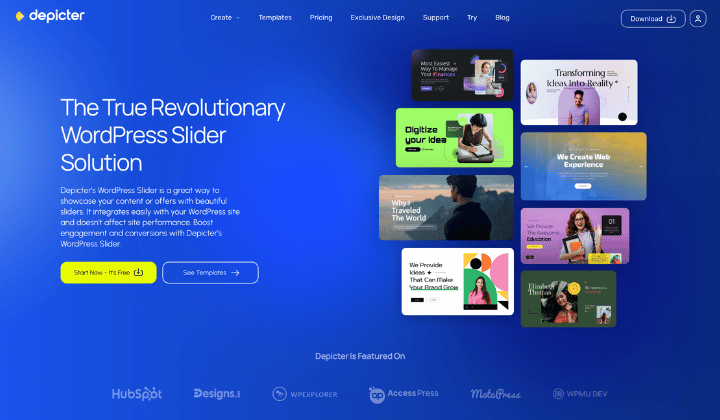
Depicter is a drag-and-drop slider builder for WordPress with live editing and preview.
You can create sliders with video backgrounds and apply visual effects like Ken Burns and Parallax. Layouts can be boxed, full-width, or full-screen, giving you flexible design options.
The slider supports advanced call-to-action options, letting you add buttons, links, or interactive elements directly to each slide.
It works with all major WordPress page builders, making integration simple. AI-powered features like AI sliders and background removers help speed up slider creation and editing.
You can also use Depicter to create carousels and testimonials, supporting different display styles.
Another advantage is dynamic data support, which lets you build sliders and carousels automatically from posts, products, or custom post types on your site.
Key Features
- Drag-and-drop editor with live preview
- Video backgrounds, Ken Burns, and Parallax effects
- Multiple layouts: boxed, fullwidth, fullscreen
- Advanced call-to-action options for slides
- AI-powered slider creation and background remover
- Dynamic sliders and carousels, 700+ templates, and millions of assets
| Pro’s | Con’s |
|---|---|
Intuitive drag-and-drop editor | Some advanced features may feel overwhelming to beginners at first |
AI-assisted features for faster, more creative workflows | There is no lifetime deal. |
| 700+ pre-made templates and millions of assets |
Pricing: Free version available; Pro plans start at $39 per year, unlocking the full template library and all the premium options.
Ideal For: WordPress users who want to create interactive sliders and carousels with video backgrounds, advanced visual effects, or dynamic content from posts, products, or custom post types—perfect for portfolios, eCommerce stores, promotions, and blog showcases.
Smart Slider 3

Smart Slider 3 is a powerful and user-friendly WordPress carousel and slider plugin for creating responsive sliders, carousels, and dynamic content.
It features a drag-and-drop interface, allowing users to build attractive sliders without coding. With pre-designed templates, layers, and animation effects, it caters to both beginners and advanced users.
The plugin supports various content types, including images, videos, posts, and WooCommerce products. Its responsive design ensures sliders look great on all devices.
Smart Slider 3 integrates seamlessly with page builders like Elementor and Gutenberg. The free version includes essential features, while the Pro version offers advanced customization, dynamic content, and layer animations.
Key Features
- Live slide editor
- Pre-designed templates
- Dynamic content integration
- Built-in animations and effects
- Responsive design
| Pro’s | Con’s |
|---|---|
| Easy to use | Limited features in the free version |
| SEO-optimized | Expensive add-ons |
| Free version available |
Pricing: Free version available; Premium starts at $49 for a lifetime.
Ideal For: Users looking for an easy-to-use yet powerful slider. Perfect for blogs, small businesses, and portfolios without the need for extensive learning.
MetaSlider

MetaSlider is an excellent WordPress carousel and slider plugin that enables users to create responsive sliders, slideshows, carousels, and galleries.
Its drag-and-drop interface enables quick integration of images, videos, products, and blogs, offering customizable transition effects, timing, navigation controls, and slide visibility settings for a personalized experience.
The plugin offers features like intelligent image cropping and a live theme editor, allowing users to create visually stunning slideshows that seamlessly adapt to any website design.
MetaSlider works well with Elementor and Gutenberg, making it easy to add sliders to pages or posts without any hassle.
It comes with both free and premium versions. The pro version unlocks additional features like YouTube/Vimeo slides, thumbnail navigation, and advanced animations for more creative control.
Key Features
- Drag-and-drop editor with real-time preview
- Multiple slider types, including carousel, thumbnail, and more
- Support for images, videos, and HTML content
- Responsive design and touch support
- SEO-friendly with customizable meta tags
| Pro’s | Con’s |
|---|---|
| Easy setup and integration | Limited advanced features in the free version |
| Lightweight and fast | Basic design options |
| Free version available |
Pricing: Free version available; Premium starts at $39.50/year.
Ideal For: Beginners or anyone seeking a simple slider solution, making it perfect for small websites or landing pages requiring a hassle-free setup.
Soliloquy
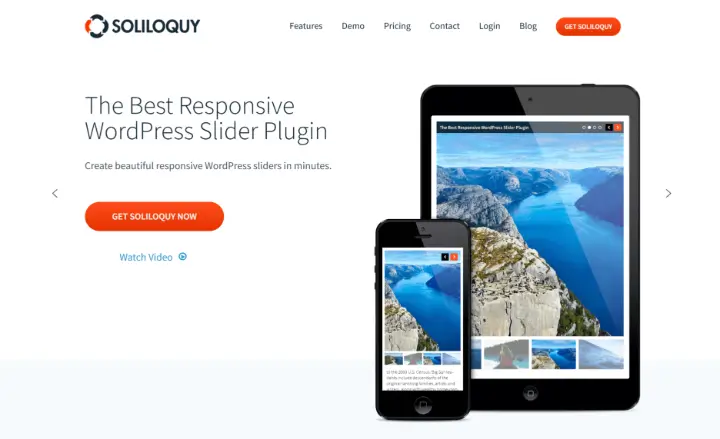
Soliloquy is a fast and user-friendly WordPress carousel and slider plugin designed to create responsive images and video sliders.
Its drag-and-drop interface allows easy image uploads, captioning, and customization. It offers various slider types, including image sliders, video sliders, and dynamic sliders for posts or WooCommerce products.
Soliloquy integrates with Lightbox for full-screen image viewing and offers carousel sliders to display multiple images or products, along with pre-designed templates for easy setup.
For advanced users, the Pro version provides additional features like image and video galleries, multi-slide templates, and enhanced customization options.
Key Features
- Drag-and-drop builder and support Gutenberg editor
- Support for images, videos, and HTML content
- WooCommerce integration for product sliders
- Responsive mobile-friendly design
- Add-ons available for additional functionality
| Pro’s | Con’s |
|---|---|
| Lightweight and fast-loading | Limited features in the basic plan |
| Easy to use with a clean interface | Premium add-ons required for advanced functionality |
| Regular updates and improvements | |
| Free version available |
Pricing: Free version available; Premium starts at $19.50/year.
Ideal For: Website owners, bloggers, photographers, and businesses seeking fast, responsive, and customizable sliders for their WordPress sites.
Slider Revolution
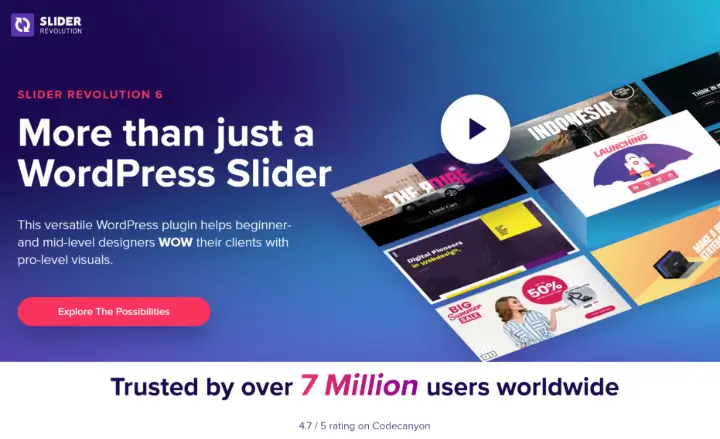
Slider Revolution is a leading WordPress carousel and slider plugin that enables users to create visually stunning sliders, carousels, hero sections, and dynamic content.
It features a robust visual editor with a drag-and-drop interface that allows users to create professional-looking designs efficiently.
It allows users to easily create sliders, video backgrounds, product showcases, and dynamic posts, with a template library suited for both beginners and professionals.
Slider Revolution offers parallax effects, typography animations, and responsive design, ensuring stunning sliders on all devices, with seamless WooCommerce and Elementor integration.
Key Features
- 250+ pre-designed templates
- Drag-and-drop editor for easy customization
- Animation and layer effects
- Integration with WooCommerce for product sliders
- Responsive design for all devices
| Pro’s | Con’s |
|---|---|
| Highly customizable with a wide range of effects | It can be challenging for beginners |
| Large template library | Premium plugin with a higher price point |
| Optimized speed and performance | |
| Excellent customer support |
Pricing: Free version available; Premium starts at $109.
Ideal For: Those looking for a highly customizable solution to create eye-catching visuals. Perfect for portfolios, product displays, creative sites, and marketers.
Master Slider

Master Slider is a mobile-friendly and SEO-optimized WordPress carousel and slider plugin known for its smooth transitions and user-friendly design.
It allows users to design responsive sliders with touch and swipe functionality, ensuring smooth performance across desktops, tablets, and smartphones.
The plugin’s drag-and-drop editor lets users customize slides with images, videos, text, and buttons. It supports parallax scrolling, layer animations, and interactive hotspots for dynamic content.
Additionally, Master Slider provides templates for various purposes, including WooCommerce product sliders and post sliders, enhancing its versatility for different website needs.
Key Features
- Drag-and-drop editor with real-time preview.
- Support for images, videos, and HTML content
- Integration with WooCommerce, YouTube, Vimeo, and social media
- 90+ pre-made sliders and 6+ unique slide transitions
- Responsive design and touch navigation support
| Pro’s | Con’s |
|---|---|
| Easy to use with a clean interface | Limited advanced features in the free version |
| Deep customization options | Dedicated support only on the premium version |
| Fast loading time | |
| Free version available |
Pricing: Free version available; Premium starts at $39/Regular Licence.
Ideal For: Bloggers, photographers, businesses, and eCommerce sites looking for easy-to-create, responsive image and video sliders to showcase content effectively.
WP Carousel
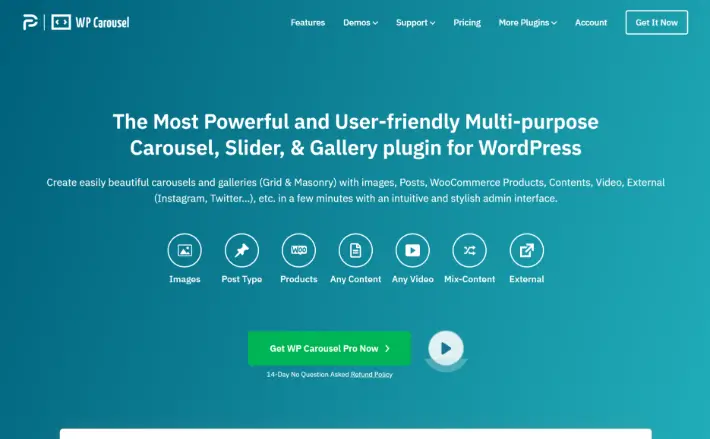
WP Carousel is a versatile and user-friendly WordPress carousel and slider plugin designed to create responsive carousels, sliders, and galleries.
It supports various content types, including images, posts, WooCommerce products, custom content, and videos from platforms like YouTube, Vimeo, and Dailymotion.
Its easy-to-use drag-and-drop interface allows users to add images from the media library or effortlessly include posts and products in their carousels.
It offers autoplay, infinite looping, touch-swipe navigation, and customizable styling options, ensuring seamless performance across various devices and browsers.
Key Features
- Support for multiple carousel types, including image, video, and content.
- Responsive design and touch support.
- Extensive visual customization options
- 25+ Carousel Control options
- Control AutoPlay and Pagination speed
| Pro’s | Con’s |
|---|---|
| Lightweight and fast-loading | Limited advanced features compared to other plugins |
| Easy to set up and use | The premium version is required for additional functionality. |
| Integrates with themes, plugins, and page builders | |
| Free version available |
Pricing: Free version available; Premium starts at $39/year.
Ideal For: Bloggers, businesses, and eCommerce sites looking to showcase images, posts, products, and videos in interactive carousels.
FAQ
Q: What are WordPress carousel and slider plugins?
Ans: A WordPress carousel and slider plugin enables you to create dynamic, eye-catching content displays (like images, text, videos, etc.) that rotate automatically, providing an engaging way to present multiple items within a compact space on your website.
Q: What is the difference between a slider and a carousel?
Ans: Although the terms are often used interchangeably, they have distinct differences. A slider typically refers to a single row of content that transitions horizontally or vertically, while a carousel supports multiple rows or columns with advanced layouts and navigation options. Many plugins offer both features.
Q: Why should I use a WordPress carousel and slider plugin on my site?
Ans: You should use a WordPress carousel and slider plugin for showcasing featured content (like posts, products, or services), improving visual appeal, maximizing space efficiency, increasing engagement, and promoting special offers.
Q: Are carousel and slider plugins mobile-friendly?
Ans: Yes, carousel and slider plugins are fully responsive and optimized for mobile devices to ensure smooth performance on all devices.
Q: Will the slider affect website speed?
Ans: It depends. Poorly coded or image-heavy sliders can impact performance. Choose lightweight plugins like Elemento Addons and optimize your images for web use.
Q: Do free slider plugins offer enough features?
Ans: Free plugins can be a great starting point for basic sliders, while premium plugins offer extensive customization options and advanced features like animations, custom layouts, and dynamic content.
Q: Can I use carousels and sliders for WooCommerce product displays?
Ans: Yes, many slider plugins like Elemento Addons integrate with WooCommerce, allowing you to showcase product carousels, featured items, and testimonials effectively.
Final Words
An effective WordPress carousel and slider plugin enhances the website’s visual appeal, user engagement, and overall functionality. With the right plugin, you can create stunning image sliders, product showcases, and interactive content that attract and retain visitors.
Each of the WordPress carousel and slider plugins listed has the capability to improve user experience and cater to your specific needs. By evaluating your needs and exploring options, you can find the best solution to optimize your WordPress website.
We hope this article will help you find the best WordPress themes compatible with the Dokan Plugin.
Please consider subscribing to our YouTube Channel, where we regularly upload great content, and also Do Follow us on Instagram and Twitter.
Explore More Article –


