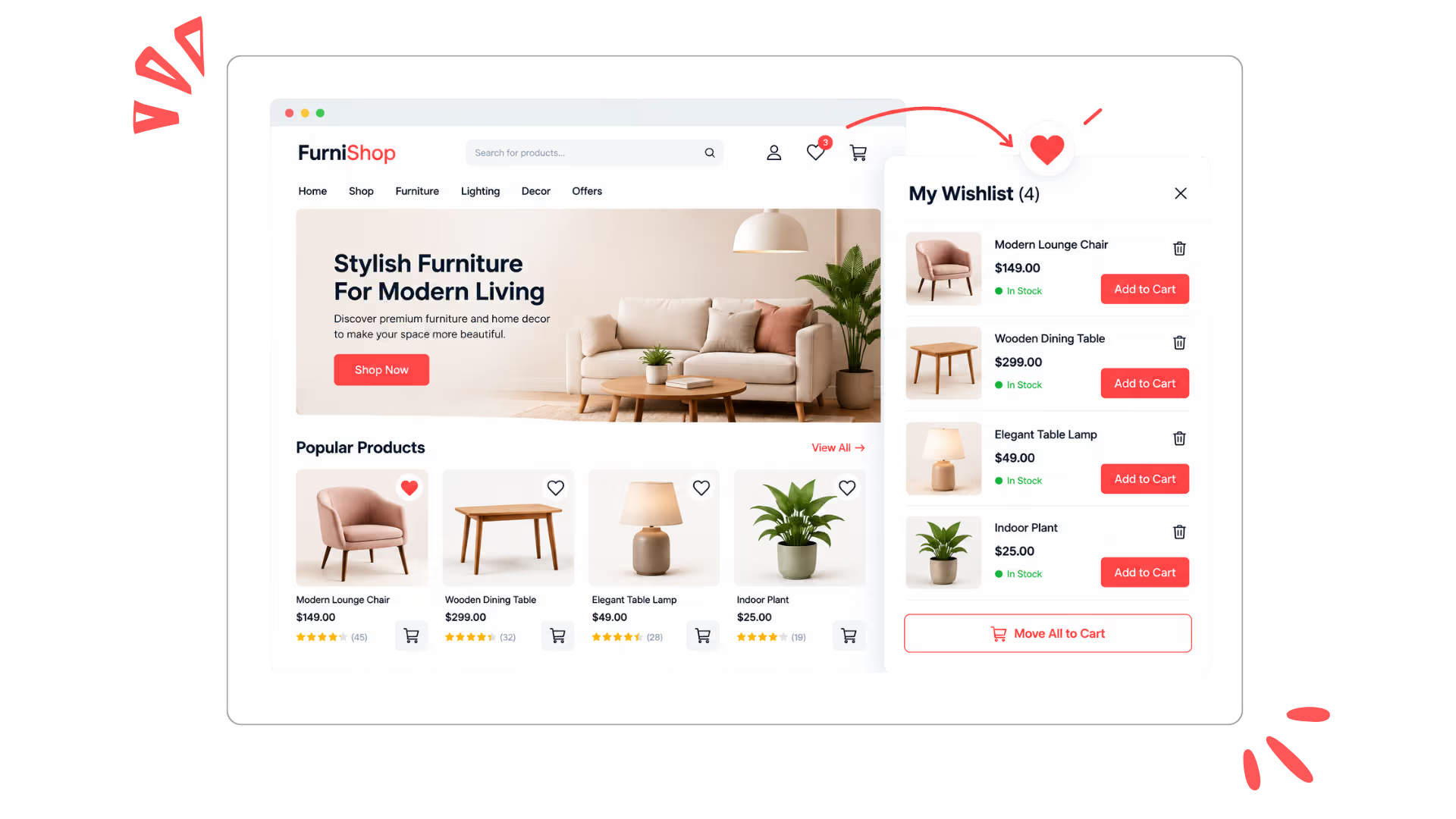
Let shoppers save their favorite products and come back to them anytime. Add a simple wishlist feature to your WooCommerce store, so customers can save products, manage their wishlist, and easily move saved items to the cart. Free, lightweight, and hosted on your own website.
Let customers save their favorite products, revisit them anytime, and move saved items to the cart when they’re ready to buy. Make shopping easier while bringing customers back to your store.
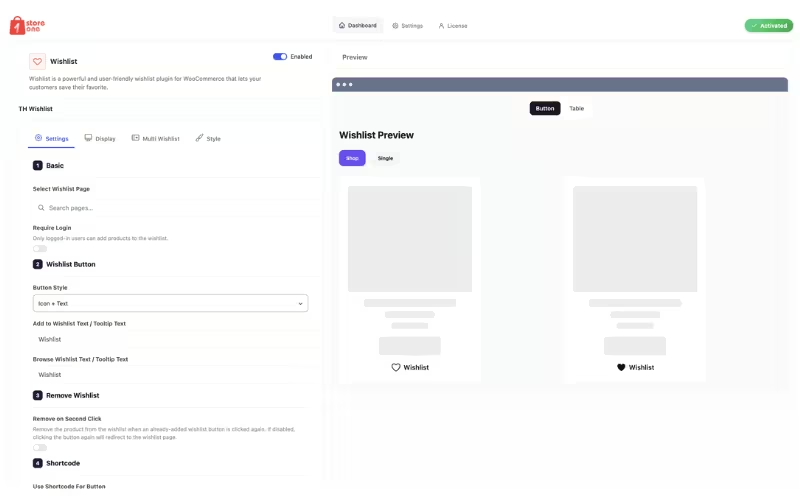
Give shoppers an easy way to save products they love for later. Customize wishlist buttons, page settings, login requirements, removal options, and more to create a smooth wishlist experience that keeps favorite products organized and encourages customers to return and complete their purchases.
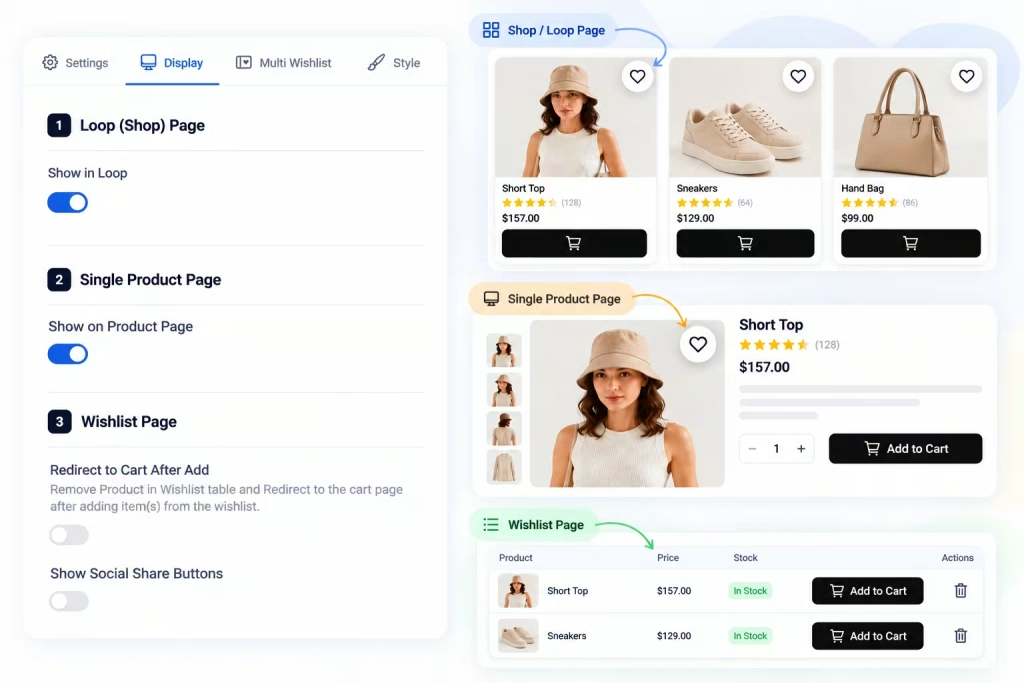
Control exactly where your wishlist appears across your store. Display wishlist buttons on shop and product pages, customize the wishlist page experience, enable social sharing, and streamline the shopping journey with flexible display and cart options.
Let customers organize their favorite products into multiple personalized wishlists. They can create new lists, choose where to save products, and manage different collections effortlessly, making it easier to organize shopping ideas, gift lists, seasonal picks, and more.
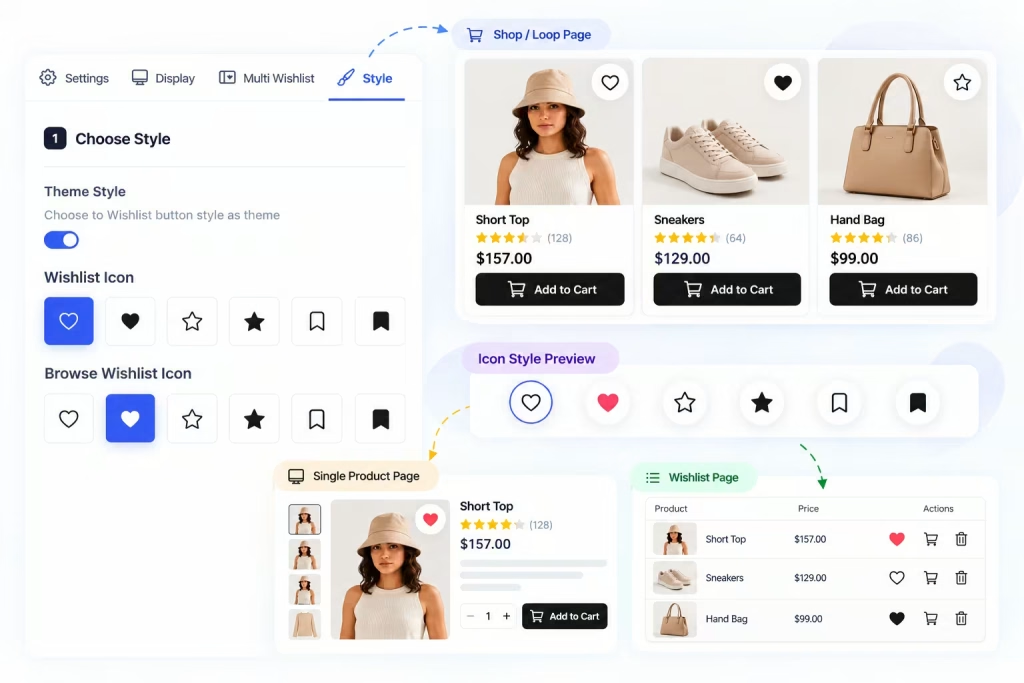
Match your wishlist to your store’s design with flexible styling options. Choose from multiple wishlist icons, customize browse wishlist icons, and use theme styling to create a consistent, polished experience across shop, product, and wishlist pages.
Give shoppers an easy way to save their favorite products for later. Customize the wishlist button, choose where it appears, manage login requirements, and control how customers add or remove products from their wishlist.
WISHLIST DISPLAY
Show Wishlist Where Customers Shop
Choose exactly where the wishlist appears across your store, from shop listings to individual product pages. You can also control wishlist page actions, enable social sharing, and make it easier for customers to move saved products directly to their cart.
MULTI WISHLIST
Multiple Wishlists for Every Need
Let customers organize saved products into multiple wishlists, such as favorites, gift ideas, or future purchases. Customize the wishlist selection popup, create new list actions, and button text to make managing saved products simple and intuitive.
WISHLIST STYLE
Match Your Wishlist to Your Store
Choose a wishlist style that fits your store’s design with flexible icon options for adding and browsing saved products. Pick from different heart and bookmark icons to create a wishlist experience that feels consistent with your brand and storefront.
Benefits
How Wishlist Works and Its Benefits
Wishlist lets customers save products they love for later, making it easier to keep track of items they may want to purchase. Customers can add products to their wishlist with a single click and return to them whenever they are ready to buy.
With flexible wishlist settings, customizable styles, and easy product management, you can create a shopping experience that keeps customers engaged and encourages them to come back.
Lets customers save products for later without adding them to the cart immediately.
Makes it easy to move wishlist items to the cart when customers are ready to purchase.
Allows customers to quickly add or remove products from their wishlist with a single click.
Helps customers keep track of their favorite products across their shopping journey.
Encourages customers to return to saved products, creating more opportunities for future purchases.
CUSTOMER TESTIMONIALS
See Why Users Love Store One Wishlist
“Store One Wishlist was incredibly easy to set up. I love how clean the wishlist looks on our store, and customers can save their favorite products without interrupting their shopping experience.”
Sofia Müller
Germany
“The wishlist feature fits perfectly into our WooCommerce store. The design is simple, modern, and easy for customers to use. It has become a really useful part of our shopping experience.”
Luca Moretti
Italy
“I wanted a wishlist that looked like a natural part of our website rather than an extra plugin. Store One does exactly that. The setup was straightforward and the customization options are excellent.”
Hiva Laurent
France
“Very simple to configure and works exactly as expected. Our customers can quickly save products and come back to them later. The clean interface was one of the main reasons we chose Store One.”
Nokoi Novak
Czech Republic
“Store One Wishlist gives our customers an easy way to keep track of products they love. It looks great on both desktop and mobile, and adding products to the wishlist takes just one click.”
Anna Kowalska
Poland
Simple Pricing Plan
One license. Every premium plugin you'll ever need.
Pick the plan that fits — one plugin, the full suite, or everything for life.
Included in Complete & Lifetime Agency
All 10 premium plugins below are unlocked — no add-ons to buy separately.
Prices in USD. Renewals optional — your plugins keep working after expiry.
FAQ's
Common Questions About Store One Wishlist
What is the Wishlist feature in Store One?
Store One Wishlist lets customers save products they are interested in and return to them later. Customers can add products to their wishlist with a single click without adding them to the cart.
Can customers add products to their wishlist with one click?
Yes. Customers can easily add or remove products from their wishlist using the wishlist button available on your product listings and product pages.
Can I customize the Wishlist design?
Yes. Store One provides customization options that let you adjust the wishlist appearance to better match your store's design, including colors, buttons, and styling.
Does the Wishlist work on mobile devices?
Yes. The Wishlist is designed to work across desktop, tablet, and mobile devices, giving customers a consistent shopping experience.
Can customers remove products from their Wishlist?
Yes. Customers can easily remove saved products whenever they no longer want to keep them in their Wishlist.
How can I contact if face any issue
No problem, we are one mail away from you — just contact us.
Ready to increase your revenue?
Start using Store One today to grow your business, attract more customers, and manage your store effortlessly from one powerful modules.
We use cookies on our website to give you the most relevant experience by remembering your preferences and repeat visits. By clicking “Accept”, you consent to the use of ALL the cookies.
This website uses cookies to improve your experience while you navigate through the website. Out of these, the cookies that are categorized as necessary are stored on your browser as they are essential for the working of basic functionalities of the website. We also use third-party cookies that help us analyze and understand how you use this website. These cookies will be stored in your browser only with your consent. You also have the option to opt-out of these cookies. But opting out of some of these cookies may affect your browsing experience.
Necessary cookies are absolutely essential for the website to function properly. This category only includes cookies that ensures basic functionalities and security features of the website. These cookies do not store any personal information.
Any cookies that may not be particularly necessary for the website to function and is used specifically to collect user personal data via analytics, ads, other embedded contents are termed as non-necessary cookies. It is mandatory to procure user consent prior to running these cookies on your website.