
Overview ➣ This article explores top WooCommerce shopping cart solutions, including sidebar, floating, and menu cart plugins, to enhance customer experience, enable AJAX add‑to‑cart, streamline checkout, reduce abandonment, and improve conversions.
Are you looking for a better WooCommerce Shopping cart to extend the functionality of your WooCommerce store?
There are obvious reasons for using the WordPress shopping cart plugin because WordPress does not offer extra cart functionality in WordPress.
As WordPress doesn’t offer extra shopping cart features itself, there are various Free and Premium WordPress plugins that you can use to add a WooCommerce shopping cart to your website.
In this blog, I have shortlisted and picked some of the best WooCommerce Shopping cart plugins for your WordPress website.
You can use these WordPress shopping cart plugins to add some extra functionality to your WooCommerce Store.
What is the need for a WooCommerce Shopping cart?
As you know, WordPress is the most loved CMS for creating beautiful websites. And with the integration of WordPress & WooCommerce, you can also create an amazing functional online store, where you can sell anything.
A cart is a very important part of any eCommerce website. It is a feature or function that keeps a record of the items a buyer or a customer has picked up from the online shopping website.
A cart enables consumers to select products, review what they picked or selected, make modifications or add more products if needed, and then purchase the products.
How to find the best WooCommerce Shopping Cart plugin?
There are various WooCommerce shopping cart plugins available on the WordPress plugin directory, but how will you choose which one is best for you?
Well, we have a solution for you. We have tested and selected some of the best WordPress Shopping Cart plugins that will help you get the best cart functionality on your website. So let’s get into it-
Best WooCommerce Shopping Cart Plugins
Here are the best WordPress shopping cart plugins for WooCommerce, which help to innovate the functions of the Cart on the WooCommerce Store.
TH Side Cart and Menu Cart for Woocommerce

This Woo Cart by ThemeHunk is one of the best cart plugins for eCommerce websites or for your WooCommerce website. It features various types of functions that will help you to create a beautiful cart on an eCommerce website.
This is a responsive and mobile-friendly plugin. You can display sticky add to cart on a single page which helps to increase the rate of adding products from customers.
Display the Sidebar cart pop-up with all the features of the cart page. The customers can add coupons, select quantities, remove items, and checkout directly on the sidebar cart.
Add a cart icon to the menus. It allows the customer to view the cart by hovering their mouse on the menu bar.
The plugin is highly customizable and packed with tons of features and functionalities like a Sidebar Cart, Menu Cart, Sticky Add To Cart button, and Checkout on Sidebar Cart, which will make your WooCommerce store work more effectively.
Display the Sticky Add to Cart on single pages, which helps to increase the rate of adding products to the cart from customers, because Customers can add products without scrolling the bar to find the add to cart button.
It also comes with an Ajax Add To Cart feature that allows customers to add products to the cart from a single product page for a quick view pop-up without reloading the page.
Main Features
- Auto Open with Ajax
- Responsive to each & every device
- Compatible with WordPress Themes
- Header Menu Integration
- The dropdown on click Cart Open Style
- Manage Cart in Mobile View
- Payment Options
- Advanced Coupon Option
- Fly-to-cart animation
- Premium Header Drop-Down Cart
- Float Cart Layout
Price- Free & Premium
WooCommerce Menu Cart

WooCommerce Menu Cart is another good Cart plugin for eCommerce websites. It comes with many features like Ajax add to the cart and a menu icon.
This plugin installs a shopping cart button in the navigation bar. You can add different types of cart icons to your website.
You can select to display cart icons or only items and prices. Select the cart position. Mainly, this plugin is for styling your cart.
Main Features
- Display cart icon, or only items/prices
- Display items only, price only, or both
- Float left, float right
- featured cart details flyout
Price- Free & Premium
Mini Ajax Cart for WooCommerce Description
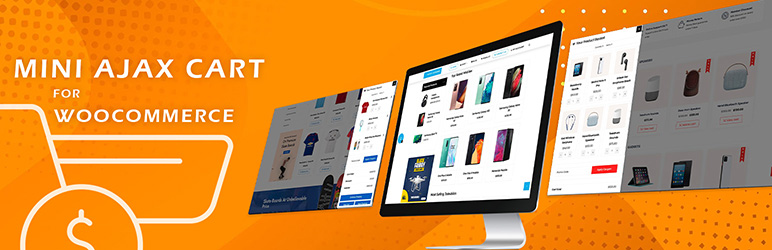
Mini Ajax Cart is a great plugin to add to your WooCommerce store to enhance user credibility. Different position options to place your cart anywhere on the web store. Moreover, it comes with various layouts and tons of flexible features to configure.
This cart conveniently lets potential customers make alterations to the items they have added to the basket. Add, edit, remove, or check out items directly from the page
You can enable a coupon code section to allow your customers to trigger the coupon of the currently running deals of your online store.
Designing your cart to make it presentable is a breeze. Mini Ajax Cart plugin allows you to make alterations to the cart design, popup animation, color, font, typography, and much more as per your website’s preferences.
Besides, the plugin also offers beautiful animation effects for cart entrance, cart exit, and cart hover.
Main Features
- Selectively Display the Cart
- Complete Customization Settings
- Alter the Cart Button Shapes
- Create Unlimited Shopping Carts
- Animation Effects to Make Cart Engaging
Price- Free & Premium
Side Cart Woocommerce

This is a Site cart plugin that comes with minor features like adding to a cart without refreshing the product page and showing shipping & applying coupon options.
The plugin offers a custom Add to Cart button for the variable products. The customers can select variations and add the products to the cart in archive pages without going to the single product pages.
It will allow your customers to quickly view the products that they have added to their cart. This can make your WooCommerce store more effective as your customers will be able to update or remove products that they have selected without having to go to the cart page.
Main Features
- Hide basket on specific pages
- Choose what to show in the cart
- Ajax add to cart & remove
- Fly-to-cart animation
- Set cart width, height, colours, etc
- Additional styling options
Price- Free & Premium
Cart All In One For WooCommerce

Cart All In One For WooCommerce will help you boost sales with a one-click checkout feature.
One-Click Checkout WooCommerce saves customers time by checking out directly on the sidebar cart, bypassing the cart page.
WooCommerce Cart All In One Plugin is a powerful extension that helps to innovate the functions of the Cart on the WooCommerce Store.
The plugin also provides users with many useful tools to design all the elements, such asthe Sidebar Cart, Menu Cart, Sticky Add To Cart button, the Checkout on the Sidebar Cart, and one-click checkout WooCommerce.
Coupons can be applied on the sidebar cart pop-up. If the coupon is added successfully, the cart total amount will be reduced, and the plugin will display a successful message.
Main Features
- Sidebar cart icon
- Sidebar cart pop-up
- Display Cart Subtotal
- Display Dropdown cart
- Ajax Add to cart
Price- Free & Premium
XT Floating Cart for WooCommerce

XT Floating Cart for WooCommerce Shopping cart is a Floating cart plugin for WooCommerce that would help your user’s buying experience.
Floating Cart for WooCommerce is a great solution that will improve the customer buying experience and encourage them to click the “checkout” button.
The plugin is highly customizable and packed with tons of features and functionalities like a Sidebar Cart, Menu Cart, Sticky Add To Cart button, and Checkout on Sidebar Cart, which will make your WooCommerce store work more effectively.
Checkout steps are integrated into the Sidebar Cart. Customers can check out directly on the sidebar cart without going to the checkout page.
Main Features
- Fast add to cart
- Remove product from
- Cart Show max quantity reached message
- Live Preview Customizer
- Fly To Cart animation
- Fly To Cart animation
- Enable Cart Menu Item
- Enable Free Shipping Bar
Price- Free & Premium
Direct Checkout for WooCommerce
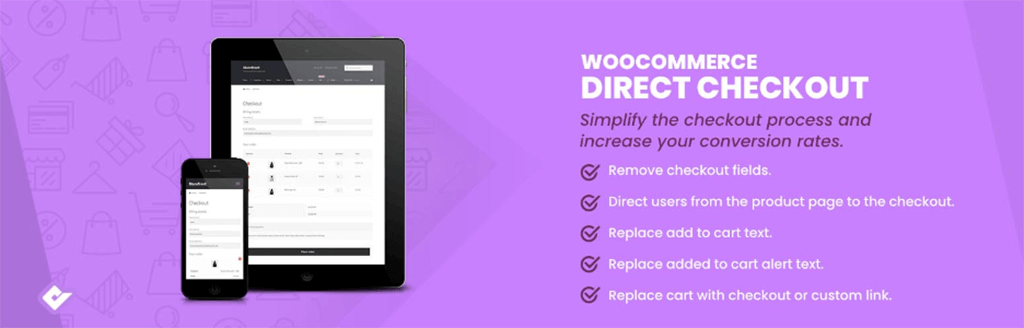
Direct Checkout for WooCommerce is another great plugin that gives you a quick checkout experience. It is a good option if you want to reduce cart abandonment.
Direct Checkout works to simplify the checkout process. This plugin helps to redirect the users from the product page to the checkout page. It skips the process of adding to the cart page.
It gives you the freedom to easily remove unnecessary fields, like order comments, shipping address, coupon form, policy text, terms, and conditions, etc to speed up your checkout process.
It also offers a quick purchase button on a single page, and a quick view button to display a shop page and product categories.
Main Features
- Skip adding to the cart page
- One page checkout
- Redirect your customers directly to the checkout page
- Add to cart on single products via Ajax
- Reduce server load and bandwidth
- Enhance user experience
- Speed up the checkout process
Price- Free & Premium
FAQ
Q: What is a shopping cart in eCommerce?
Ans: A cart is a very important part of any eCommerce website. It is a feature or function that keeps a record of the items a buyer or a customer has picked up from the online shopping website.
Q: Which is the best Shopping cart plugin for WordPress?
Ans: TH Side Cart and Menu Cart & WooCommerce Menu Cart are the best Shopping cart plugins for WordPress.
Conclusion-
There are various Cart Plugins you can get. Today in this blog I have suggested to you some of the 5 Best Cart Plugins for eCommerce websites.
I hope this article assisted you well in finding the Best Cart Plugins for eCommerce websites.
If you have any questions regarding anything, do not hesitate, just comment down below, and we will help you to solve your problem. Thanks for reading this blog. 🙂
Please Subscribe to our YouTube Channel, we also upload great content there and also Do Follow us on Facebook and Twitter
Explore More Article –
- Top 10 Useful Plugins For WooCommerce Websites
- 14+ Top Store WordPress Theme Templates for WooCommerce
- How to create WooCommerce pages cart page, shop page, checkout page, and My Account page
Recommended WooCommerce Themes
| WooCommerce Theme | Get Deals |
|---|---|
| Shop Mania | Get Discount |
| Zita | Get Discount |
| Divi | Get Discount |
| Astra | Get Discount |


