
Are you looking for the Best Free Website Builder for WordPress? then this article will be very helpful for you.
In this blog, I will tell you all about the best free drag-and-drop website builder for your WordPress website.
A WordPress page builder and a WordPress website builder, are the same things.
In this new Internet era, building a beautiful website is not as complicated as it seems. with page builders, you can easily create a website with little technical knowledge.
With the help of page builders, you can make changes to your website, and also via the drag and drop method that helps you create a stunning website.
Free website builder for small business
By building a website with page builders, you can also save a lot of money by not hiring a web developer.
When you hire a web developer to build a website, they charge you more to create a website. But with the page builder, you can create a website on your own for free.
How to find the Best Free WordPress Page Builder?
Now the question is how to decide which page builder is suitable for your needs. With so many free and premium Plugins out there, this can be a difficult decision to make.
Don’t worry we are here to help you find the best free WordPress Page Builders. let us first know something about page builders.

What are Page Builders?
Page builders are a type of software that allows users to create and manage content for their websites without having to write any code.
They typically provide a visual interface that allows users to drag and drop elements into place, and then style and configure them as needed.
Page builders are popular among WordPress users, as they can be used to create custom page layouts and content without having to learn how to code.
Page builders are the tool that enables you to create a page by just drag-and-drop, with no limits to design. With the pre-built elements, you can create any type of design you want.
No Coding Required
The Page Builder comes with a simple drag-and-drop interface means you’ll never need to write a single line of code.
Page Builder generates all the highly efficient code for you. you don’t need to do any coding.
Live Page Editing
Page Builder supports live editing. This tool lets you see your content and edit widgets in real-time. It’s the fastest way to adjust your content quickly and easily, to create a page.
Which is the Best Free WordPress Page Builder?
Let’s begin and know, which is the best Free Page Builder. here’s a quick list of our top 5 best WordPress website builders.
- Vayu Blocks
- Gutenberg
- Nexter Blocks
- Elementor
- Brizy Builder
- Beaver Builder
- Site origin
- PageLayer
- Ultimate Blocks
1- Vayu Blocks

Vayu Blocks is an outstanding WordPress solution to your design problems. You can design the pages of WordPress websites very easily.
Easily drag the block and drop it in the place where you want it to be placed and customize it from the setting. It gives so many customization options and every block is customizable.
If you ever felt the limited features in default blocks then this plugin is here to offer you what you need.
Top features of Vayu Blocks
- Flexbox Container
- Advance Heading
- Woocommerce Product
- Advance Spacer
- Advanced Button
Vayu Blocks Compatible WordPress themes
- Shop Mania
- Vayu X
- Astra
- Any theme compatible with WordPress
2- Gutenberg (Block Editor)

Gutenberg is the in-house project by the WordPress core team. It has replaced the traditional WordPress classic editor, It is now called Block Editor or Full Site Editing, which uses Block-based themes.
It employs several ‘blocks’ you can use to customize your content and layout in the editor.
Gutenberg is completely based on blocks. you can create a page by using blocks and shortcodes. The block editor introduces a modular approach to all parts of your site.
If you want to extend the functionality of your WordPress block editor you can try the Gutenberg Blocks plugin.
Top features of Gutenberg
- No need to install any other WordPress Page Builder.
- Has many options to create a decent page.
- Has Pre-build items like Table, Button, Text Column, adjustable fonts, etc.
Gutenberg-compatible WordPress themes.
3- Nexter Blocks
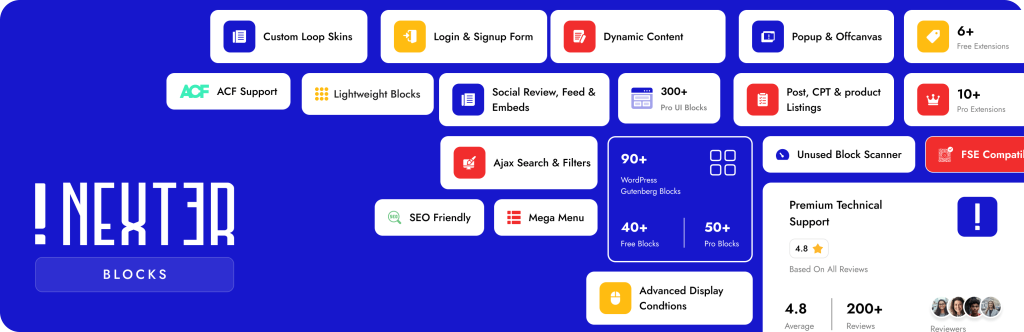
Nexter Blocks is a powerful Gutenberg website builder plugin that enhances the default WordPress Block Editor with advanced design and layout capabilities.
If you are using Gutenberg and want more flexibility, Nexter Blocks extends it with 90+ advanced Gutenberg blocks, 22+ powerful extensions, and 1000+ ready-made templates that help you design complete websites easily.
With its drag-and-drop block interface, you can create landing pages, business websites, portfolios, blogs, and even WooCommerce stores directly inside the native WordPress editor.
Unlike heavy page builders, Nexter Blocks focuses on performance and clean code, ensuring your website remains fast while offering advanced design control.
You can explore the detailed feature breakdown in this guide on the Best Gutenberg Plugins by Nexter WP.
Top features of Nexter Block
- 90+ Advanced Gutenberg Blocks
- 22+ Powerful Extensions
- 1000+ Pre-designed Templates
- Header & Footer Builder
- WooCommerce Builder
Nexter Blocks Compatible WordPress Themes.
- Nexter Theme
- Astra
- GeneratePress
- Any Gutenberg-optimized WordPress theme
4- Elementor

Elementor is the best free, and advanced page builder for WordPress. It comes with tons of features. This drag-and-drop page builder comes with instant live edit and instant page load features.
Elementor also comes with Pre-build Blocks and Templates, you can choose from Pre-build 100+ beautiful Blocks, Addons, and full-page WordPress templates. You can customize them to make them your Design.
Top features of Elementor
- It comes with Advance Drag & Drop Editor, which means you can easily customize your website.
- Elementor comes with, a variety of pre-built Templates.
- If you go with, a pro version then you can also get Popup Builder.
- This builder has a super Responsive live Editing tool. Which helps you to create beautiful websites.
- They have introduced Motion Effects, which let you create Animations within your website.
- Comes with Marketing automation and CRM integrations.
Elementor-compatible WordPress themes.
- Zita- Best Elementor Templates and add-ons.
- Th Shop Mania– Best Elementor Templates
- OceanWp– Elementor templates and extensions.
4- Brizy Builder

Brizy is another WordPress page builder. Brizy Builder has some unique features and an easy way of building WordPress pages visually.
It also comes with a drag-and-drop page builder. It has pre-made Block designs that you can add to your page.
Brizy has some Cloud-based autosave features. That means the progress you’re making while building your page is always backed up in the cloud, so you’ll never lose your work.
Top features of Brizy
- It has a variety of Design Elements, like Text, Images, Fonts, etc.
- Brizy has over 150+ Pre-made blocks and templates.
- It has switched instantly to Mobile View mode.
- Resize columns by dragging the handle that appears in between, with percentage values displayed up top.
Brizy compatible WordPress themes.
- WpZita- Brizy Templates and Blocks.
- Shop Mania -Brizy Templates and Blocks.
5- Beaver Builder

The Beaver Builder is a flexible drag-and-drop page builder, that works on the front end of your WordPress website.
It comes with Reusable Templates, Lets you create layouts, and they will be saved and reused an unlimited number of times to quickly build new pages on your website.
It has some pre-built premium features that will help you to create a beautiful website.
Top features of Beaver Builder
- It has Live, Front End Editing.
- Content Modules: HTML, Photo, Text Editor, Audio, Video, & Sidebar
- Photo, color, and video row backgrounds.
- Works with Pages, Posts, and Custom Post Types.
Beaver Builder is compatible with WordPress themes.
6-Spectra
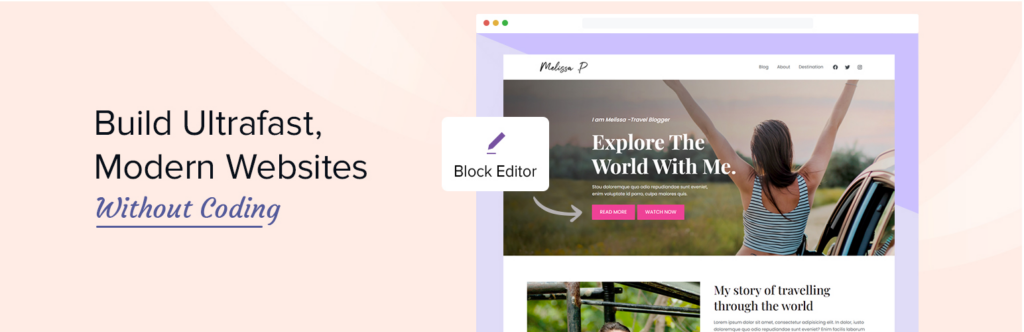
Spectra is an ever-growing collection of advanced and creative blocks that enhance the capabilities of Gutenberg, offering you extensive freedom to explore your creativity.
As of now, Spectra has 35+ customizable blocks on top of the default WordPress page editor, allowing you to design and build pages or posts without needing to write any code.
With an easy-to-use interface, extensive customization options, and a library of pre-built Starter Templates, Spectra enables you to create impressive websites in minutes.
Top features of Spectra:
- Layouts: Easily move, resize, and hide sections to speed up page design.
- Starter Templates: Access a wide range of predesigned, customizable websites and pages.
- Wireframes: Create quick page/website mockups to improve efficiency.
- Block Presets: Import and customize pre-designed blocks for your website.
- Copy Paste: Replicate customized block designs across your site.
- Global Styling: Set default content width, inherit styles, and maintain consistency.
- Popup Builder: Design attention-grabbing popups.
- Coming Soon: Hide unfinished site pages from public view.
Spectra Compatible WordPress themes
- Spectra One
- Astra
7- Page Builder by SiteOrigin

Siteorigin is a responsive grid-based page builder for WordPress. Its interface looks like WordPress.
This builder comes with a drag-and-drop interface, and it works with standard WordPress widgets.
It supports live editing. This tool lets you see your content and edit widgets in real time. It’s the fastest way to adjust your content quickly and easily.
Top features of SiteOrigin
- Page Builder supports live editing
- Comes with Row and Widget Styles.
SiteOrigin compatible WordPress themes.
8. PageLayer

PageLayer Page Builder is easy to use free drag-and-drop page builder that will help you to create any layout you can imagine fast and easily. No coding skills are required!
PageLayer gives you full control over responsiveness. Create responsive websites automatically or adjust preferences you need to ensure your WordPress website looks perfect on mobile or tablet.
PageLayer Page Builder has everything it takes to create a good responsive website.
Top features of PageLayer
- Drag & Drop Editor
- Add rows and columns
- Basic Widgets
- Real-time builder
- Inline editing
PageLayer-compatible WordPress theme
9. Ultimate Blocks
Ultimate Blocks is a powerful WordPress Blocks plugin offering a comprehensive suite of 20+ content blocks designed to elevate WordPress websites’ functionality and visual appeal.
The main functionality of Ultimate Blocks is to extend the functionality of the Block Editor further and help you create better-looking, engaging content.
The 20+ content blocks offer the functionality of 20+ other plugins in one place. You do not need to install several other plugins to achieve your motives.
All you need to do is install Ultimate Blocks. With all those blocks, you can easily create any website you like.
You can activate all the blocks or only the ones you need most of the time. Thanks to its modular functionality, it keeps a website super fast.
Top Features of Ultimate Blocks
- 20+ Content Blocks To Design A Website
- Modular & Lightweight Plugin
- Block Customization Abilities
- Optimized Performance
- User-Friendly Interface
- Mobile-Responsive Design Layouts
Ultimate Blocks Compatible WordPress Themes:
- GroundWP
- Any Theme Optimized for Block Editor
Which one to choose as a Free WordPress Page Builder?
As you have seen above, we have given detailed information about the Best Free WordPress Page Builder Drag and Drop for WordPress.
You can decide which one will fit you. we recommend you use Elementor. Because, It has almost every feature that you need, and it also offers regular updates and new features.
I hope this article helps you to find the best free WordPress page builder. If you have any queries or wanna ask something, feel free to ask, just comment down below we will help you.
FAQ
Q: Which is the best WordPress Page Builder?
Ans: There is no one-size-fits-all answer to this question, as the best WordPress page builder for you will depend on your needs and preferences. Some popular WordPress page builders include Elementor Beaver Builder and Divi Builder.
Q: Is WordPress website builder free?
Ans: Yes, the WordPress website builder also called Block Editor to build with Gutenberg is completely free and open source.
Q: Most Popular WordPress Page Builder
Ans: Elementor is the most downloaded and most popular WordPress Page Builder.
Read More:-
- Best AI Website Builder
- Best WordPress Block Themes.
- 11+ Best Shopping WordPress Themes
- Best Responsive WooCommerce WordPress theme
- Best Shopping Cart Plugins for Neve Theme


