
Overview ➣ The Car Accessories Template is a powerful and feature-rich WordPress theme designed for businesses selling automotive accessories. With a one-click setup and full customisation options, it is the perfect choice for non-technical users who want a professional-looking website with minimal effort.
WordPress powers millions of eCommerce websites, and with WooCommerce integration, creating a highly functional online store has never been easier.
If you own a business that sells car accessories, this template will help you highlight your products effectively. No coding is required, as the Car Accessories Template is ready for immediate use!
Today, we’ll guide you on how to create a stunning online store using the Car Accessories Template.
What is Shop Mania and Its Templates?
Shop Mania is a fast, flexible, and user-friendly WordPress eCommerce theme, offering pre-designed templates to help businesses set up online stores effortlessly.
It offers seamless integration with popular page builders like Elementor, Visual Composer, Beaver Builder, Brizy, and Gutenberg, allowing users to easily design their online stores.
Shop Mania also offers a pro version with additional features such as distraction-free checkout, advanced typography options, and more header and footer layouts.
This makes it a versatile choice for various types of online stores, including fashion, electronics, medical, cosmetic, grocery, furniture, clothing, watches, shoes, jewelry shops, multivendor marketplaces, and organic stores.
Main features of Shop Mania:
- Fully customizable
- Mobile-responsive
- Optimized for conversions
- Pre-designed templates
- Compatible with Elementor and other page builders
- WooCommerce ready
Why Use the Car Accessories Template?
With the Car Accessories Template, you can have a dynamic and modern automotive store without needing to code! You should choose the Car accessories Template for several reasons:
- Pre-Built Pages & Sections – It includes essential pages like Contact, Home, Shop, Product Categories, and About.
- WooCommerce Integration – the template is WooCommerce-ready, meaning you can add products, manage inventory, and accept payments right away.
- Customizable & User-Friendly – With drag-and-drop builders (like Elementor or Gutenberg), you can easily customize the layout accordingly, images, and content to match your brand.
- SEO-Optimized – Built with SEO best practices, helping your store rank better on Google and bring in more organic traffic.
- Tailored for Automotive – This template is specifically designed for businesses selling car accessories and automotive parts, no need for extensive customization to achieve a professional looking site.
The Car Accessories template provides a variety of robust features to make the online shopping experience more enjoyable. It as several checkout layouts, allows you to select the most appropriate flow for your customers.
With adjustable shopping cart layouts, Customers can easily review their purchases before finalizing the transaction.
The Template also features an advanced product search option, which makes it easy for visitors to locate what they are looking for.
These features combined make the Car Accessories template a strong option for creating an effective and effective and visually stunning online shop in the automotive industry.
Key Features of the Car Accessories Template:
Home Page
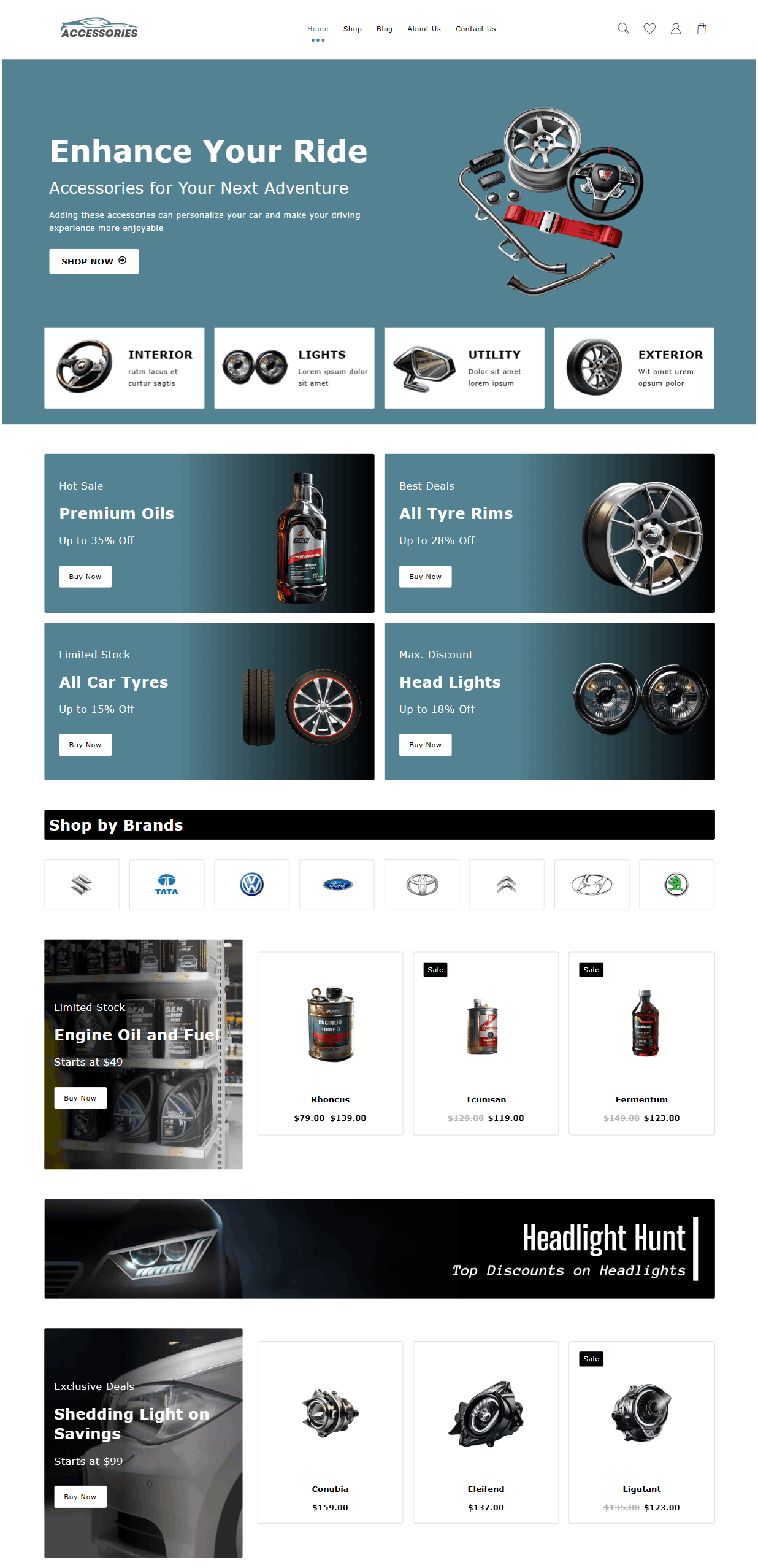
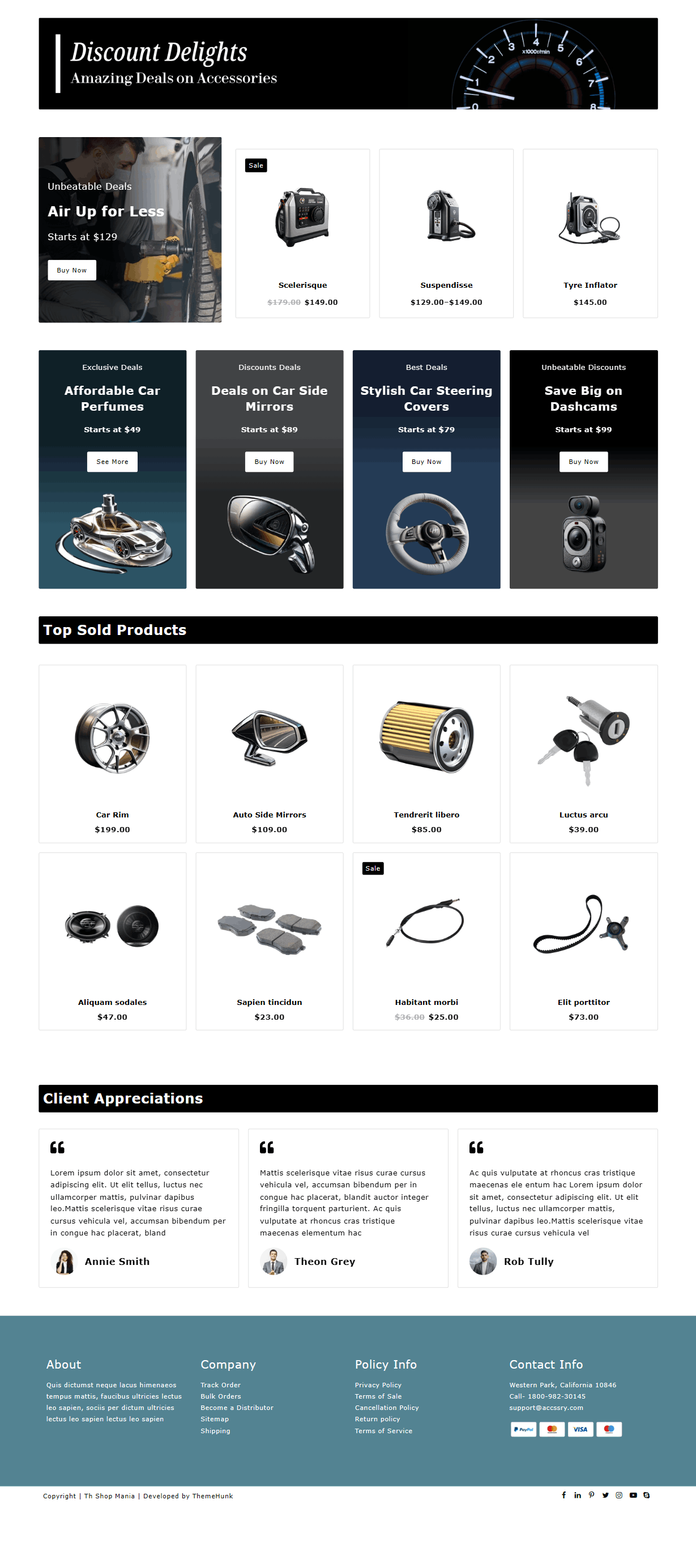
The homepage of the Auto Parts Shop template is designed to grab attention with a professional and engaging layout. It typically includes:
- A hero section with a bold call-to-action and an image or banner showcasing featured auto parts.
- Product categories include car accessories, spare parts, and tools for easy navigation.
- Best-selling and featured products to highlight top-rated and high-demand items.
- Discounts and promotional banners to encourage sales.
- Customer reviews and testimonials for credibility and trust.
Shop Page
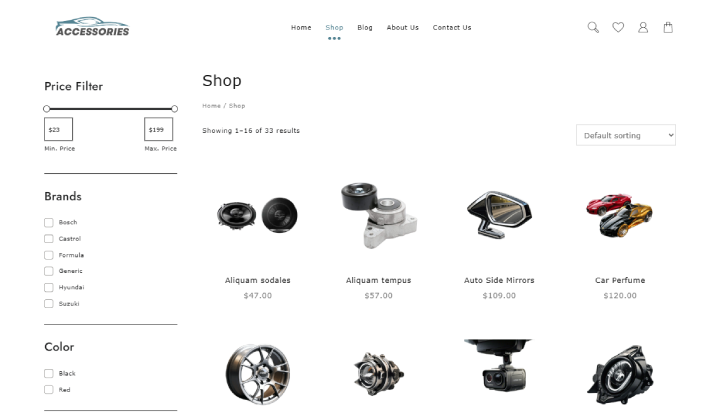
The shop page serves as the core section for displaying products. Key features include:
- Well-structured product grids
- Filters and sorting options
- Quick view feature
Blog Page

The blog section is an essential part of the template for driving traffic and improving SEO. It can feature:
- Guides and tutorials
- Product comparisons
- Industry news and updates
- Customer success stories
About Us Page
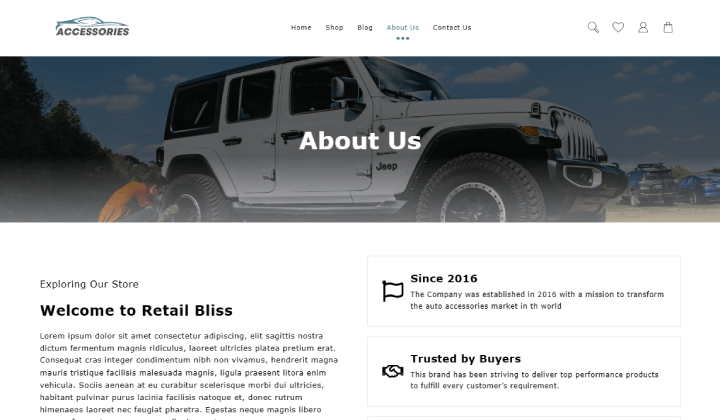
This page helps in building brand trust by sharing:
- Company history and mission.
- Commitment to quality in auto parts and accessories.
- Team members or founder’s story.
- Customer support and satisfaction policies to reassure buyers.
Contact Us Page
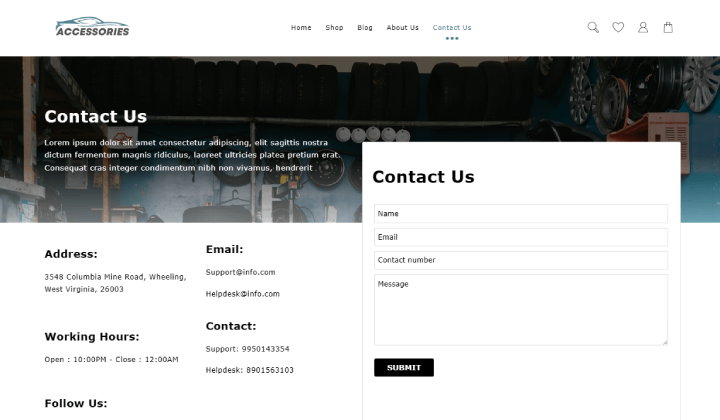
A straightforward yet essential page for customer inquiries, it includes:
- Contact form for questions, order tracking, or feedback.
- Business address and phone numbers for direct communication.
- Google Maps integration for physical store locations.
- Support hours and email details to enhance accessibility.
Product search

A product search on a website is similar to the search bar found in online stores, where you can enter keywords such as “car floor mats” or “leather seat covers.”
Shopping cart
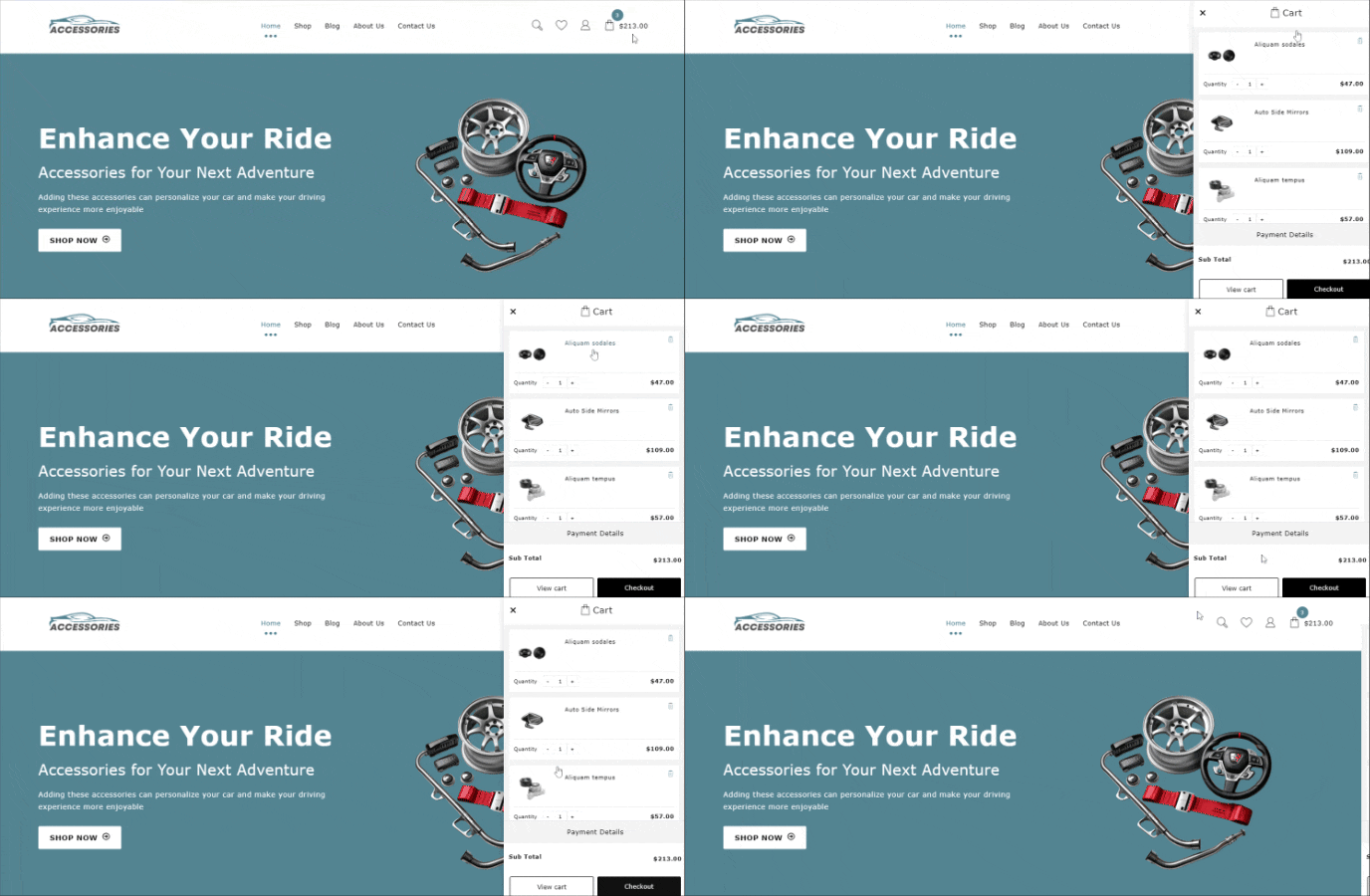
Adding a shopping cart to your site is essential for any online business, as it provides customers with a convenient way to browse, organize, and purchase products.
The Car Accessories template features two cart icons on the page: one in the menu and another as a floating cart.
How to Install the Car Accessories Template in One Click
Download and Install the Theme
To use the Car Accessories Template, first install Shop Mania. This theme includes demo import functionality.
Buy and download the Shop Mania Theme.
Click the button below
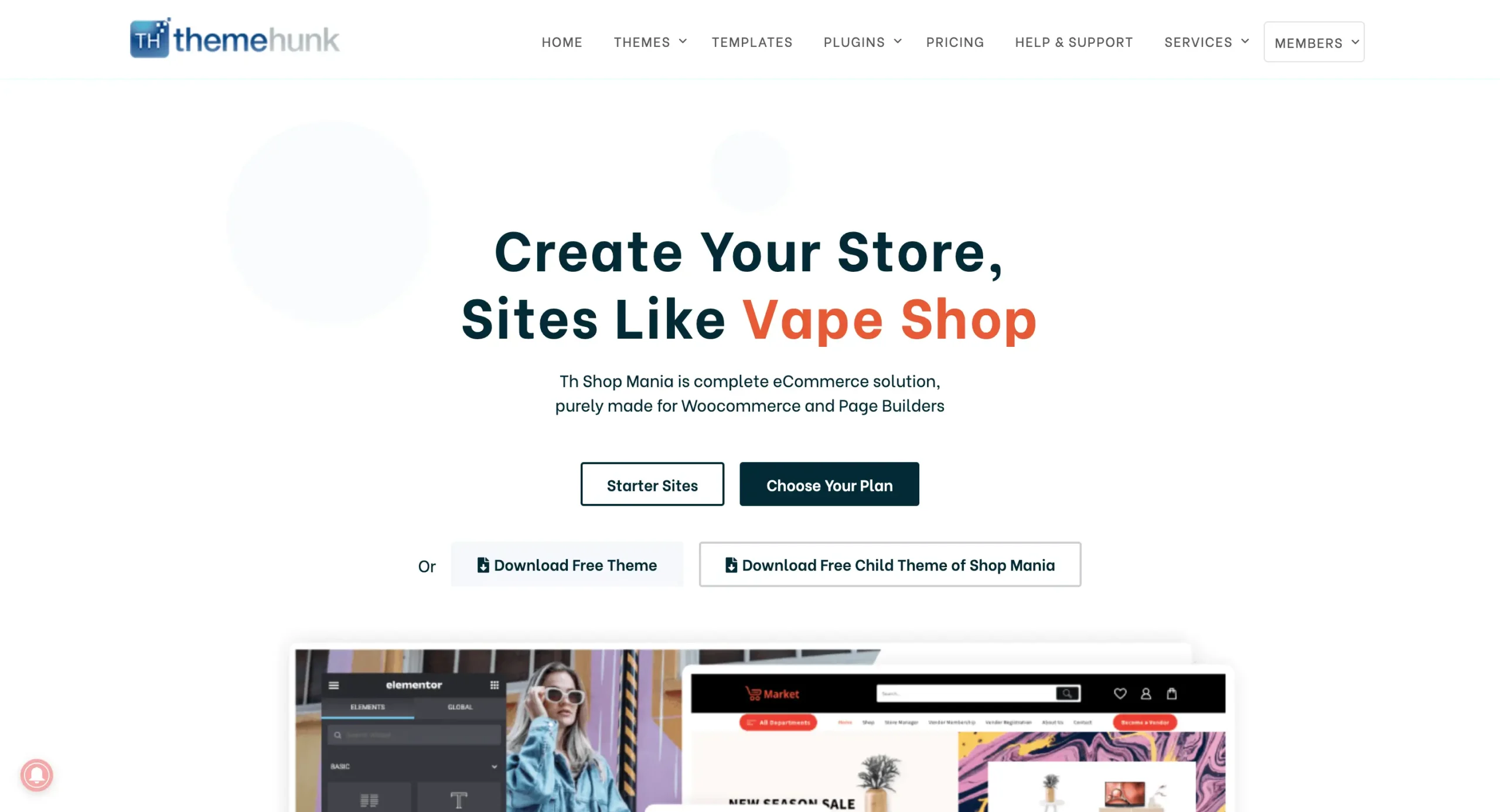
Log in to your Member’s Area and access your purchased themes.
You can log in to your >> Member’s area from here

You can find and download your purchased themes and plugins on this page.
Installing Shop Mania Pro Plugin
Log in to your WordPress Dashboard
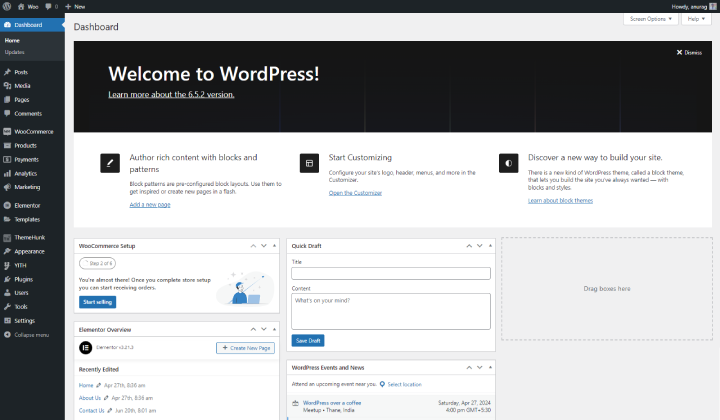
Log in to your WordPress dashboard with your credentials.
Go to Plugins and click on Add New Plugin

To install a new plugin, hover over Plugins and click on Add New Plugin.
You’ll see the Upload Plugin option at the top left of the page. Click on it.
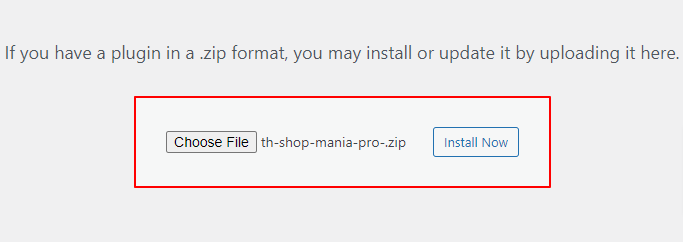
Upload the Shop Mania Pro plugin and click on Install now.
And then activate the Plugin.

Click on ‘Activate Plugin.’ Once activated, you’ll be redirected to the plugin page where you can access the Shop Mania Pro plugin.
Generate and Activate License
To fully utilise Shop Mania Pro, activate the license after installing the theme. This will unlock all premium features.
Navigate to Appearance and click on License

Find your Key, and enter your license key.

Now, Log in with Member’s Area Credentials.

The license key is displayed on this page. Click ‘Copy’ to copy it.

Copy the License Key to the clipboard. You can then paste the key into the box on the License Page.
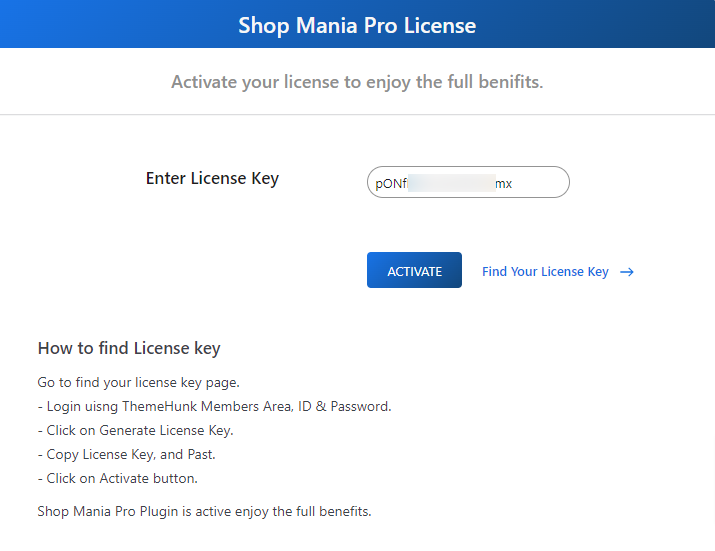
After pasting the License Key, click on Activate
Import Car Accessories Template
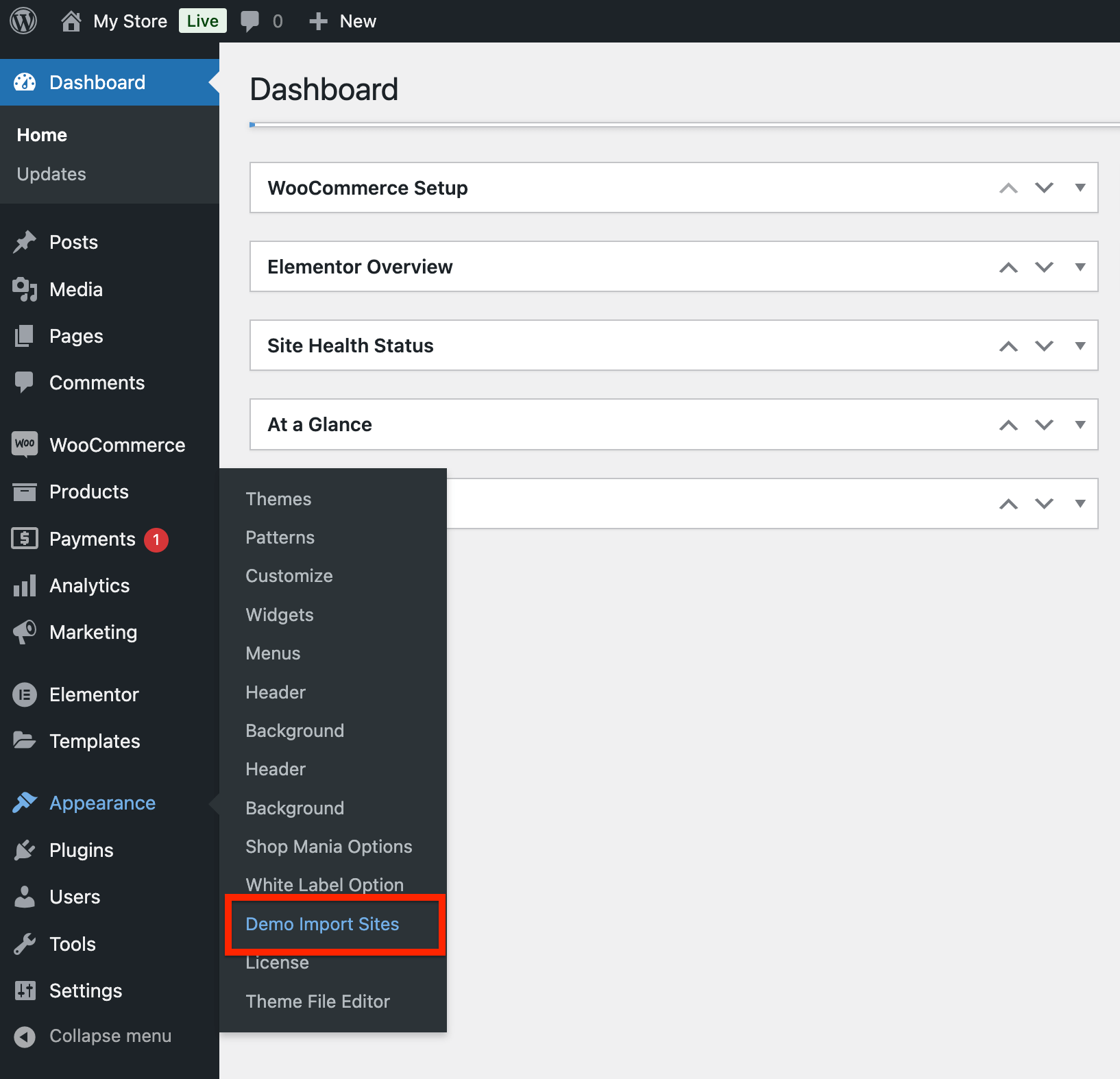
Go to Appearance and click on Demo Import Sites
Open Appearance > Demo Import Sites
Shop Mania version On the following page, you will see the Shop Mania version with the button that states View All Starter Sites. Click the button.
Click View All Starter Sites.

Explore all Shop Mania templates listed below. Sort by category or page builder to locate what you are looking for. To see the Car Accessories Template, search for it and click.
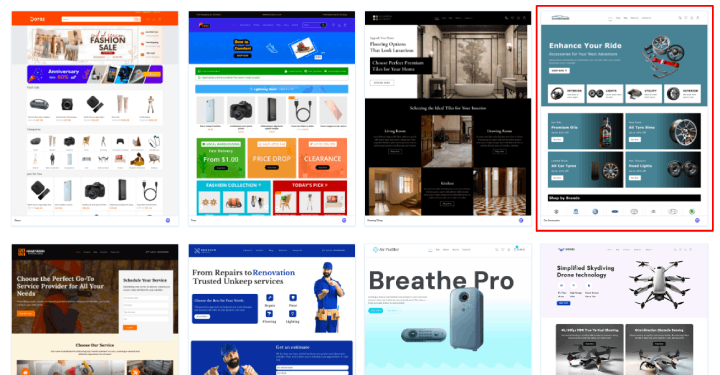
You can view your full site from here. Click ‘Continue’ when you’re done.
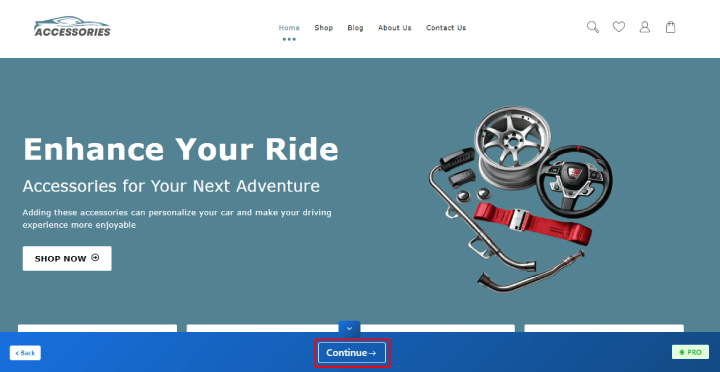
Now, Click on Build Your Website.

The process can take some time.
(⚠ Do not leave this page while your template is imported.)
On the next page, there is the “Customise” button to tailor your site to your needs and the “View Website” button to view what it looks like.
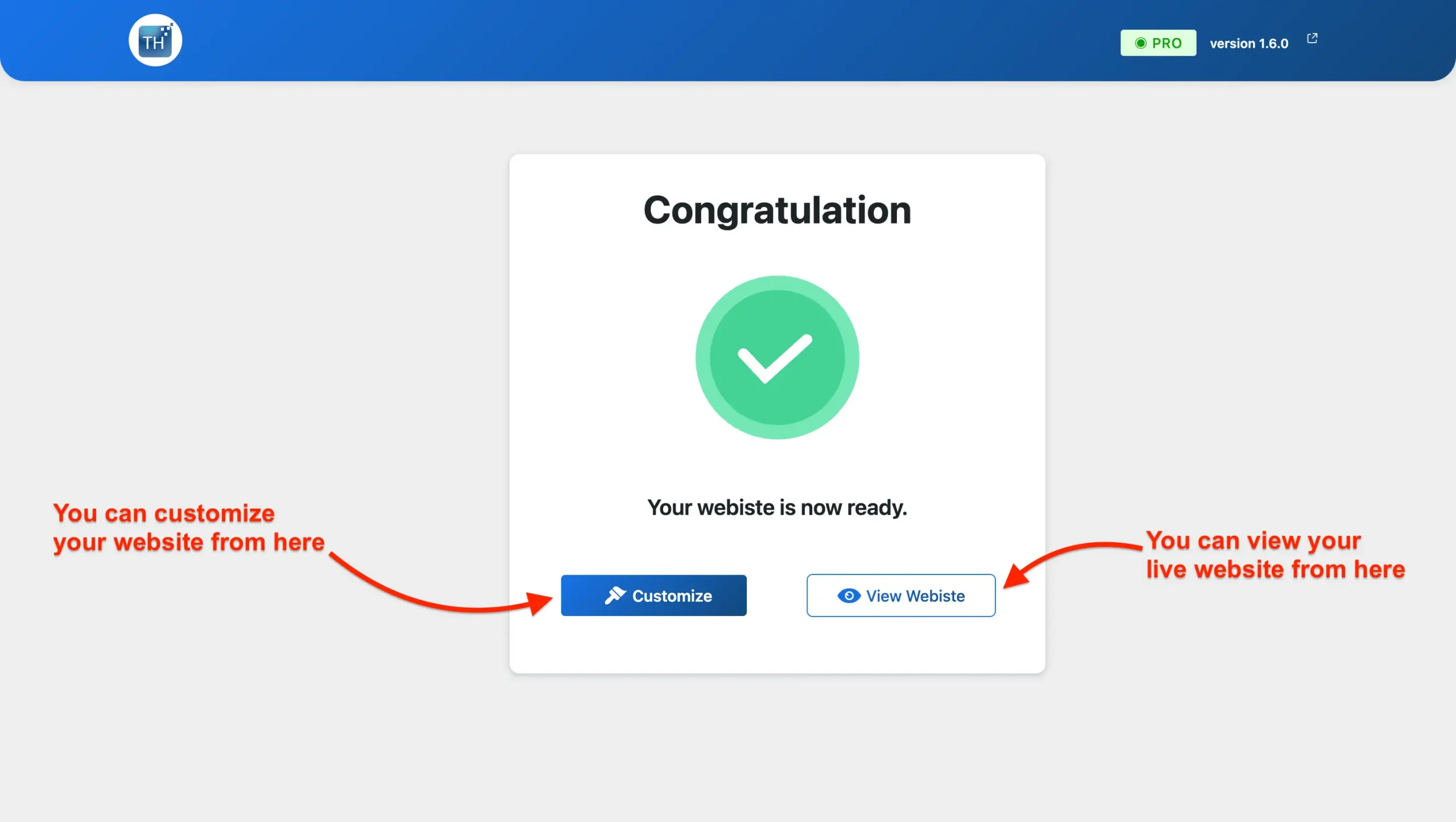
The website is Ready. You can take a look.
Customise or alter the Car Accessories template.
If you are interested in modifying your website, then you may do so with the assistance of an Elementor page builder. It is quite simple and easy as well.
This is how meticulous steps are followed for customising the Single-product website
Follow these steps: Go to your site’s homepage, and you will see the “Edit With Elementor” option as shown in the image below.
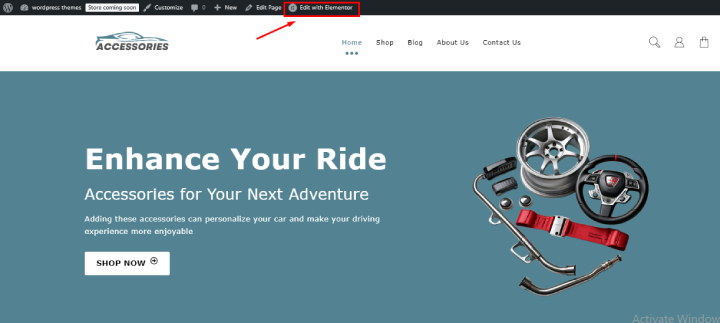
The Elementor drag-and-drop editor simplifies customisation, allowing you to effortlessly adjust colours, fonts, content, and even the layout of your site.
Effortlessly insert, modify, or delete any section to suit your preferences!

Easily customise your site with Elementor, a smooth drag-and-drop page builder. Let your creativity shine and bring your vision to life!
Adding Your Product to WooCommerce
When you import a template, it includes placeholder content that you can modify to fit your needs.
Let’s walk through the steps to add products to your WooCommerce store. First, go to Products and select Add New.
You’ll find the product creation page here, with fields for the title and description. In the description section, be sure to include key features, benefits, and other essential details about the product.
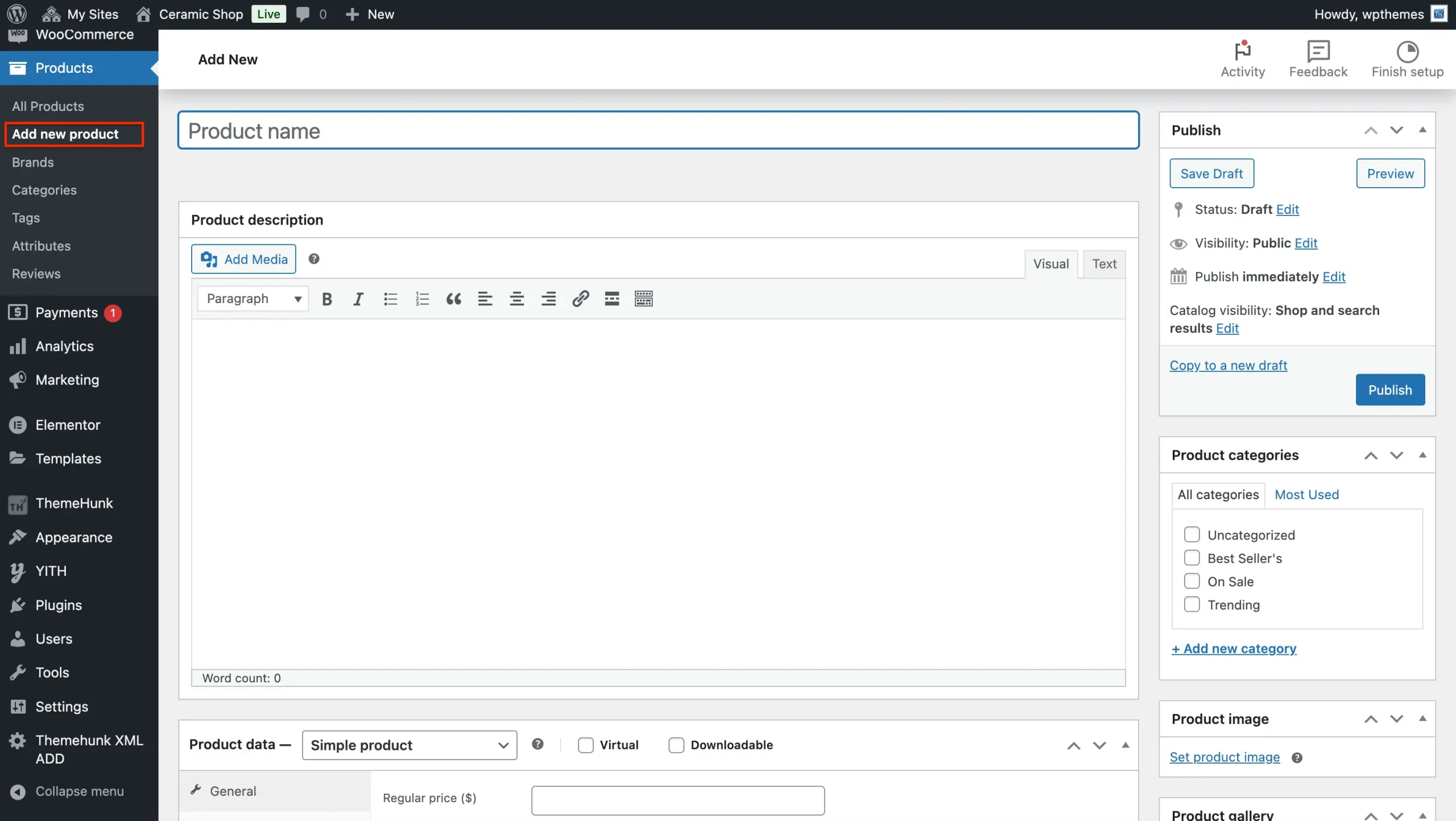
Next, choose the relevant ‘Product type’ from the dropdown menu after scrolling down to the ‘Product data’ area. These are your options:
Set Product Type
- Simple Product: For physical items with no variations, like a single car accessory item. Check the ‘downloadable’ box for digital products.
- Grouped Product: Sell related items together as one unit.
- External/Affiliate Product: Feature products available for purchase via an affiliate link on another site.
- Variable Products: Items available in various sizes, colours, or styles.
Set product price and inventory details.
There are two price boxes.
- For the regular price, please enter the price of the product.
- For the sale price, please enter the discounted price of the product.
Product images.
- To set the product image, click on “Set Product Image” and either upload a new image or select one from your media library.
- If you have several images of your product, please add them to the Product Gallery Images section.
Category And Tags.
- To create a category, use the “Add New Category” button to assign categories as needed. You also have the option to create sub-categories if you’d like.
- Tags – Enter the product’s keywords to enhance its visibility on the site.
Publish The Product
Press “Publish” to get your product live!
Tips to Optimise Your Car Accessories Website
- Use high-quality images & videos – Customers depend on clear visuals to make informed purchase decisions for their car accessories.
- Highlight customer testimonials – Build trust and credibility by showcasing feedback from satisfied customers.
- Optimise for mobile users – Ensure a seamless browsing experience across all devices for customers on the go.
- Leverage email marketing – Capture potential leads with a sign-up form to send promotions and updates.
- Offer limited-time discounts – Create a sense of urgency with exclusive deals to drive more sales.
Essential Tools and Plugins to Enhance Your Site’s Functionality
- Live Product Search: Allow customers to quickly find specific items with real-time search, improving user experience and increasing sales opportunities.
- Product Compare: Enable customers to compare products on key factors, helping them make informed purchasing decisions.
- Woo Cart: Offer a visible cart in the menu with a floating option for easy access and smoother checkout navigation.
- Variation Swatches: Use visual swatches to highlight colour, size, and glaze options, making it easier for customers to see product variations.
- Lead Form Builder: Collect customer information with customizable forms to build your marketing list and share promotions or new products.
- Rank Math: Improve your shop’s search engine ranking, helping more customers discover your products and site.
- Jetpack: Gain insights into your website’s performance with detailed analytics, helping optimise traffic and customer behaviour.
- WooCommerce Addons: Enhance your store with add-ons for inventory management, shipping features, security, and more.
Final Thoughts
Shop Mania’s Car Accessories Template is an excellent option for business owners looking to create a high-converting, low-maintenance eCommerce site.
With its one-click installation feature, you can quickly set up your Car Accessories and start selling.
So, what are you waiting for? Download Shop Mania today and launch your store!
If you found this post helpful, please share it with your friends! If you have any questions or need assistance, feel free to leave a comment below we’re here to help. Thank you for reading!
We hope this guide helps you choose the perfect website template for your Car accessories store.
And don’t forget to subscribe to our YouTube channel for more great content! Also, follow us on Instagram and Twitter for the latest updates.
FAQ
Q: Can I use the template for other types of products?
Ans: While the template is specifically designed for car accessories, it can be adapted for other related automotive products or similar e-commerce needs with some customisation.
Q: What features are included in the template?
Ans: The template includes features like:
1. Responsive design for mobile and desktop
2. Product showcase grids
3. Easy navigation menus
4. Integration with e-commerce platforms (like WooCommerce, Shopify, etc.)
5. SEO optimisation tools
6. Social media integration
7. Customer review sections
More Helpful Reads:


