
Overview ➣ Lazy loading makes websites load faster by not loading images and videos until they are required. This blog describes what Lazy loading is, why it’s beneficial, and how to implement it with HTML, JavaScript, or WordPress plugins. Your website is faster, smoother, and more user friendly with lazy loading.
Have you ever visited a website that took a long time to load? It’s frustrating, right? A slow website not only gets on your nerves but can also scare visitors off, harming user experience and conversions.
That’s where lazy loading enters the scene – This is a simple yet powerful technique that speeds up websites by initially loading only the essential content and delaying the rest until it’s needed.
By using lazy loads, sites can minimize initial load times, conserve bandwidth, and provide a smooth browsing experience, particularly for users on slower networks or mobile devices.
Regardless of whether you have an eCommerce site, a blog, or a portfolio site, optimizing page speed with lazy loading can improve both user satisfaction and SEO rankings.
In this blog, we will discuss lazy loading and how to easily implement it on your website to enhance speed and user experience.
What Is Lazy Loading?
Lazy loading is an optimization technique for websites where non-critical content (such as images and videos) is loaded when the user scrolls down and requires it.
Your website doesn’t load everything in one go but rather only loads items that are about to be seen.
Example of Lazy Loading in Action
Imagine you are scrolling through a long blog post filled with images. With lazy loading:
- The first few images load instantly.
- The other loads only if you scroll down, and they appear in your viewport.
- This loads the page faster and eliminates unwanted use of data.
Why Is Lazy Loading Important?
A slow site can drive visitors away. Here’s why lazy loading is a game-changer:
- Faster Page Load Time – Loading only what’s required makes your site feel much faster.
- Enhanced User Experience – Users do not need to wait for irrelevant content to be loaded.
- Improved SEO Rankings – Google prefers quick websites, enhancing your search ranking.
- Reduced Bandwidth Use – Preserves data, particularly for mobile network users.
Benefits of Lazy Loading
- Improves Website Speed – Loads only the visible content first, reducing initial page load time.
- Enhances User Experience – Provides a smoother browsing experience by displaying content as needed.
- Reduces Server Load & Bandwidth Usage – Minimizes the number of HTTP requests, saving resources on both server and client sides.
- Boosts SEO Performance – Faster loading pages contribute to better search engine rankings.
- Perfect for Image-Heavy Sites – If you run a blog, an eCommerce store, or a portfolio, lazy load is a lifesaver. It ensures that images load as needed without slowing down the page.
How to Implement Lazy Loading?
You don’t have to be a tech genius to turn on lazy loads! Here are some simple ways to do it on your site:
1. Utilize HTML’s Native Lazy Loading (For Images & Iframes)
Native lazy loads is supported by modern browsers, so it’s easy to add!
Just add the loading=”lazy” attribute to your image or iframe tag:
<img src="example.jpg" alt="Lazy Load Example" loading="lazy">
<iframe src="https://www.example.com" loading="lazy"></iframe>
Advantages of Native Lazy Loading:
- No need for extra JavaScript or external libraries.
- Improves page speed and reduces server requests.
- Compatible with modern browsers like Chrome, Firefox, and Edge.
2. Lazy Load with JavaScript
You can also do lazy loads with JavaScript by identifying when an image has reached the viewport and subsequently lazy loads it dynamically.
This can be achieved through the use of the Intersection Observer API, which loads images effectively when they are necessary, enhancing site performance.
Advantages of Using JavaScript for Lazy Loading
- Reduces unnecessary server requests.
- Improves page speed and Core Web Vitals score.
- Works with dynamic content like infinite scrolling.
3. Use a WordPress Plugin (No Coding Required!)
If you’re using WordPress, lazy loads are even easier! Just install a plugin like:
Lazy Load by WP Rocket

LazyLoad is a top free plugin for WordPress that enables the lazy loading of images, videos, and iframes, helping to improve website performance and page load speed.
By deferring the loading of media files until they are about to appear in the user’s viewport, LazyLoad reduces initial page weight, conserves bandwidth, and enhances the overall browsing experience.
This plugin is especially beneficial for content-heavy websites, such as blogs, eCommerce stores, and portfolio sites, where multiple images and media elements are present.
Additionally, LazyLoad is lightweight, easy to configure, and compatible with popular WordPress themes and plugins, making it a valuable tool for optimizing web performance.
Smush – Lazy Load & Optimize Images
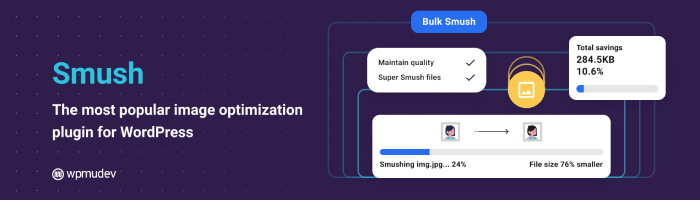
Smush is the top image optimization plugin that allows users to optimize, resize, and compress images without compromising quality.
Additionally, it can convert images to WebP or AVIF format for faster-loading web pages, ensuring better performance and improved SEO rankings.
The plugin features bulk image optimization, allowing users to compress multiple images at once, and offers lossless compression to maintain visual clarity.
Smush also includes lazy loading, automatic resizing, and the ability to detect and fix oversized images.
Compatible with most WordPress themes and page builders, Smush is an essential tool for bloggers, eCommerce store owners, and website developers looking to enhance site speed and user experience.
Advantages of Using Lazy Loading Plugins
FAQ
Q: Do lazy loads affect SEO?
Ans: Yes, positively! Google prioritizes fast-loading websites, so implementing lazy loads can boost your search rankings.
Q: Does lazy loading work on all browsers?
Ans: Modern browsers support lazy loading natively. However, for older browsers, JavaScript-based lazy loads is recommended.
Q: Are lazy loads necessary for small websites?
Ans: Even small websites can benefit from lazy loading, especially if they have high-quality images or embedded media.
Conclusion
Lazy loading is an easy yet effective method of making your website faster and more efficient. You can use native lazy loads, JavaScript, or a plugin. It’s a must-have technique for contemporary websites.
So, if you want to increase your site speed, enhance SEO, and provide a better user experience, lazy loads is the solution!
I hope this blog will help you. Still, if you have any queries or suggestions then let me know in the comment section.
You can Subscribe to our YouTube Channel, we also upload great content there, also Do Follow us on Facebook and Twitter.
More helpful reads:


