
Overview ➣ Create a stunning coffee shop website instantly with the Coffee Store template from ThemeHunk. It’s installed with just one click, so it’s quick and easy to set up. Showcase your products, connect with customers, and boost your sales without technical knowledge. Perfect for coffee lovers to begin online.
Did you know that WordPress hosts more than 43% of all websites? With WooCommerce, creating an online coffee shop has never been simpler!
In the digital age, having a beautiful and straightforward website matters—whether you operate a small café, an online coffee subscription business, or a big roastery.
Creating a robust online presence is the key to getting more customers, promoting your coffee products, and increasing sales with ease.
Shop Mania WordPress theme provides a pre-built coffee store template, which is specifically designed for coffee businesses.
You can build a beautiful, professional website using this template without any coding expertise. It has a clean design to elegantly showcase your products and engage visitors. With the one-click installation, getting your site up and running is quick and easy.
All the tools you need to build your coffee business online are at your fingertips.
Begin today and see your online store thrive!
Why Shop Mania for Your Coffee Shop?
Shop Mania is a highly customizable WordPress theme specifically crafted for eCommerce websites, which has all the functionality you require to build a beautiful-looking and fully functional online shop.
With full customization, responsiveness, and page builder compatibility, this theme is both versatile and easy to use.
With over 50 ready-to-use website templates, you can import your preferred design in seconds and quickly start your coffee store.
Among these templates is a dedicated coffee store template, designed with streamlined features to perfectly highlight your coffee products, blends, and offerings.
Why Use the Coffee Store Template?
A great-looking website is necessary for running a coffee shop, an online coffee subscription, or even a full-scale roastery. The Coffee Store template makes building a professional, fully functional site easy without any tech headaches!
Here’s why you’ll love it:
- Mobile-Friendly Design – Your site will be stunning on any device, from smartphones to desktops.
- Sleek & Modern Design – A beautifully laid-out design so your product offerings receive center stage.
- SEO-Friendly – Preserves your site looking above the competition on Google so more coffee enthusiasts can discover you.
- Easy to Customize – Change colors, fonts, and layouts to reflect the personality of your business.
- WooCommerce Compatible – Seamless order, payment, and product management.
- Built-In Addons – Additional features to enhance your website and the user experience.
Key Features of the Coffee Store Template
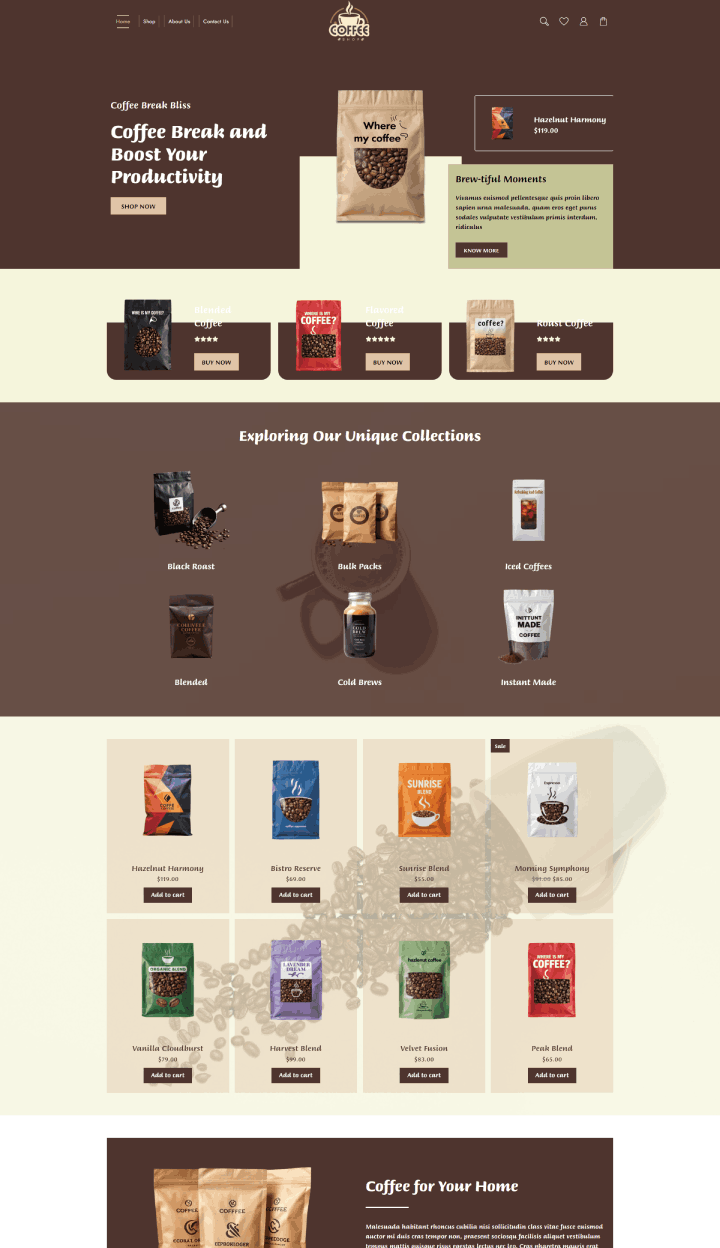
1. Eye-Catching Homepage Layout:
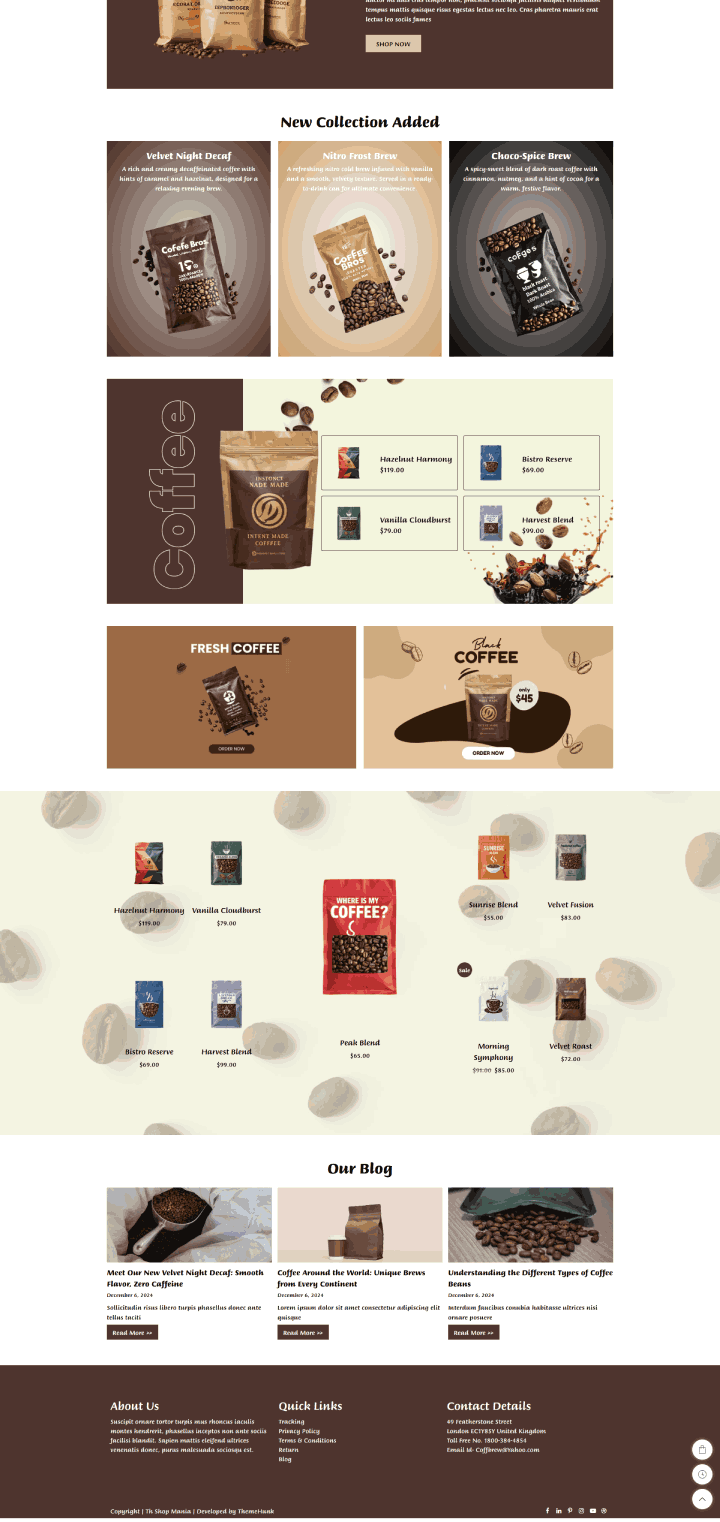
The homepage greets visitors with a large, visually appealing banner where you can display new arrivals, discounts, or seasonal collections.
2. Shop page
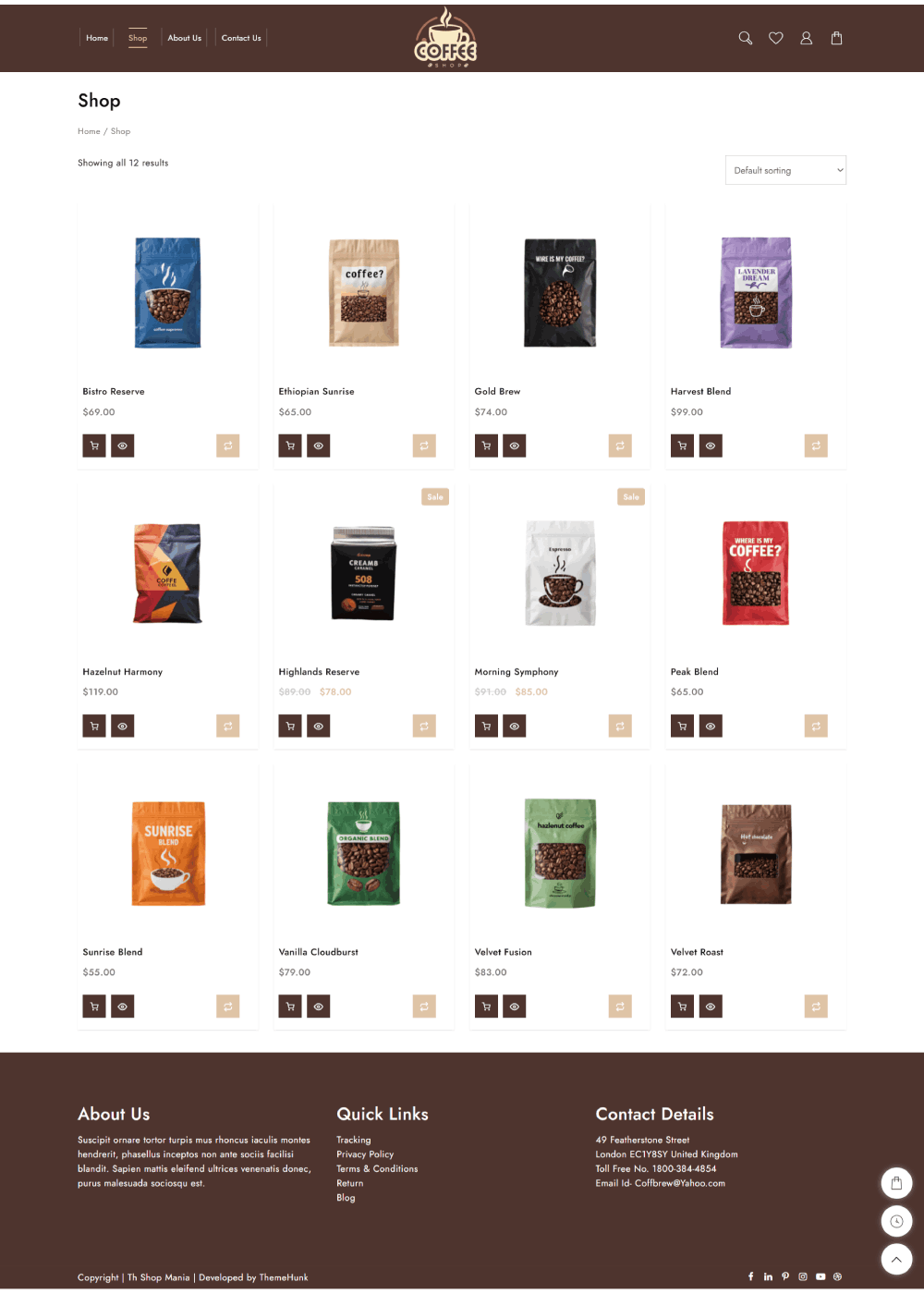
Our Shop page is designed for a smooth and pleasant shopping experience.
Smart filters, straightforward product categories, and simple sorting options allow the customers to quickly locate their most-loved coffee blends, beans, or accessories.
Everything is organized to allow browsing to be simple and enjoyable, just like your favorite cup of coffee!
3. About Us page
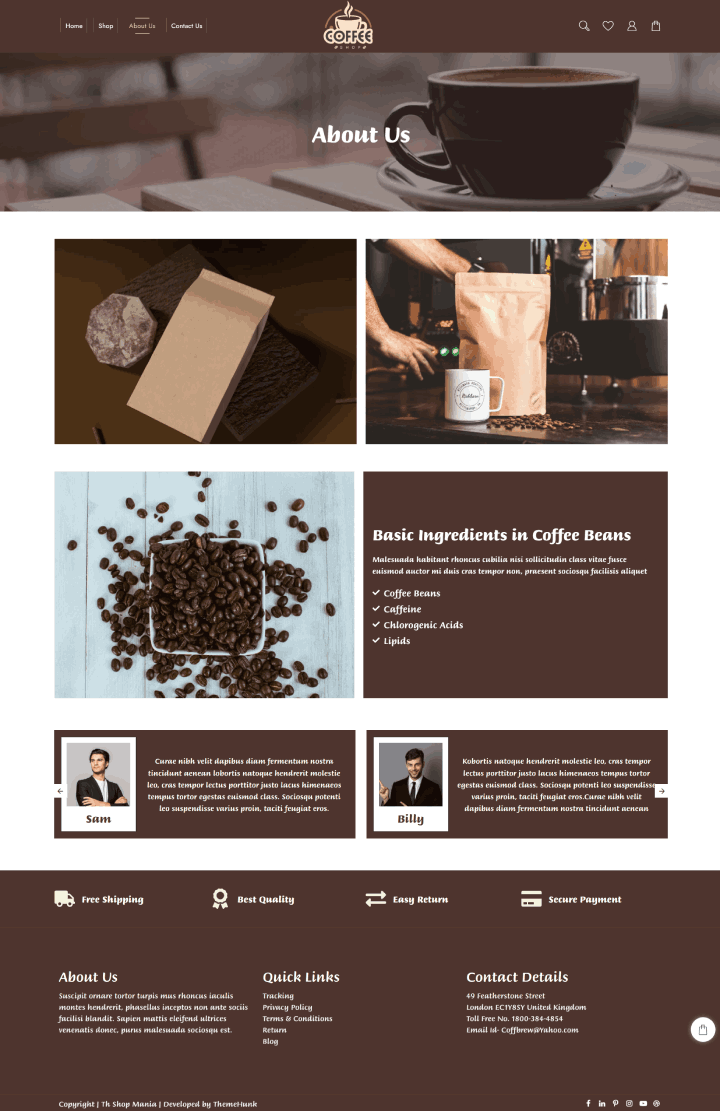
The About Us page is where we express the heart behind our coffee. It’s a great place to share your story of how your passion for awesome coffee started, what drives you, and why you’re passionate about serving only the best brews.
You can talk about your mission to bring freshly roasted, high-quality coffee to your customers and what makes your café or brand special. Want to highlight your team?
This is also the space to introduce the people behind the counter who carefully make every cup.
4. Contact Us page
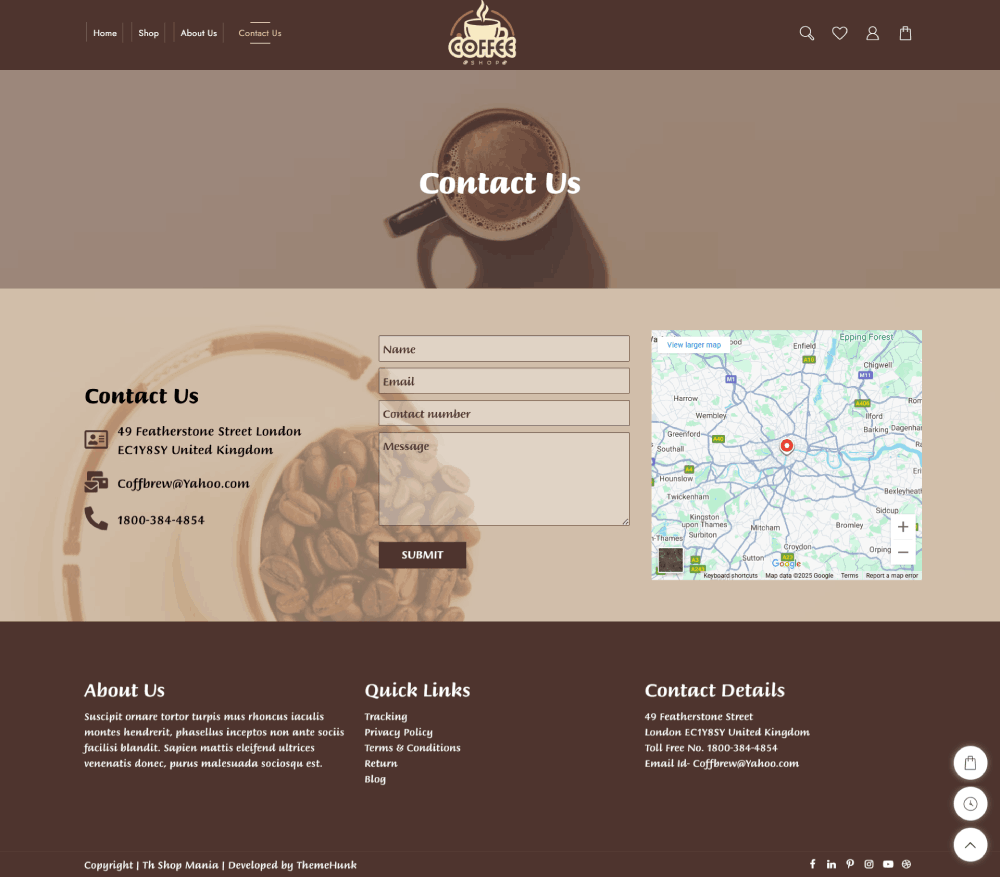
A contact us form on your coffee store website template ensures seamless communication with your customers. This simple yet essential feature lets visitors easily reach out with questions, feedback, or service inquiries.
By offering a direct and hassle-free way for them to connect, you improve customer engagement and satisfaction.
Additionally, a structured contact form helps streamline inquiries, making it easier to manage and respond to messages efficiently.
Ensure your template includes essential contact details like your business address, email, and phone number, along with a well-organised form for quick interactions!
5. Live Product Search
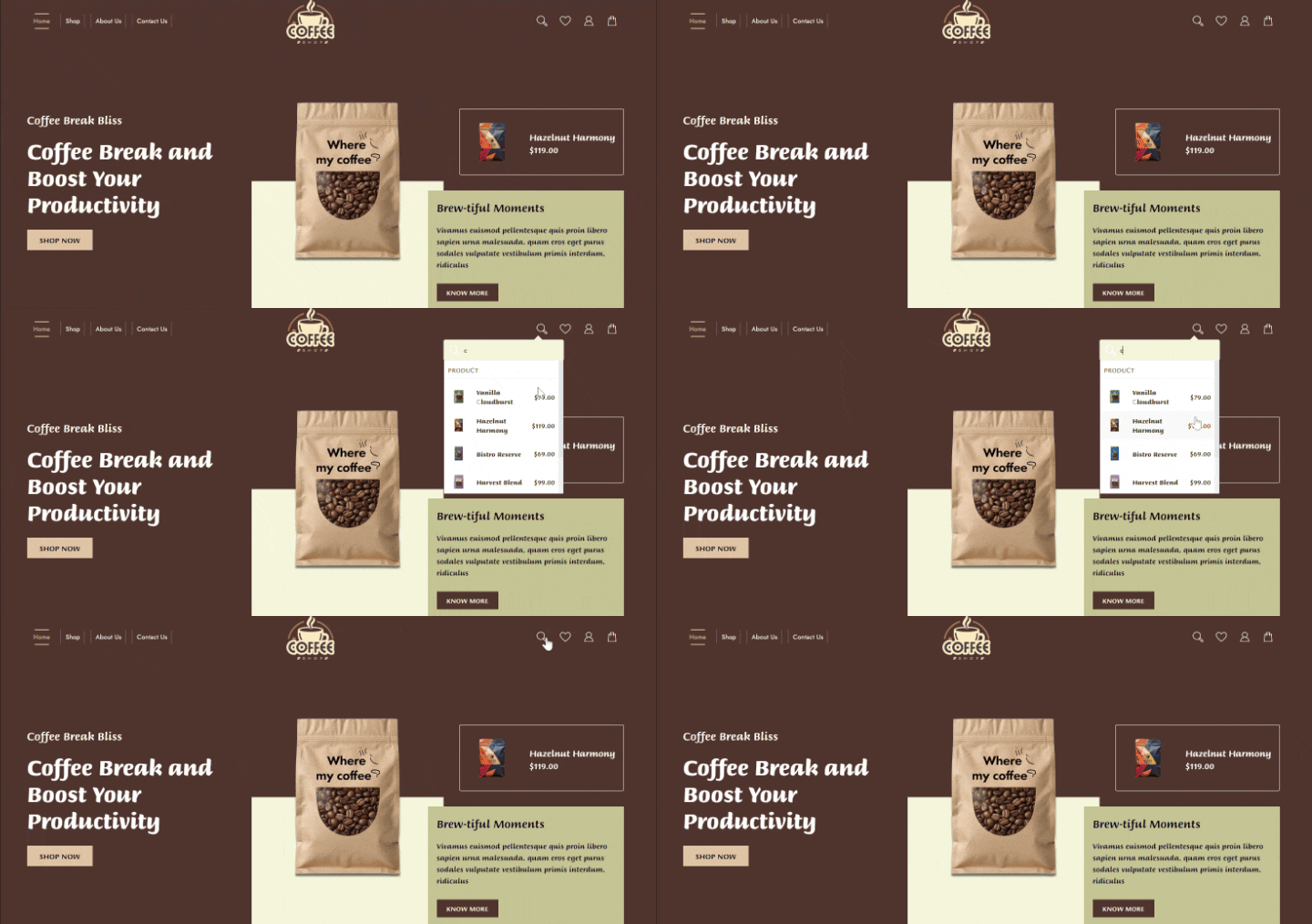
The Coffee Store theme includes an intelligent and fast live search that makes it extremely convenient for customers to quickly locate what they are searching for, be it espresso beans, coffee mugs, or brewing equipment.
As they type, suggestions pop up right away, so they won’t have to browse through pages and pages.
This not only reduces time but also enhances shopping, enabling customers to find their ideal coffee choice quickly.
6. Shopping Cart
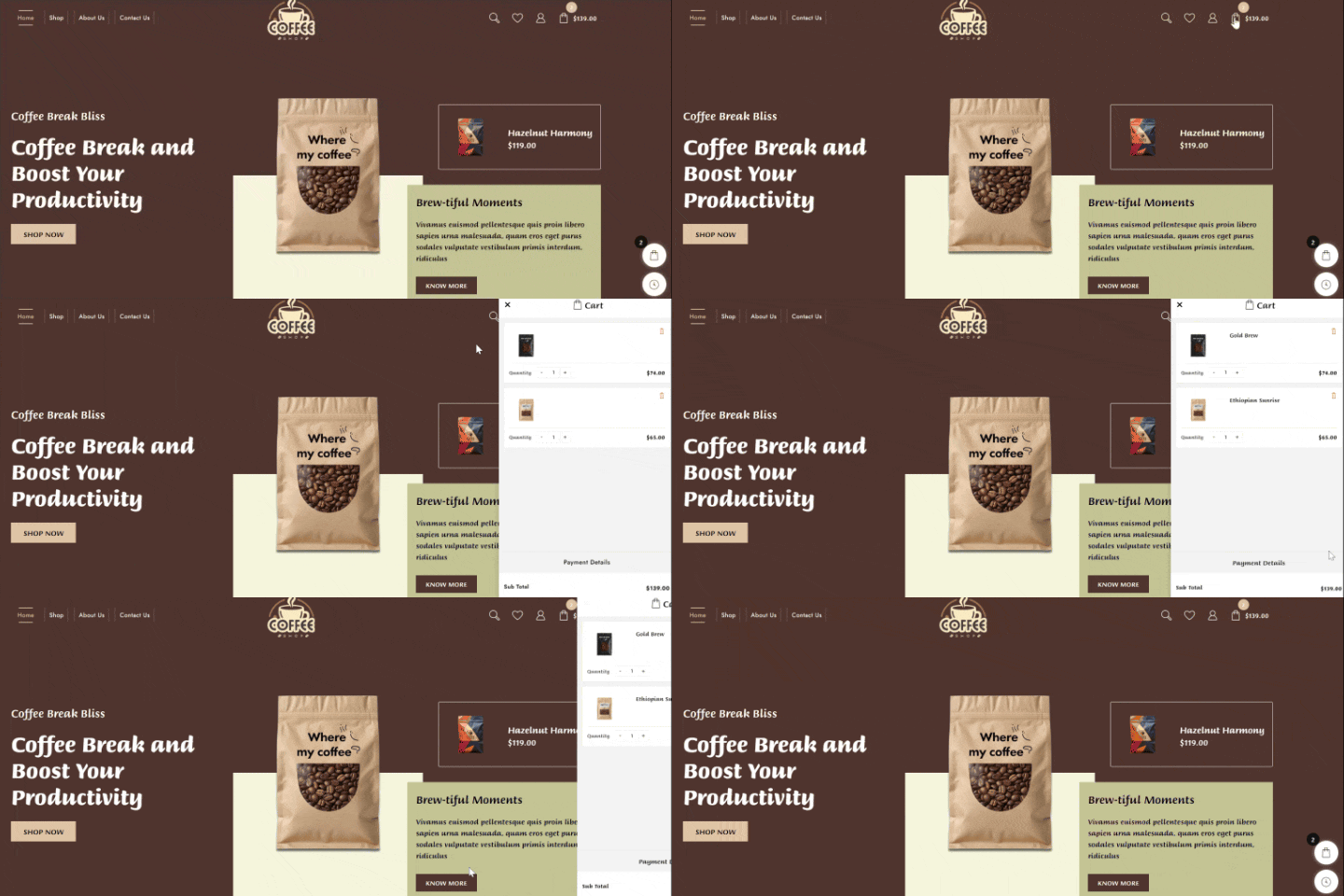
The Coffee Store theme comes with a convenient shopping cart icon in the menu, enabling customers to easily see what they’ve placed into it.
It also has a floating cart that remains with them while they shop, allowing it to be easily updated without being forced to leave the page.
This saves time when checking out and maintains shopping as smooth and easy.
7. Checkout Page
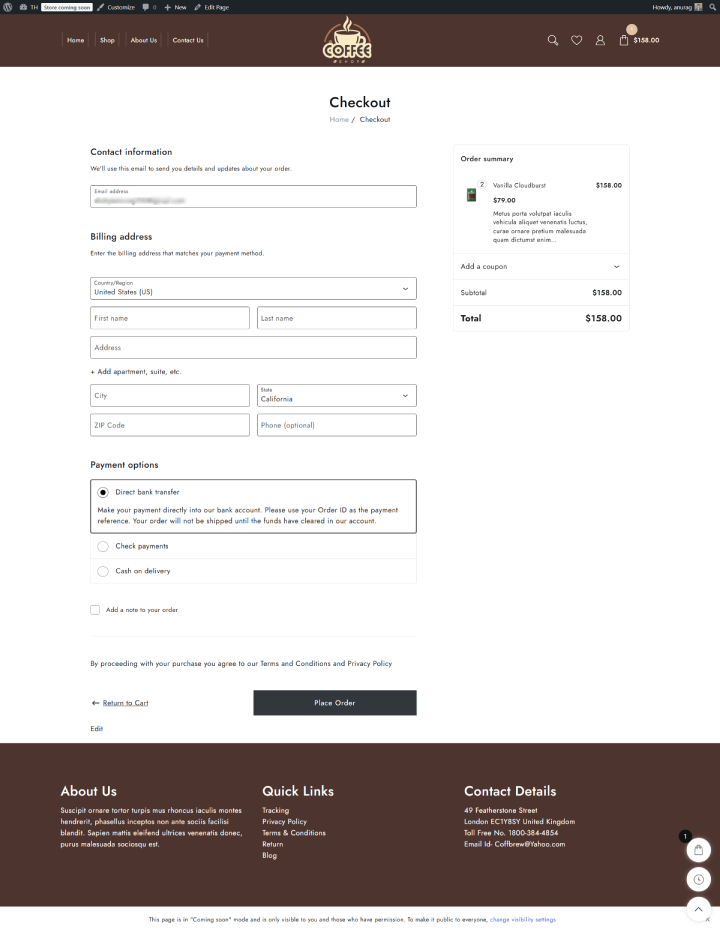
The Coffee Store theme streamlines the checkout procedure to be quick and hassle-free.
Customers can quickly apply discount coupons and select secure, well-known payment methods. It’s created to enable them to finish their purchase easily and confidently.
How to Install the Coffee Store Template in One Click
Setting up your coffee store website is quick and easy. Just follow these simple steps:
Step 1: Install the Shop Mania Theme
First, download and install the Shop Mania WordPress theme. It’s designed to help you create powerful eCommerce websites.
Step 2: Import the Coffee Store Template
Once the theme is installed, you can import the Coffee Store demo content with just one click—no coding or hassle required.
Your website will be ready to customise and launch in minutes!
Get Started with Shop Mania Theme
Click the link below to purchase and download the Shop Mania Theme.
Once downloaded, hit the button to install it and start building your coffee store website in minutes!
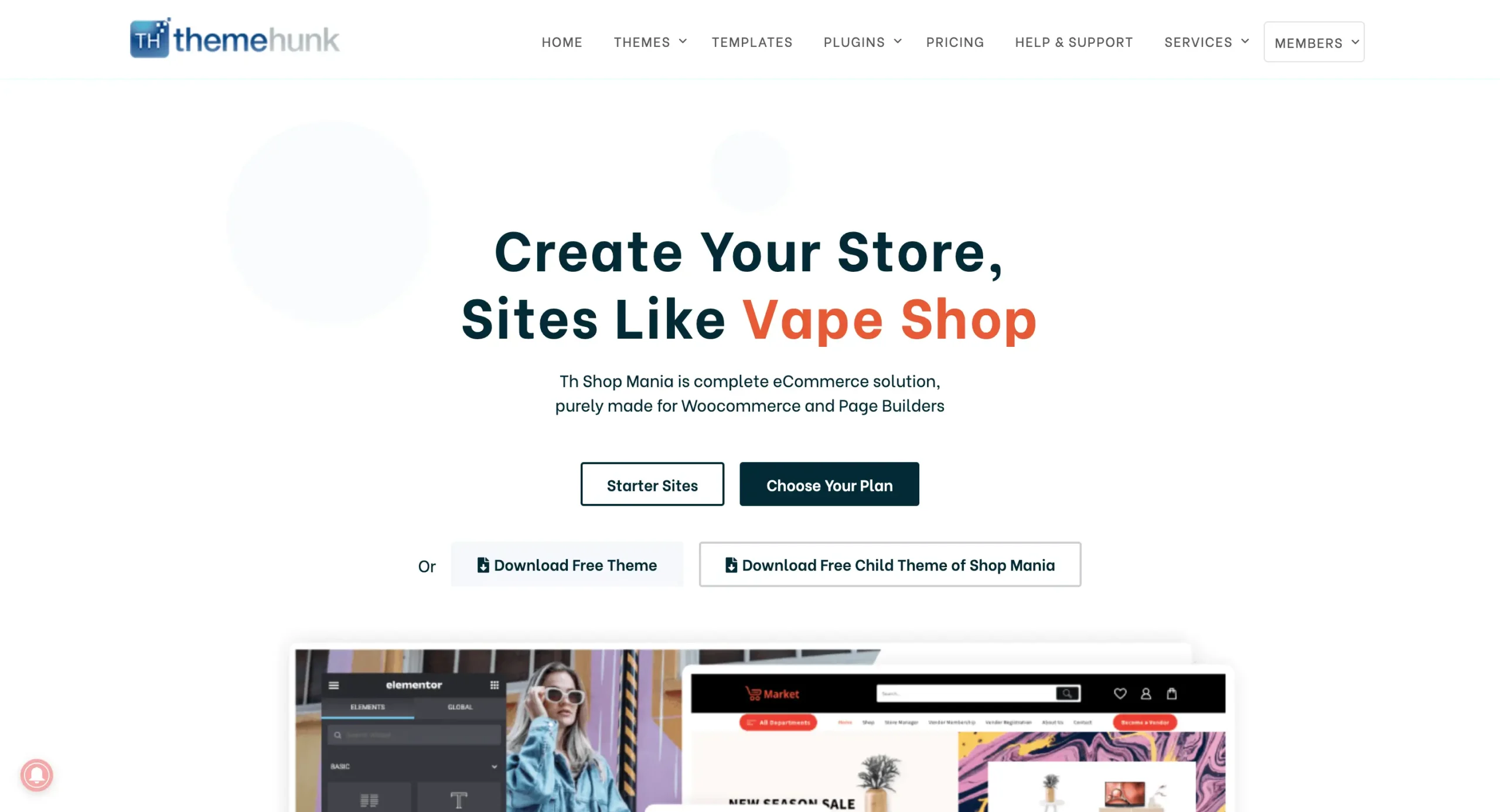
After buying the theme, go to the ‘Members’ Area’ in the top-right corner of the website and log in with your account details.
You can log in to your >> Member’s area from here

This page lets you download all your purchased themes and plugins, including everything you need for your coffee shop website.
Install the Shop Mania Pro Plugin
Log in to your WordPress dashboard
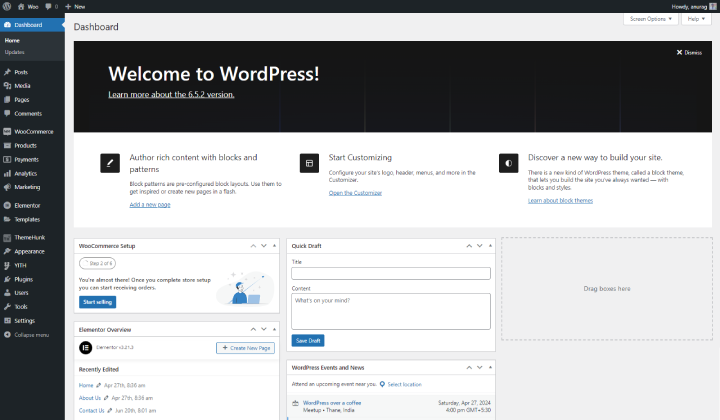
Sign in to your WordPress dashboard with your login details.
Then, go to the ‘Plugins’ section and click on ‘Add New‘

From the Plugins menu, click ‘Add New‘
Then click the ‘Upload Plugin’ button at the top left.
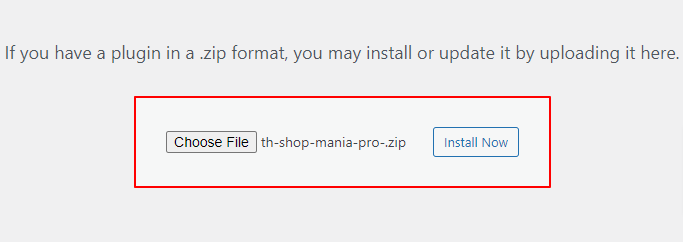
Upload the Shop Mania Pro here and click on Install Now.
Click on Activate Plugin.

Activate the Shop Mania Pro Plugin
Click ‘Activate Plugin‘ to turn on the Shop Mania Pro plugin. Then, you’ll be taken to the Plugins page, where you’ll see it listed with the rest.
Activate Your License
You’ll also need to activate your license to use all the premium features.
Navigate to the Appearance menu and select “License” to enter your key and unlock all the features the theme provides.

Click on Find Your License Key

Log in with your Member’s Area username and password.

Find the license key on this page and click Copy to save it.

Your license key will be copied automatically.
Just go back to the License Page and paste it into the box provided.
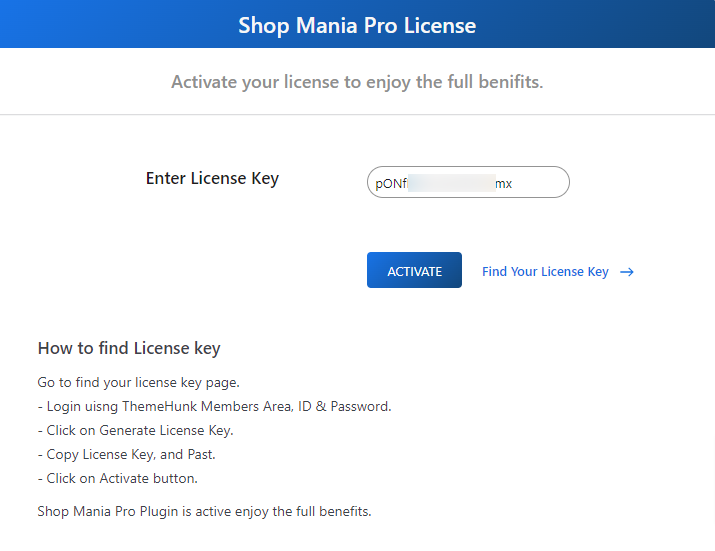
After pasting the license key, click ‘Activate’ to finish the setup.
Importing the Coffee Store Template
To start bringing your demo site to life, head over to the template section.
Go to Appearance and Demo Import Sites to begin.
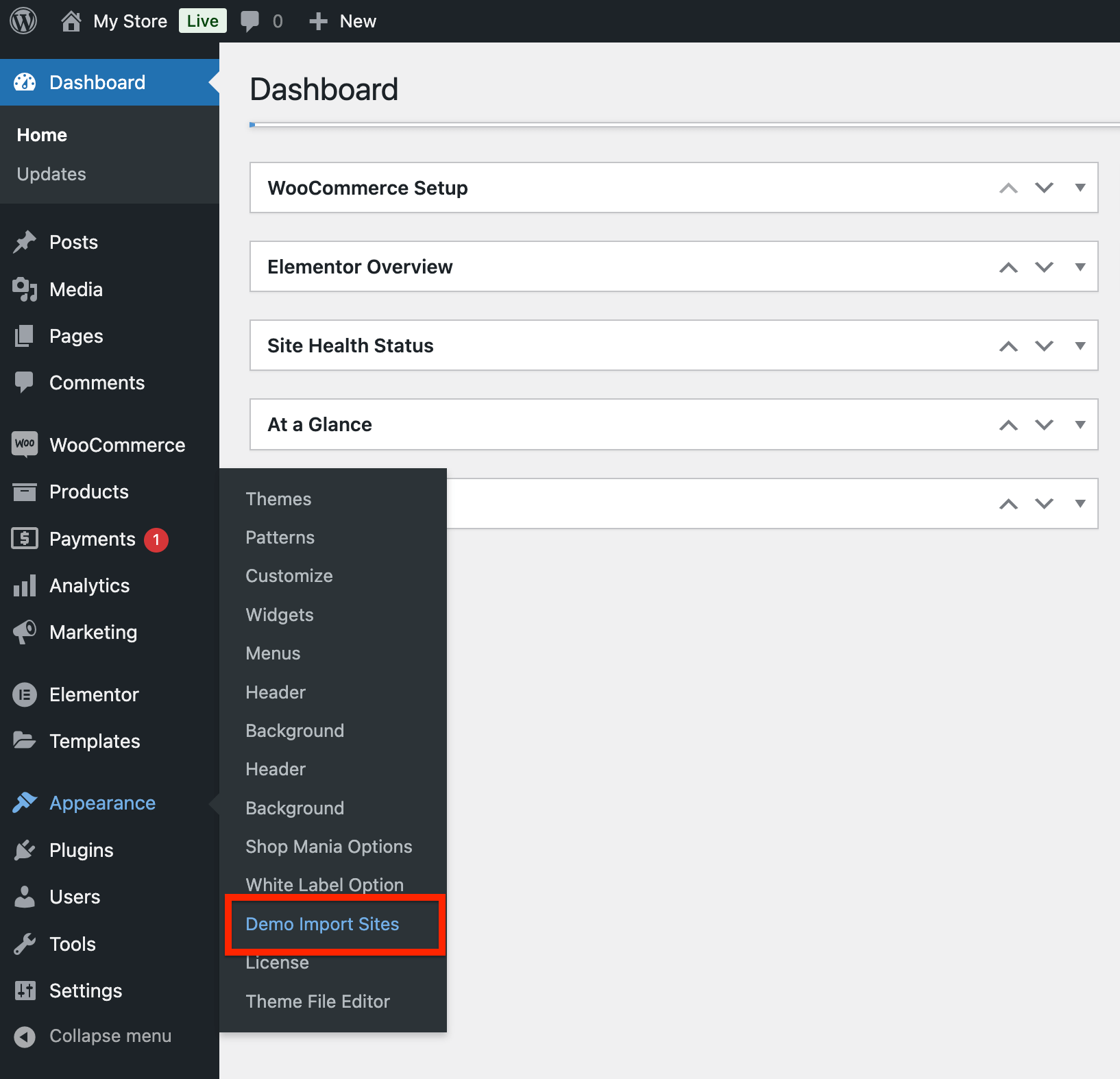
On the next screen, you’ll see the Shop Mania version. Click the “View All Starter Sites” button to move forward.

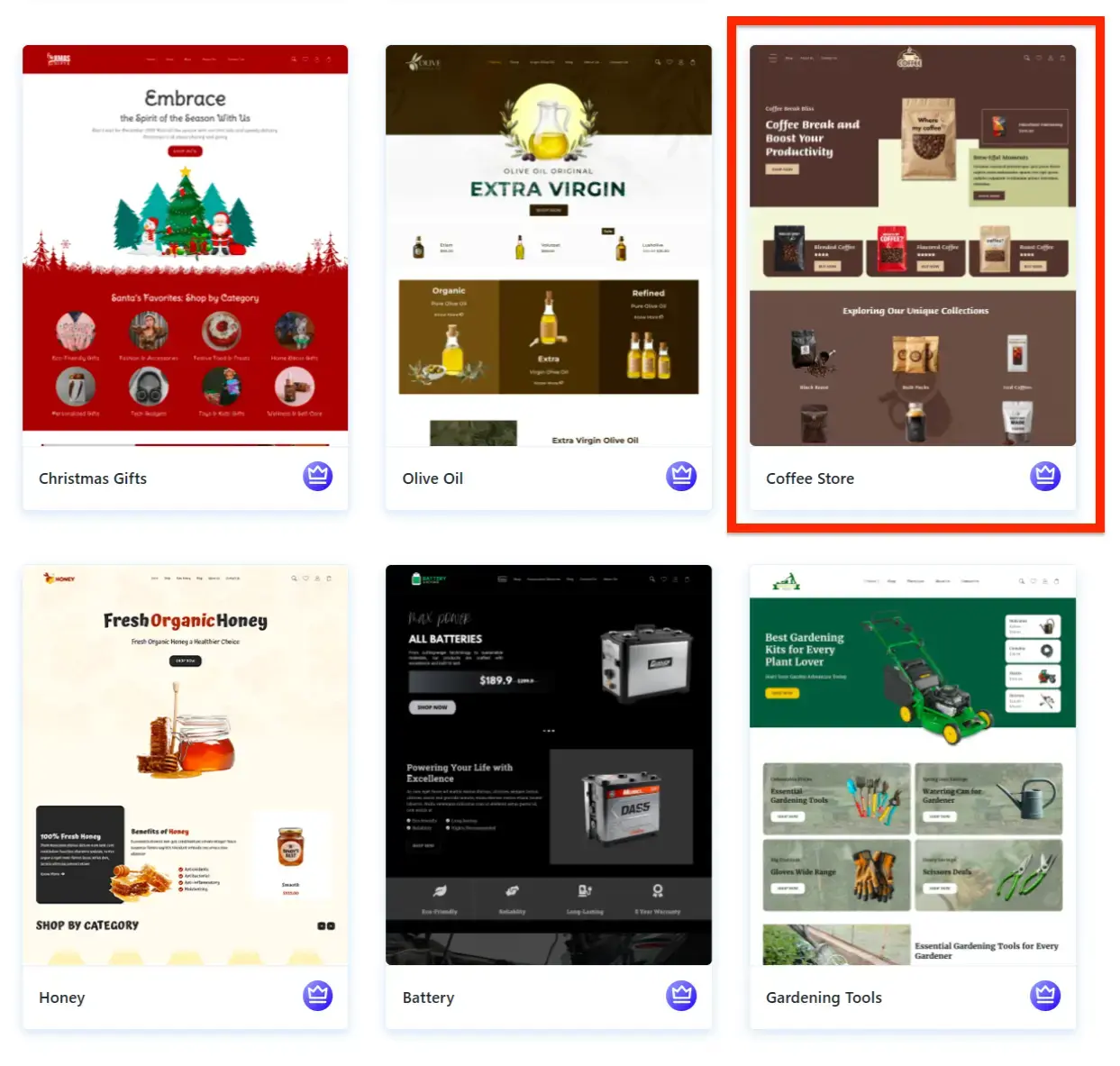
Now, you’ll see all the templates available in Shop Mania.
Use the filters to find the Coffee Store template and click on it to move forward.
You can now preview your full website. When you’re happy with it, click ‘Continue’ to proceed.
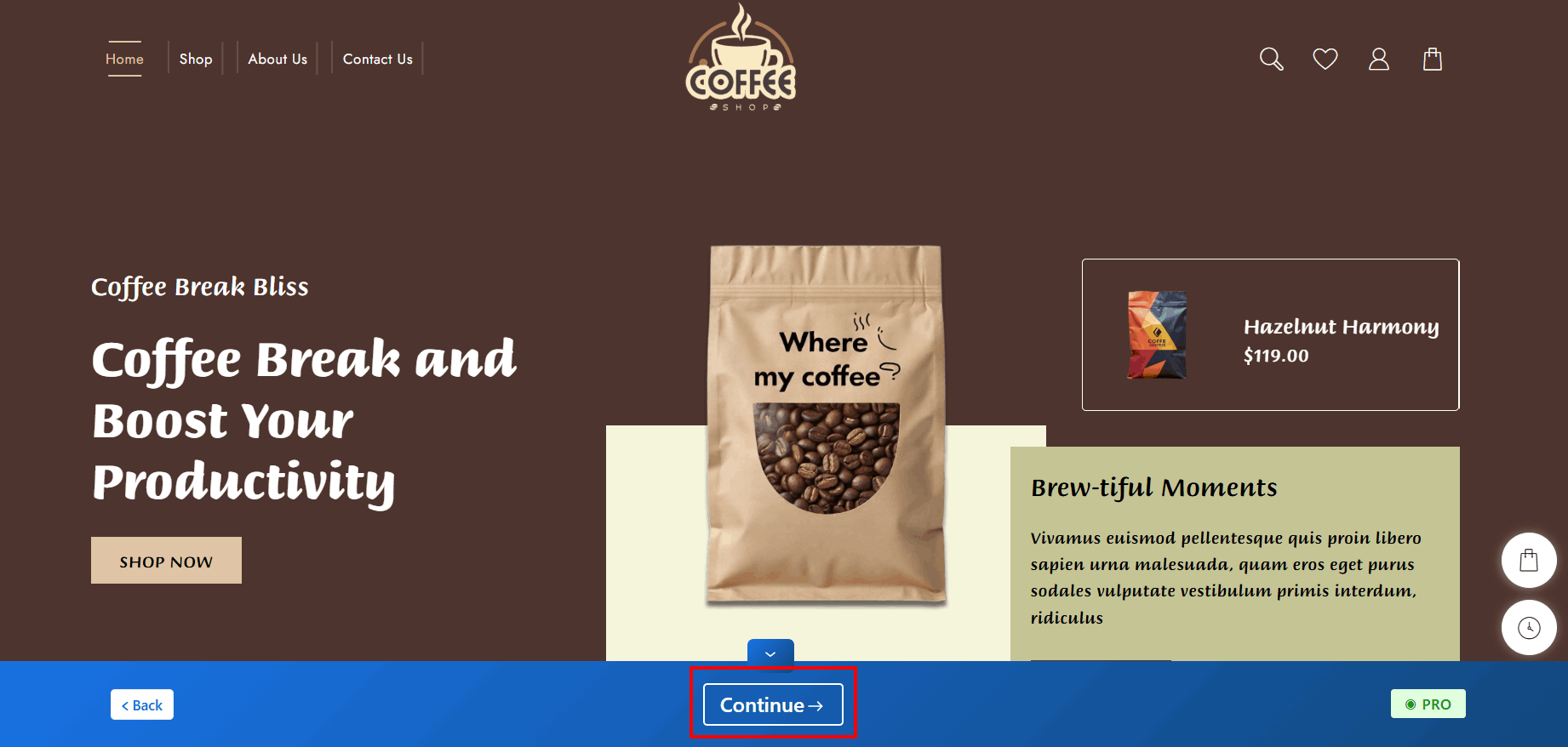
Click on Build My Website

Wait for the import to finish.
Note: Don’t close the page while it’s loading to avoid issues.
Once done, you can start customizing your site by clicking ‘Customize‘, or preview it by clicking ‘View Website’.
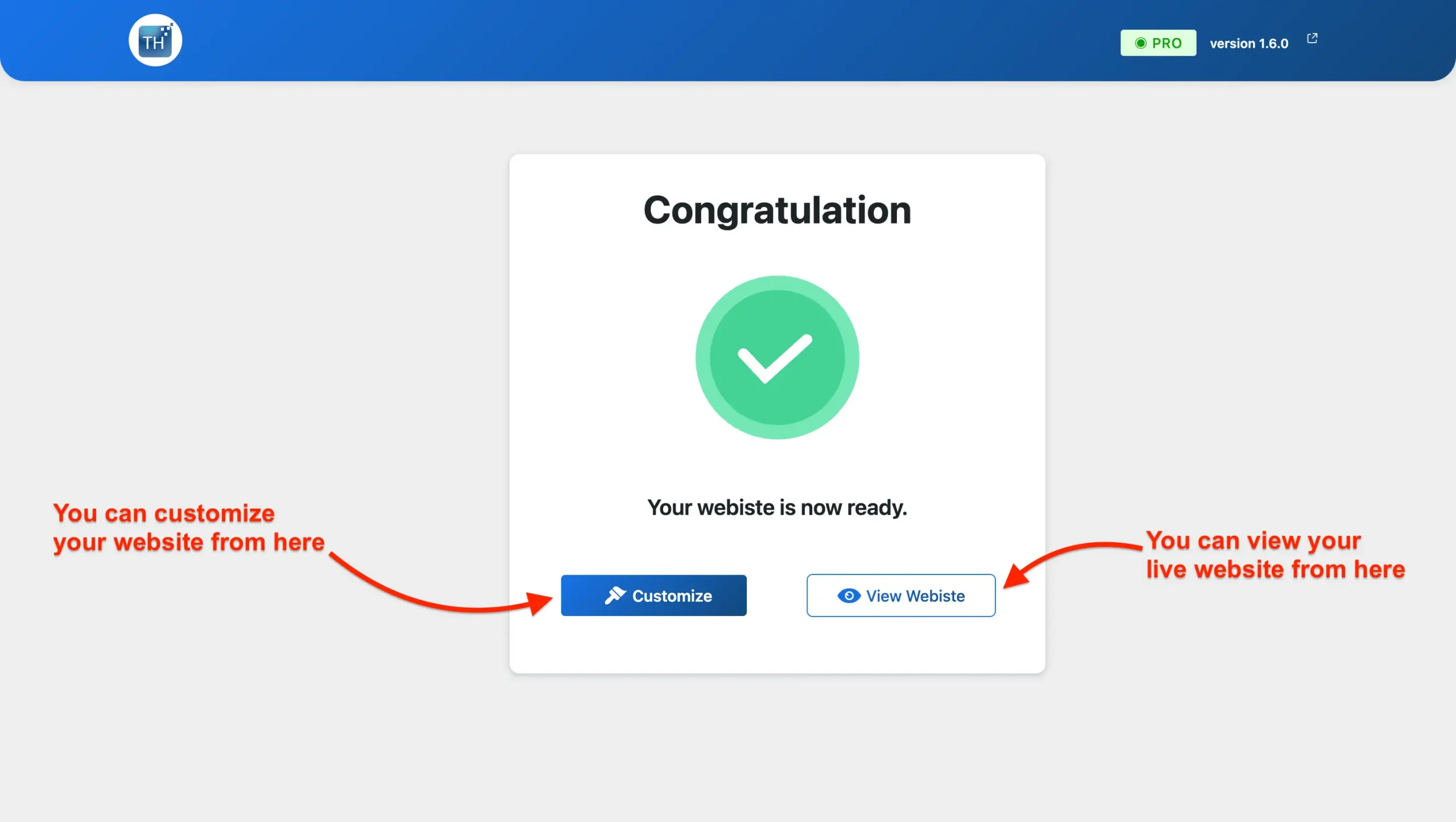
Your Coffee Shop Website Is Ready!
You can now see your site live in action.
Customise Your Coffee Store Template
Personalising your site is easy with the Elementor page builder.
Steps to Customize Your Coffee Website:
- Go to your homepage and click “Edit with Elementor.”
- Use the drag-and-drop tools to change text, images, and layout.
- Adjust colors, fonts, and sections to match your brand and give it a unique feel.
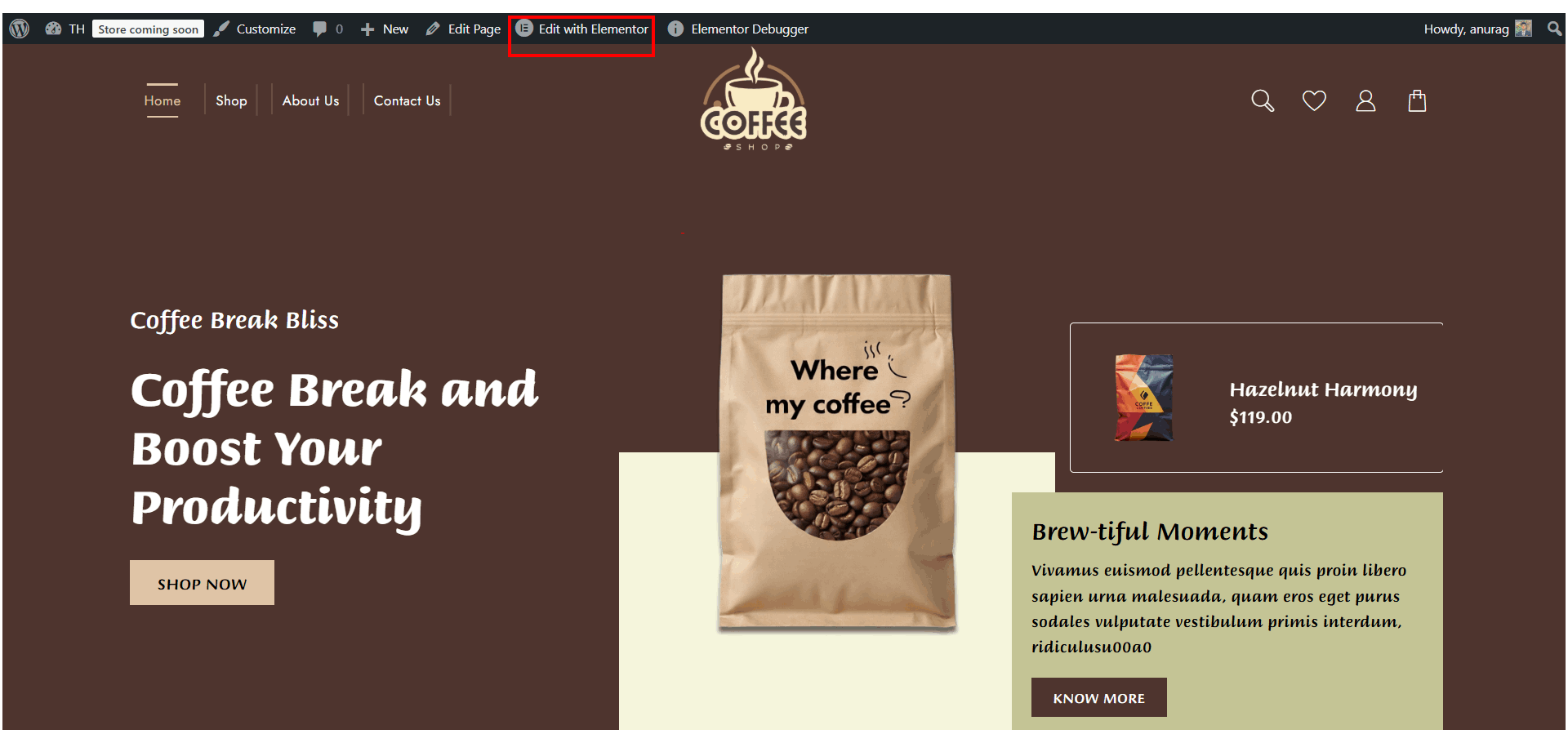
With Elementor’s easy drag-and-drop builder, customizing your coffee shop website is super simple. You can change colors, fonts, and content in just a few clicks.
Want to update banners or rearrange sections? No problem! Make your site look exactly the way you want, fresh, inviting, and on-brand.
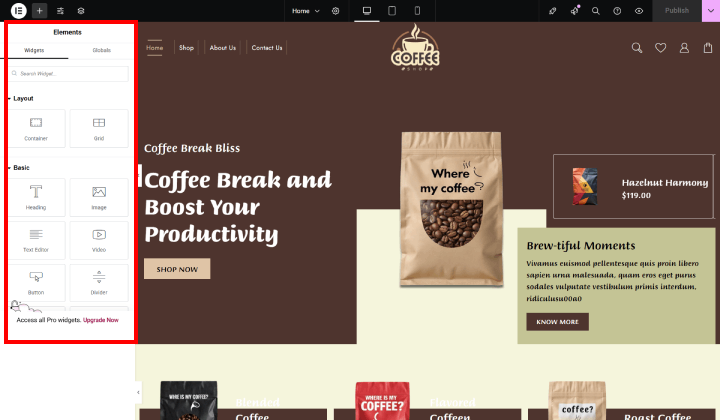
Just follow these simple steps to customise your website easily using Elementor’s drag-and-drop builder.
If you have a creative vision, bring it to life with ease!
Make Your Coffee Shop Website Work Better
Want more people to buy from your coffee store online? Here are some easy ways to improve your website:
- Keep checking your site – See what’s working and fix what’s not. This helps your store grow.
- Offer deals – Give discounts or freebies to attract new customers.
- Make your site fast – A slow site can make people leave. A fast one keeps them interested.
- Use clear buttons – Add buttons like ‘Buy Now’ or ‘Order Coffee’ so people know what to do.
- Test everything – Before launching, check that all pages, contact forms, and buttons work well.
A smooth and easy-to-use website makes customers happy and helps your coffee business grow!
Must-Have Tools & Plugins to Boost Your Coffee Store Website
Let customers compare different coffee items to choose the best one.
Adds a small cart on the screen so people can quickly see what they’ve added and check out easily.
Helps users find what they’re looking for as they type—no need to search through every page.
Show different options like coffee flavours, sizes, or packs clearly and colourfully.
Add a simple contact form so visitors can ask questions or send messages easily.
Conclusion
If you want to create a clean and trendy website for your coffee shop, the Shop Mania theme is an excellent option.
It integrates seamlessly with the Elementor page builder, so you can personalize your site without ever writing a line of code.
Simply choose from pre-made sections such as product showcases, contact forms, and call-to-action buttons to get started quickly.
This theme is also SEO-optimised, mobile-friendly, and fast-loading, ensuring your coffee shop looks amazing and performs well on any device.
Whether you’re selling fresh beans, coffee kits, or accessories, this template has everything you need to create a stunning and successful online store.
I hope this blog helps you in setting up your store. If you have any questions or suggestions, feel free to drop a comment below!
You can subscribe to our YouTube Channel, we also upload great content there, also Do Follow us on Facebook and Twitter.
FAQ
Q: Is the Coffee Store template compatible with the latest WordPress and WooCommerce versions?
Ans: Yes, the template is regularly updated and fully compatible with the latest stable releases of WordPress and WooCommerce.
Q: What if I need help with installation or customisation?
Ans: You can check the official documentation or reach out to the theme’s support team for assistance. Most setup steps are beginner-friendly.
Q: Can I use this for any kind of coffee-related business?
Ans: Yes! Whether you run a coffee shop, sell beans, or offer coffee subscriptions, this template can be tailored to fit your needs.
See more:-


