
WordPress is a favourite among beginner website owners for its simplicity and user-friendly interface.
You don’t need coding skills to create an attractive, functional website. With WordPress, you can design your site exactly how you envision it, even without programming expertise.
Another key advantage of WordPress is its flexibility. Whether you want to integrate third-party tools or customize features, a plugin or theme can make it happen.
One such tool is Google Fonts, which offers access to hundreds of typefaces to enhance readability and give your site a professional touch.
To incorporate Google Fonts into WordPress, you can choose a compatible theme like Shop Mania, Top Store, or Big Store or use a plugin to integrate these fonts seamlessly into your website’s admin interface.
Moreover, plugins can optimize Google Fonts for better performance or remove them if needed.
In this article, we’ll introduce Google Font plugins that help you add, remove, or optimize typography for your WordPress site.
Best Google Font Plugins for a Faster WordPress Website
Fonts plugin
The Google Fonts library offers 1,455 unique fonts, and this plugin makes it easy to use any of them on your WordPress site.
You’re not limited to just one font for the whole website; you can pick different fonts for headings and body text to suit your design.
To help you decide, the plugin includes a live preview feature. This allows you to test fonts and instantly see how they look with your content before making a choice.
Once you’ve found the perfect font combination, simply hit save to apply the changes and make them live on your site.
Features:
- Works with any WordPress theme. No coding is required.
- Easy One-Click Updates.
- WooCommerce support.
- Translation Ready.
- SSL and HTTPS compatible.
- Efficient Font Loading using a single request.
OMGF

OMGF is a WordPress plugin designed to optimize Google Fonts for better performance while ensuring compliance with privacy regulations like GDPR and DSGVO.
This plugin downloads and hosts Google Fonts locally on your server, eliminating external requests to Google’s servers.
Doing so not only boosts your website’s loading speed but also addresses privacy concerns by keeping font data under your control.
OMGF is easy to set up and requires no technical expertise. It scans your site for Google Fonts, downloads them automatically, and serves them locally.
This makes your website faster, more secure, and compliant with legal requirements, all hassle-free.
Features:
- Automatically detects and downloads Google Fonts for local hosting.
- Ensures GDPR/DSGVO compliance by removing external font requests.
- Improves website performance by serving fonts locally.
- Simple setup with an intuitive interface for easy configuration.
- Compatible with most WordPress themes and WordPress plugins.
Custom Fonts

Custom Fonts lets you upload your fonts or select from a wide range of Google Fonts, all hosted directly on your server.
Hosting fonts locally enhances your website’s performance by reducing external requests, leading to faster load times.
This plugin fully customizes your website’s typography to align with your unique brand identity.
You can upload custom font files, such as .ttf or .otf, and use them across your site. Alternatively, choose from Google Fonts and host them locally, giving you complete control.
Add multiple font variants, including different weights, styles, or character sets, to suit your design needs.
Custom Fonts integrates seamlessly with WordPress full site editing themes, enabling effortless font customization throughout your site.
Achieve consistent, visually appealing typography and deliver a unique experience for your visitors.
Features:
- You can easily enhance the typography and overall design of your projects, making them stand out from the crowd.
- Custom fonts can enhance your brand identity and provide a distinctive visual style for product descriptions, banners, and more. Hosting fonts locally with Custom Fonts improves website performance, benefiting you and your consumers.
- Make your content truly pop. Stand out from the crowd and captivate your audience with custom fonts.
- You can now boost page speed by hosting fonts locally with Custom Fonts. Fewer external requests mean faster loading times! Plus, you ensure compliance with privacy regulations.
Local Google Fonts
Local Google Fonts is a WordPress plugin that helps improve your website’s speed and ensure GDPR compliance by hosting Google Fonts locally.
It scans your site for Google Fonts, downloads them to your server, and replaces external font requests with local ones.
This ensures faster loading times, increased privacy, and compliance with data protection regulations.
Features:
- Automatically detects and downloads Google Fonts for local hosting.
- Replaces external font requests with locally hosted ones.
- Enhances website performance by reducing HTTP requests.
- Ensures compliance with GDPR and other privacy regulations.
- Easy-to-use interface with minimal setup required.
Use Any Font
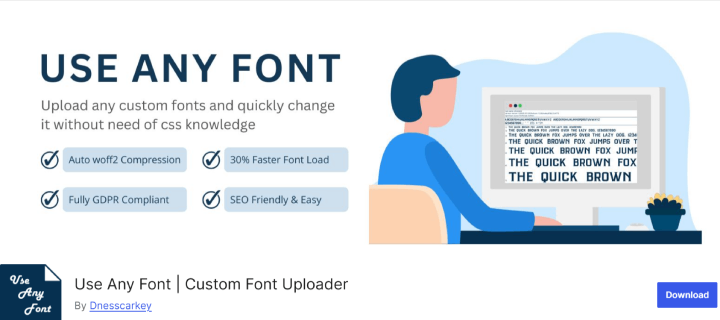
Use Any Font is a WordPress plugin that allows you to upload and use custom fonts on your website without relying on external font services.
It supports all major font formats like .ttf, .otf, and .woff, giving you full control over your website’s typography.
With this plugin, you can easily integrate unique fonts to match your brand identity and enhance your site’s visual appeal.
Its compatibility with most WordPress themes and page builders makes it a versatile choice for any website owner.
Features:
- Upload custom font files in formats like .ttf, .otf, and .woff.
- Supports integration with all major WordPress themes and page builders.
- No reliance on external font servers; fonts are hosted locally.
- Allows assigning different fonts to specific elements like headings and paragraphs.
- Easy setup and configuration with a user-friendly interface.
Seed Font
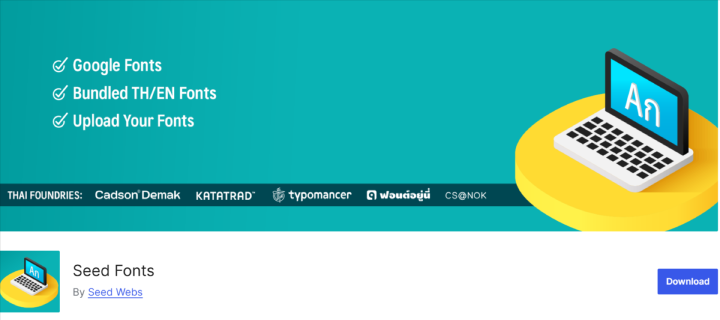
Seed Fonts is a WordPress plugin that simplifies the integration of Thai and multilingual web fonts into your website.
It provides a curated selection of fonts optimized for readability and performance, including popular Google Fonts and locally hosted options.
Seed Fonts is designed to ensure fast loading and seamless typography customization, making it ideal for creating visually appealing multilingual websites.
Features:
- Offers a selection of Thai and multilingual web fonts.
- Supports both Google Fonts and locally hosted fonts.
- Optimized for fast loading and performance.
- Easy customization of font styles and sizes through the WordPress Customizer.
- Ideal for multilingual websites with enhanced typography support.
Yabe Webfont
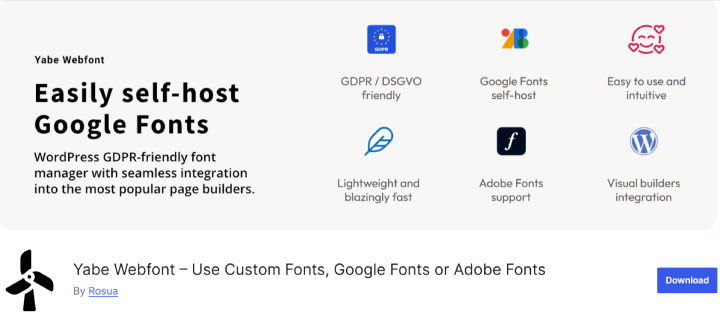
Yabe Webfont is a WordPress plugin that helps optimize font loading by hosting Google Fonts locally on your server.
This approach improves website performance by reducing external requests and ensures compliance with privacy regulations like GDPR.
The plugin automatically detects and downloads Google Fonts, replacing external dependencies with locally hosted fonts for faster loading times.
It is compatible with various WordPress themes and page builders, including Bricks Builder.
With its user-friendly interface, Yabe Webfont makes it easy to manage fonts and enhance your site’s typography while maintaining privacy and performance.
Features:
- Automatically detects and downloads Google Fonts for local hosting.
- Replaces external font requests with locally hosted fonts to improve loading times.
- Ensures compliance with privacy regulations by eliminating external font dependencies.
- Compatible with various WordPress themes and page builders, including Bricks Builder.
- User-friendly interface for easy setup and management of locally hosted fonts.
Embed Google Fonts

Embed Google Fonts is a WordPress plugin that makes it easy to integrate Google Fonts into your website without any coding knowledge.
With access to a vast library of fonts, you can enhance your site’s typography and overall design effortlessly.
The plugin allows you to assign different fonts to specific HTML elements, offering flexibility in styling.
It includes a live preview feature within the WordPress Customizer, so you can see changes in real time before applying them.
Features:
- Easy integration of Google Fonts without coding.
- Access to a vast library of fonts.
- Live preview of font changes within the WordPress Customizer.
- Ability to assign different fonts to various HTML elements.
- Compatibility with various WordPress themes and plugins.
TK Google Fonts
The TK Google Fonts plugin enhances your WordPress website’s performance by loading only the fonts you select, improving page load times, and delivering a seamless user experience.
Its intuitive and user-friendly interface makes choosing your favourite Google Fonts effortless, complete with fancy previews and custom text for font testing.
Adding or removing fonts is just a click away, and the selected fonts are automatically integrated into your site.
You can apply fonts directly via the WordPress Customizer to titles, body text, or blockquotes, or use them in your CSS without extra steps.
The plugin supports both HTTP and HTTPS, automatically using secure connections if SSL is enabled.
By optimizing your site’s load time, TK Google Fonts also boosts SEO, helping improve your search engine rankings.
Features:
- Loads only selected fonts to improve website performance and page speed.
- User-friendly interface with easy font selection and previews.
- Quick addition or removal of fonts with a single click.
- Integration with the WordPress Customizer for applying fonts to titles, body text, or blockquotes.
- Seamless use of fonts in CSS without extra steps.
- Automatically detects and supports HTTPS for secure font loading when SSL is enabled.
- Enhances SEO by reducing website load times.
FAQ:
Q: What are Google Font plugins for WordPress?
Ans: Google Font plugins allow you to easily add, customize, and optimize Google Fonts on your WordPress website without requiring coding skills.
Q: Why should I use a Google Font plugin instead of adding fonts manually?
Ans: Google Font plugins simplify font integration, offer live previews, and provide features like local hosting for faster loading and GDPR compliance, which can be complex to achieve manually.
Q: Do these plugins work with all WordPress themes?
Ans: Most Google Font plugins are compatible with a wide range of WordPress themes and page builders, but it’s always good to check the plugin’s documentation for specific compatibility.
Q: How do I choose my site’s best Google Font plugin?
Ans: Consider factors like ease of use, local hosting support, customization options, and compatibility with your theme or page builder.
Conclusion
Choosing the right Google Font plugin can significantly enhance your WordPress website’s typography, performance, and user experience.
Whether you’re looking for better design flexibility, faster load times, or GDPR compliance, these plugins offer solutions tailored to your needs.
With tools like OMGF, Fonts plugin, and Local Google Fonts, you can seamlessly integrate fonts while improving site speed and SEO.
By leveraging these plugins, you can create a visually appealing, high-performing website that stands out to your visitors and search engines.
Thanks for reading this blog. If you find this article helpful, do share it with your friends. If you have any questions, do not hesitate to comment below. We will help you to solve your problem.
We hope this article will help you find the Best Google Font Plugins for a Faster WordPress Website.
Please Subscribe to our YouTube Channel, we also upload great content there Do Follow us on Instagram, Facebook, and Twitter.
Discover more articles:-


