
With time everything is getting modernized. So is WordPress. Multiple updates are coming and facilitating the users with new features and functionalities. One such feature is to enable Breadcrumb.
Nowadays, Building a website is becoming easier with WordPress. But the point is that it is not only the website that is enough.
The website should be easy to use and its features should be accessible and understandable. Navigation is among them.
Navigation is a user-friendly thing, Breadcrumb comes under it. It helps the users determine which page they are on, with the path of the page. It looks like Home > Shop > Category > Product Name.
In this blog, we will see, how to enable Breadcrumb on the WordPress site.
How does Breadcrumb help?
Breadcrumb helps to increase the user experience. It greatly simplifies website navigation and helps users understand where they are within the site.
This handy tool displays a hierarchical trail of pages, making it easy for users to backtrack and navigate the site with ease.
Let a user want to go to a page that is showing in breadcrumb navigation then with a single click it can go to that page. The user doesn’t need to go back again and again until the page comes.
How To Enable Breadcrumb On a WordPress Site?
There are several plugins to enable Breadcrumbs on the WordPress site. For this tutorial, we will be using the Shop Mania Theme.
Shop Mania is a WordPress ecommerce theme designed to create any type of online store. It comes with 50+ premade templates that are ready to import.
Let’s see how it is done,
Enable Breadcrumb With SEO Plugin
The SEO plugins let the website owners enable Breadcrumbs on the site. There are numerous SEO plugins to improve the SEO of your website.
We will use the Rank Math SEO plugin for this tutorial.
Step 1) Go to Rank Math SEO > General Settings
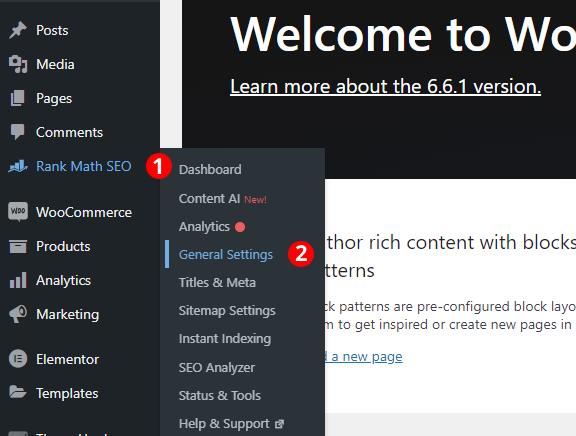
Hover your cursor on Rank Math SEO and then click on General Settings.
Step 2) Enable the Breadcrumb Button

- Turn On the Breadcrumb
- Select the character from the given characters. You can put a custom character from the last box.
- Copy the shortcode
We have to put the Breadcrumb on the Shop Page. This is our Shop Page now.
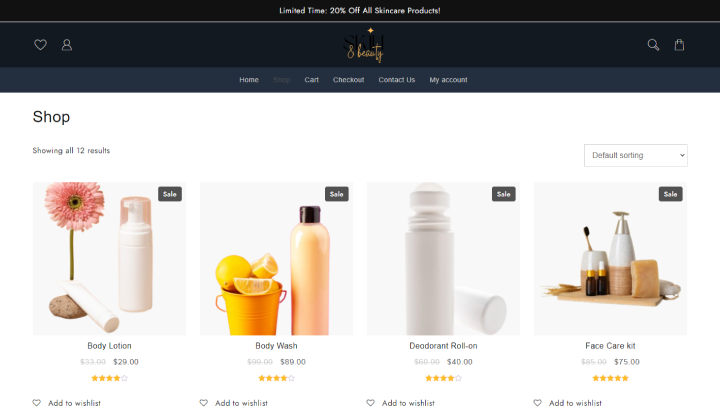
There is currently no Breadcrumb on this page. Let’s add the Breadcrumb to the shop page.
Step 3) Paste the Shortcode in the Shop Page
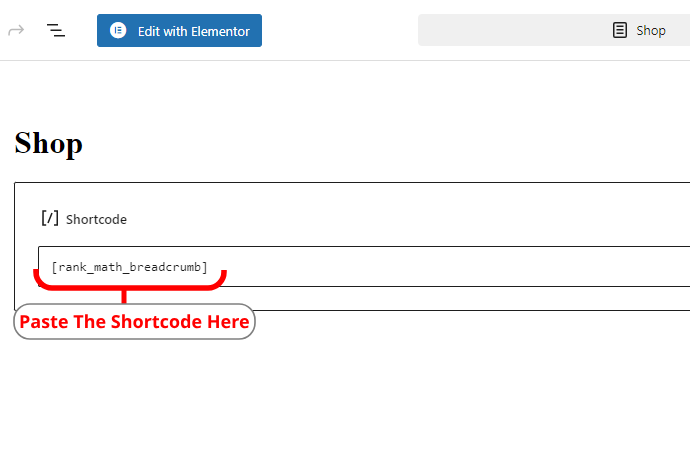
Paste the shortcode and update the page.
Now see the Shop Page. The Breadcrumb has come to the Shop Page.
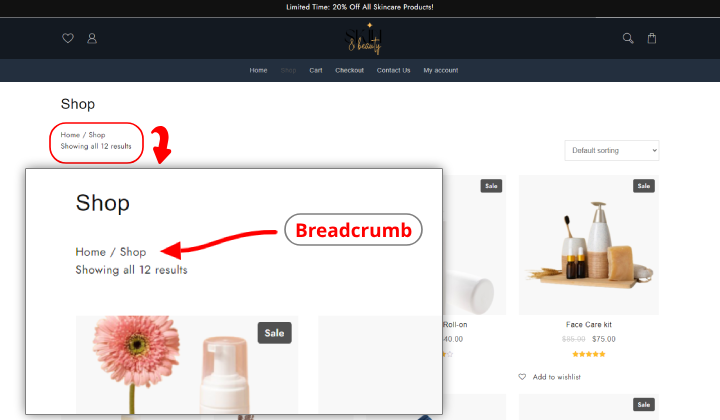
Enable Breadcrumb With Breadcrumb NavXT
In this tutorial, we will be using the Vayu X WordPress theme. The Vayu X is a Block theme that lets you customize the site from header to footer.
This is our shop page now. There is no Breadcrumb on the page.

Let’s see how to add Breadcrumb in a Block Theme.
Step 1) Install the Breadcrumb NavXT plugin into your WordPress dashboard
Step 2) Go to Settings > Breadcrumb NavXT

Step 3) Open the Page in the Editor
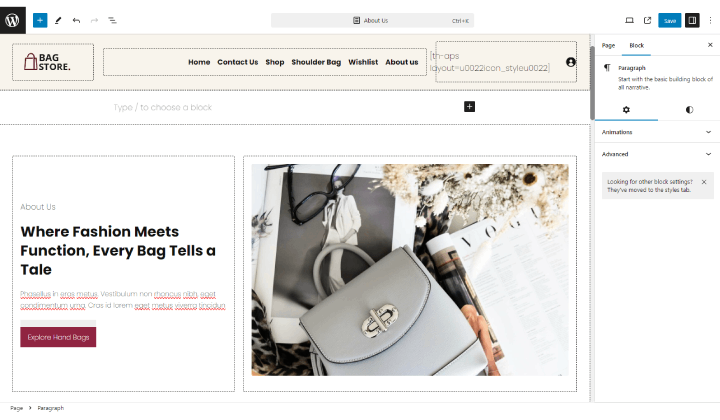
I am putting it on the About Us page
Step 4) Click on Block inserter (“+” icon on the top left)
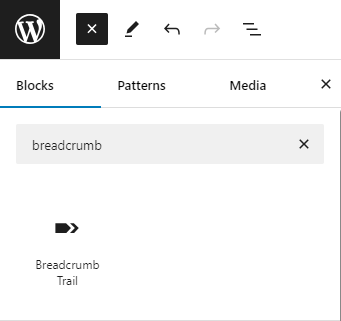
click on the Breadcrumb tail.
Step 5) It has come to the page
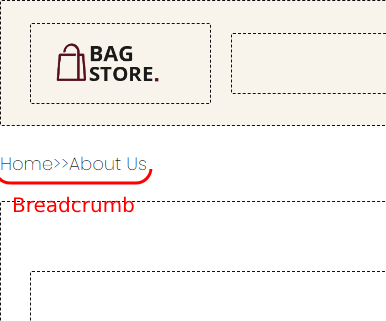
Step 6) Save the page and see the preview
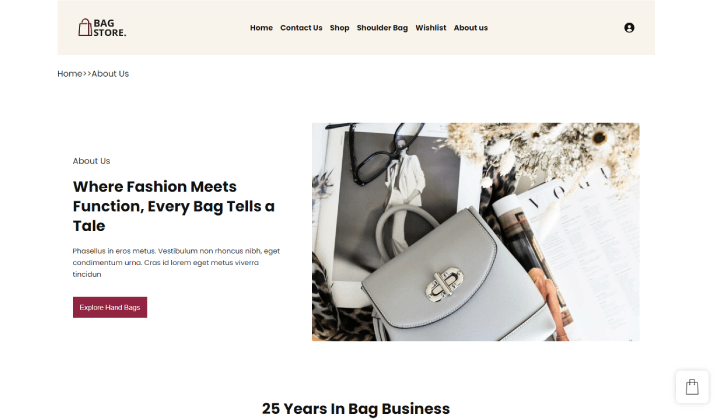
This is how the Breadcrumb is added to the WordPress website. We have seen 2 ways to do so, you can use whichever you feel good about.
FAQ
Q. How does Breadcrumb help the Website?
Ans. The Breadcrumb is not only used to look good but it makes a good impact on users. It helps the users to locate themselves on the website.
Q. How does Breadcrumb impact SEO?
Ans. There is no direct impact on SEO but it looks good and helps the users in navigation. So users like this. Indirectly it is good for a website.
Conclusion
The Breadcrumb is largely used in many websites and the main reason is that it helps in multiple ways. Whichever page you are on, you can get your location by seeing the Breadcrumb.
The Breadcrumb can be added with various methods and the easiest method is using a WordPress plugin.
Several plugins are created to add Breadcrumb to your WordPress site. Also, the SEO plugins provide the facility to add the Breadcrumb.
The Breadcrumbs are often clickable so when someone clicks on it, it is directly redirected to that page. Making it clickable is optional, you can opt to make it simple, without clickable if you want.
I hope this blog will help you. Still, if you have any queries or suggestions then let me know in the comment section.
You can Subscribe to our YouTube Channel, we also upload great content there, also Do Follow us on Facebook and Twitter.
See Also


