
Overview ➣ Do you know that you can create a website for your Car Rental business? A website has many benefits that a physical store lacks sometimes. At the end of this blog, you will have a website that will help you grow your business, also in the online market.
We are going to create this website with the help of WordPress CMS. Before we start, let me tell you WordPress powers over 40% of Worldwide websites. It means 4 out of 10 websites you visit on the internet are created on WordPress.
In this blog, we will go through every step to create a car rental service website. Let’s see how you can create a car rental website.
You must be aware of how a website can facilitate you. You can increase your website reach irrespective of topographical limits. Your users can access your site from anywhere in the world.
With a car rental website, you can show your services effectively and attract customers. There are so many reasons that encourage people to have a website.
Moreover, this is integrated with Woocommerce, you can avail all woocommerce features on your site. But first, let’s understand the theme template in depth.
What Is Shop Mania and Its Templates?
Shop Mania is one of the fastest WordPress e-commerce themes and can be used to create almost any type of website.
You can look at the range of demos it offers by browsing its templates, and you can make the same website that is shown. It is possible to copy even well-known websites like Amazon, Flipkart, Nyka, Shein, and others.
These themes are search engine-friendly, quick, flexible, and responsive. People prefer to visit websites that offer them seamless, superior services. There are over 80 layouts that represent various niches.
Why Choose the Car Rental Template?
There are some reasons to choose this theme template. Let’s see them
Speed – This theme template is fast. As an internet user, you understand how speed matters when you visit a site. Users don’t wait for long, when a website doesn’t respond for a few seconds, they switch sites.
Performance – This theme delivers very smooth performance, enough to impress users.
WordPress Plugins Compatible – As Shop Mania is compatible with almost all WordPress plugins, you can easily extend your site’s functionality.
Customizability – Not only this, but after importing your demo, you can customize and make changes. You can change the media files and delete existing ones.
Responsive – You know, how responsiveness is important. A responsive website never restricts any user accessing your site from any device. Your site will show the best visuals across every device, whether it is a desktop or a mobile.
SEO-friendly – If you want to grow your site in this competition, you need to choose an SEO-friendly theme. Shop Mania is developed with Search Engine optimized codes, so you can make your site higher in searches.
Features Of the Car Rental Template
Eye-Catching Homepage Layout
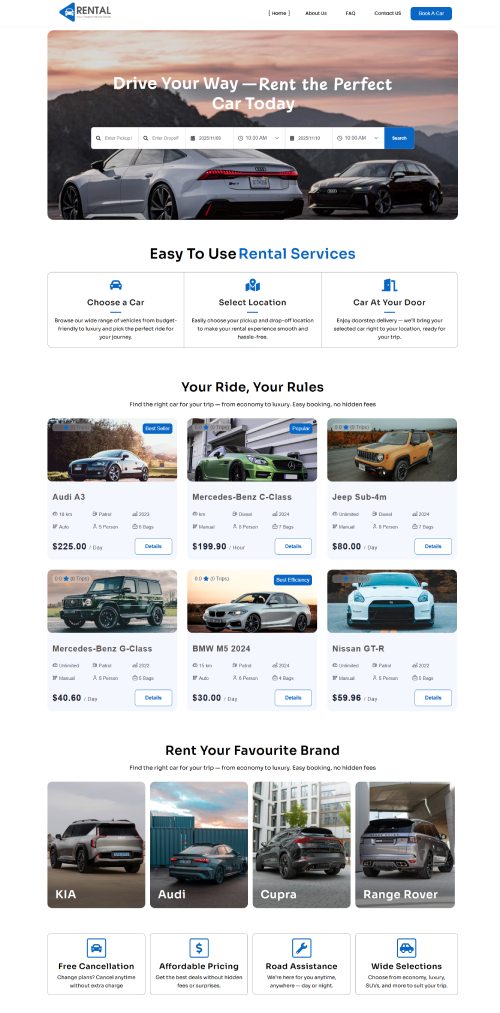
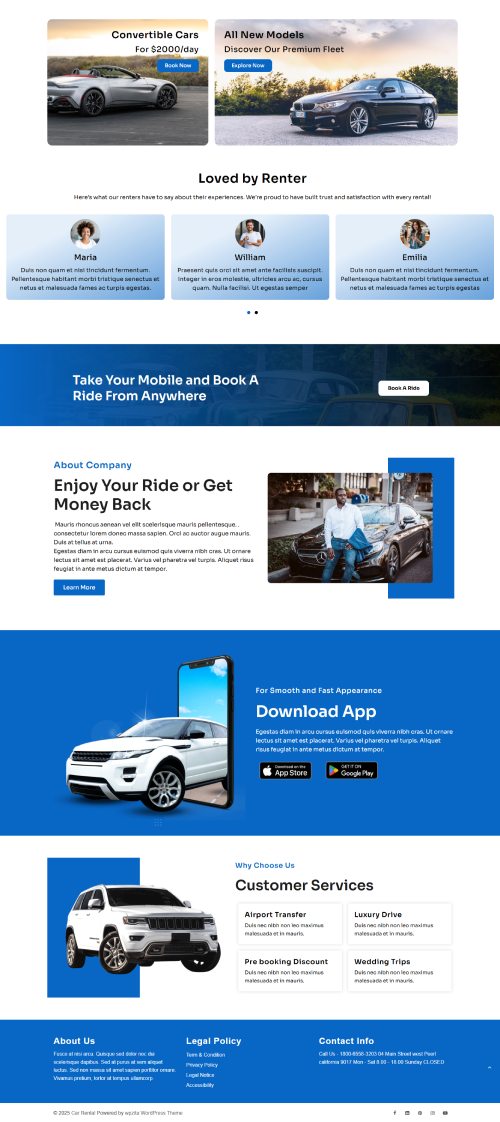
This template has a beautiful homepage layout where users find cars, testimonials, features, etc in a very organized way.
About Us
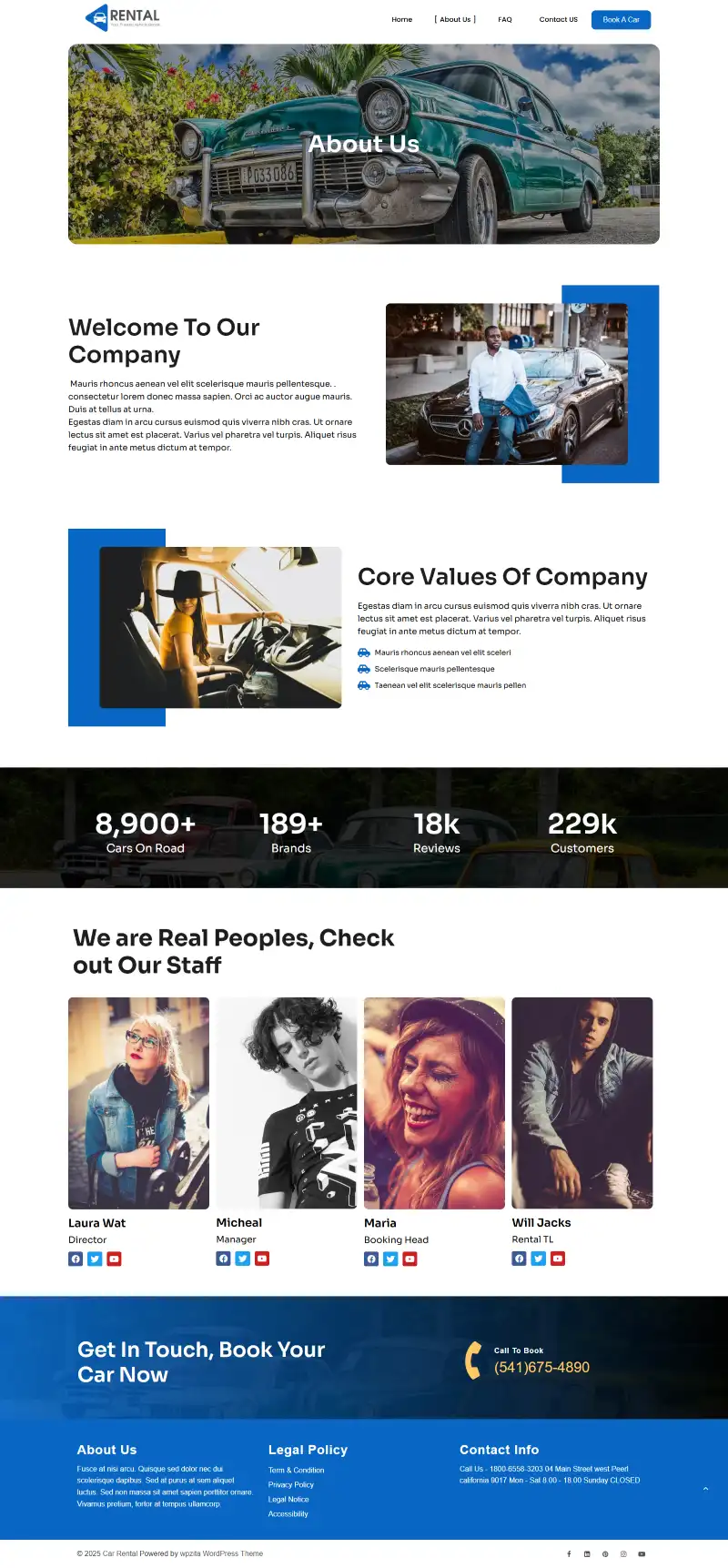
On this page, you can tell users about your company, yourself, vision, mission, etc. This page is very important for any website to increase credibility.
FAQ

On the FAQ page, you can write and questions and answers that users ask mostly. So when a user, stuck somewhere or have any issue, it can go to this page.
Contact Us

On this page, a contact form is given, users can fill out this form and convey their message.
Book A Car
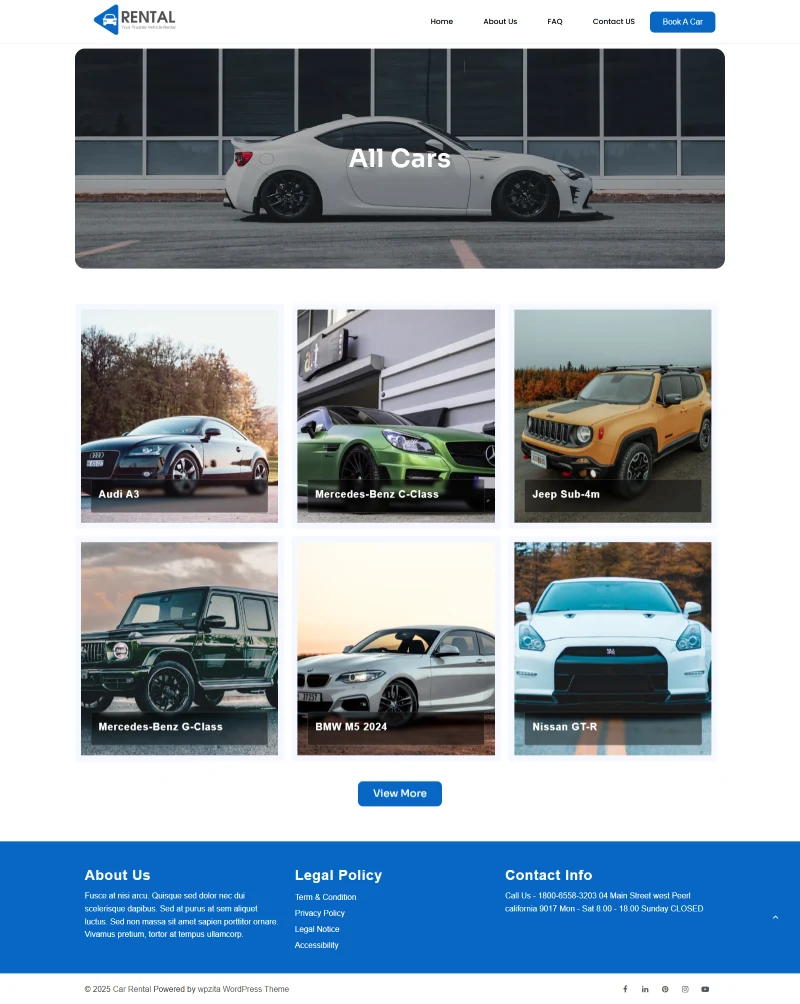
From this page, users can book cars. All cars are listed here, they can pick a car and proceed with the steps.
How to Install the Car Rental Template with One Click
Now, let’s see the full procedure of installing the Car Rental Service template. You will find it easier to install the theme than you have ever seen.
Download and Install the Theme
Before installing the Car Rental Service website template, you will need to install Zita Pro theme first. Then you will get access to all the demos.
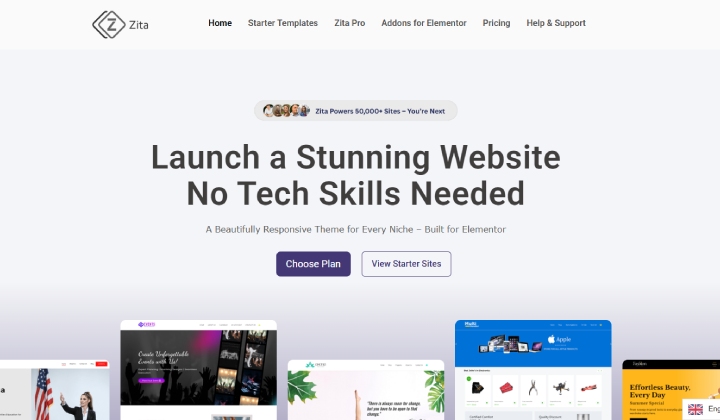
Click on the button below to go to the theme page.
Purchase the Zita Theme Pro
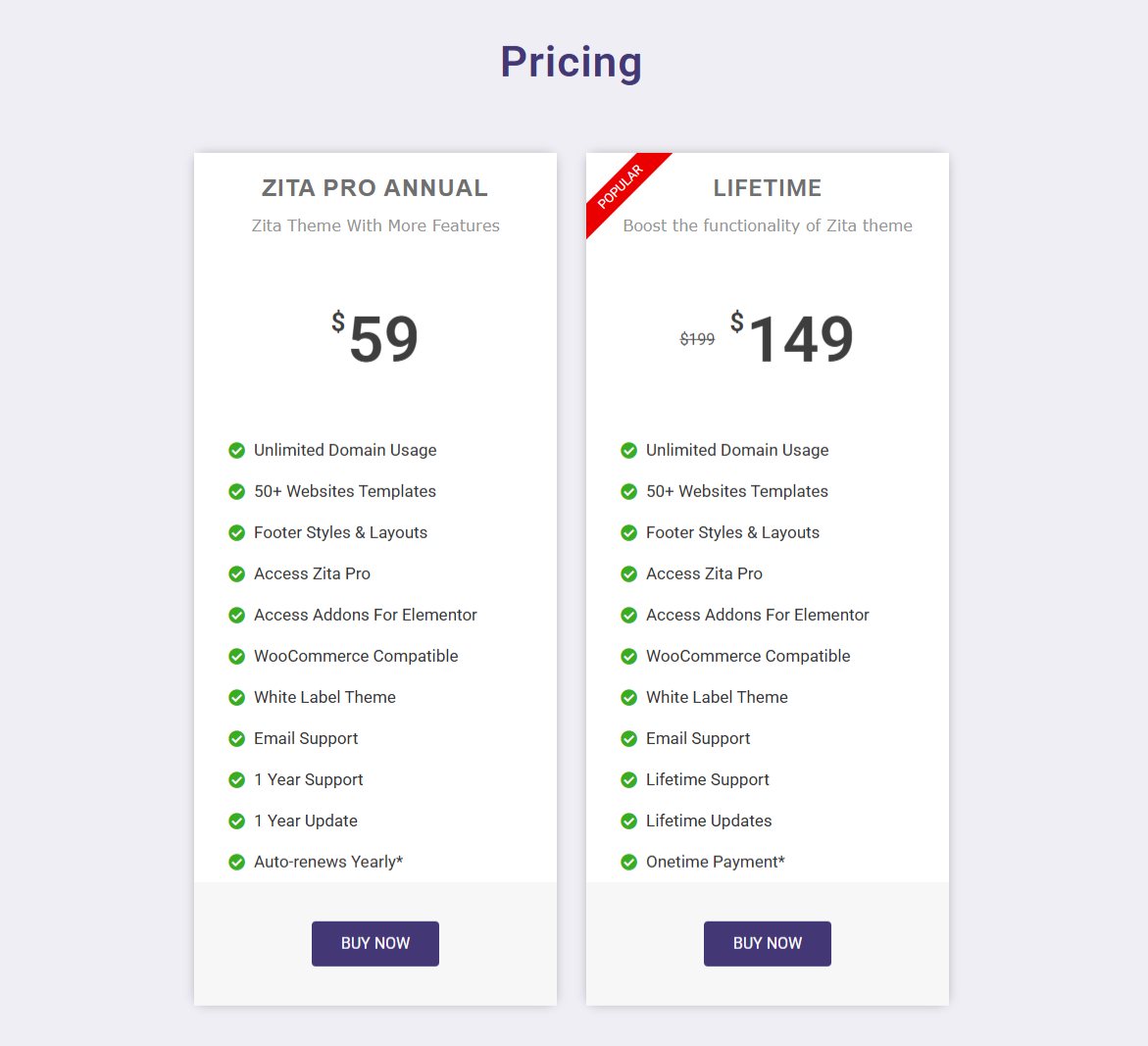
On the Zita page, scroll down to pricing and choose a plan. Proceed with the steps and purchase the pro theme.
Download the Zita Theme Pro
After purchasing the theme. Go to themehunk.com and click on Member’s Area and log in with your credentials.
You can log in to your >> Member’s area from here
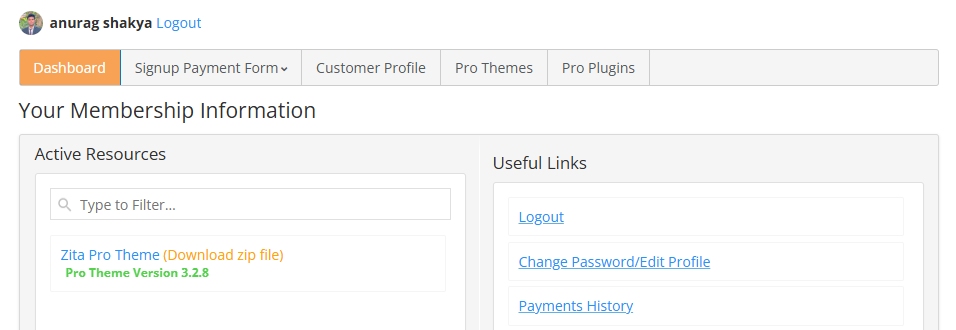
On this page, you will find the themes and plugins you purchased. Download their file from here.
Install Zita Pro Plugin
Open your WordPress Dashboard

Log in to your WordPress dashboard with your credentials.
We need to upload our Zita Pro theme. Click on Appearance. Now, click on Add New and then on Upload Theme.

Upload the Zita Pro here and click on Install Now.
After installation, click on Activate.
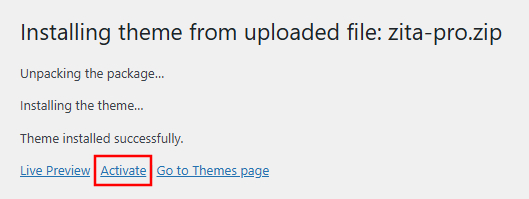
After activation, you will be redirected to the Zita page, where you need to click on Next. You will be asked to install some plugins. Install and Activate the plugins and click on Next.
After this, you will see all Zita templates.
Importing Car Rental Service Template
Search for the Car Rental Template and click on it

You can view your full site and visit pages from here. Click on any Install Plugins button.
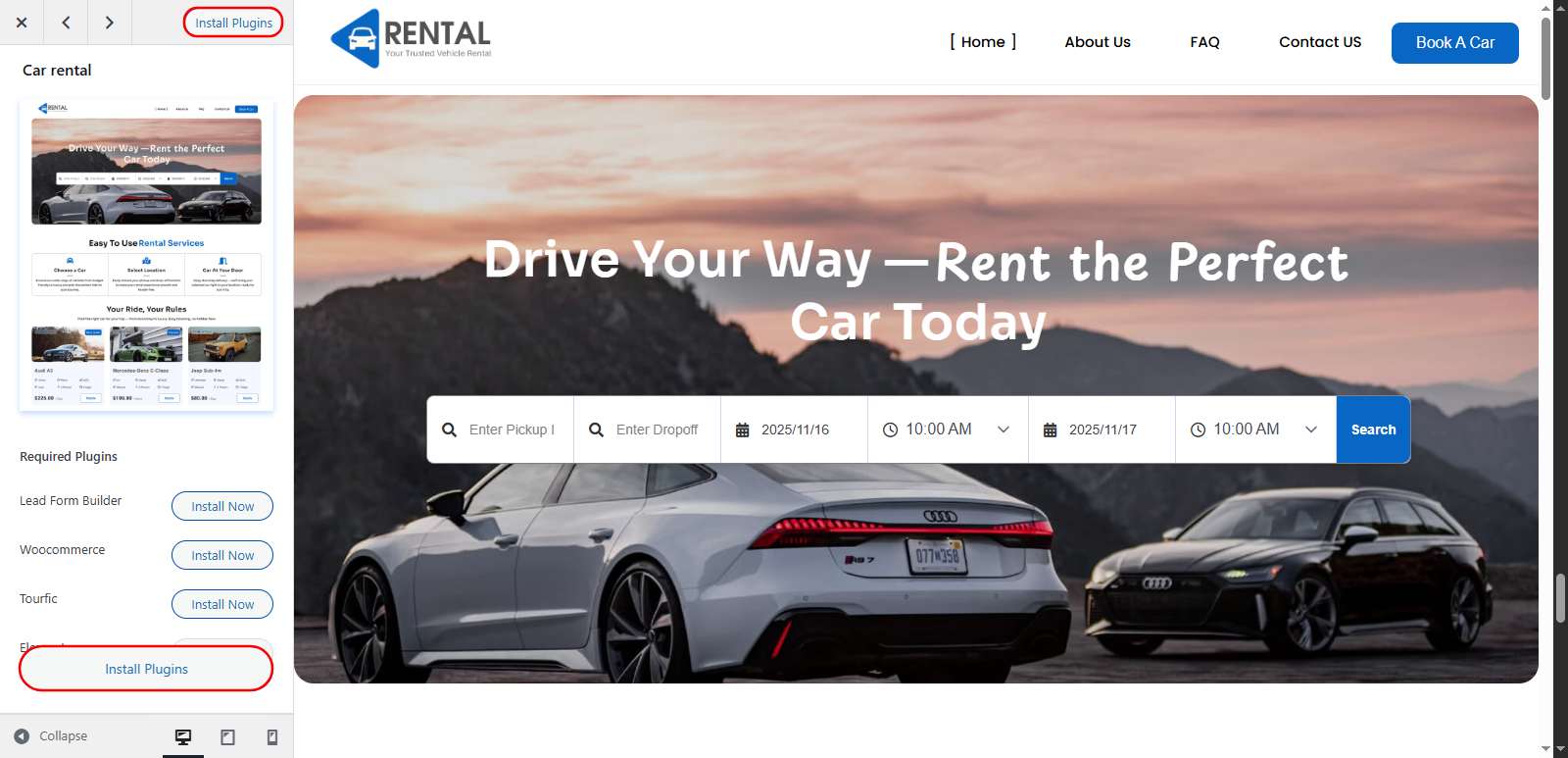
This will install all required plugins, wait for it to complete.
After installing all plugins, click on Import This Site
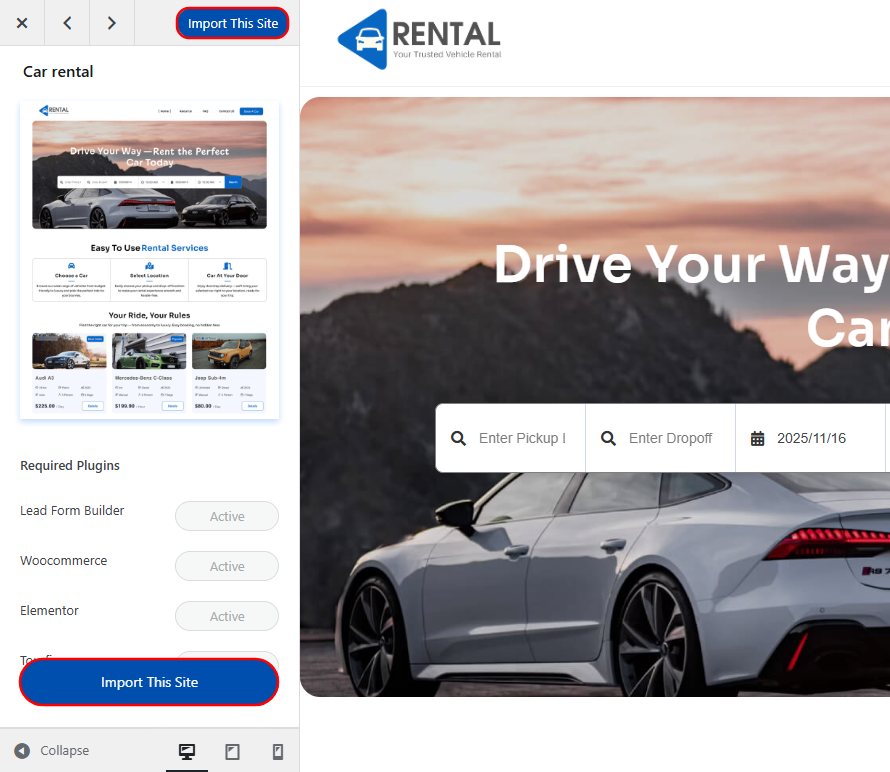
This process may take some time to complete.
Note: Don’t exit or close the page while the demo template is being imported. This may cause some problems.
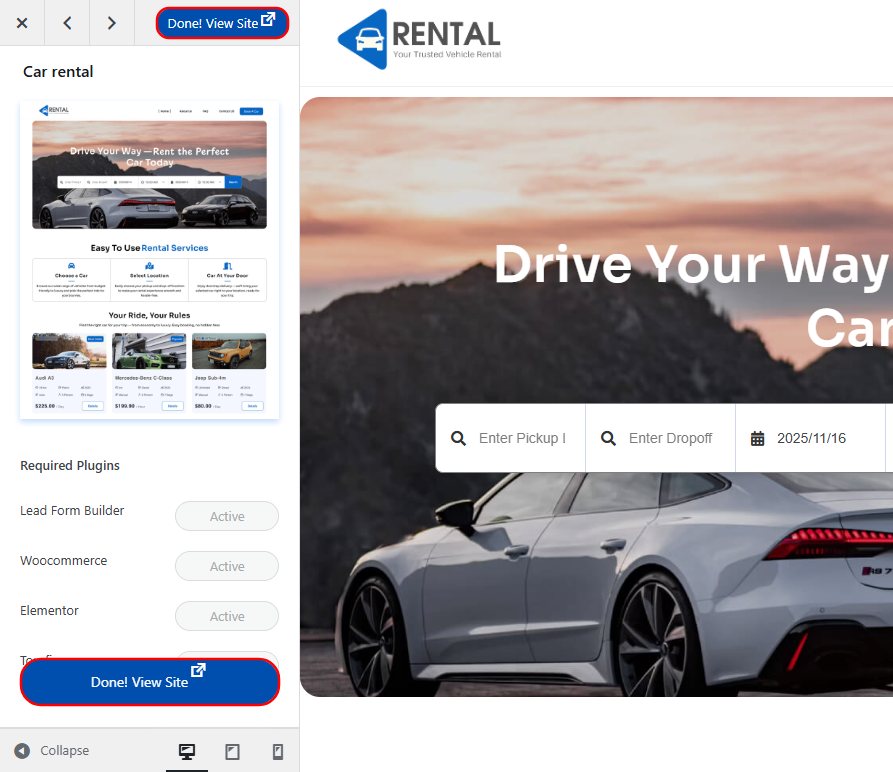
The Website is built, you can view your website from any of these buttons.
Customizing or Modifying the Car Rental Template
If you want to make changes to your site, you can do so with the help of Elementor page builder. It is very easy and simple.
These are detailed steps to customize the Car Rental website
Go to the Homepage of your site, and you will see Edit With Elementor as shown in the screenshot below.

With Elementor’s drag-and-drop builder, customization is so easy. You can do anything you want, including color, typography, content, etc. Even if you want to change the structure of the site, you can do so.
You can add, edit, and replace any section you want. If you want to add a banner, you can smoothly add it.
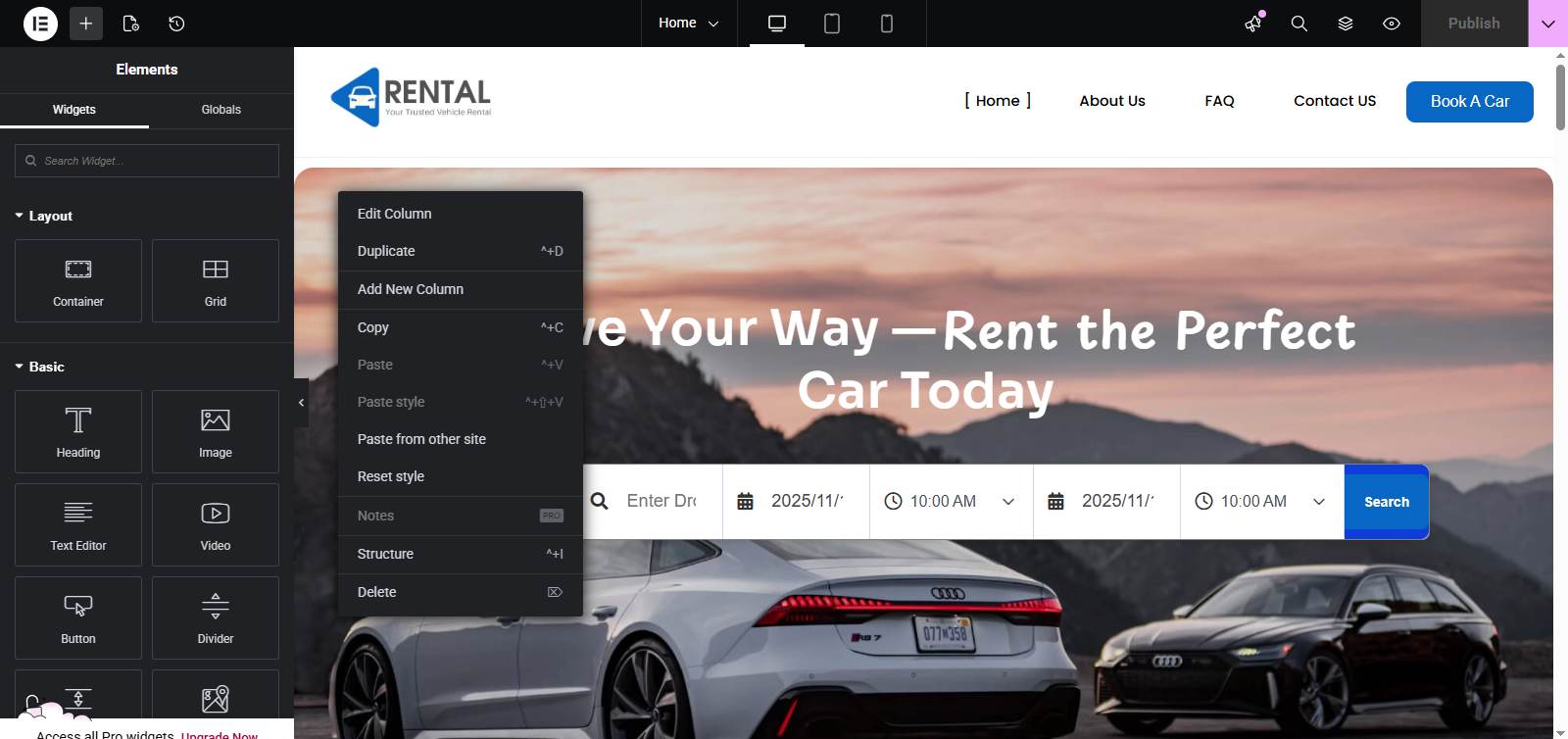
These steps will help you customize your site. Elementor is a super smooth and easy page builder that provides a drag-and-drop tool for ease.
If you have something creative in your mind for your site, then you can make it live here.
Tips for Optimizing Your Car Rental Shop Website for Better Conversions
Eyes on Analytics – Keep an eye on Analytics and reports. This can help you make a strategy for website growth. You can evaluate the weak points and improve them.
Offer discounts – Offering such types of offers encourages users to shop through your site, as it seems a profitable deal.
Keep speed – Keeping the website fast and providing smooth performance is very necessary if you want to engage your users on the website.
Use Call-to-Action – Use the buttons to redirect users to other pages. These include buttons, banners, discount offers, etc. This is an easy way to attract users’ attention.
Testing – Before making it live, test whether everything is working properly. This includes checking the pages, buttons, banners, coupons, etc.
Essential Tools and Plugins to Enhance Your Car Rental Service Website Functionality
- Lead Form Builder – Lead Form Builder is a contact form plugin that also gathers leads from the contacts that you can use in marketing.
- Rank Math – Rank Math is an SEO plugin. It helps to make your site on the internet.
- Jetpack – Detailed analytics always help in preparing a strategy. You can identify the weak points and improve them.
- Woocommerce Addons – Woocommerce addons add some additional functionality to woocommerce. For example, some add-ons help to manage inventory efficiently, which helps to make a secure system.
Conclusion
So, I guess you know everything about how you can start your Car Rental Service website. It’s kind of a rebirth of your business, you are opening gates for new opportunities.
This is one of the easiest and efficient ways to create a website. In this process, even required plugins are automatically installed with a single click.
I hope this blog will help you. Still, if you have any queries or suggestions, then let me know in the comment section.
You can subscribe to our YouTube Channel, we also upload great content there, and follow us on Facebook and Twitter.
FAQ
Why is having a website beneficial?
There are many things that change when you have a website. You don’t need a physical store; you can sell from anywhere. You are not limited to a place but can expand your services.
Which SEO plugin is best for my website?
There are many plugins for SEO, like Rank Math, Yoast SEO, and AIO SEO, you can pick any one of them. But before jumping on anyone, make sure they provide you with your required services.
Can I change colors and typography to match my branding?
Yes, you can change the colors and typography from the customizer and Elementor.


