
Overview ➣ Selling a single product online requires a sleek, conversion-focused Template for Single Product website that highlights your product’s features and benefits in the best possible way. A well-optimized single product website can help you establish a strong brand presence, build customer trust, and ultimately drive sales.
“A single product website is like a spotlight it shines all its focus on making one Single product stand out.”
Did you know that WordPress powers several websites on the internet? With WooCommerce, you can build a high-performing eCommerce store, even for a single product.
There’s no better website for selling a single product. Customers can see your product, read reviews, and buy easily from their mobile phones or desktops.
If you have something unique that you want to highlight, then this is the way to do it. You don’t need coding skills to make one because of ready-made templates!
Today, we will guide you through building a beautiful single product website with the Single Product Template within the Shop Mania theme.
It is presented specifically for single product shops, thereby ensuring that shopping goes as smoothly and engaging as possible.
What Is Shop Mania and Its Templates?
Shop Mania is one of the fastest and most flexible themes for eCommerce by WordPress, providing all the features to build an eye-catching and fully functional online store.
Key features of Shop Mania:
- Completely customizable
- 100% responsive
- Compatible with Elementor and other page builders
- Compatible with WooCommerce
- Pre-designed templates
- Among them, the single product template is designed especially for entrepreneurs
Why Select the Single Product Template?
Now, you can create a website without any coding knowledge! With the Single Product Template, you can:
- Import a pre-built design in just one click using the one-click install feature.
- Display your product in a well-structured and conversion-oriented layout.
- Use the drag-and-drop builder by Elementor to personalize your website.
- Improve the shopping experience through WooCommerce integration and fast checkout.
Key Features of the Single Product Template:
Homepage Design with High Engagement
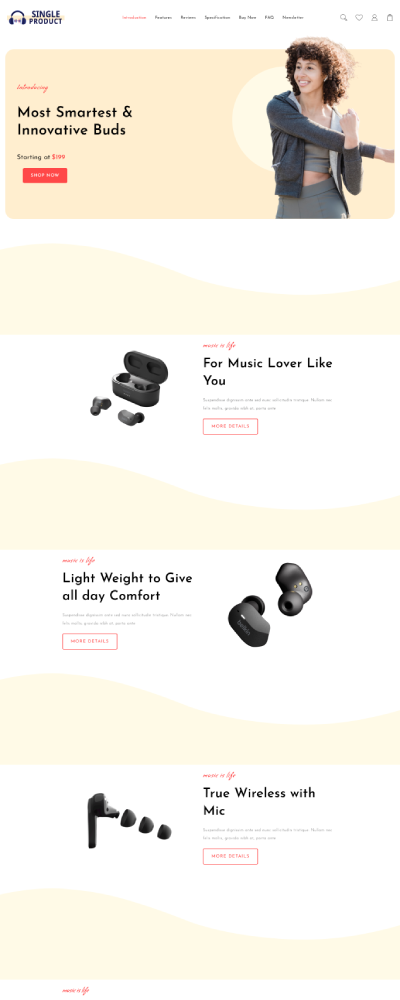

Developing a homepage that has high engagement is imperative in order to get the attention of visitors and incite them to visit your site again.
Homepage Hero Section This contains an appealing high-resolution image of the product and a few essential highlights as well as call-to-action buttons.
Product Showcase Section

It displays the benefits of the product in a highly presentable way at a single glance.
To maximize visitor engagement, prioritize enhanced product showcasing. Poor presentation reduces impact. For single-product websites, organize content strategically to maintain a strong product focus.
Specification
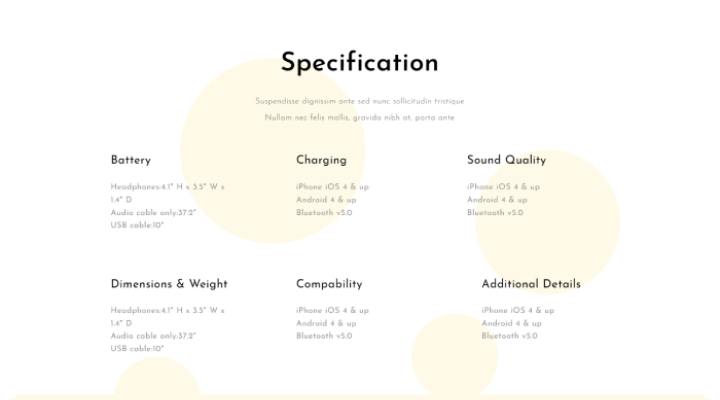
The specification page on a website typically provides detailed information about a product or service.
Key elements typically include:
- Overview: Short description and key features.
- Technical Specs: In-depth attributes such as size and material.
- Images: High-resolution photos from multiple angles.
- Usage Instructions: Instructions for use or installation.
- Pricing: Price information and options.
- Warranty/Support Info: Warranty information and customer support options.
- Customer Reviews: User reviews and ratings.
- Related Products: Recommendations for related items or accessories.
Reviews & Testimonials
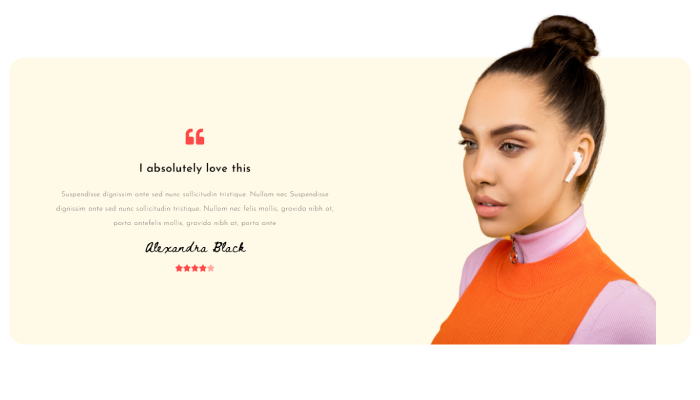
Adding customer reviews and testimonials to your site is an effective way to establish trust and credibility with prospective customers.
Customer reviews and testimonials are to be displayed to increase credibility and influence the purchase decision.
One Page Checkout
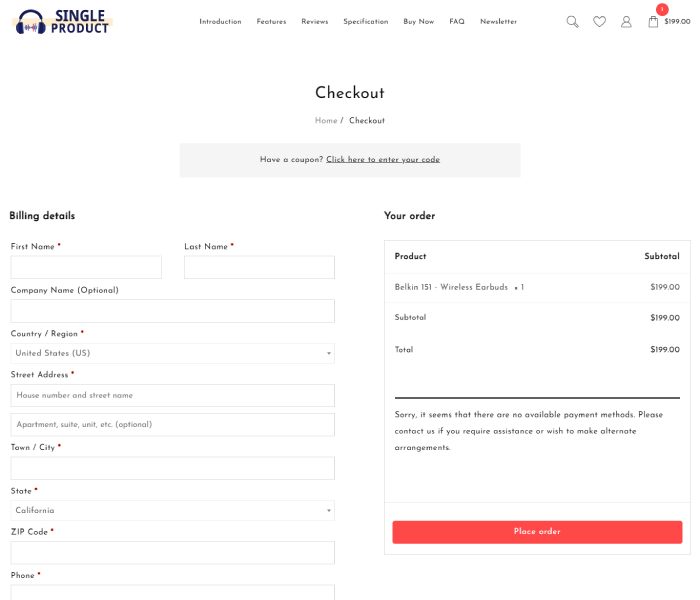
Seamless, single-page checkout process to make purchases fast and hassle-free.
A single-page checkout simplifies the online purchasing process by condensing all necessary steps into one convenient page.
Combining all checkout elements into one page reduces the number of steps customers must navigate, making the process quicker and more efficient.
How to Install the Single Product Template in One Click
Download and Install the Theme
To use the Single Product template, first install Shop Mania. It’s more than just a theme; it’s a complete package that unlocks demo import functionality.
Buy and Download the Shop Mania Theme to Get Started
Click the Button below.
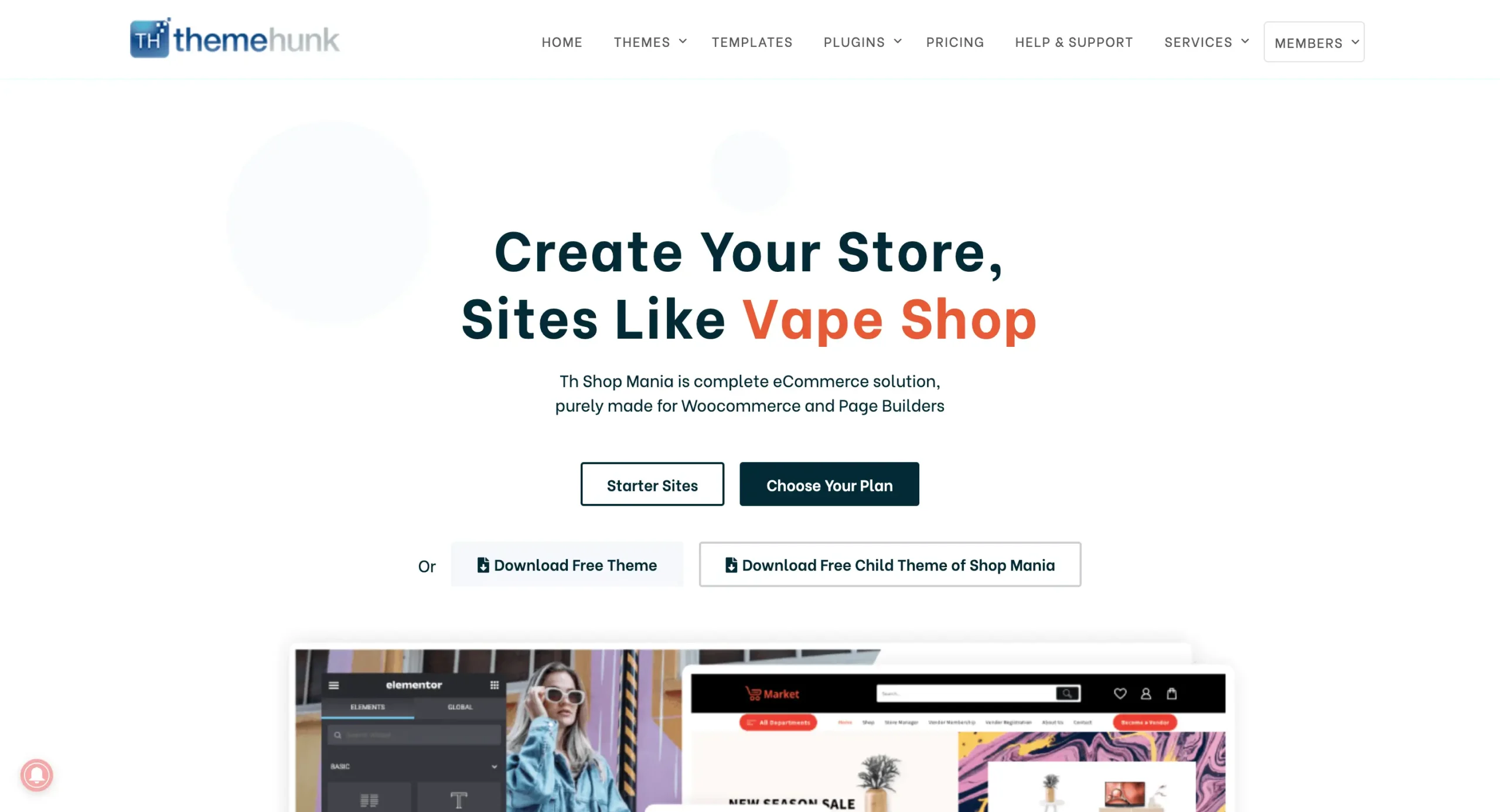
Once you’ve purchased the theme, click “Member’s Area” in the top right corner and log in with your credentials.
You can log in to your >> Member’s area from here

You can find and download your purchased themes and plugins on this page.
Installing Shop Mania Pro Plugin
Log in to your WordPress Dashboard
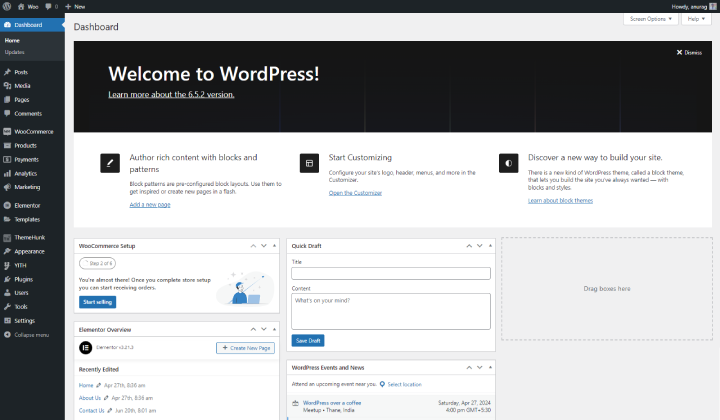
Log in to your WordPress dashboard with credentials.
Go to Plugins and click on Add New Plugin

To add new plugin hover on Plugins and click on Add New Plugin.
Here you can see the Upload plugin on the top left corner of the page, Click on it.
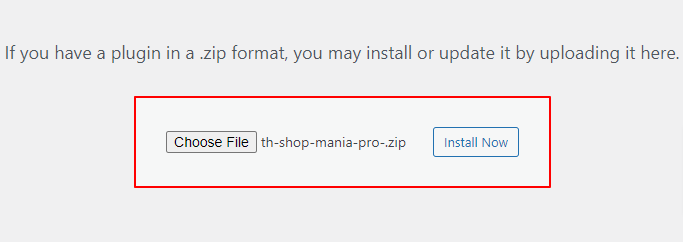
Upload Shop Mania Pro plugin and Click on Install now.
And then Activate Plugin.

You can see the Activate Plugin Click on it, After activation you’ll be redirected to the plugin page where you can get the Shop Mania Pro plugin.
Generate and Activate License
To fully utilize Shop Mania Pro, you need to activate the license after installing the theme. This will unlock all premium features.
Navigate to Appearance and click on License

Find your Key, And Enter your license key.

Now, Log in with Member’s Area Credentials.

The license key is displayed on this page. Click ‘Copy’ to copy it.

Copy the License Key to the clipboard. You can then paste the key into the box on the License Page.
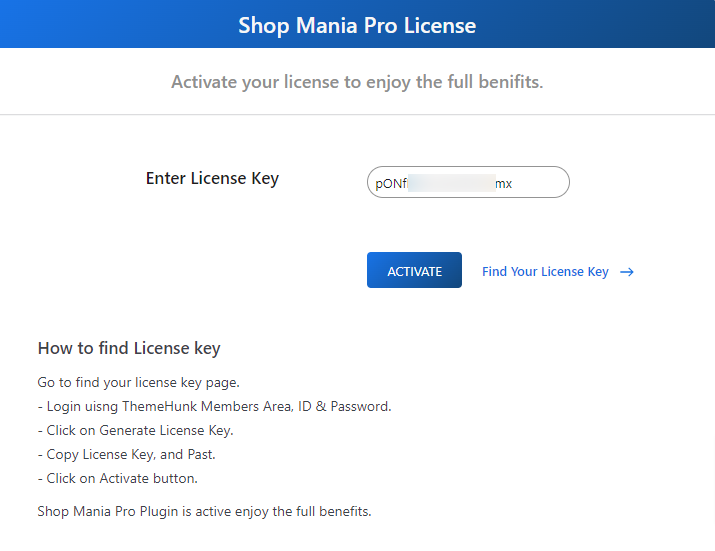
After pasting the License Key, click on Activate
Import Single Product Template
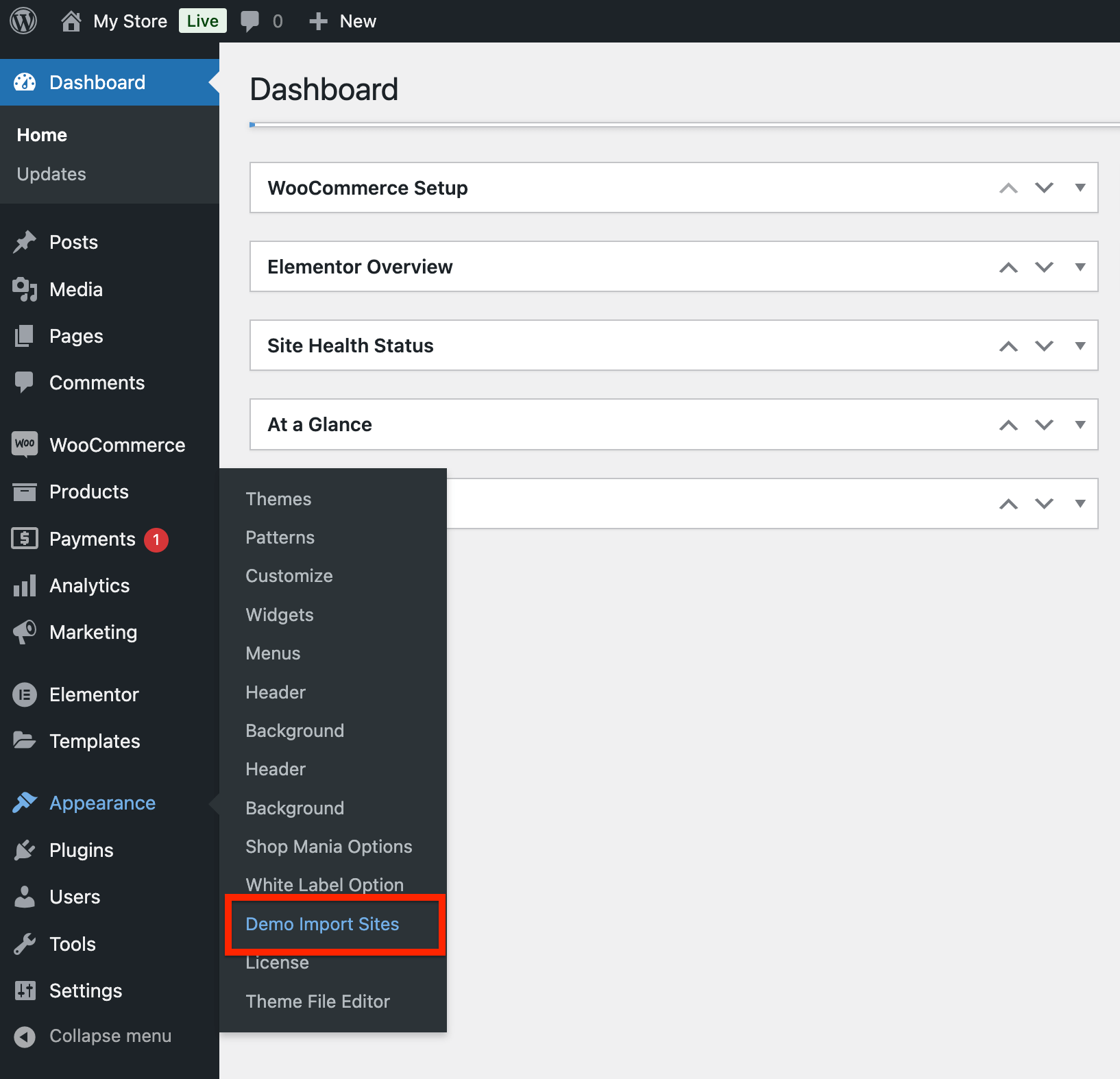
Go to Appearance and click on Demo Import Sites
Open Appearance > Demo Import Sites
Shop Mania version On the next page you can find the Shop Mania version with the button that says View All Starter Sites. Click the button.
Click View All Starter Sites.

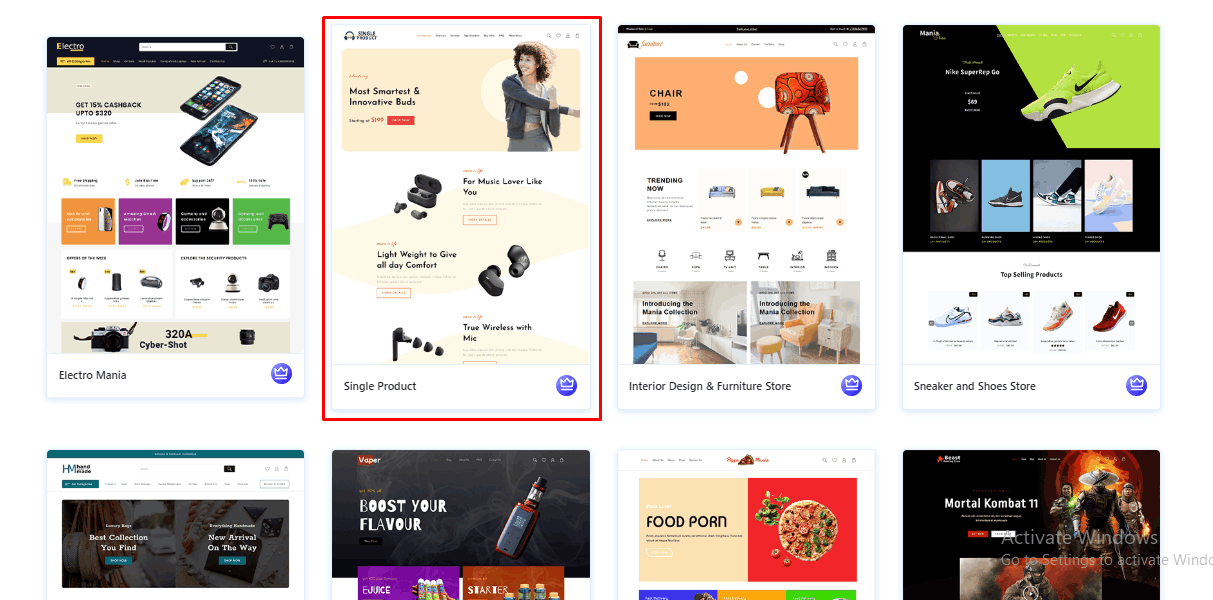
Browse all Shop Mania templates below. Filter by category or page builder to find what you need. To view the Clothing Template, search for it and click.
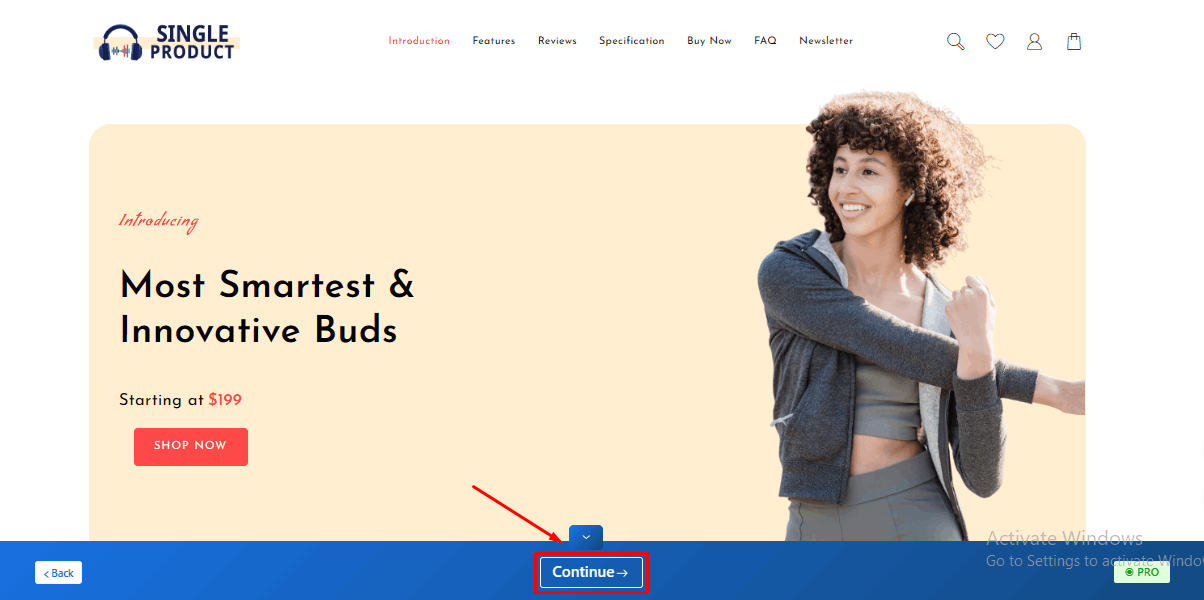
You can view your full site from here. Click ‘Continue’ when you’re done.
Now, Click on Build Your Website.

The process can take some time.
(⚠ Do not leave this page while your template is imported.)
On the following page, you’ll find the “Customize” button to personalize your site and the “View Website” button to see how it looks.
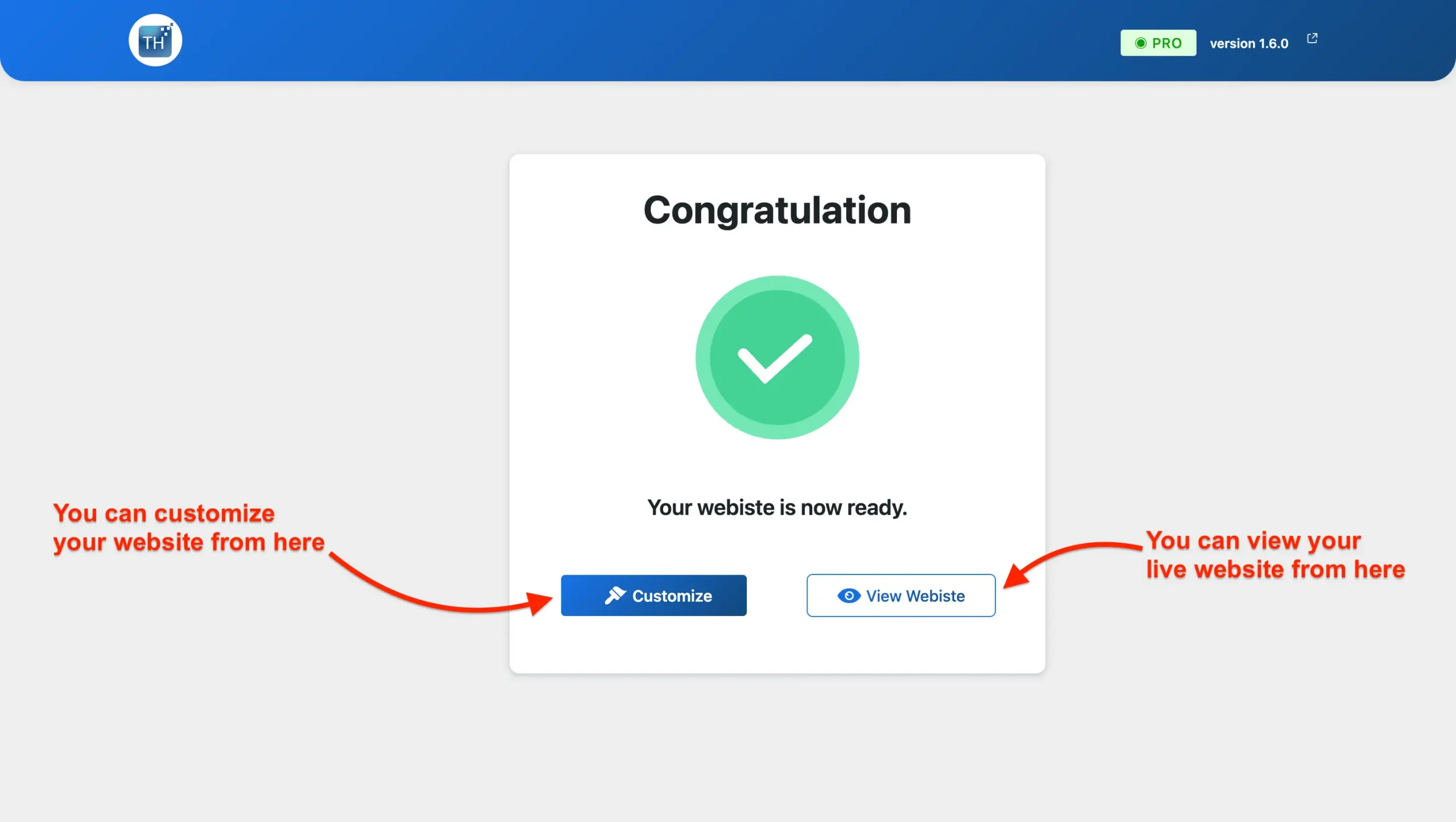
The website is Ready. You can take a look.
Customize or Alter the Single Product template.
If you want to edit your site then you can do so with the support of Elementor page builder and it is easy and simple too.
Such are the detailed procedures to Customize the Single-product website
Follow the steps: Go to the Homepage of your site, and you will get the Edit With Elementor as depicted in the Image below.
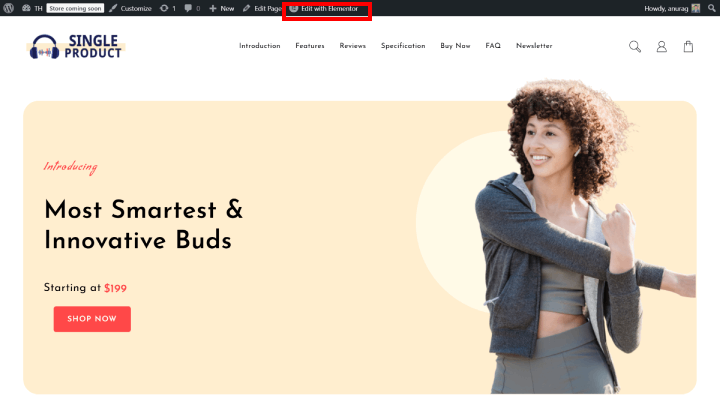
The Elementor drag-and-drop builder makes customization a breeze. Tweak colors, typography, content, and even your site’s structure with complete ease.
Add, edit, or replace any section to your liking smoothly and simply!
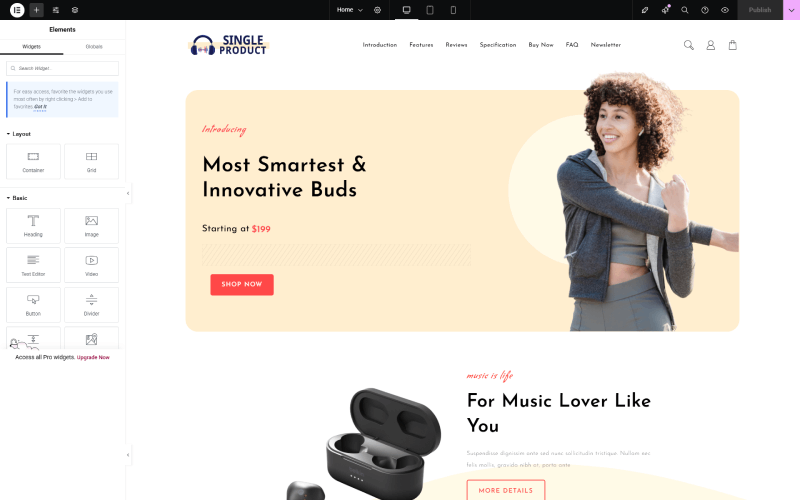
Customize your site with ease using Elementor, a smooth, drag-and-drop page builder. Bring your creative vision to life and make it live!
Adding Your Product to WooCommerce
Importing a template also imports dummy content that you can replace with your own. Now, let’s walk through adding products to your WooCommerce store.
Go to Products, and click Add New.
Here is the product creation page. The title and description are here.
Use the description area for key features, benefits, and any other relevant information about the product.
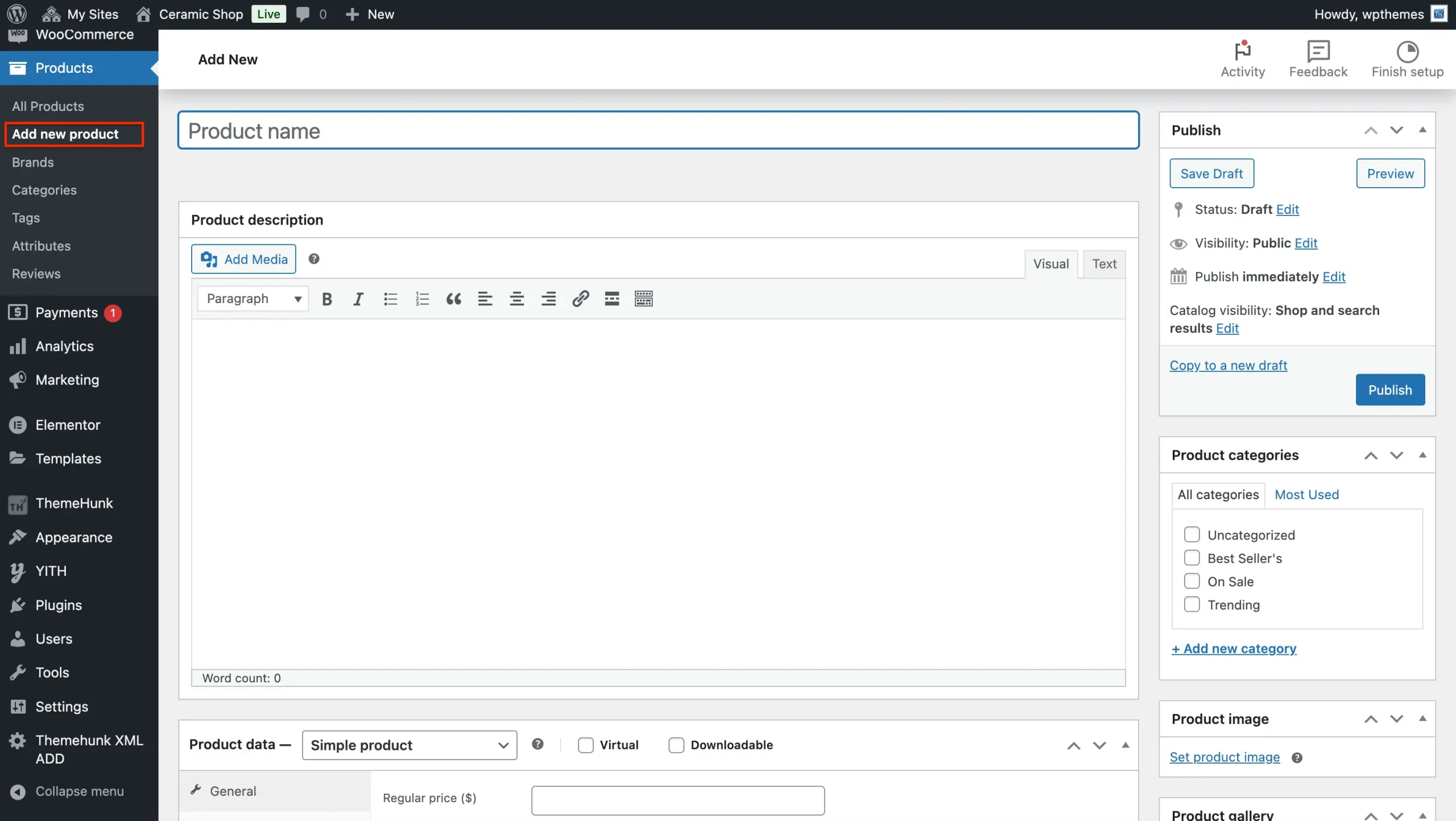
Next, choose the relevant ‘Product type’ from the dropdown menu after scrolling down to the ‘Product data’ area. These are your options:
Set Product Type
- Simple Product: Select this option for tangible goods with no variations, such as a single article of apparel or a conventional book. Check the ‘downloaded’ box to make it work with downloadable products, such as courses.
- Grouped product: Sell several related products as a single unit by using the “grouped product” strategy (e.g., a set of culinary equipment).
- External/Affiliate Product: Choose this to highlight a product that is offered for sale through an affiliate link on another website.
- Variable products: Products that come in varied sizes, colors, or styles are referred to as variable products (e.g., a t-shirt that comes in multiple sizes and colors).
Set product price and inventory details.
There is two pricing boxes.
- Regular Price – Fill in the price of the product.
- Sale Price – Fill in the discounted price.
Product images.
- Product – Click on Set Product Image and upload or select an image from the media that you want to select.
- Product Gallery Images – If you have more than one image of your product then add them here.
Category And Tags.
- Category – Create a category from the button, Add New Category, and assign the categories. You can also make sub-categories if you want.
- Tag – Enter the keywords related to the product. This helps to increase the visibility of the product on the site.
Publish The Product
Click Publish to make your product live!
Tips to Optimize Your Single Product Website
✅ Use high-quality images & videos – Customers rely on visuals to make purchasing decisions.
✅ Highlight customer testimonials – Build credibility with social proof.
✅ Optimize for mobile users – Ensure smooth navigation across all devices.
✅ Leverage email marketing – Capture leads with a sign-up form for promotions.
✅ Offer limited-time discounts – Create urgency to boost sales.
Essential Tools and Plugins to Enhance Your Site’s Functionality:
To make your online experience smooth and effective for your customers, consider the following key plugins and tools:
- Live Product Search: This allows customers to quickly find specific ceramics, tools, or materials with a real-time search feature. This improves the user experience and increases the chances of a sale. Think: Instant results as they type!
- Product Compare: This will help customers make informed decisions by allowing them to compare different pieces based on size, material, firing temperature, or other relevant attributes. A clear comparison table showcases key differences. Think: side-by-side comparisons for confident choices!
- Woo Cart: An essential feature for any e-commerce site. The cart should always be visible in the menu, and there should be an option to have it floating. A customer can quickly view their selections and go through the checkout process. Think: Easy access to checkout, always!
- Variation Swatches: Highlight the subtle differences in your ceramics. With visual swatches, let customers quickly see all the color options, sizes, or glaze variations. Think: See all the options at a glance!
- Lead Form Builder: Capture important customer information and build your marketing list with a customizable contact form. Use captured leads to introduce new products, offer exclusive discounts, or share pottery tips. Think: Grow your customer base!
- Rank Math (SEO): Increase the visibility of your shop on search engines, such as Google. The plugin helps to optimize your product listings and the content on your website, thus making it easy for potential customers to find you. Think: Get found online!
- Jetpack: Gain a better understanding of your website’s performance with more detailed analytics. Track key metrics like traffic sources, popular products, and customer behavior to refine your offerings and marketing strategies. Think: Data-driven decisions for growth!
- WooCommerce Addons: Specialized add-ons can extend the functionality of your WooCommerce store. It can be inventory management, advanced shipping options, security enhancements, and so much more. Think: Tailor your store to your specific needs!
Final Thoughts
The Single Product Template by Shop Mania is an excellent choice for entrepreneurs who want a conversion-focused, hassle-free eCommerce website.
With its one-click install feature, you can launch your single-product store effortlessly.
So why wait? Download the Shop Mania theme and get started today!
If you find this article helpful, do share it with your friends. If you have any questions regarding this, do not hesitate to comment below. We will help you to solve your problem. Thanks for reading this blog.
We hope this article will help you to find out New Website Template For Single Product.
Please Subscribe to our YouTube Channel, we also upload great content there Do Follow us on Instagram and Twitter.
FAQ
Q: Can I use this template for multiple products?
Ans: This template is specifically designed for a single product showcase. For multiple products, we recommend exploring our other templates designed for multi-product stores.
Q: What is the minimum server hosting requirement for this template?
Ans: To ensure optimal performance, we recommend using a server with:
PHP version 7.4 or higher
MySQL version 5.7 or higher
HTTPS support for secure connections
More Helpful reads:


