
Overview➣ This article explains WordPress.com’s latest update, which now allows themes and plugins on all paid plans, giving you more flexibility, customization options, and better value.
Disclosure: This post contains affiliate links. We may earn a commission if you make a purchase at no extra cost to you.
The legacy of building your website on WordPress.com was one of the longest-standing limitations in online publishing.
WordPress.com had plenty of reliability, great security, and a very simple setup; however, if you wanted to use a custom theme or plugin installation from a third-party you were required to upgrade to either the Business or Commerce plan, which was something many beginners, independent bloggers, and small business owners could not do just to use an SEO tool or custom contact form.
Now, with one of the biggest updates in history that radically changes how websites are created, WordPress.com has implemented support for third-party themes and plugins for all paid plans, opening the door for the Personal Plan and the Premium Plan.
This provides all users, regardless of what plan they started with, the unlimited freedom to create websites with the same base features that used to be only available to large companies and higher-level plans.
Let’s look at what this means, why this change is so significant, and how to use this to utilize your new superpowers of website creation.
The New Shift
There has been a huge change in how WordPress.com is working as a company in their recent update.
We need to take a moment to look back at the way things were done historically to understand the situation better, so we can help illustrate what they have done and what new changes are coming for current customers as well.
Past History vs. Present
Historically, the ecosystem was separated into various segments. That meant if you were using the Personal or Premium service, you had access to world-class managed hosting with no adverts, basic monetization features, plus access to a select number of very high-quality designs.
The problem was that your website was contained within “walled gardens” and provided no means to access the rest of the open-source WordPress ecosystem and its thousands of available plugins, free themes, etc.
Therefore, if you wanted to add advanced SEO, create a dedicated member site, a visual page builder, etc.
You had to be prepared to spend money because you were unable to do anything until you upgraded to the Business level or above to remove these limitations.
Now the door has been open. Because of the new update, as long as you are an active paid subscriber to WordPress (even if it is at just $4/month for the Personal plan), you can go directly to the “Plugins” or “Appearance” tabs in your admin dashboard and start uploading whatever you wish there immediately.
This will greatly help level the field for everyone so that they may realise their objectives without being held back by a lack of budget.
In short:
| Feature | WordPress.com (Before) | WordPress.com (Now) |
|---|---|---|
| Plugin Access | Limited to the Business & Commerce plan | Available on All Paid Plans |
| Theme Control | Limited | More flexibility for Theme choice |
| Site Customization | Basic | More Options for Customization |
| Cost vs. Features | Expensive for Flexibility | Better Equalization of Cost vs. Feature Availability |
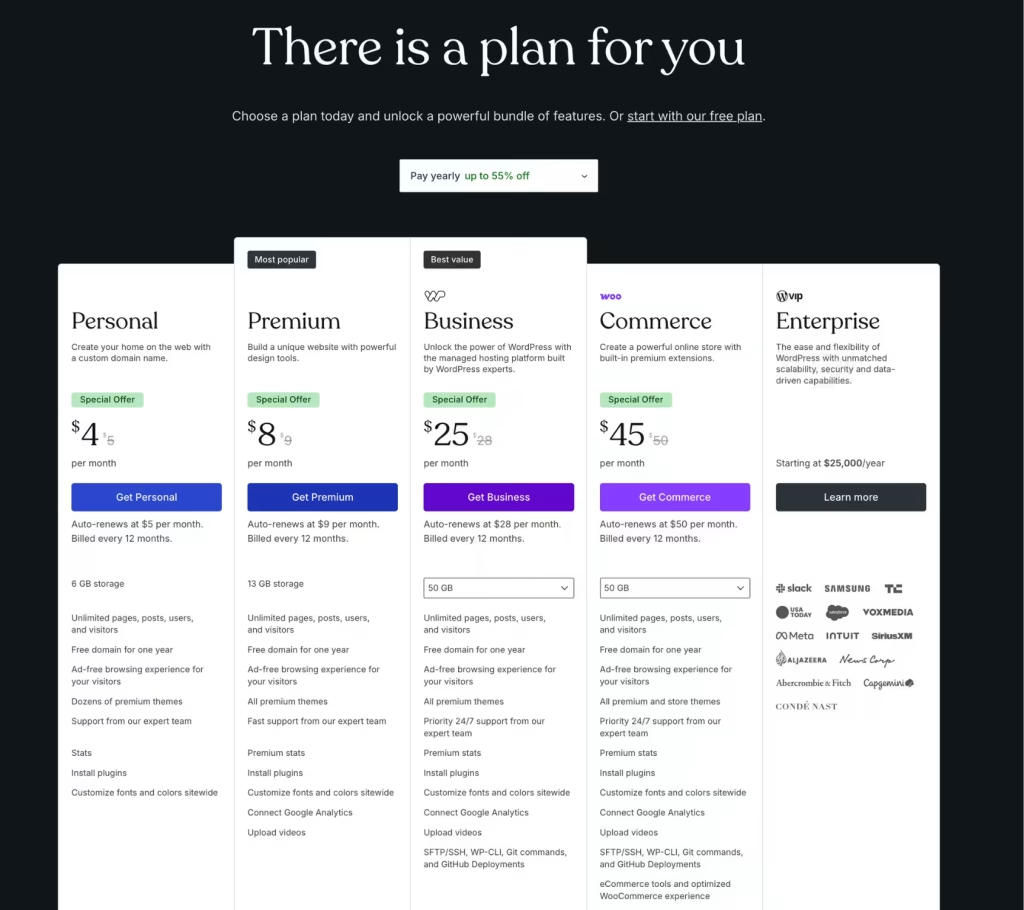
Explaining the Major Changes of WordPress.com
Let’s review all of the major changes.
Anyone Can Access Plugins
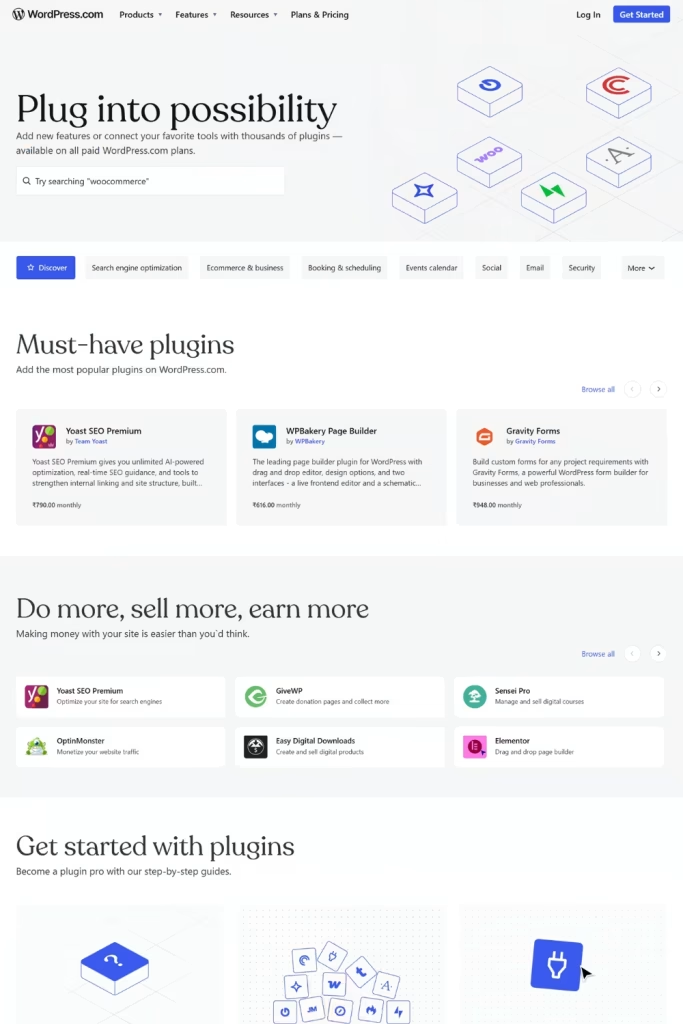
Plugins were only available for premium plans before. You can use plugins with any level of paid account.
The Importance of This Change:
- Add SEO tools, such as an SEO optimization plugin
- Integrate a contact form, analytics, or marketing tool with a plugin
- Expand your capabilities without having to change to a higher-priced account
There are over 50,000 plugins available on WordPress, so you can build everything from a simple blog to a professional eCommerce store.
More Theme Flexibility
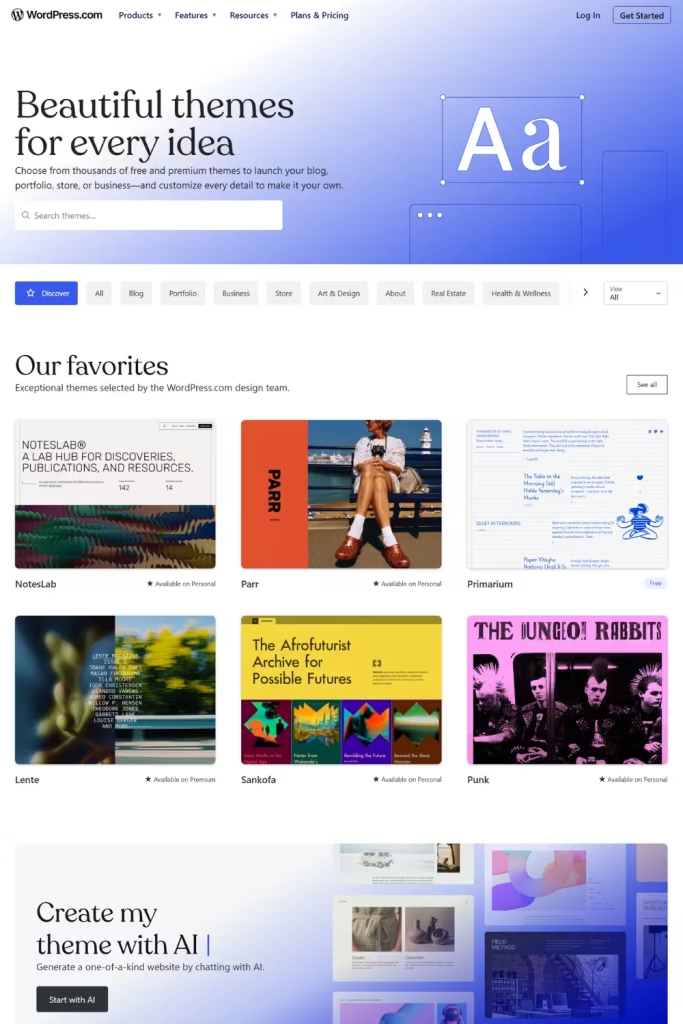
There are thousands of themes available with WordPress, but now you have the following options:
- You can install a custom theme on your site
- You can modify the appearance of your site as you wish
- You can create your own unique brand
You have the ability to access thousands of professional templates for your blog, portfolio, or eCommerce store.
This allows for many more design options than just the default templates provided.
Less Need for High-Cost Plans
An important impact of this update is cost savings for users.
Previously:
- To use advanced features, users needed to purchase a Business plan or higher
Now:
- Users who purchase lower-tier plans can build advanced websites
- Users are saving money while using advanced features
This makes WordPress.com far more accessible to:
- Freelancers
- Bloggers
- Small business owners
Better Experience for Beginners
Beginning users will have the ability to:
- Start with a lower initial investment and adjust as needed
- Experiment with new plugins without upgrading
- Establish a professional website without having any technical skills
All of the above goals align with WordPress.com’s current goals of providing ease and accessibility for all users, from the novice to the more experienced, in their website creation experience.
Reasons for WordPress.com Update
Growing Competition
Website builders have improved their offerings by providing drag-and-drop functionality with added features. As a result of these advances in site-building platforms, WordPress.com had to make changes to remain competitive:
- Added flexibility
- Reduced friction for new users
- Improved value proposition with less cost
Users Demand
Customers have been requesting the following for years:
- Plugin access to lower cost plans
- More control over theme selection
- Better customization options
With this update, WordPress.com is successfully addressing most of its users’ feedback.
Simplifying the Selection
In the past, users found it challenging to choose which licenses would work best for them.
For example, users would have to ask themselves:
- Do I need plugins?
- Which plan provides that feature?
In the future, making this choice will be straightforward. In order to begin building their website, the user simply needs to select a paid plan.
What The Change Means To Each User
Bloggers
- Allowed to use search engine optimization and performance plugins on their blogs
- More effectively customize their blogs
- More methods for monetizing their blogs
Small Businesses
- Today will be able to create a more professional web presence at a lower cost
- Ability to establish booking systems, forms, and analytical tools
- Enhanced customer satisfaction
Ecommerce Store Owners
- Will now have the ability to more easily integrate payment gateways and marketing plugins
- Have access to advanced store features that were previously unavailable or difficult to configure
- Reduce the initial investment of establishing their ecommerce store
Developers & Agencies
- Will have the ability to complete their projects faster using lower-cost license plans
- Will have additional flexibility when creating websites for their customers
- Will have reduced dependency on higher-level plans.
What Limitations Exist?
The update offers tremendous advantages but also has considerations regarding its effectiveness:
- Some of the advanced features may not be fully liberated.
- Your plan may define your performance level.
- Some premium themes and plugins still may require payment.
As you can see, the main restriction (previously, restricted access) is significantly less restricted above.
Maximising the Benefits of This Change
Are you using or planning to use WordPress.com? Here’s how to take advantage of this change:
Pick the Right Plan
Choose a plan based on what suits your needs, goals, and budget. How you want to grow, while having the ability to change plans at any time, grow your site as your business grows, and have easy access to all necessary features.
Install Useful Plugins
You can download the essential plugins:
- SEO: Use SEO plugins to help you rank higher in search engines. Optimize your content for users, use meta tags, and create a sitemap to achieve higher visibility in search engines.
- Security: Install security plugins to protect against viruses, brute force attacks, spam, and other vulnerabilities on your site while keeping your data safe with regular checks.
- Performance: Use performance plugins to improve speed, make your site run smoother, compress images, and other things that could cause problems for users, and the core web vitals will improve greatly.
- Contact Form: Use contact form plugins to make collecting user questions, comments, leads, and other types of information easy. Contact form plugins will also help you to communicate and engage better with visitors to your website.
Select A Flexible Theme
Choose a responsive, customizable theme compatible with plugins, allowing easy design changes, branding consistency, and better user experience across devices.
Optimise Early
Use plugins for the Following Things Will Help You Achieve the Same Quality As Your Website:
- Speed Up Your Site: Optimize your site’s speed with caching, image compression, and lightweight scripts so your web pages load quickly on any device.
- SEO Improvements: Optimize your web content, keywords, meta-title, and internal links, so Google Search will index your website faster, and you’ll show up on search results more often over the long run.
- Track Performance: Add Google Analytics to monitor your website’s traffic, user behaviour, and conversion to help you make decisions based on data and improve the performance.
Scale Gradually
Start with the tools you want to use to start, and add the tools/plugins/content later so that you can keep your site’s performance high and not make your site too complex too quickly.
FAQ
Q: Does WordPress.com now allow plugins on all paid plans?
Ans: Yes WordPress.com now support plugin installation on all paid plans in order to provide additional opportunities for lower plans.
Q: Is it possible to use custom themes in WordPress.comm lower plans?
Ans: Yes people who pay for WOrdPress.com can now use a lot off themes including one that they can customize to make their website look better.
Q: Do I still need a business plan to use essential features?
Ans: No you do not use a business plan for use lot of features like plugins and themes. These are now includes on all paid plans so you do not have to spend much money. But if you want a 24/7 support and developers tools than you need business plan.
Q: Are all plugins and themes free to use?
Ans: No ther are not. Some plugins and themes are free while others cost money especially if you want extra features.
Q: Is this update beneficial for beginners?
Ans: Yes this update is good for beginners. They can now enjoy using WordPress.com to build professional websites despite limited knowledge.
Final Thought
This upgrade is among the most crucial developments that have ever happened to WordPress.com.
With this update, WordPress.com has managed to:
- Removed a major limitation
- Make building websites more convenient
- Offer a more balanced combination of costs and customization
As a user, you will enjoy more liberty, more control, and better value without having to move to a pricier plan or get involved in intricate web-hosting configurations.
Whether you want to create a blog, a website for your business, or an online marketplace, WordPress.com is now the most versatile and user-friendly website creation service available.
If you find this article helpful, do share it with your friends. If you have any questions regarding this, do not hesitate to comment below. We will help you solve your problem. Thanks for reading this blog.
Please Subscribe to our YouTube Channel, we also upload great content there and also Do Follow us on Facebook and Twitter.
Explore More Article –


