
Overview➣ In this fast-paced world. Users need everything quickly; if you can not match the speed, they may end up shifting to another website. This blog explores how a search plugin changes the way users interact with your site.
The world is evolving rapidly. All you can do is evolve your store and provide users with the best experience.
Finding the right product online shouldn’t feel like searching for a needle in a haystack. Yet, without an effective search system, users often struggle with irrelevant results, slow performance, or confusing navigation.
This is where a Advance Product Search plugin comes into play. Designed to simplify and enhance the search experience, it enables users to quickly locate products using intelligent features like predictive product search suggestions, typo handling, and multi-attribute search.
In this blog, we will see how you can add the Search bar to your website and also what it is capable of with the help of some of its features.
What is Advanced Product Search and Why is it Important?
Advance Product Search is a WordPress plugin designed to search products, posts, and pages. Yes, not only ecommerce but also other websites, like blogging, need the search bar to find blogs faster.
A Search functionality is no longer a luxury but a necessity that a website needs. It directly affects the reliability of a website. This is one of the features that influences engagement, satisfaction, and conversions.
Its features, like fuzzy search, help users get the result even if they type a wrong spelling. This saves time, and users can get the desired product, avoiding a lot of scrolling.
How to Add Predictive Product Search
First, we need to download the Search plugin. Download the plugin from here. After downloading the plugin, upload it to your dashboard and skip to Step 3.
Step 1: Open your WordPress dashboard
Step 2: Navigate Plugins > Add Plugin. Go to the Search Bar and search for ThemeHunk Product Search

Install and activate the plugin.
After activation, it will come to the dashboard under the ThemeHunk section.
Step 3: Go to ThemeHunk and click on Advanced Search.

It will open the plugin’s settings.
In order to access all features, including the Predictive search, we need to upgrade our plugin. You can download the plugin from here. After this you can skip to Step 6.
Step 4: Open the ThemeHunk website and navigate to Plugins > Advance Product Search

Step 5: Click on Get Started and purchase the plugin

Step 6: Open your WordPress dashboard again. Go to Plugins > Add Plugin. Click on Upload Plugin on the top left.
Upload the Advanced Product Search Pro and Activate.
Step 7: Open Advance Product Search Pro dashboard.

First, you will see the Integration methods. You can integrate the Search bar into your site in 4 ways
- Shortcode
- Widget
- Menu
- PHP code
We will see the two ways here.
Integrate Search Bar by Shortcode
This is the easiest method to integrate the Search bar. We will use a Block theme here.
Step 1: Open your site homepage and click on Edit Site
Step 2: Click on the block inserter on the top left side and search Advance Product Search
Step 3: Drag the Advance Product Search block and drop it where you want to add the search bar

This will add the search bar.
From the right side, you can customize the plugin.

This is how it will appear on your site

Integrate Search Bar by Menu
Step 1: Open your WordPress dashboard, go to Appearance, and click on Menus

Step 2: Select the Advance Product Search box and follow the steps below.

This is how it will appear on your site.
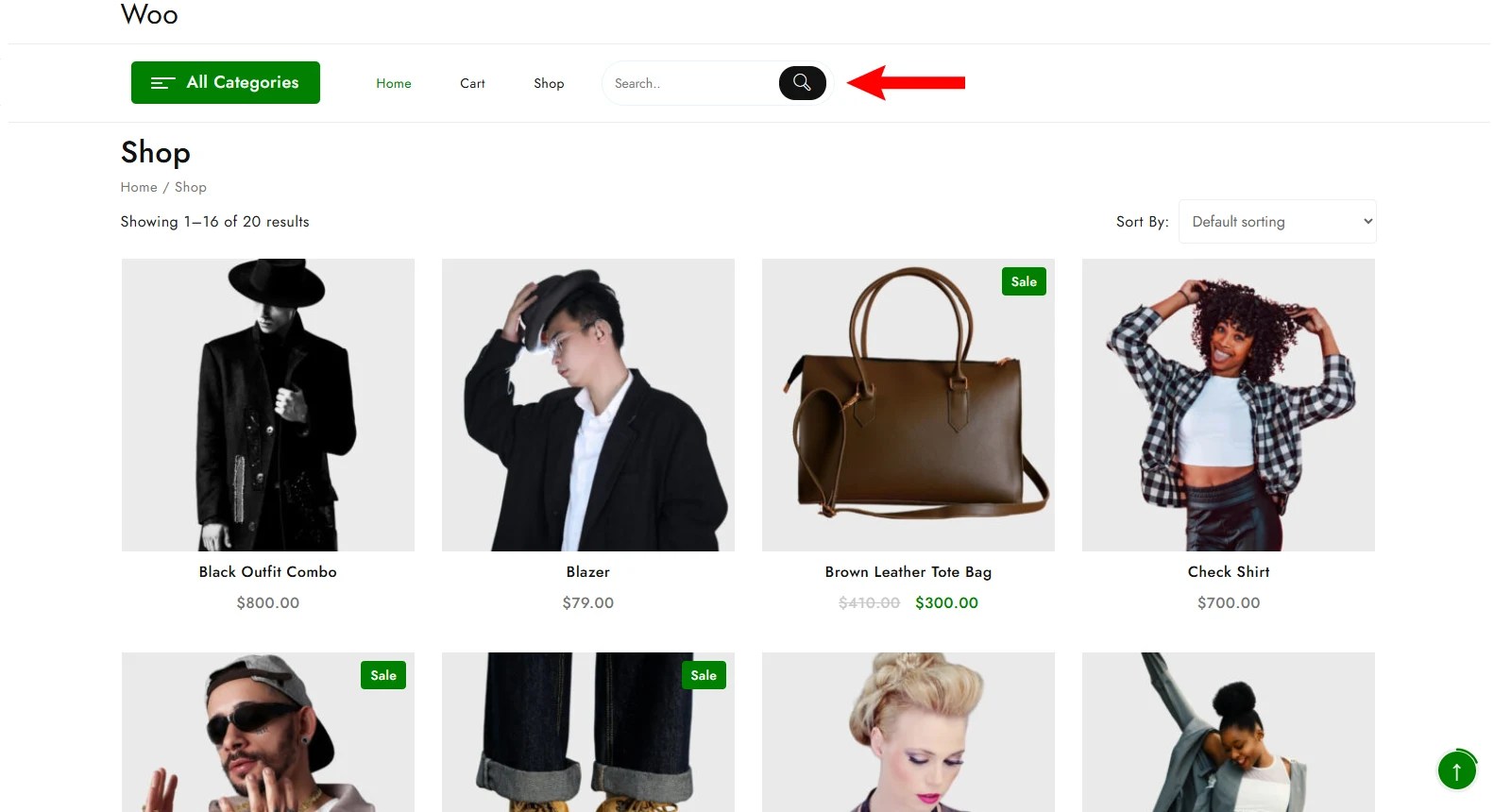
This is a visual representation of the Advance Product Search plugin.

Dashboard Settings
Fuzzy Search

If you enable this setting, you can set the matching level. As it is 50%, the search will show results if the keyword matches 50% with the result.

Boost search

This helps you increase the speed of the search.
Style

You can control the appearance of the search bar. In fact, every component is customizable. You can pick your favorite colors and design here. On the right side, the live preview is given, which shows the result in real time.
Configuration

You can configure the search with this section. Dedicated sections are given for various components.
Features of Advance Product Search Plugin
- Predictive search – This helps users find the desired product fast by showing related results as they type. This reduces effort, speeds up discovery, and improves the overall shopping experience by guiding users toward the right products instantly.
- Handles Typos – Even if users make mistakes while typing, it still shows the related result. This makes the search experience more forgiving, user-friendly, and reliable, especially for fast typers or mobile users.
- Fast & Accurate Results – This delivers results in milliseconds as speed and precision are core to the search experience. It uses advanced indexing and ranking techniques to ensure users see the most useful products first, helping them find exactly what they need without unnecessary scrolling or guesswork.
- Search by SKU, Tags, or Description – Users can search products using multiple attributes such as SKU, Tags, Attribute, Brand, or Detailed descriptions. Whether they know the exact product code or just a keyword, the plugin ensures comprehensive search coverage. This flexibility is especially helpful for businesses, repeat buyers, or users looking for very specific items.
- Easy Integration – This plugin is very easy to integrate, whether you have a classic or block theme. No technical setup is required.
- Responsive & Mobile-friendly – This works best on all devices. Your users will get the best experience whether they are accessing your site by mobile, desktop, tablet, or laptop. This ensures consistent usability, faster interactions, and higher engagement for users on the go.
- Search Analytics & Insights – Analytics are valuable. With this plugin, you get insights into user behavior with search analytics. Track what users are searching for, identify popular products, and uncover gaps where results may be missing. These insights help businesses optimize inventory, improve search relevance, and make data-driven decisions to enhance the overall customer experience.
About Shop Mania
In this tutorial, we used the Shop Mania theme. Well, there are several reasons behind the consideration of this theme. Let’s see some of its features.

Fast & Smooth Performance – This theme is one of the fastest WordPress ecommerce themes. Your users would get the best experience interacting with your website.
Responsive– It is designed fluidly like a responsive design. So whatever device it is accessed on, it will perfectly fit. Its sections and widgets are also mobile-friendly.
Premade Template – It comes with over 99 premade templates, which are ready to be imported. Within seconds, you can import the template and build your website. Later, you can customize it and personalize it.
eCommerce-ready – It is deeply integrated with WooCommerce, so it works fine for ecommerce website or online store. Features you need for ecommerce sites are provided by woocommerce.
Page Builder Compatible – Page builder compatibility ensures you can design your site without coding. Page Builders ease the design with its features like drag-and-drop builder.
FAQ
Q. How does predictive search improve user experience?
Ans. Predictive search suggests products as users type, reducing effort and helping them find what they need faster without completing the full query.
Does the plugin work on mobile devices?
Yes, it works smoothly on mobile devices. It fits on every device it is accessed.
Can I customize the search interface?
Yes, you can customize the interface and backend settings from the plugin’s dashboard.
Is coding knowledge required to integrate the plugin?
No coding is required to integrate the plugin. If you integrate the plugin using PHP code, then you should have knowledge about PHP and its files.
Does predictive search slow down the website?
No, a well-optimized search plugin is designed to be fast and lightweight, ensuring minimal impact on performance.
Conclusion
So, you learnt how to integrate a search functionality into your site. Within a few steps, you can upgrade your store.
Features like predictive search, typo tolerance, and advanced filtering ensure that users stay engaged and are more likely to complete their purchases. In short, an effective search plugin enhances both user experience and business performance.
Whether you manage a small online store or a large e-commerce platform, understanding this can help you deliver a faster, smarter, and more engaging search experience.
I hope this blog will help you. Still, if you have any queries or suggestions, then let me know in the comment section.
You can subscribe to our YouTube Channel, we also upload great content there, and follow us on Facebook and Twitter.
Discover More Articles


