
Overview – The Shop Mania Plus Size Shop Template is a WordPress theme designed for plus-size fashion companies. It is quick to install with one click setup and complete customization, ideal for non-tech users.
“A plus-size fashion website should celebrate style, confidence, and inclusivity, ensuring every customer finds the perfect fit.”
WordPress supports millions of sites, and using WooCommerce, you can have an effortless eCommerce shop, even for a niche as specific as plus size shop.
If you own a business with plus-size clothes that you’d like to highlight easily, then this is the method to employ. No need for coding because there are templates for Plus Size Shop ready to be used!
Today, we will take you through how to create a stunning plus-size fashion shop with the Template for Plus Size Shop of the Shop Mania theme.
The template for Plus Size Shop is created specifically for plus-size fashion brands to provide a seamless, interactive, and inclusive shopping experience.
What Is Shop Mania and Its Templates?
Shop Mania is one of the quickest and most adaptable WordPress eCommerce themes available, providing a whole package to create an eye-catching and fully functional online shop.
Main features of Shop Mania:
- Fully customizable
- Responsive
- Compatible with Elementor and other page builders
- WooCommerce-ready
- Pre-designed templates
- Optimized for conversion
Why Use the Plus Size Shop Template?
Finally, you can have a trendy and diverse fashion website without learning to code! With the Template for Plus Size Shop, you can:
- Install a pre-designed layout in one click with the one-click install functionality.
- Display your clothing lines in an organized, visually stunning, and conversion-maximized design.
- Make your site easily customizable with Elementor’s drag-and-drop page builder.
- Maximize the shopping experience with WooCommerce integration and a hassle-free checkout.
Key Features of the Plus Size Shop Template:
Homepage Design
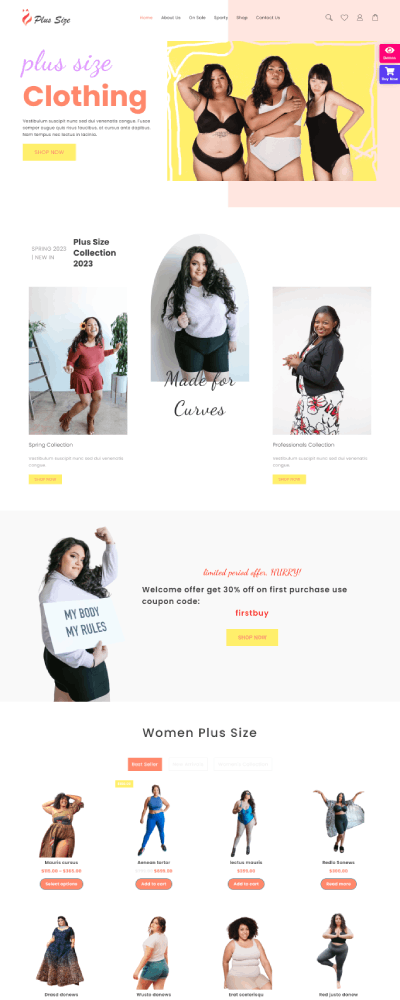
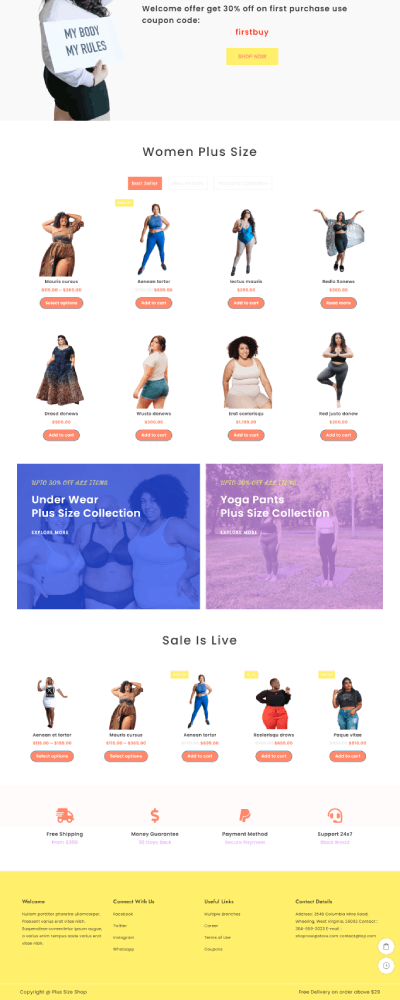
The homepage is optimized to grab visitors’ attention and smoothly navigate them through shopping. The template for Plus Size Shop provides maximum engagement with:
- Hero Section: A high-quality product image with an enticing call-to-action button.
- Featured Products Section: Promotes best-sellers or newest products to garner customer attention.
- Category Display: Nicely sectioned sections for better navigation for an effortless browsing experience.
About Page for Brand Credibility
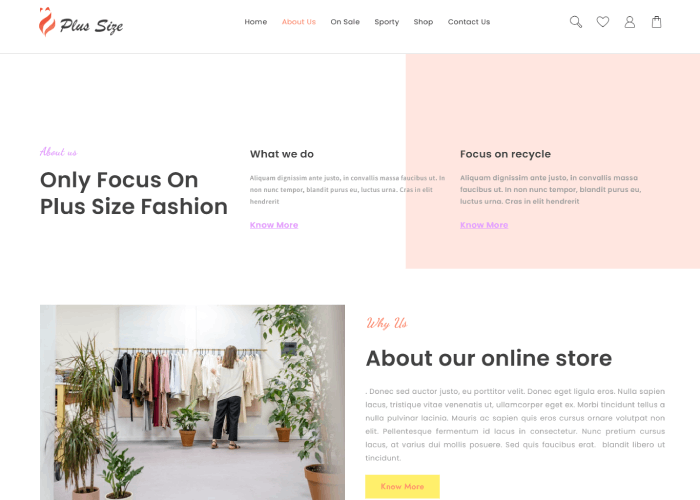
The About Page enables companies to tell their brand story, mission, and values and thereby create an emotional connection with prospective buyers.
With the Template for Plus Size Shop, each page is crafted to maximize the buying experience with a beautifully designed and responsive interface.
Shop Page for an Improved Browsing Experience
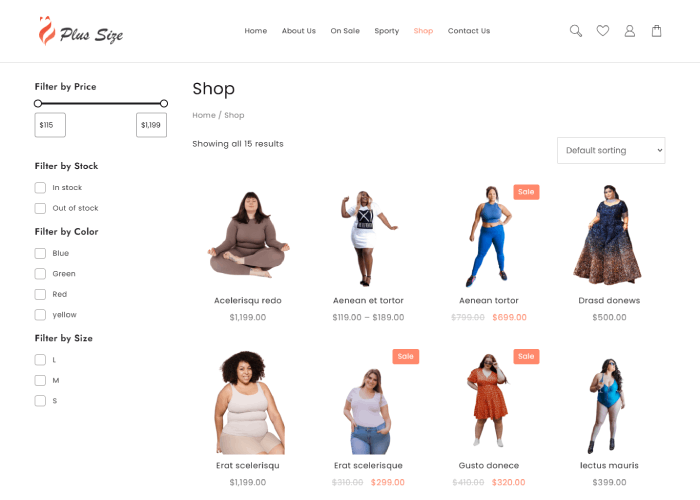
The Shop Page enables your customers to browse your product range easily. It features:
- Grid and list layout options for easy shopping.
- More advanced filtering criteria (price, size, color) for increased searchability.
- Quick view feature to view product information without leaving the page.
Contact Page for Customer Support
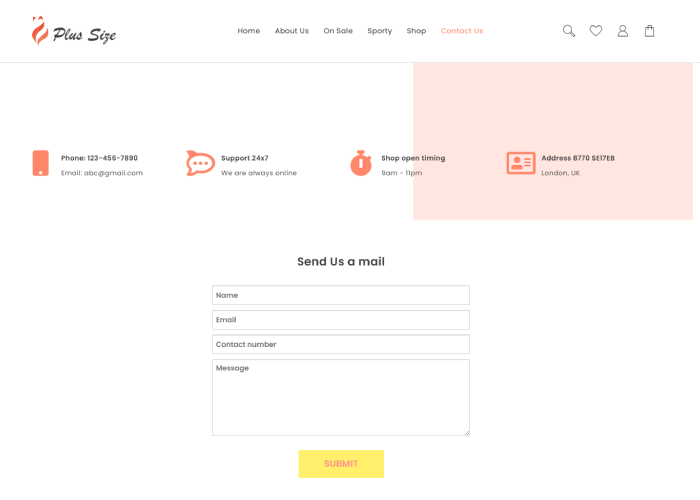
A focused Contact Page provides simple access to customers for inquiries, with:
- An easy-to-use contact form.
- Store location information (if required).
- Social media connections for enhanced connectivity.
Check out Page

Plus Size Shop template provides a smooth and user-friendly checkout page to ensure an effortless shopping experience.
Key Features:
- Clean & Minimalist Design – Emphasizes key details for a smooth process.
- Guest Checkout & Account Registration – Ease of use for new and repeat customers.
- Step-by-Step Checkout – Takes users through billing, shipping, and payment.
- Multi-Payment Gateway – Credit/debit card, PayPal, UPI, and net banking support.
- Mobile-Optimized – Provides a responsive experience across all devices.
- Address Autofill & Shipping Options – Facilitates a smoother checkout.
- Order Review & Confirmation – Promotes transparency and trust.
Product Search
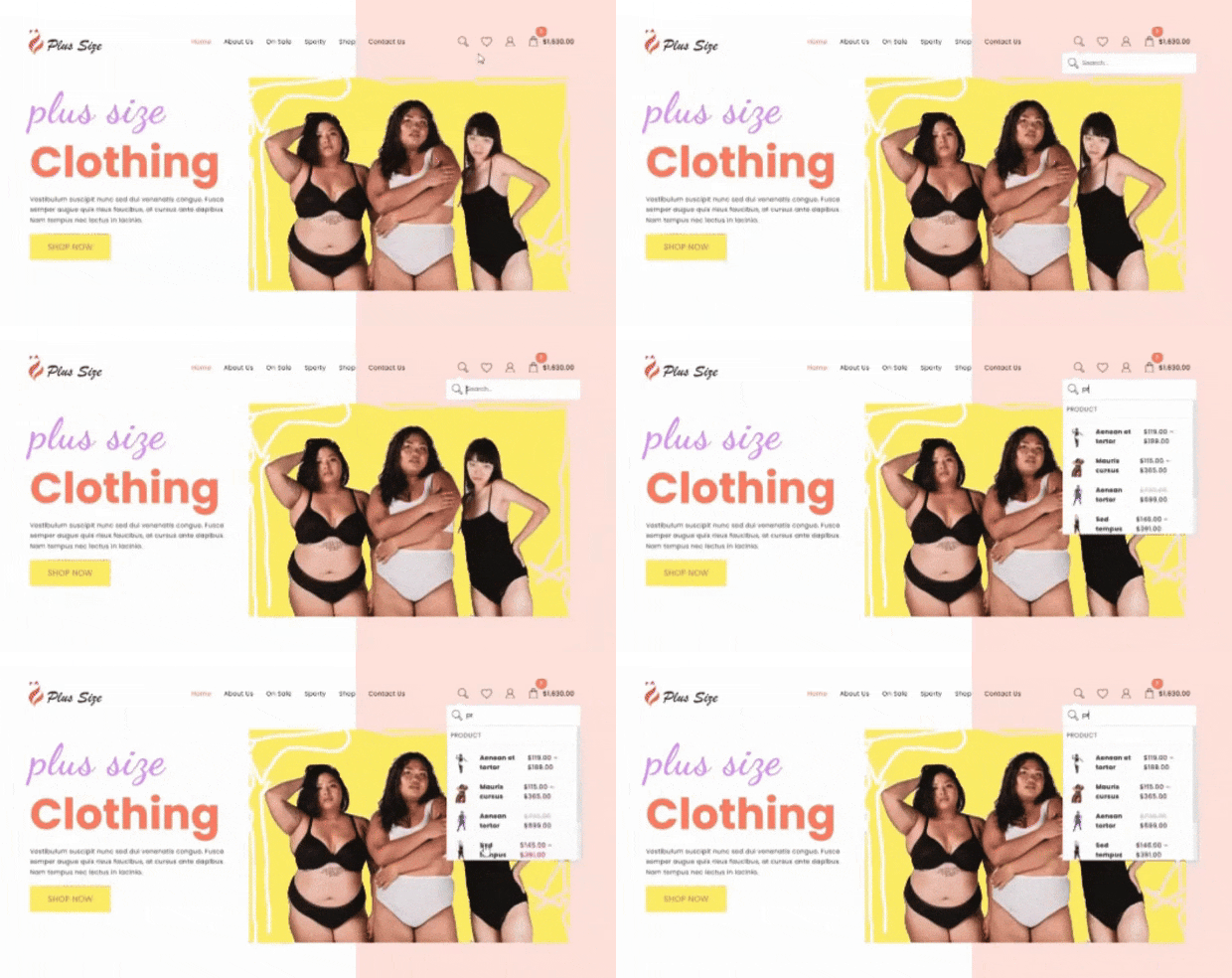
A product search on a website is akin to a simple search bar that one would find in online shops, where one can type in keywords like “black t-shirt” or “sports shoes.”
This triggers a list of related products to show up, which can then be further filtered using side filters for features like size, brand, price, or colour.
Shopping Cart
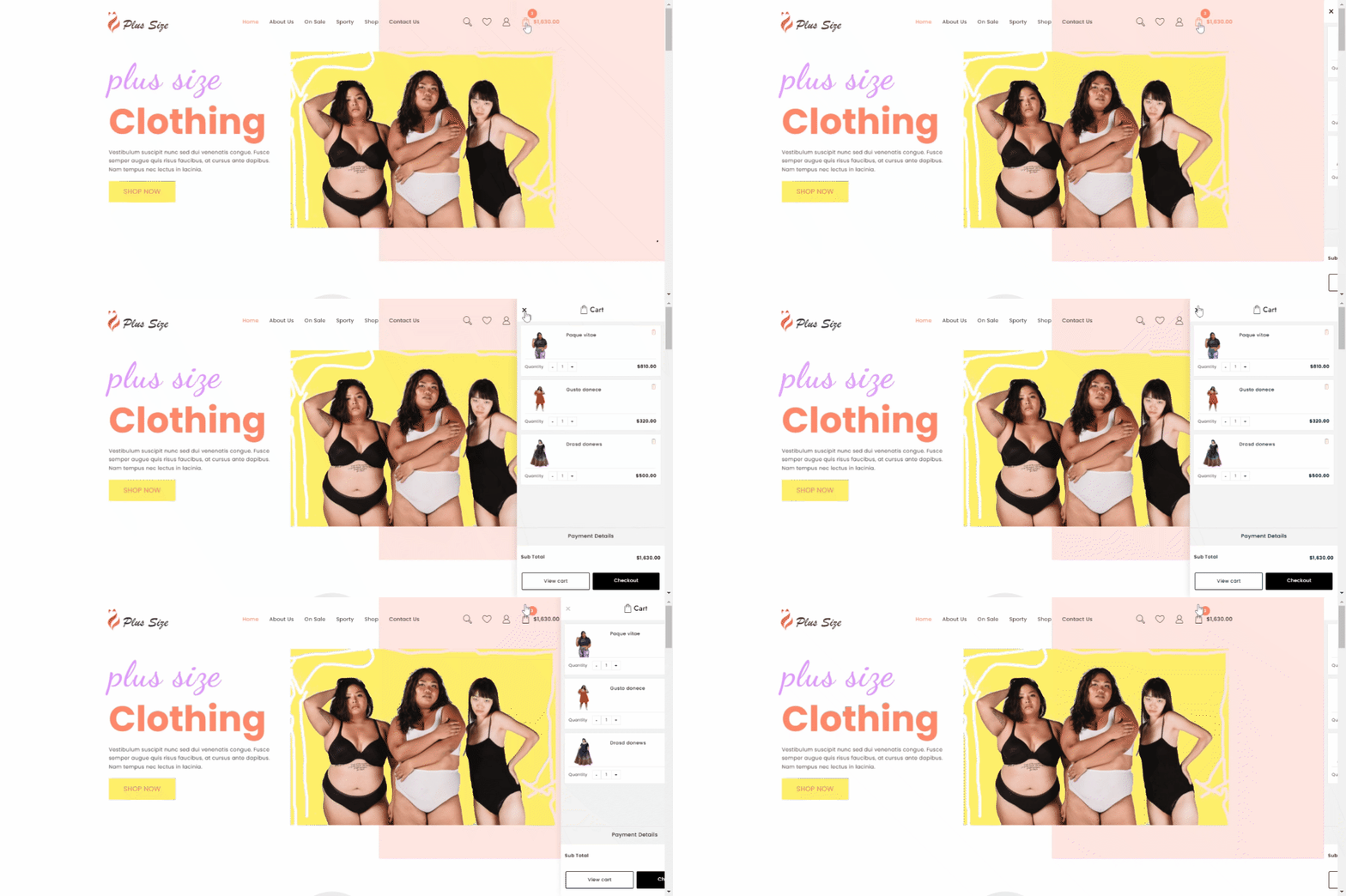
Implementing a shopping cart on your site is a necessary feature for any online business since it offers customers an easy avenue to browse, organize, and buy products.
The Plus size shop template shows 2 cart icons on the page. First, on the menu, and second, is Floating Cart.
Quick view
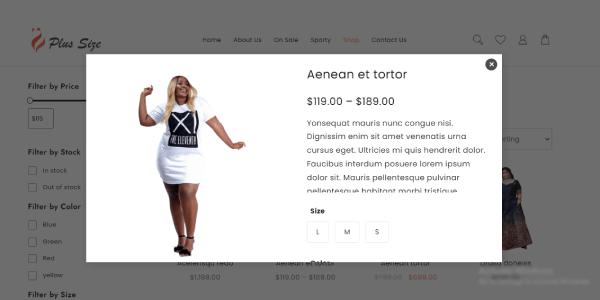
A “quick view” on a web page is an option where a customer hovers over or clicks on an image of a product on a product listing page, which opens a pop-up window with detailed product information, such as pictures, price, options for different sizes, and an “add to cart” button, without leaving the product listing page; basically, taking a quick look at the item before deciding to view it in full.
How to Install the Plus Size Shop Template in One Click
Download and Install the Theme
To install the Plus Size Shop template, first install Shop Mania. It’s not a theme; it’s a package and it enables demo import functionality.
Buy and Download the Shop Mania Theme to Get Started
Click the button below.
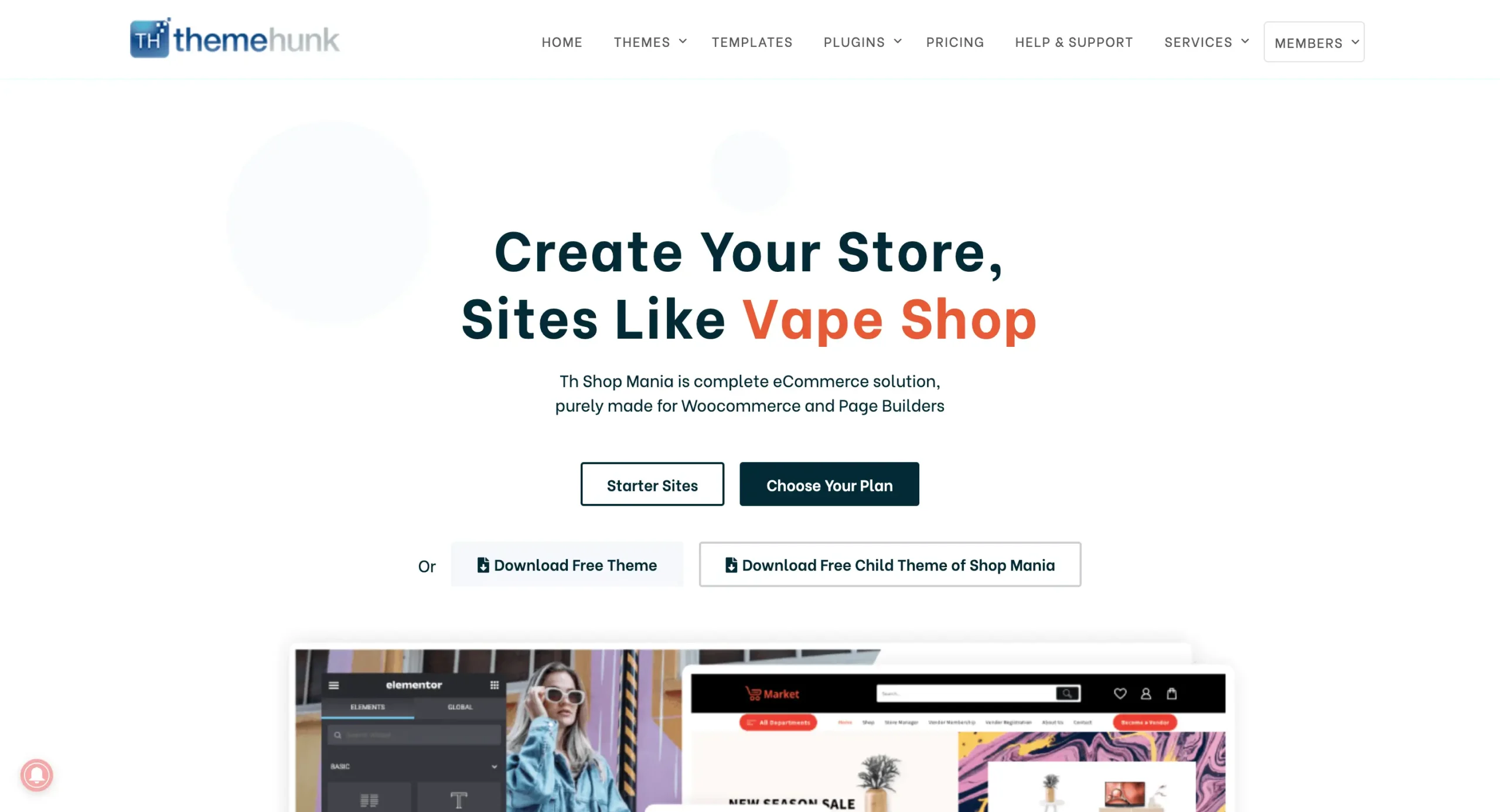
After buying the theme, click on “Member’s Area” from the top right corner and log in to your account.
You can log in to your >> Member’s area from here

You can find and download your purchased themes and plugins on this page.
Installing Shop Mania Pro Plugin
Log in to your WordPress Dashboard
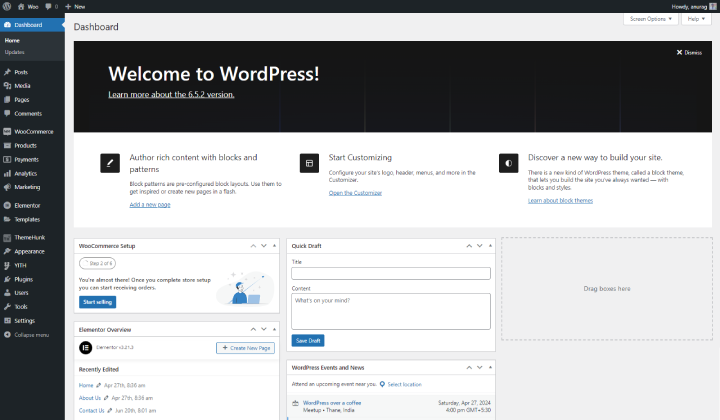
Log in to your WordPress dashboard with credentials.
Go to Plugins and click on Add New Plugin

To install a new plugin hover on Plugins and press on Add New Plugin.
Here you can view the Upload plugin at the top left of the page, Click on it.
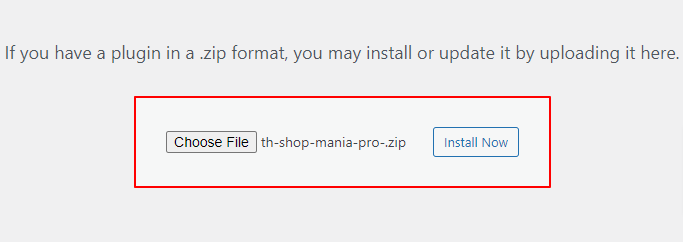
Upload the Shop Mania Pro plugin and Click on Install now.
And then Activate the Plugin.

You can see the “Activate Plugin” Click on it, After activation you’ll be redirected to the plugin page where you can get the Shop Mania Pro plugin.
Generate and Activate License
In order to use Shop Mania Pro to the fullest, you must activate the license after you’ve installed the theme. This will enable all premium features.
Navigate to Appearance and click on License

Find your Key, And Enter your license key.

Now, Log in with Member’s Area Credentials.

The license key is displayed on this page. Click ‘Copy’ to copy it.

Copy the License Key to the clipboard. You can then paste the key into the box on the License Page.
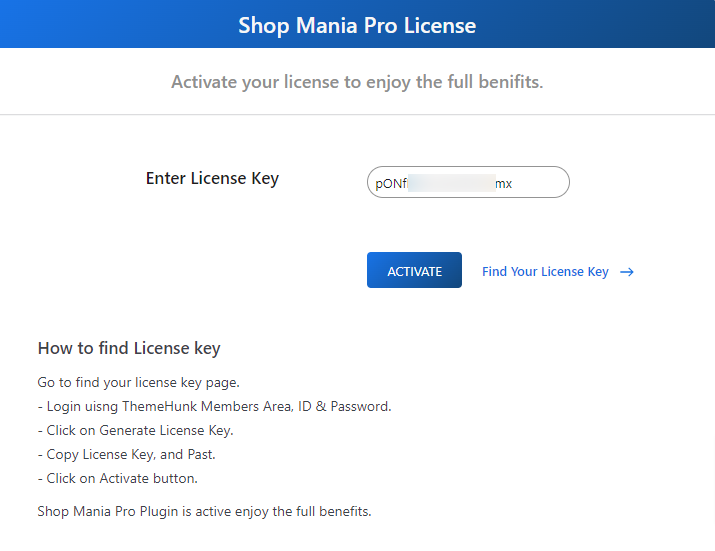
After pasting the License Key, click on Activate
Import Plus Size Shop Template
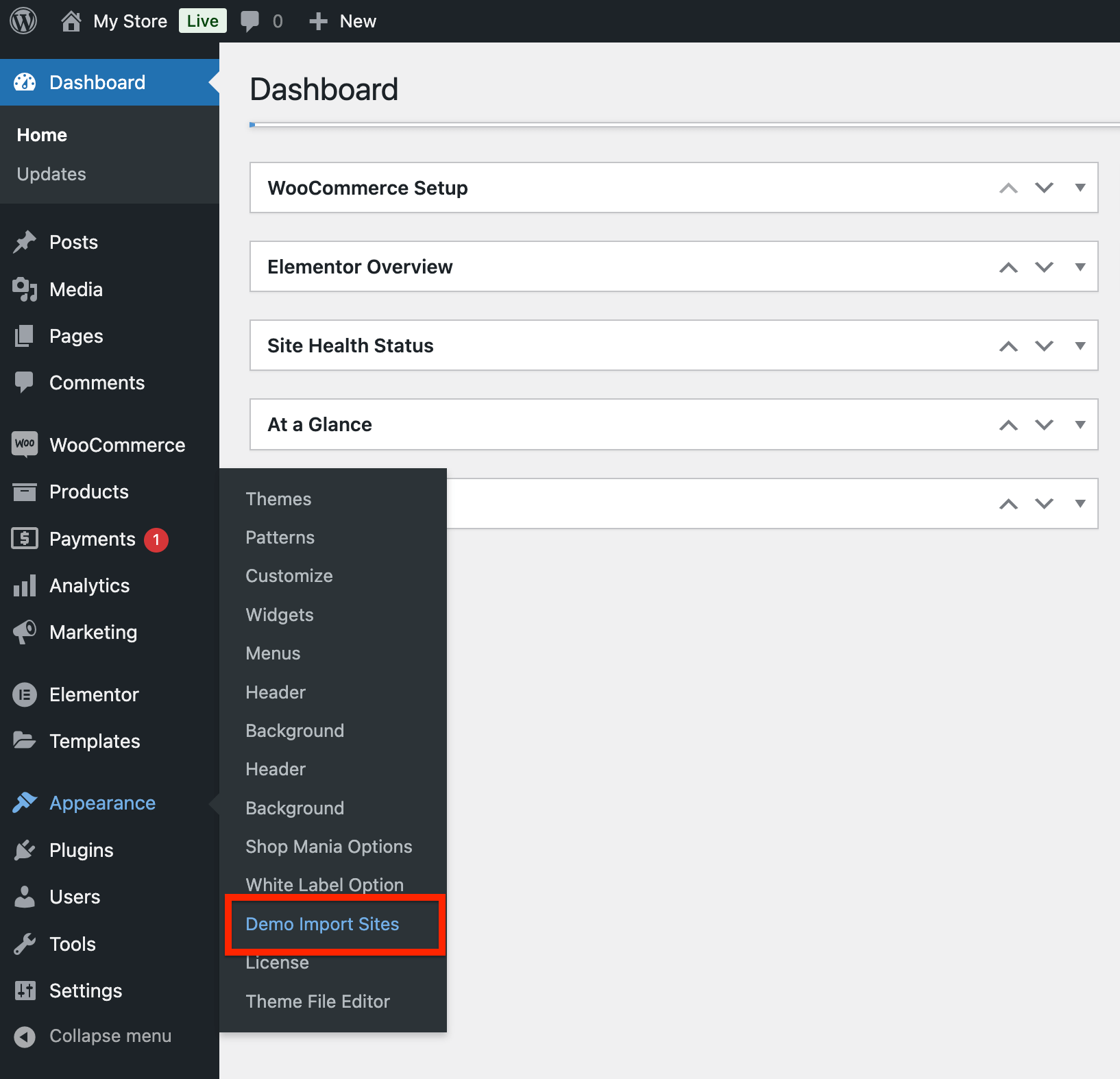
Go to Appearance and click on Demo Import Sites
Open Appearance > Demo Import Sites
Shop Mania version On the following page you will see the Shop Mania version with the button that states View All Starter Sites. Click the button.
Click View All Starter Sites.

Explore all Shop Mania templates listed below. Sort by category or page builder to locate what you are looking for. To see the Clothing Template, search for it and click.
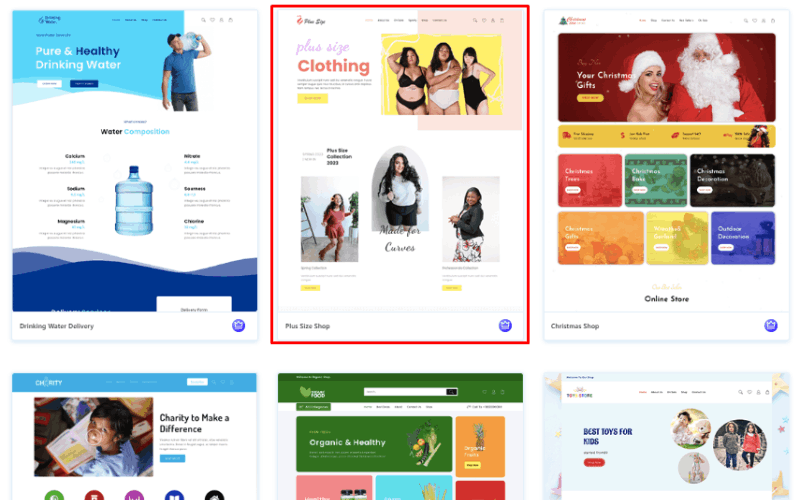
You can view your full site from here. Click ‘Continue’ when you’re done.

Now, Click on Build Your Website.

The process can take some time.
(⚠ Do not leave this page while your template is imported.)
On the next page, there is the “Customize” button to tailor your site to your needs and the “View Website” button to view what it looks like.
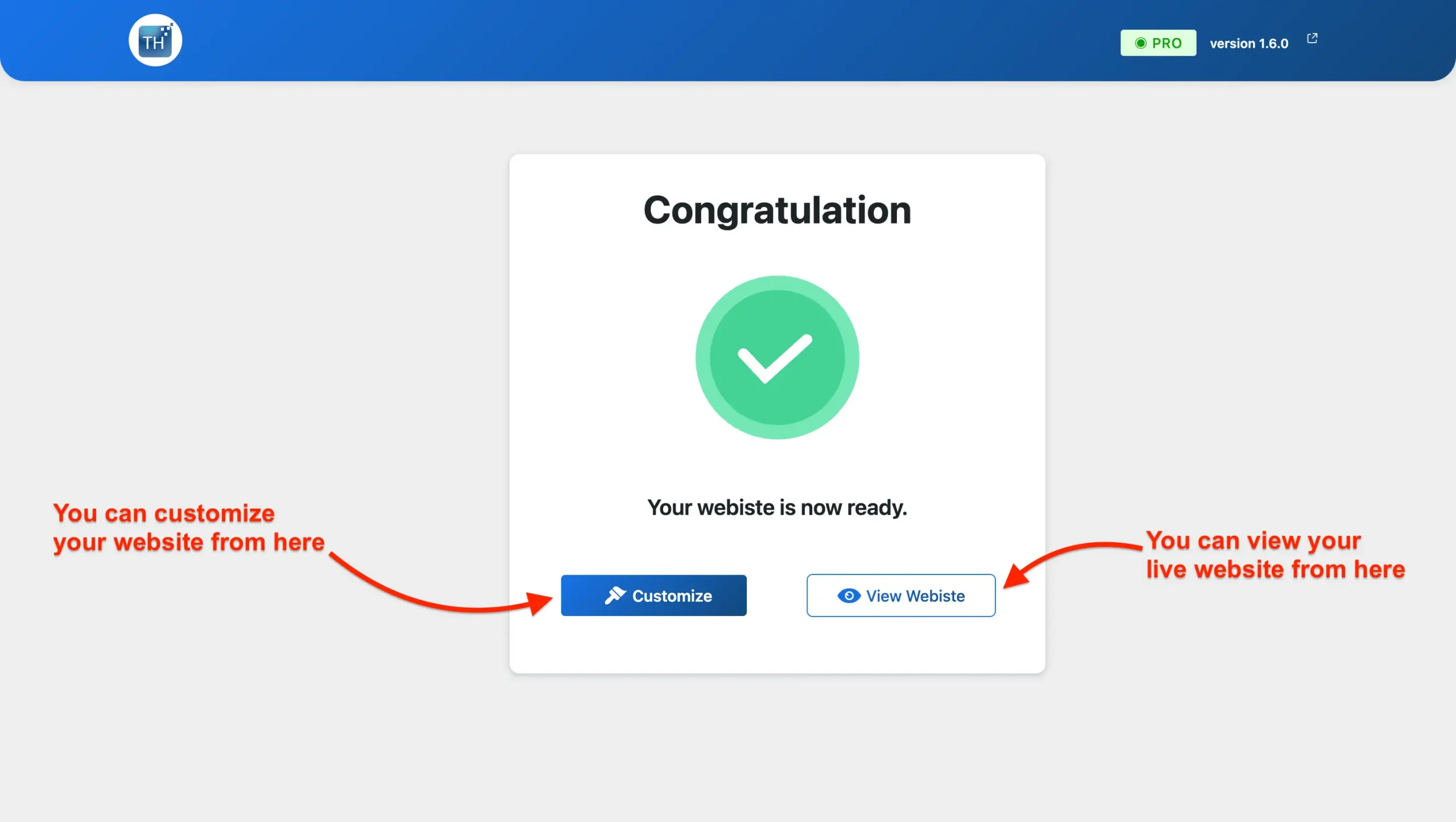
The website is Ready. You can take a look.
Customize or Alter the Plus Size Shop template.
If you are interested to modify your website then you may do so with the assistance of Elementor page builder and it is quite simple and easy as well.
This is how meticulous steps are followed for Customizing the Single-product website
Do the following steps: Visit the Homepage of your site, and you will have the Edit With Elementor as shown in the Image below.
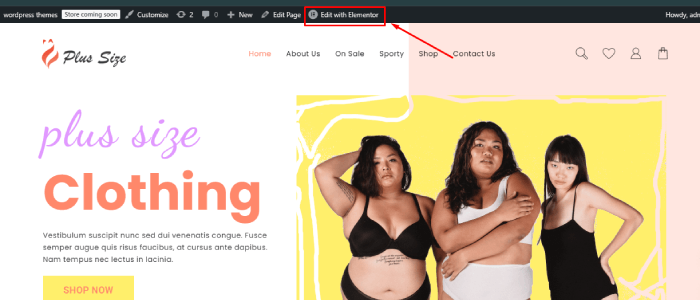
The Elementor drag-and-drop editor makes it so easy to customize. Make changes to color, font, content, and even the site structure with ease.
Insert, modify, or delete any section to your preference smoothly and easily!
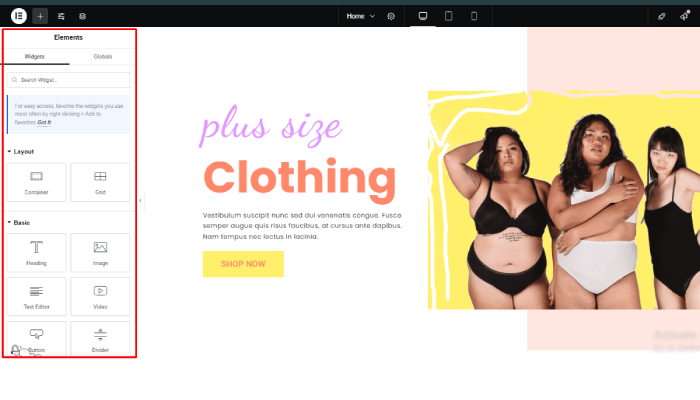
Personalize your site with ease using Elementor, a seamless, drag-and-drop page builder. Unleash your creative vision and bring it to life!
Adding Your Product to WooCommerce
When you import a template, it also brings in placeholder content that you can customize with your own.
Now, let’s go through the steps to add products to your WooCommerce store. Navigate to Products and click on Add New.
You’ll see the product creation page here. The title and description fields are available. In the description area, include key features, benefits, and any other important details about the product.
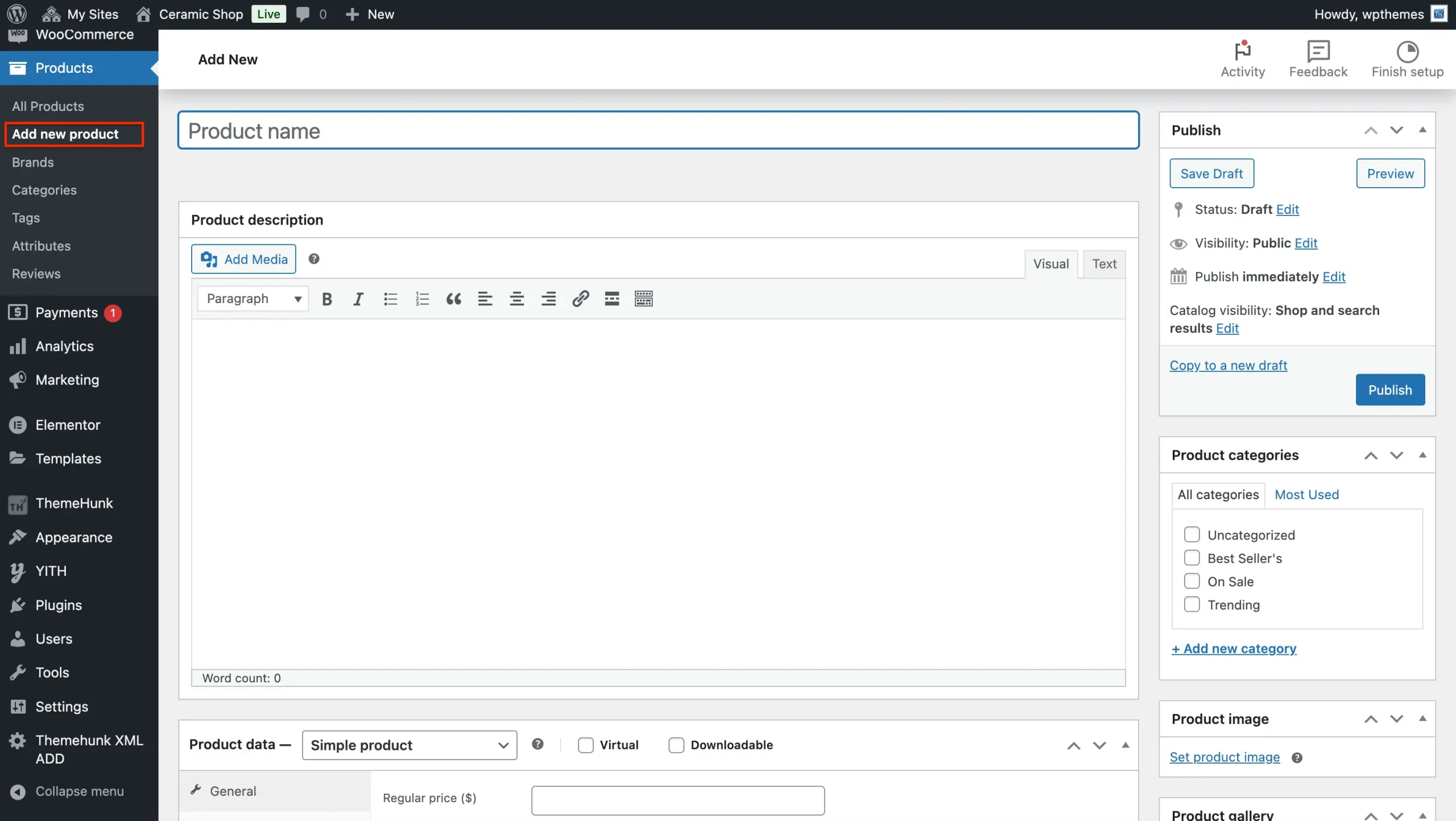
Next, choose the relevant ‘Product type’ from the dropdown menu after scrolling down to the ‘Product data’ area. These are your options:
Set Product Type
- Simple Product: Select this option for physical products that have no variations, such as a single article of clothing or a standard book. If you’re selling downloadable products, e.g., courses, make sure to mark the ‘downloaded’ box.
- Grouped product: Utilize the “grouped product” strategy to sell multiple related items as a single unit.
- External/Affiliate Product: Choose this option to feature a product that can be bought through an affiliate link on a different website.
- Variable products: Products that come in various sizes, colors, or styles are referred to as variable products (e.g., a t-shirt in different sizes and colors).
Set product price and inventory details.
There are two price boxes.
- Regular Price – Enter the price of the product.
- Sale Price – Enter the sale price.
Product images.
- Product – Click on Set Product Image and upload or choose an image from the media that you wish to choose.
- Product Gallery Images – If you have multiple images of your product then add them here.
Category And Tags.
- Category – Make a category out of the button, Add New Category, and allot the categories. You can even create sub-categories if you desire.
- Tag – Put in the keywords of the product. This makes the product more visible on the site.
Publish The Product
Press “Publish” to get your product live!
Tips to Optimize Your Plus Size Shop Website
✅ Use high-quality images & videos – Customers rely on visuals to make purchasing decisions.
✅ Highlight customer testimonials – Build credibility with social proof.
✅ Optimize for mobile users – Ensure smooth navigation across all devices.
✅ Leverage email marketing – Capture leads with a sign-up form for promotions.
✅ Offer limited-time discounts – Create urgency to boost sales.
Essential Tools and Plugins to Enhance Your Site’s Functionality:
To make your online experience smooth and effective for your customers, consider the following key plugins and tools:
- Live Product Search: This allows customers to quickly find particular ceramics, tools, or materials using a real-time search option. This feature improves user experience and increases the chances of closing a sale.
- Product Compare: This will enable customers to make knowledgeable choices by allowing them to compare different pieces based on factors such as size, material, firing temperature, and so forth. A straightforward comparison table indicates the prominent distinctions between them.
- Woo Cart: An essential feature for any e-commerce site is a visible cart in the menu, ideally with a floating option. This allows customers to easily view their selections and smoothly navigate through the checkout process.
- Variation Swatches: Highlight the subtle differences in your ceramics. With visual swatches, let customers quickly see all the color options, sizes, or glaze variations.
- Lead Form Builder: Collect valuable customer information and grow your marketing list using a customizable contact form. Leverage these leads to introduce new products, provide exclusive discounts, or share pottery tips.
- Rank Math (SEO): Enhance your shop’s visibility on search engines like Google. This plugin optimizes your product listings and website content, making it easier for potential customers to discover you.
- Jetpack: Enhance your understanding of your website’s performance through detailed analytics. Monitor key metrics such as traffic sources, popular products, and customer behavior to improve your offerings and marketing strategies.
- WooCommerce Addons: Specialized add-ons can boost the functionality of your WooCommerce store with features such as inventory management, advanced shipping features, security boosts, and so much more.
Final Thoughts
Shop Mania’s Plus Size Shop Template is a great choice for business owners to build a conversion-focused, low-maintenance eCommerce site.
Due to its one-click installation process, you’ll be able to install your plus size store quickly.
What are you waiting for? Download Shop Mania today and start your store!
If you enjoyed this post, please do share it with your friends. If you have any questions or concerns, don’t hesitate to leave a comment below, and we’ll be more than happy to help. Thanks for reading!
We hope this post can assist you in finding a new website template for your plus size store.
Please Subscribe to our YouTube Channel, we also upload great content there Do Follow us on Instagram and Twitter.
FAQ
Q: Are there pre-installed features included in the template?
Ans: Yes, the template usually comes with pre-installed features such as a product gallery, shopping cart, user reviews, and contact forms. Some templates may also include SEO optimization tools and social media integration.
Q: Can I add my own products easily?
Ans: Yes, the template allows for easy product management. You can add, edit, or remove products using a user-friendly backend interface, making inventory management straightforward.
More Helpful Reads:


