
Overview ➣ A strong online presence is essential for maintenance service providers. The Shop Mania WordPress theme introduces its Maintenance Services template, offering a simple way to create a professional website. With a one-click install, this template helps showcase your services, attract more clients, and grow your business without technical difficulties.
Driven by WooCommerce and WordPress, with 43% of the websites on the planet, this template is a proven and scalable maintenance business solution.
In the current digital age, a good-looking website is not a luxury but a necessity for companies, particularly maintenance service companies.
Suppose you own a small repair shop, a domestic cleaning business, or a large maintenance company.
In that case, going online enables you to target a wider audience, showcase your experience, and create more leads.
The Shop Mania WordPress theme presents its Maintenance Services template, a feature-packed and sleek design that is customized to suit your business requirements.
With the one-click install facility, you can create a breathtaking website with ease, without facing any technical hassle.
Let’s see what makes this template a great fit for maintenance service companies!
What Are Shop Mania Website Templates?
Shop Mania is a set of WordPress website templates created exclusively for e-commerce companies.
The templates provide a pre-made, editable solution for constructing online shops, and it is simple for users to have a nice-looking and fully operational shop without requiring a lot of coding expertise.
Designed to tie in perfectly with WooCommerce, one of the largest eCommerce plugins on WordPress, Shop Mania templates offer necessary functionality such as product management, secure payment gateways, stock management, and customizable shipping options.
Whether you’re starting a new store or giving your existing store a makeover, Shop Mania’s templates make it easy, enabling you to concentrate on expanding your business while providing a seamless shopping experience for your clients.
Why Use the Maintenance Services Template?
The Maintenance Services template is loaded with features to ensure your business prospers online:
✅ Responsive Design: Works perfectly on any device, providing a seamless experience on mobile, tablet, and desktop.
✅ Modern & Professional Look – Clean, organized layout that showcases your services in the best light.
✅ SEO Optimization: Designed with SEO best practices to boost search engine positions.
✅ Easy Customization: Modify colours, fonts, and layouts in an instant to reflect your brand image.
✅ WooCommerce Integration: Handle bookings, payments, and service listings without a hassle.
✅ Pre-Built Addons: Features practical addons to further boost your website’s features.
With its professional layout and easy-to-use elements, the Maintenance Services template is ideal for companies that provide repairs, cleaning, plumbing, electrical services, and other related services.
Whether you are an independent contractor or a full-service provider, this template gives you a good online presence to highlight your skills and get more customers.
Features of the Maintenance Services Template
1. Eye-Catching Homepage Layout
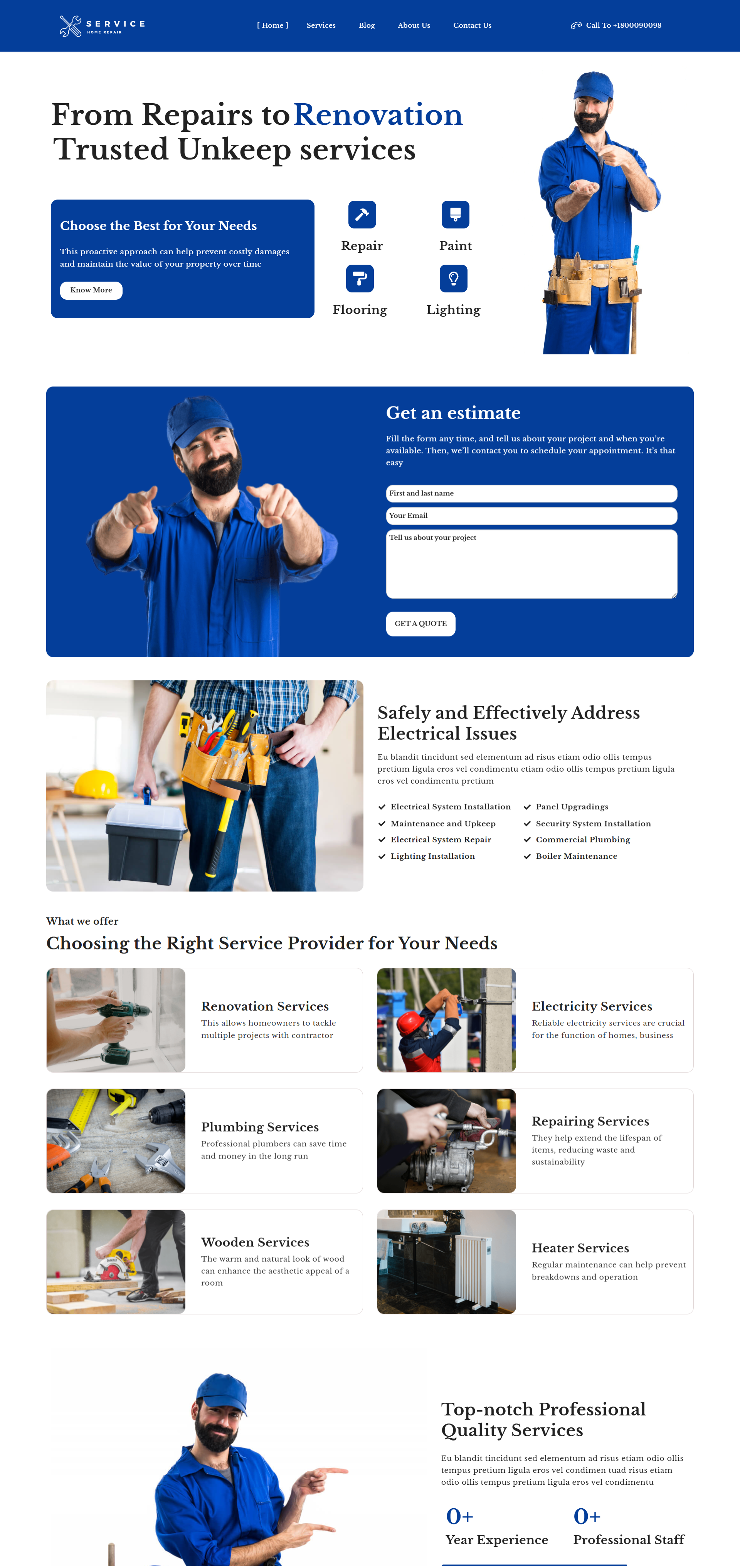
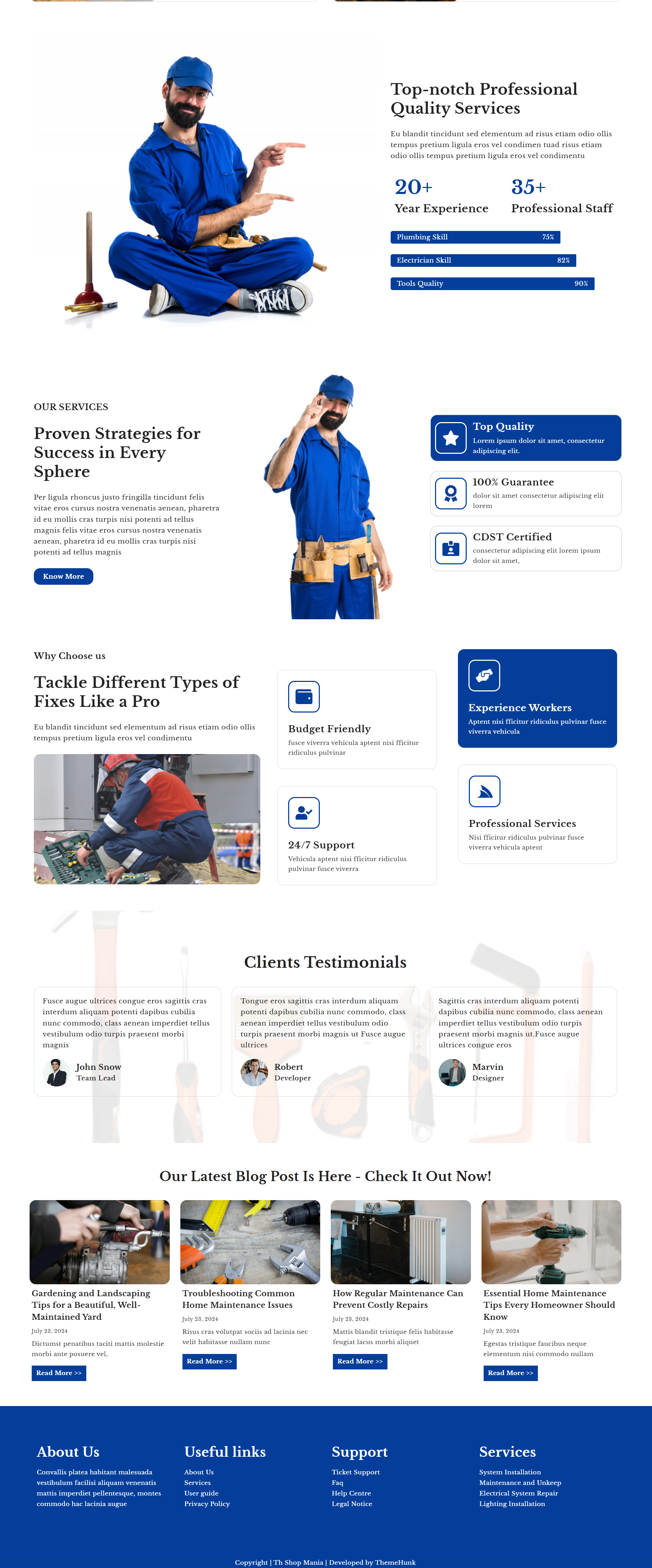
The homepage has an attractive design and a top-notch banner that draws attention immediately. The banner is perfect for announcing new services, promotions, special offers, and seasonal campaigns.
It leaves a lasting first impression and interacts with visitors from the very beginning. With an organized design, the homepage facilitates simple navigation, making it easy for users to locate the services they require quickly.
2. Service Page
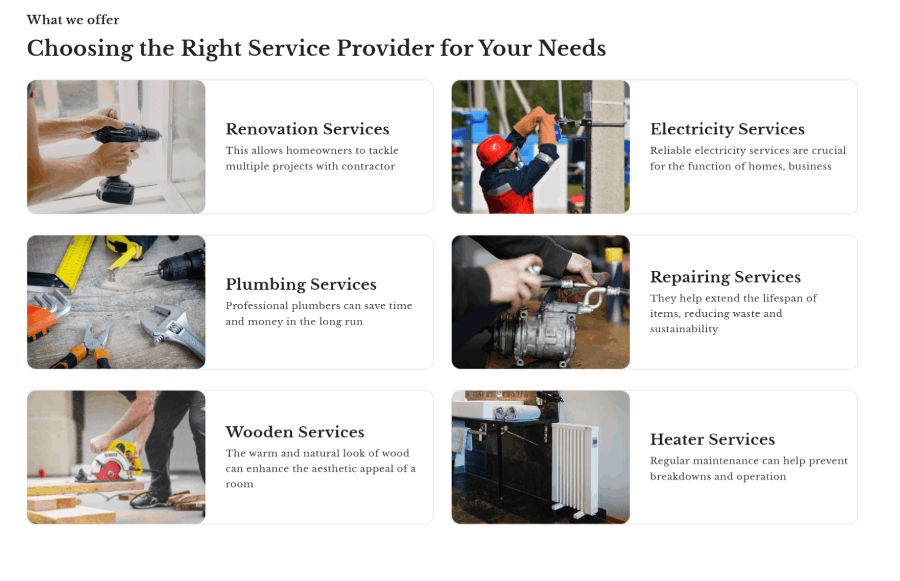
The Services page of the Maintenance Services template provides a concise overview of important solutions such as repair, painting, flooring, and lighting. It has a responsive design, providing a seamless experience across all devices.
The page emphasizes a proactive maintenance strategy, enabling clients to avoid expensive damages and preserve property value.
A basic contact form enables users to request estimates with ease. With a contemporary design and easy-to-use layout, it successfully promotes maintenance services.
3. Blog Page
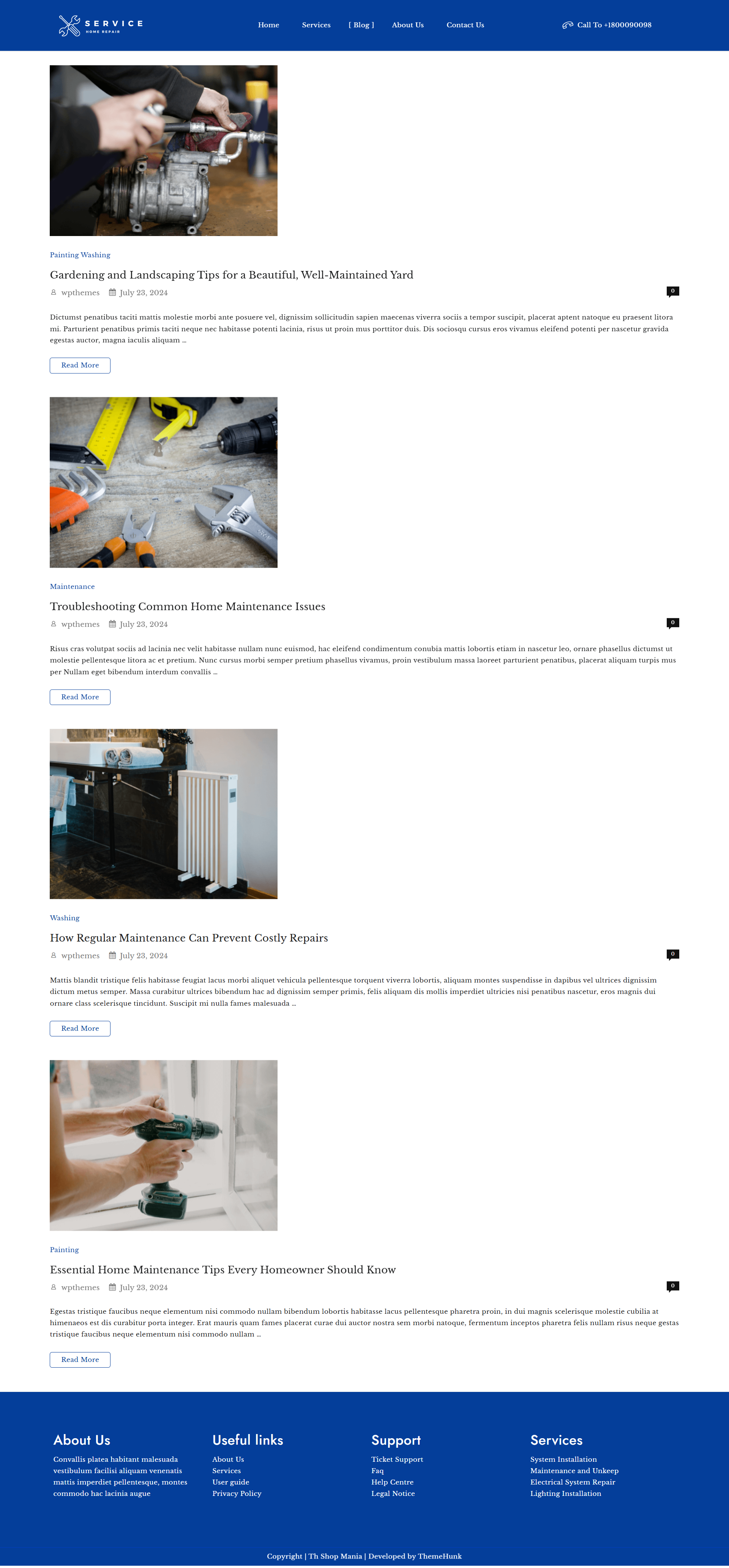
The Maintenance Services template’s Blog page includes informative home maintenance articles, gardening advice, and preventive care. Homeowners can learn good tips to keep their homes in top shape.
From repairing basic issues to the best seasonal tips for maintenance, the blog encompasses all the critical issues.
All articles are described in easy words, making do-it-yourself maintenance simple. The objective is to help users extend the lifespan of their homes and avoid costly repairs.
From small repairs to thorough maintenance, the blog is an educational resource for all maintenance services.
4. About Us Page
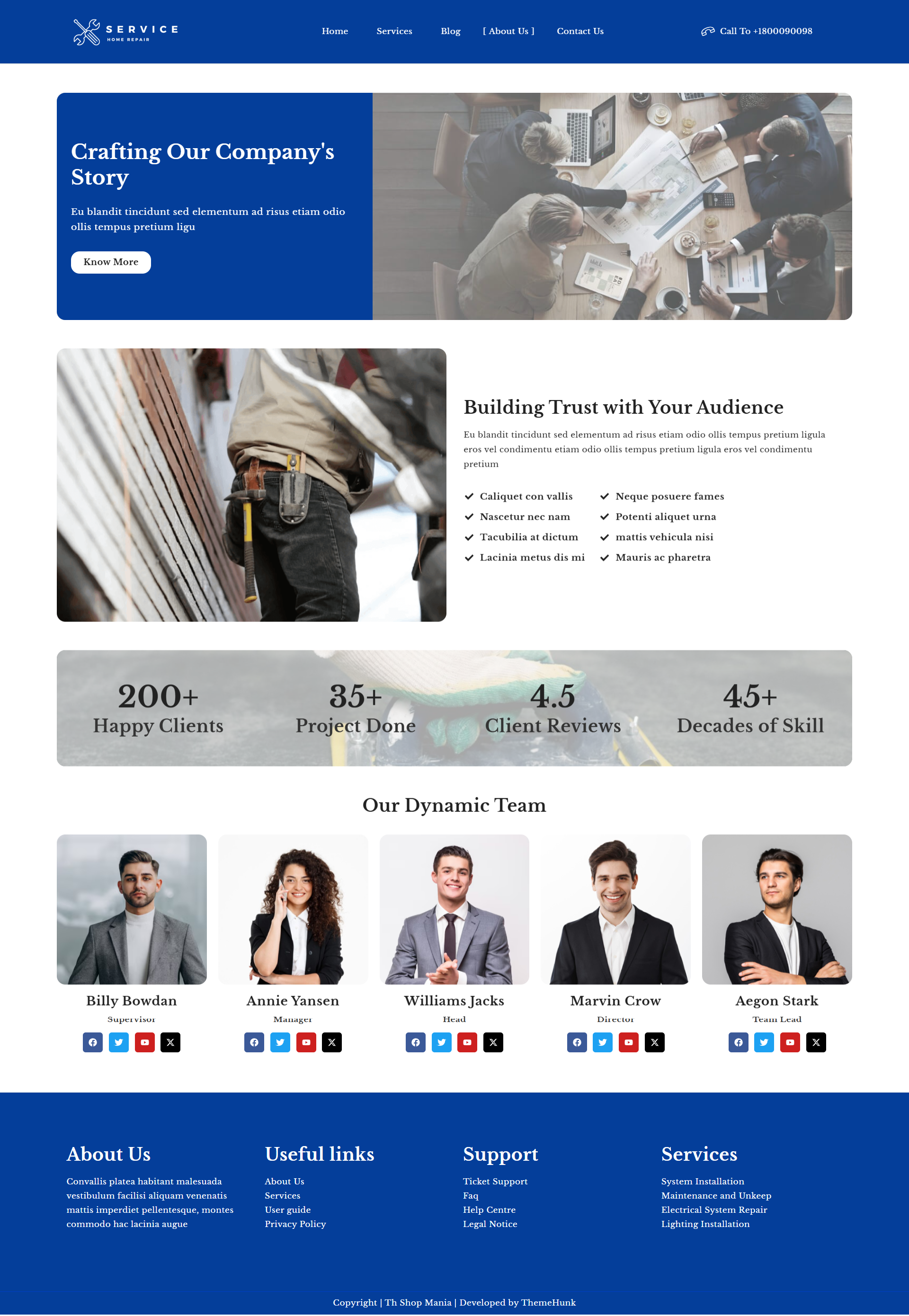
The Maintenance Services template’s About Us page provides information about the company history, mission, and staff.
It focuses on establishing trust with customers through dedication to quality service and features a vibrant team of experts committed to excellence.
The page also features impressive statistics such as the number of satisfied customers and projects done, highlighting the company’s wealth of experience in maintenance services.
5. Contact Us Page

The Contact Us page of the Maintenance Services template simplifies it for visitors to get in touch. It has a straightforward form that users can fill out to inquire about services, seek quotations, or ask questions.
The page has a comprehensive FAQ section that provides answers to basic questions. This enables visitors to find quick solutions without requiring direct assistance.
The easy-to-use design enhances communication and customer satisfaction. With visible contact information and an intuitive layout, reaching out is a breeze.
How to Install the Maintenance Services Template with One Click
Now, let’s go through the easy steps to install the Maintenance Services template. The process is simpler than you might think.
Download and Install the Theme
Before setting up the Maintenance Services template, you first need to install the Shop Mania theme, a complete solution for creating professional service-based websites.
Once the theme is installed, you can easily import the demo content and get started quickly.
Purchase and Download the Shop Mania Theme
Click the link below to get the Shop Mania theme and start building your website today!
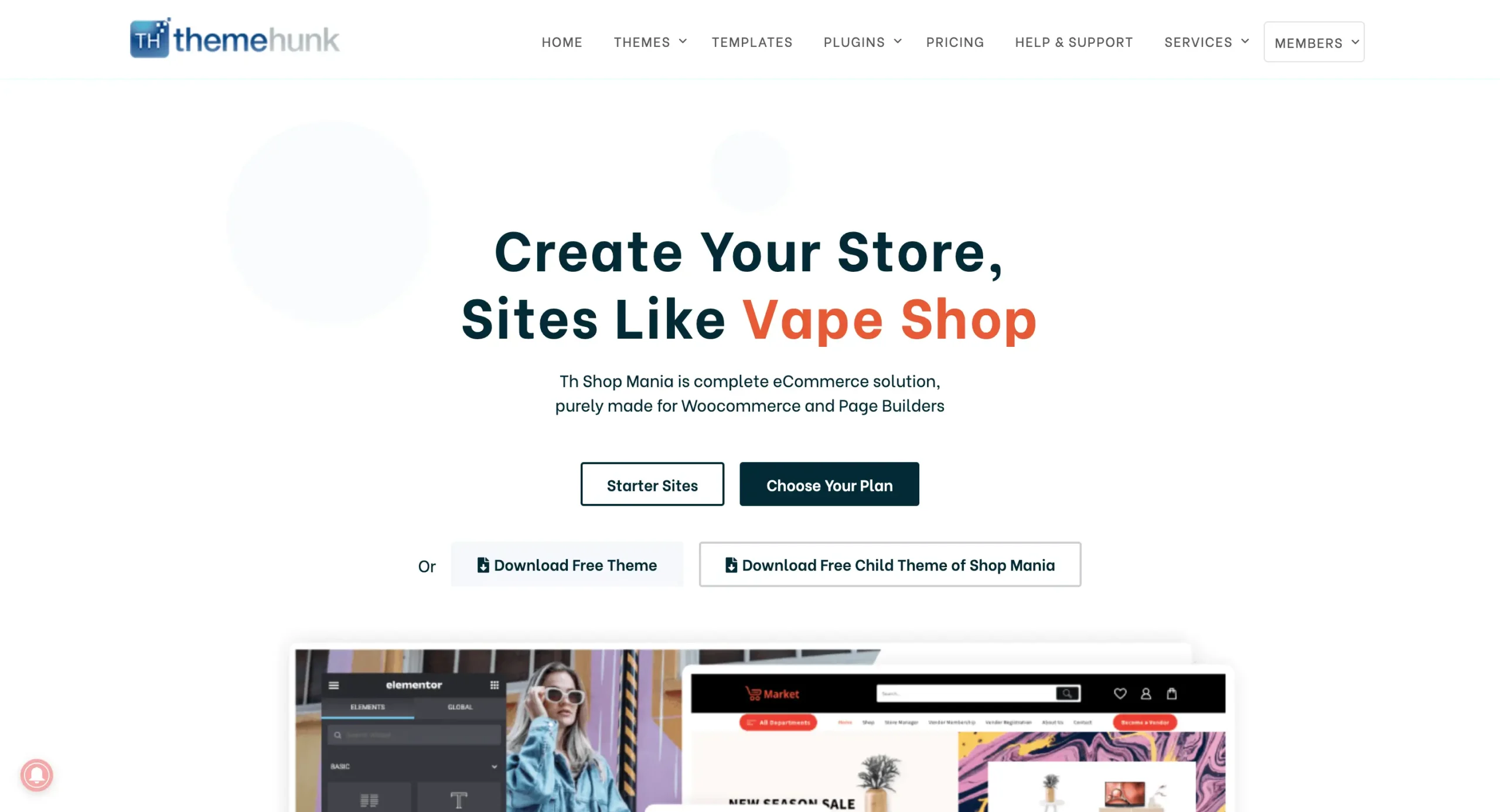
Once you’ve purchased the theme, go to the ‘Member’s Area’ in the top right corner and log in with your credentials.
You can log in to your >> Member’s area from here

This page lets you access your purchased themes and plugins, enabling you to download the files directly.
Install the Shop Mania Pro Plugin
Accessing your WordPress dashboard
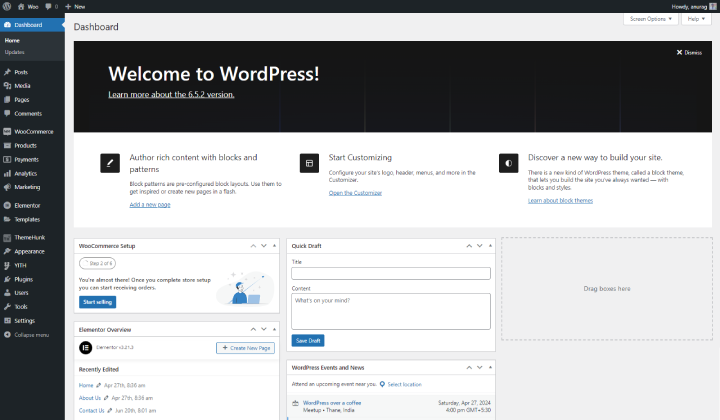
Sign in to your WordPress dashboard with your credentials.
Go to Plugins and click on Add New

Go to Plugins and hover over it, then click on Add New to access the Plugins page.
Next, click on Upload Plugin in the top left corner.
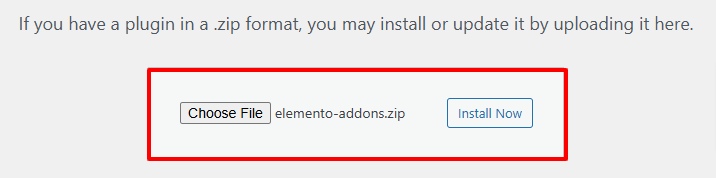
Upload the Shop Mania Pro file and click Install Now.
Then, click Activate Plugin

Click Activate Plugin to enable the Shop Mania Pro plugin. After activation, you’ll be redirected to the Plugins page, where Shop Mania Pro will be listed with other plugins.
Generate and Activate License
Simply activating Shop Mania Pro isn’t enough—you also need to activate the license to unlock its full functionality.
Once the license is activated, you’ll gain access to all the theme’s premium features.
Navigate to the Appearance section and select License

Click on Find Your License Key

Sign in using your Member’s Area credentials

Find the license key on this page and click Copy to save it.

The license key will be copied to your clipboard.
Return to the License Page and paste it into the required field.
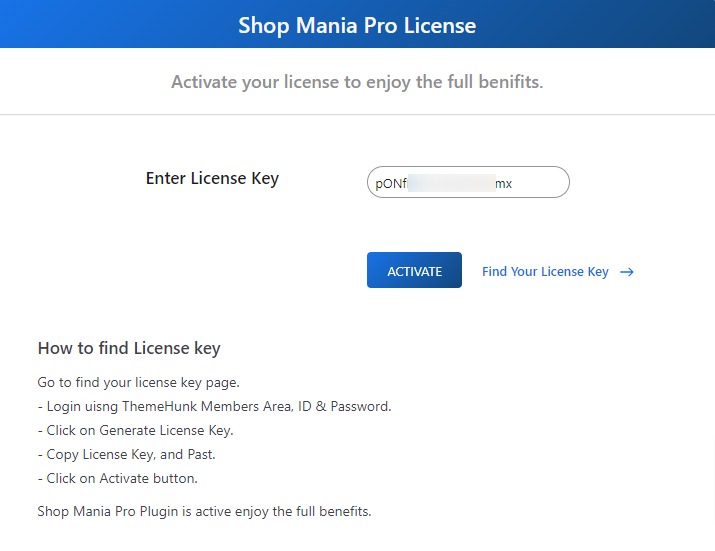
After entering the license key, click Activate to complete the activation process.
Importing the Maintenance Services Template
To start the demo import, go to the template page.
Navigate to Appearance and select Demo Import Sites.
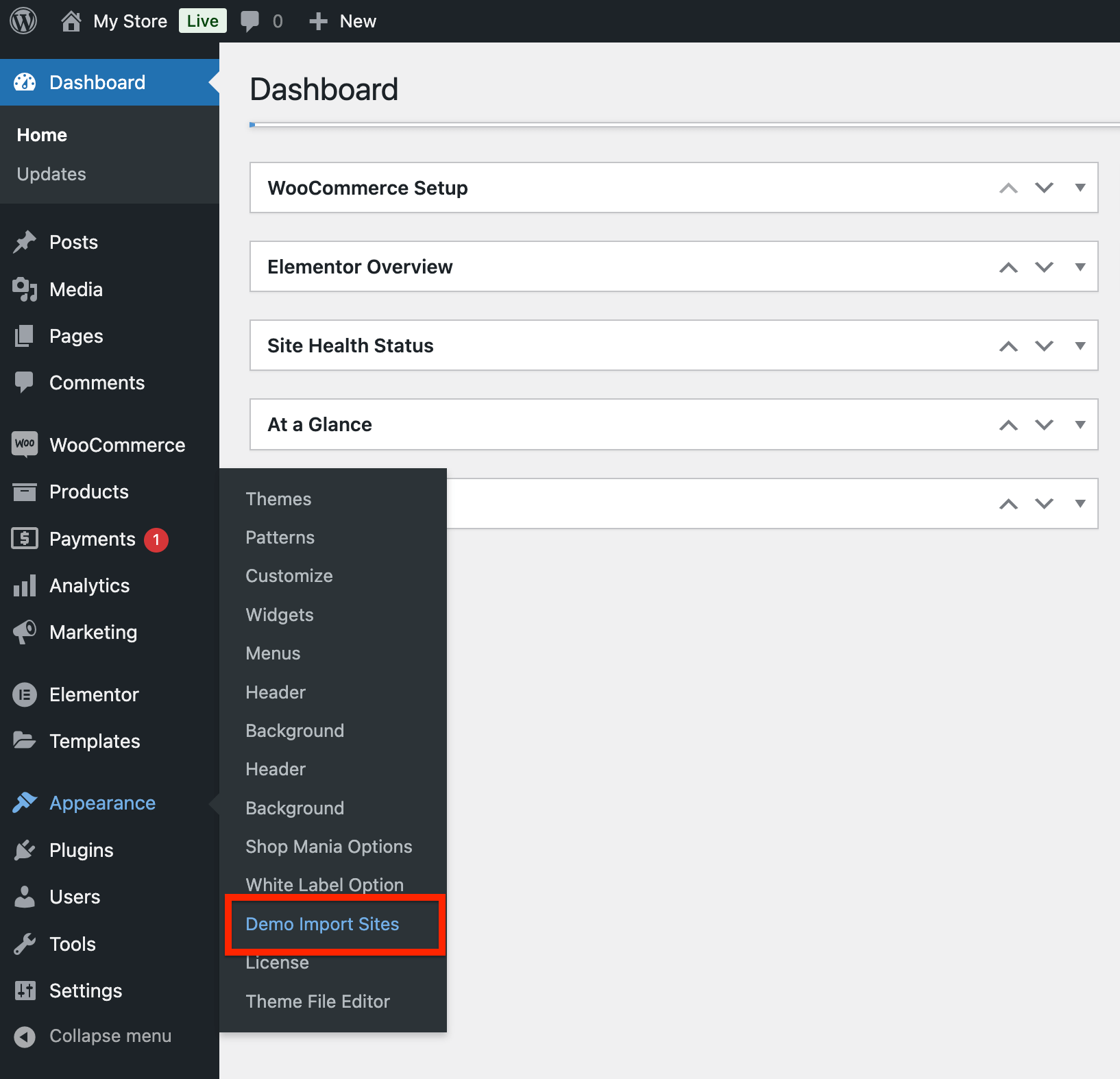
On the next page, you’ll find the Shop Mania version along with a View All Starter Sites button. Click it to continue.

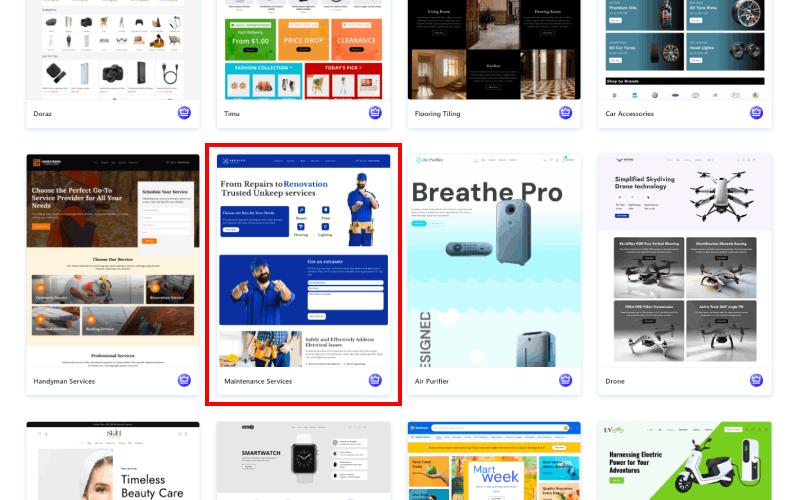
You’ll now see all the available templates in Shop Mania. Use the filters to sort them by category and page builder.
Search for the Maintenance Services template and click on it.
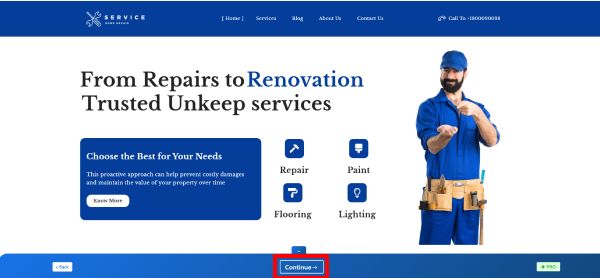
Here, you can preview your complete site. Once you’re ready, click Continue.
Click on Build My Website

Wait for the process to finish.
Note: Avoid closing or exiting the page during the demo import to prevent issues.
Once completed, you can customize your site by clicking the Customize button or preview it using the View Website button.
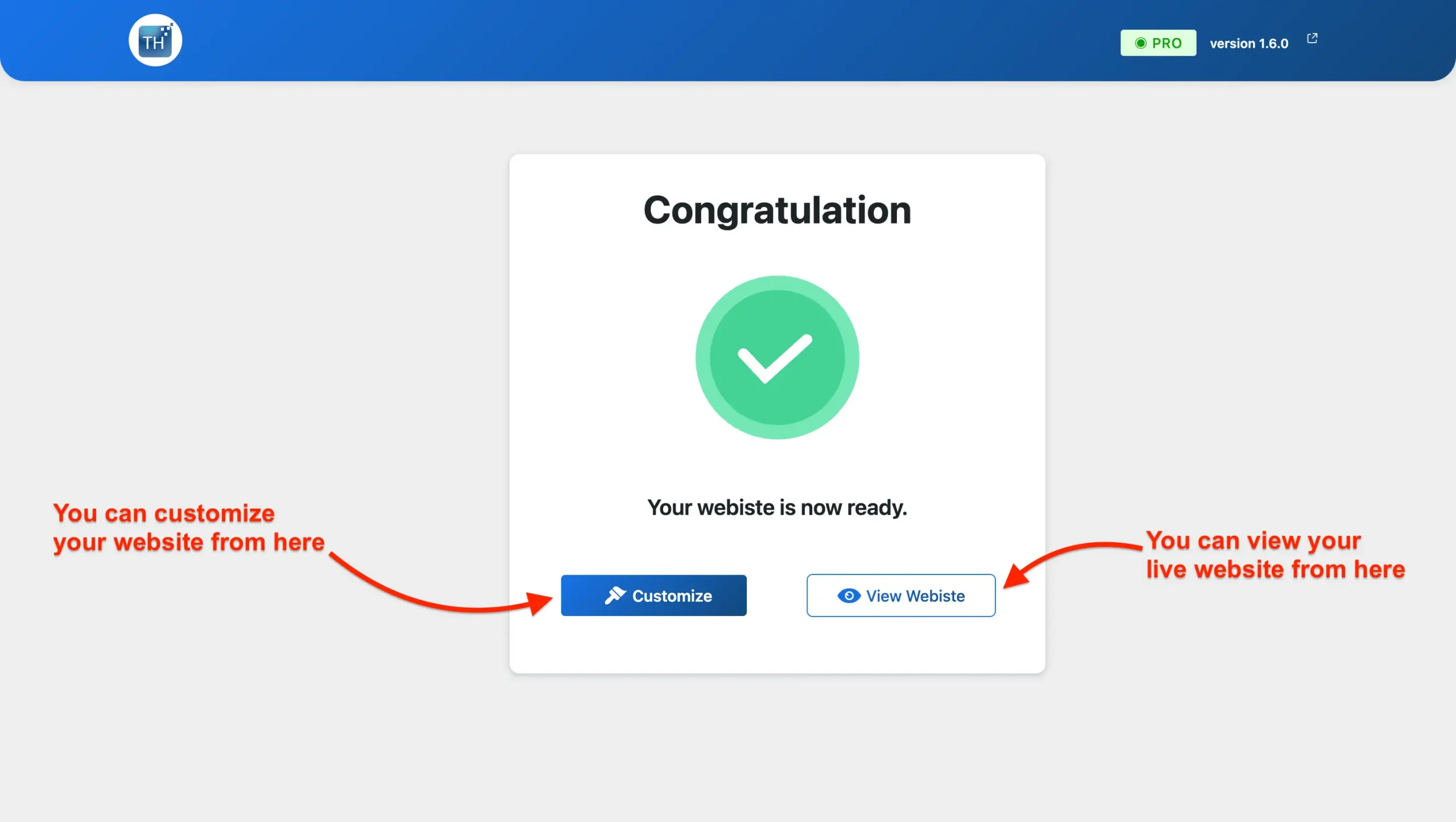
Your website is now ready! You can view it live.
Customizing Your Maintenance Services Template
Easily personalize your site using the Elementor page builder.
Steps to Customize Your Maintenance Services Website:
Navigate to your homepage and click Edit With Elementor to start customizing. With its drag-and-drop feature, you can effortlessly modify the content, layout, and design.
Adjust colors, fonts, and sections to match your brand’s style.
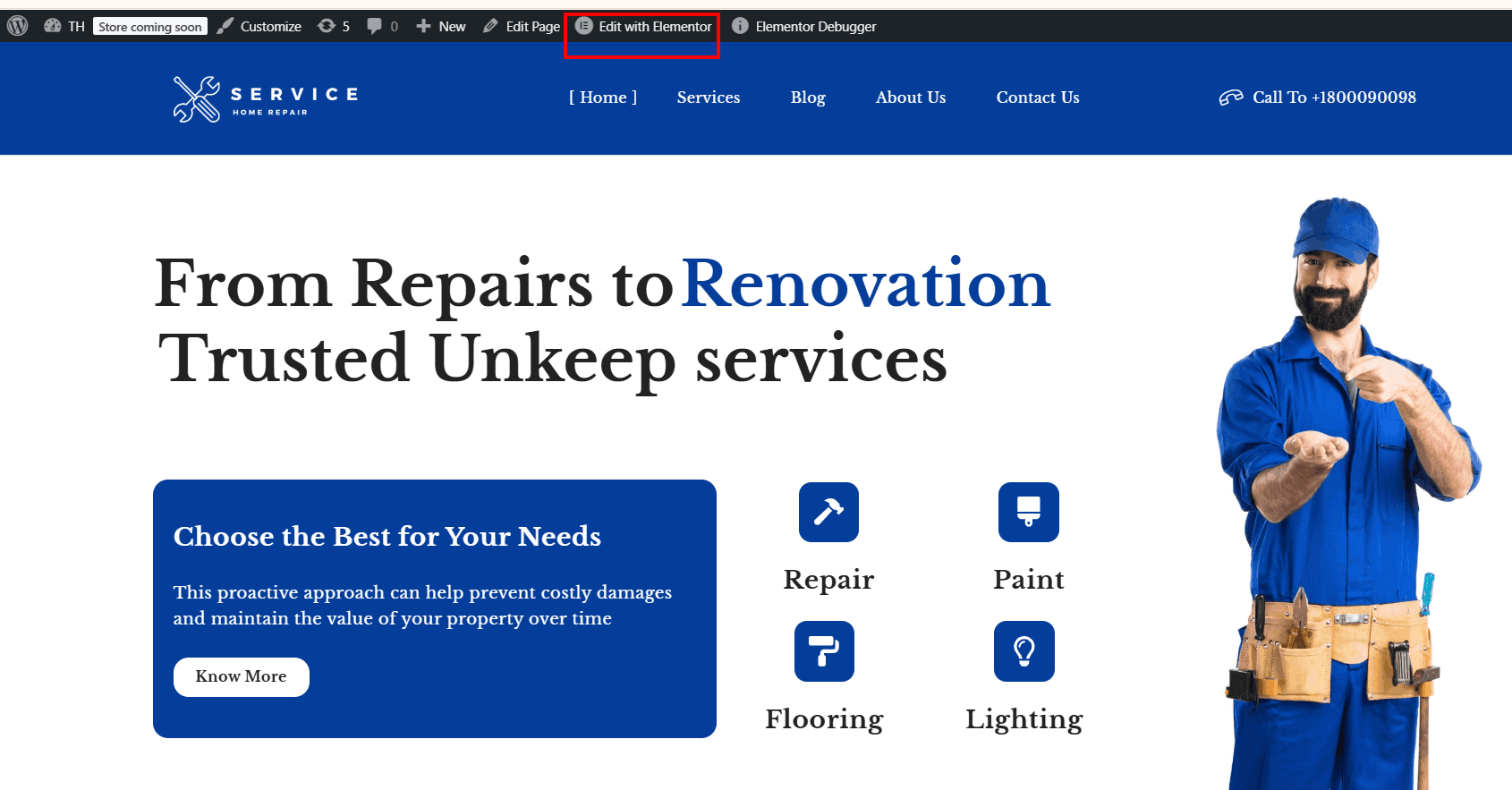
With Elementor’s drag-and-drop builder, customizing your Maintenance Services website is simple and intuitive. Easily adjust colors, typography, and content, or modify the layout to suit your brand.
You can add, edit, or replace sections, including banners, to create a unique and professional design that suits your brand.
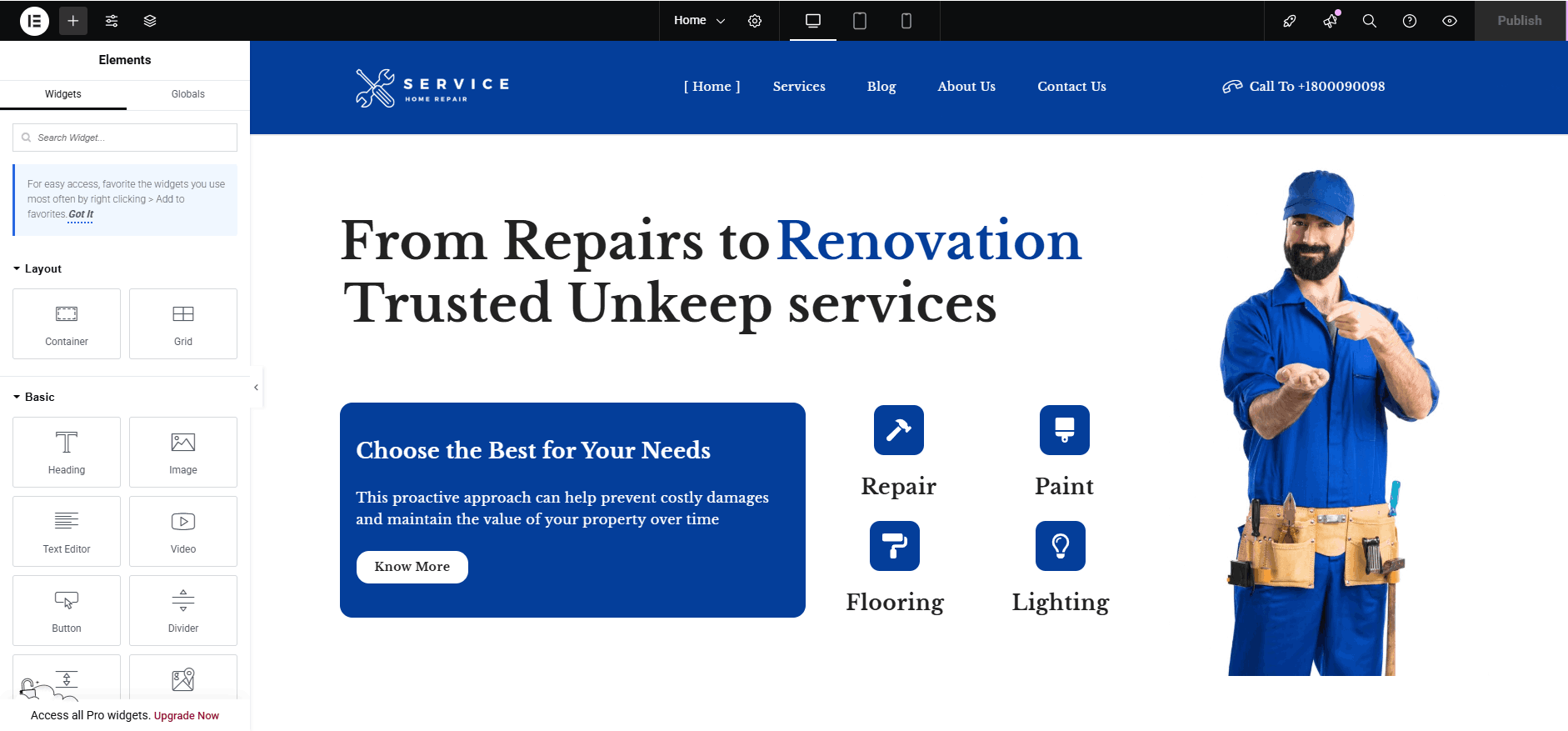
Follow these steps to customize your site effortlessly with Elementor’s drag-and-drop builder.
If you have a creative vision, bring it to life with ease!
Optimizing Your Maintenence Services Website for Higher Conversions
To maximize conversions, optimizing your Maintenance Services website is crucial. Regularly tracking and analyzing website performance helps identify areas that need improvement and ensures steady growth.
Offering free consultations or discounts can attract more clients and encourage them to book your services.
Additionally, Optimizing your website speed enhances the user experience, keeping visitors engaged and reducing bounce rates. A fast-loading site encourages users to explore your services without frustration.
Using effective Call-to-Action (CTA) elements, such as buttons, banners, and special offers, helps guide visitors toward booking a service or requesting a quote. Clear and compelling CTAs improve conversion rates.
Before going live, conducting a thorough pre-launch test is crucial. This ensures that all website features, including service pages, forms, and contact buttons, function smoothly, providing a hassle-free experience for users.
Essential Tools & Plugins to Improve Your Maintenance Services Website’s Functionality
- Product Compare – Enables users to compare different maintenance services side by side, helping them make informed decisions.
- Woo Cart – Adds a floating service cart and menu cart, allowing customers to easily book and review selected services.
- Live Product Search – Helps users quickly find specific services while also enabling post and page searches.
- Variation Swatches – Showcases different service variations, such as pricing plans or package options, for better clarity.
- Lead Form Builder – Collects inquiries through contact forms, helping you generate leads and improve customer engagement.
Final Thoughts
If you’re planning to design a modern and streamlined website for your maintenance services company, the Shop Mania theme provides the ideal solution.
With the Elementor page builder, you can easily design and organize your site’s layout and design without needing any coding expertise. For a hassle-free installation, select from pre-designed sections, such as service lists, contact forms, and call-to-action sections.
The template is SEO-optimized, making your site rank higher on search engines easily. It is also retina-ready and fully responsive, providing a seamless user experience on all devices.
This template offers high-speed performance and a clean, professional design to showcase your maintenance services effectively.
Whether you specialize in house repairs, painting, electrical work, or plumbing, it provides everything you need to create a strong online presence.
I hope this blog helps you in setting up your store. If you have any questions or suggestions, feel free to drop a comment below!
You can Subscribe to our YouTube Channel, we also upload great content there, also Do Follow us on Facebook and Twitter.
FAQ
Q: What is the minimum server hosting requirement for this template?
Ans: The Maintenance Services template requires a server with PHP 7.0 or higher, MySQL 5.7 or higher, and HTTPS support. These ensure smooth performance and compatibility.
Q: What is the Maintenance Services Website Template?
Ans: The Maintenance Services website template is a ready-to-use WordPress theme designed for businesses offering home and commercial maintenance services like plumbing, electrical work, painting, and repairs.
Q: Can I use this template for multiple maintenance services?
Ans: Yes, the template is highly flexible and can be customized for various services, including plumbing, electrical repairs, painting, flooring, and more.
See more:-


