
Overview ➣ Woocommerce extensions are like WordPress plugins that we need when extra functionality is needed. Let’s see some extensions and how to pick the right extensions for woocommerce stores from so many.
Do you know what are woocommerce extensions? Well, let’s understand what are extensions first. Extensions are add-ons that extend the functionality of the body.
In the same way, woocommerce extensions are the add-ons that increase the functionality of the woocommerce store. There are various operations done with the help of woocommerce extensions.
Woocommerce extensions are used to customize stores, add extra features to the store, integrate with third-party services, and do some more things that do not come with a default setup.
There are so many Woocommerce extensions for a single functionality, you can choose any one but it can be hard to choose one.
So in this blog, we will see how can you choose the woocommerce extension for your woocommerce store.
Types Of Woocommerce Extensions
There are various types of Woocommerce extensions. Let’s see them,
Security – Security extensions keep the woocommerce store safe. Some extensions also help to increase the website speed.
Marketing & SEO – To enhance the search engine visibility and increase the reach of the site, some extensions enable email marketing in other ways. Social Media integration is one of the ways for marketing and SEO.
Analytics & Report – Analytics are crucial to making an effective strategy, You can analyze the users’ behaviors and website performance.
Payment Gateways – Payment Gateways are the tools that enable users to make international payments. You can integrate the preferred extension.
Shipping Method – Shipping methods include different operations like tax rates, total cost, and free shipping with the help of shipping carriers.
How To Choose The Right Extensions For Your Store?
Identify Your Budget

First, know your budget. Although you will get some extensions free of cost, not all. You may need to spend some money to get your extensions.
Free extensions are good for basic tasks but premium versions are needed when the premium features are sought.
You can also think about the extension if the cost of the extension matches the value of the store after using it.
It is necessary to filter the extensions above your budget.
Identify Your Needs
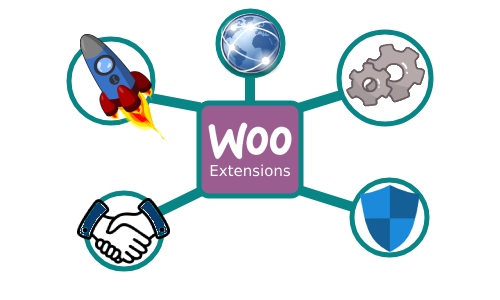
Identify and make a list of what you need. This will help you find the extensions with precision. Understand what features are needed to store.
Find out do you need advanced features or if basic features are enough, do you need advanced management or not, or like this.
If you want to provide customers with the best experience like filtering, search functionality, floating cart, or checkout then invest in those features.
You can also consider future needs like multisite support, shipping integration, etc.
Review & Testimonial

Always see the reviews and testimonials from the users. Users can tell about the extension briefly and honestly.
You can also visit third-party review sites(like Trustpilot) where users write reviews about the site. Look if the ratings of the extension are high or not.
Pay attention to whether users are constantly complaining about the features which means it creates problems often.
Whether the support team is replying on time which shows the role of the support team.
You can also research the popular and trusted extensions.
Support & Documentation

Support also plays a vital role you may need support at times. In need, you can contact the developers and you get the support. It increases users’ experience.
Support is not considered only when you are stuck but it is also needed for guidance. If users want to inquire about custom solutions or some other things then it is needed too.
Documentation is like a book where you get tutorials on various topics. In case you are stuck while setting up something you can go through the documentation.
It gives clarity on features and their usage.
Safety & Security

Safety and Security are always considered as there is always a threat in this digital world. The Woocommerce extensions have access to users’ data. There are chances of hacking and data exploitation.
Users provide so much information regarding the. Woocommerce extensions are also connected to payment gateways so they also have the credit and financial transaction information, if their data of not handled securely then there can be a security breach.
You can check whether they implemented anti-fraud measures and security protocols like SSL encryption and GDPR compliance.
Performance

Find out if the extension performs well in the stores. Also, check the compatibility of the extension with the latest version of Woocommerce and other platforms that matter.
You can check how the extension affects the website speed and overall performance.
If it is making a negative impact on your site then it can red signal. Prefer the well-optimized and lightweight extensions.
Also checks if the plugin is ready for scalability. It means it is ready for growth when you will have more products and users. Overall, it should be ready to accommodate future store needs.
Update

Before selecting the theme make sure the extension is updated. Because outdated software may not work as expected and may conflict with theme or other plugins.
You can check the version and date of the update. You can also check the compatibility details before choosing it.
Popular Woocommerce Extensions
Woopayment
As the name signifies, it is a payment gateway extension. Woopayment is used by many woocommerce store users to make and receive international payments.

Elemento Addons
Elemento Addons is not a regular Addons plugin but it is a Elementor’s power booster. It comes with some additional Elemntor add-ons like buttons, headings, product slider, category slider, and many more.


TH All In One Woo Cart
The TH All In One Woo Cart is a multipurpose woo cart used to enhance the users’ experience by providing a user-friendly woo cart. It provides a floating cart along with a menu cart where users can see the products and change their quantity.

TH Advance Search
The TH Advance Search plugin is used to add search functionality of search. Its AJAX search helps to find the products easily. It can search for Products, Posts, and Categories.

Table Rate Shipping
It is a shipping plugin that handles shipping costs and rates using different calculation methods.


Polylang
Polylang lets your site to translate into multiple languages. You can deploy your site into a foreign region after translating it.

Shop Mania Pro
Shop Mania Pro is a premium Plugin that adds advanced features to the theme. It makes one of the best options to create an online store.
FAQ
Q. Where can I find the Woocommerce extension?
Ans. You can search the Woocommerce extensions at wordpress.org>plugins, here you will get them free of cost. Moreover, you can also install them from their respective websites.
Q. How do I know whether my theme is compatible with the Woocommerce extension or not?
Ans. Usually, the extensions are well-coded and optimized for all WordPress themes but it is suggested that read the extension documentation and test it before use.
Q. How do I know if the Woocommerce Extension is secure?
Ans. To ensure a WooCommerce extension is secure:
-Download extensions from trusted sources like the official WooCommerce marketplace or reputable third-party providers.
-Check for regular updates and support.
– Look for SSL encryption and other security features in payment-related extensions.
– Check reviews and ratings from other users to see if there are security-related concerns.
Conclusion
So, we learned about the Woocommerce extensions and if need one then how can you filter from so many of them? We also saw some popular extensions of various categories.
Now onwards you can select an extension for yourself with the help of these discussed points.
It is very common to use an extension as the users don’t get many functionalities in the default setup. So, the extensions are used to extend the functionality and get some extra power to store.
Extensions are also needed to fulfil some basic needs like security, SEO, speed, etc.
I hope this blog will help you. Still, if you have any queries or suggestions then let me know in the comment section.
You can Subscribe to our YouTube Channel, we also upload great content there, also Do Follow us on Facebook and Twitter.
Discover More Articles


