
Overview ➣ With a growing interest in natural therapy and health, having a well-optimized eCommerce website is essential for reaching health-conscious consumers.
Did you know that WordPress powers more than 40% of websites on the Internet? With WooCommerce, you can give life to an eCommerce website for any niche, including organic food.
When talking about eCommerce websites, it’s clear that an alternative would be the WordPress and WooCommerce-based websites that empower the creation of eCommerce websites in virtually all styles.
This is simply followed by growth, as the reason for building a site that grows. With its wide access, an online store offers customers the opportunity to browse and place orders from wherever they find themselves, either from their mobile devices or laptops.
Online shopping has certainly gone through a digital revolution, situated at the center of this paradigm shift.
Whether that means selling organic items or clothing, jewelry, or even machinery, WooCommerce, and WordPress make creating an engaging and functional eCommerce site so easy that if you own or are planning to own an organic food store, a site is one way to get a competitive advantage.
Even if you have no experience in building sites, there’s no cause for worry.
In this blog, we shall take you through the creation of a site for an organic food store step by step, using the Shop Mania theme.
Offering several website templates, including one for organic food stores, the Shop Mania theme completely facilitates and streamlines the entire process.
Why Choose Shop Mania for Organic Food Stores?
Shop Mania is a very efficient WordPress theme specifically designed for creating eCommerce websites. It provides all the features necessary to build an attractive and fully functional online store.
The theme is completely customizable, responsive, and compatible with popular page builders, which makes it versatile and user-friendly.
With more than 50 website templates ready to go, you can import your favourite design in seconds and have your website up and running immediately.
One of these template options is a specialized organic food store template with sleek features designed to showcase your products and content beautifully.
Why Choose the Organic Food Template?
The organic food template is designed for organic food stores, so it’s going to be easier for store owners to launch a professional, completely ready-to-go website.
Some of the key features that make this website template stand out are:
Customizable: It makes it easier to adjust your design, color scheme, and content accordingly.
Responsive Design: Provides full responsiveness, starting with desktops and ending with smartphones.
One-Click Demo Import: You can import the full demo content with just one click and go live within seconds.
WooCommerce Integration: WooCommerce Integration is well integrated within the demo. Handle your products, orders, and payments within WooCommerce.
Elementor Compatibility: The Elementor Page Builder can help you easily modify your site in an intuitive drag-and-drop builder.
Third-party Plugin Support: Compatible with all third-party plugins’ necessary SEO, analytics, and marketing functionality.
Key Features of the Organic Food Template
1. Eye-Catching Homepage Layout


The homepage is designed to capture one’s visitors’ attention immediately with a beautiful hero section and an organized product showcase.
2. Best Deals

Present your organic product in an aesthetic, user-friendly display. An attractive product display encourages a customer to explore and want to buy.
3. Contact Us Page

Please include a Contact Us form in your template to improve communication with your clients. This simple feature allows visitors to easily reach out with any questions or comments they may have.
By providing a straightforward way for them to get in touch, you enhance client engagement and satisfaction.
Additionally, a contact form can streamline the process of collecting feedback and inquiries, making it more efficient for you to respond.
4. About page
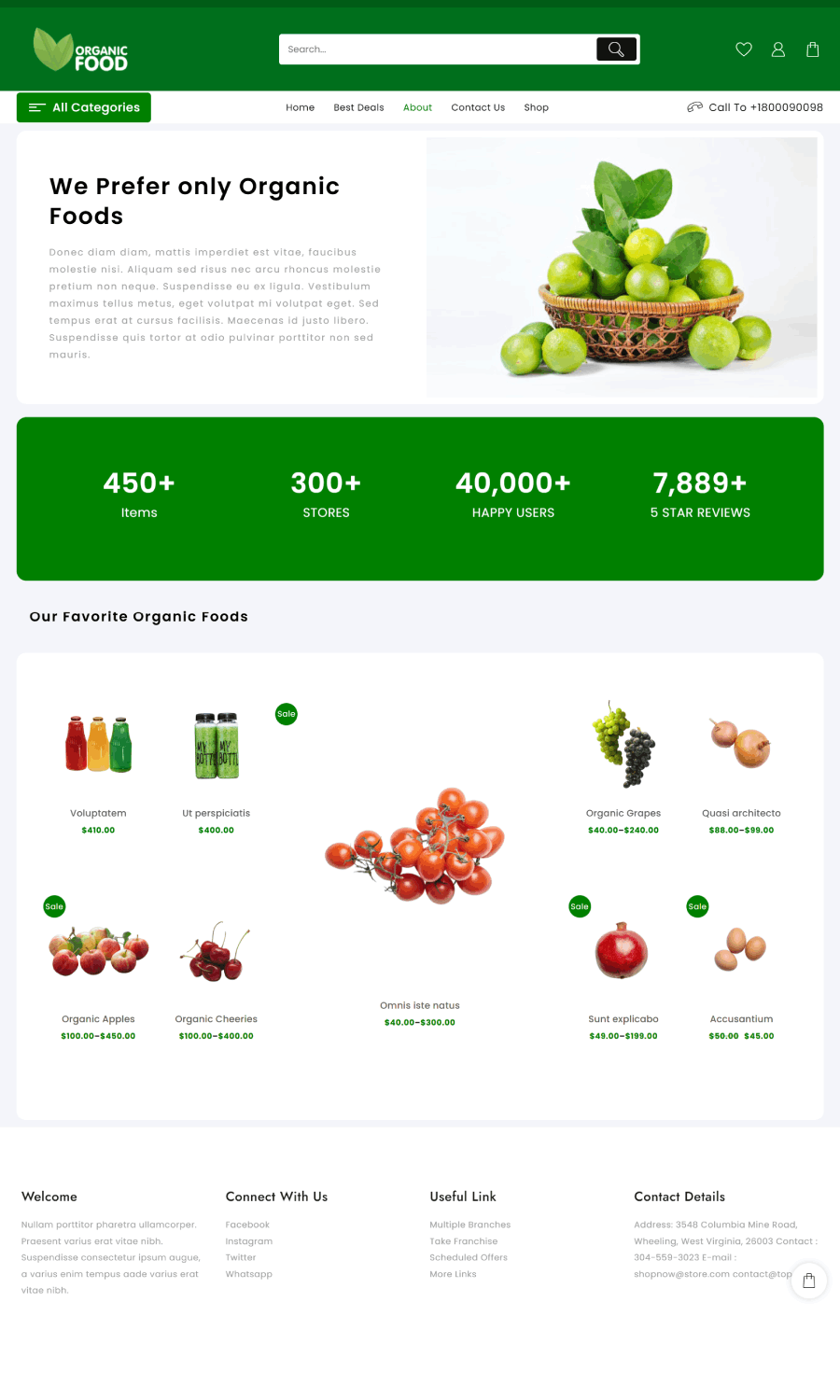
The About page on the Organic Food website allows you to share your story and values. It’s an ideal spot to express your dedication to offering fresh, healthy, and organic food.
You can also discuss your journey, mission, and what sets your brand apart. If you wish, introduce your team and emphasize their contributions to your vision for improved, natural food options.
5. Shop page

The Shop page is designed for a seamless shopping experience, featuring advanced filters, categorized products, and sorting options.
It helps users quickly find their desired items while exploring various product categories.
This fully functional page ensures an organized and user-friendly shopping journey.
6. Shopping Cart
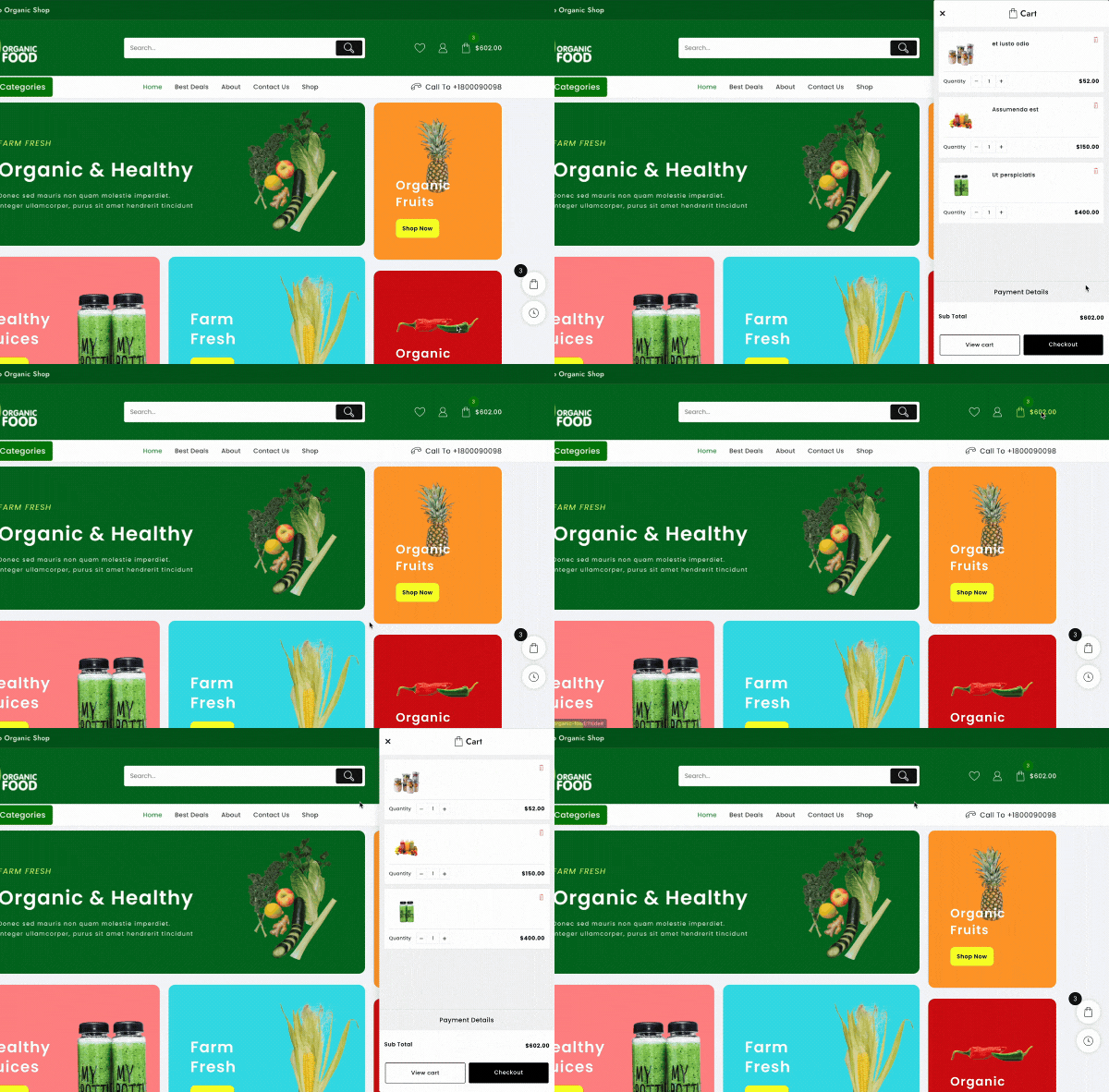
The Organic Food theme progresses to a well-built shopping cart with an easy and unobtrusive icon in the menu for rapid selection.
Plus, this floating cart allows customers to view and change food items without having to navigate away from whatever web page they are on, making checkout fast and furious.
7. Checkout Page
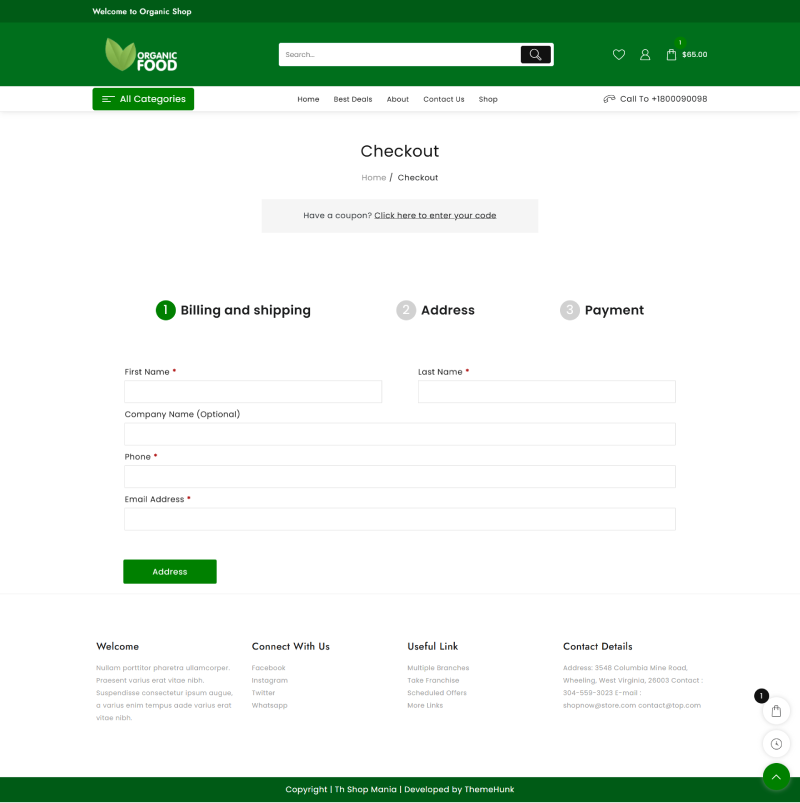
The Organic Food theme provides a means of quick and safe checkout for buyers to do just that: check out fast and easy.
During checkout, shoppers can apply discount codes and select from various payment methods that are familiar and safe.
The process will thus open up a handful of avenues for customers to make a speedy and efficient purchase.
8. Live Product Search

The Organic Food theme has a fast and efficient live search feature that lets customers find what they want without endless clicking page after page.
Customers get suggestions while they type, so searches are both quick and efficient. Such a feature gives the user an experience and is productive in finding things.
How to Install the Organic Food Store Template with One Click
Now, let’s walk through the simple steps to install the Organic Food template. The process is more straightforward than you might expect.
Download and Install the Theme
Before setting up the Organic Food template, you need to install the Shop Mania theme, which offers a complete package for building eCommerce websites.
Once installed, you’ll be able to effortlessly import the demo content.
Purchase and download the Shop Mania Theme from the below link
Click on the button below to install the theme.
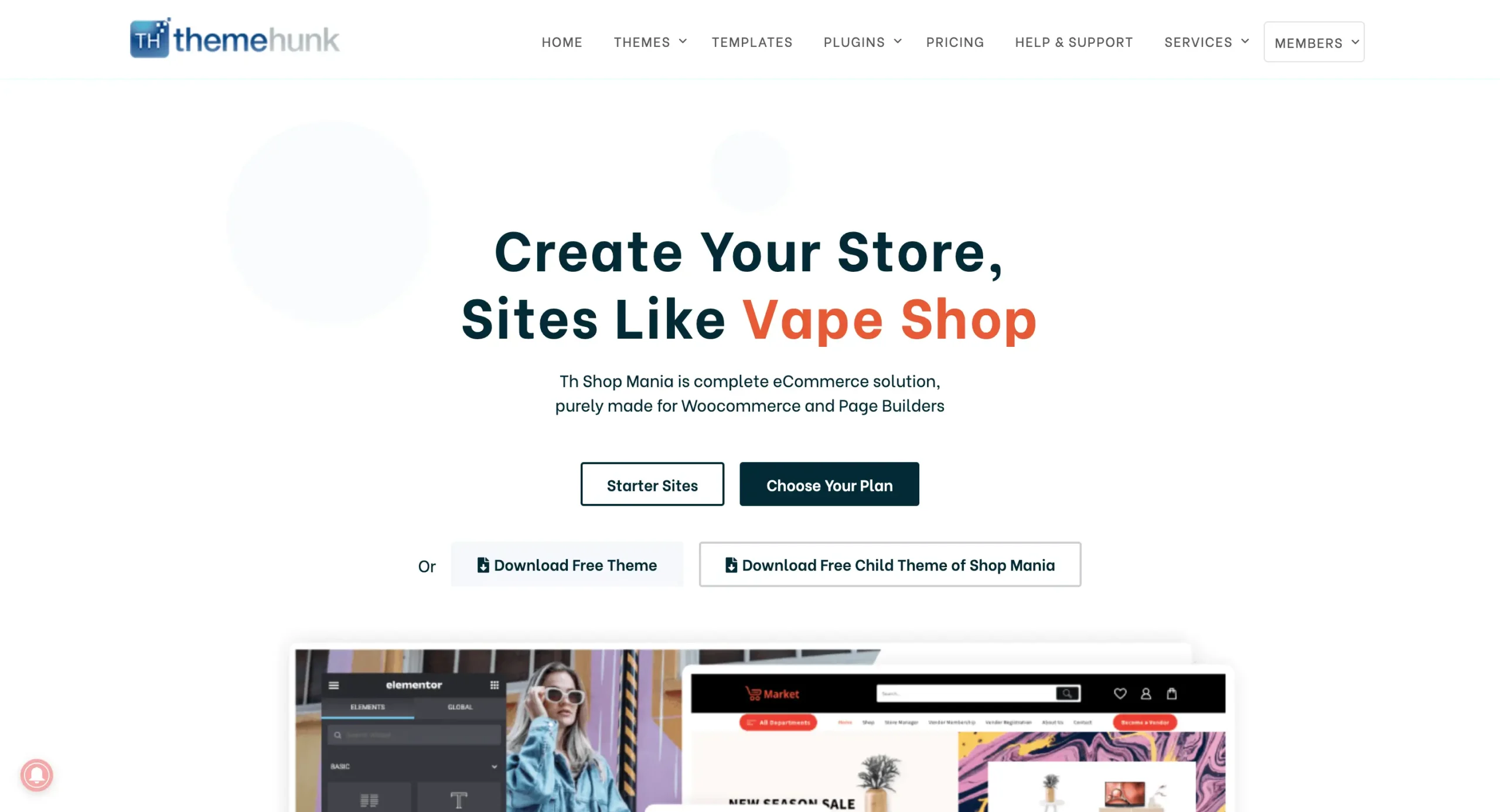
After purchasing the theme, click on “Member’s Area” at the top right corner and log in using your credentials.
You can log in to your >> Member’s area from here

This page provides access to your purchased themes and plugins, allowing you to download their files directly.
Install the Shop Mania Pro Plugin
Accessing your WordPress dashboard
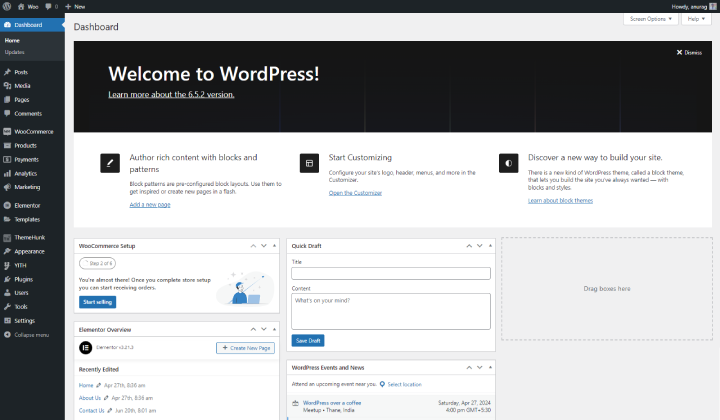
Log in to your WordPress dashboard using your credentials.
Navigate to Plugins and select Add New

Hover over Plugins and select Add New. This will take you to the plugins page.
Click on Upload Plugin located in the top left corner.
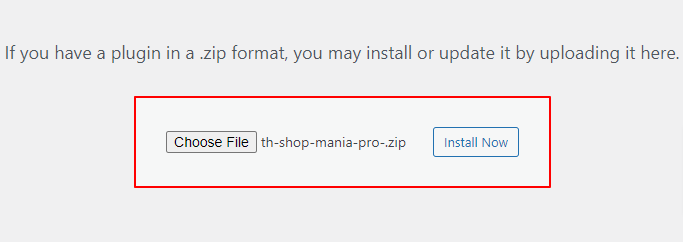
Upload the Shop Mania Pro here and click on Install Now.
Click on Activate Plugin.

Click on Activate Plugin to enable the Shop Mania Pro plugin. After activation, you’ll be redirected to the Plugins page, where Shop Mania Pro will appear alongside other plugins.
Generate and Activate License
Activating Shop Mania Pro alone is not sufficient; you must also activate the license to enable its full functionality.
Once the license is activated, you’ll gain access to all premium features of the theme.
Go to the Appearance section and select License

Click on Find Your License Key

Sign in using your Member’s Area credentials

Locate the license key on this page and click the Copy button to copy it.

The License key will be copied to your clipboard.
Return to the License Page and paste the key into the provided box.
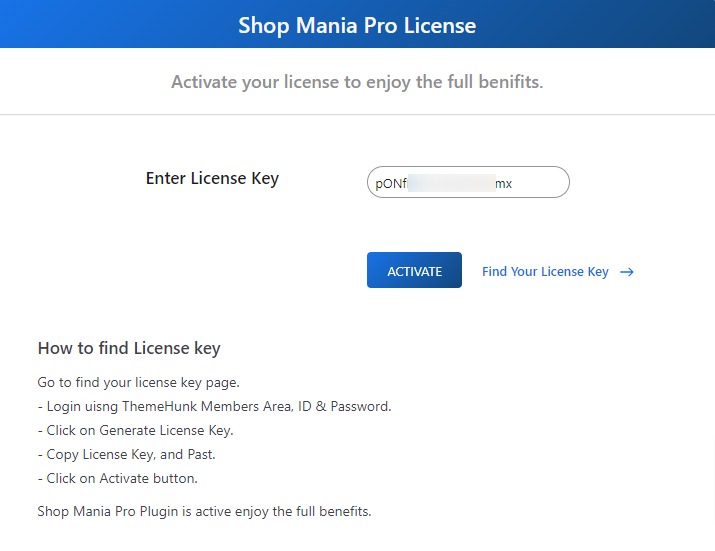
After entering the License key, click on Activate.
Importing the Organic Food Template
To begin the demo import, navigate to the template page.
Go to Appearance and select Demo Import Sites.
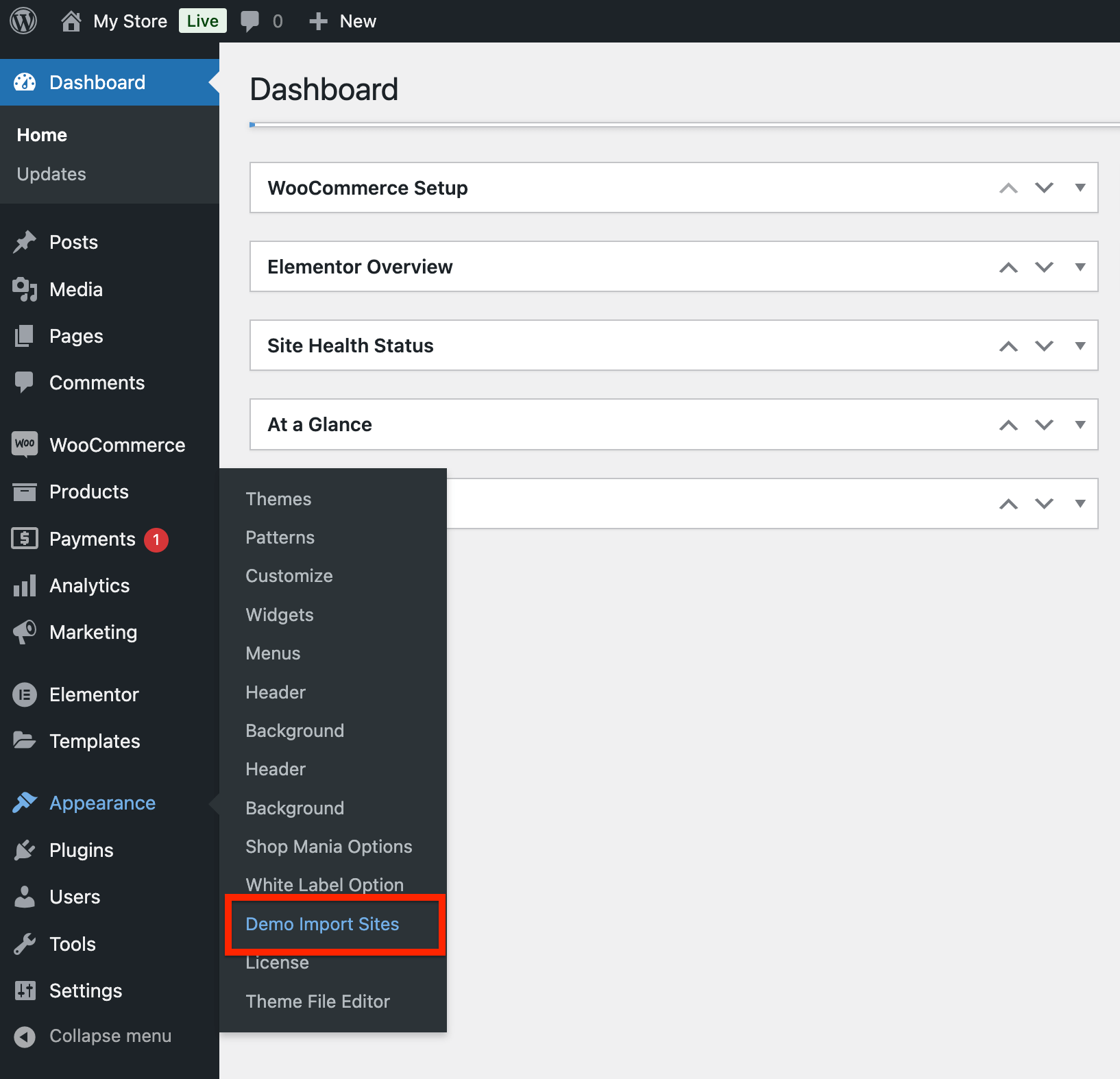
On the next page, you will see the Shop Mania version along with a View All Starter Sites button. Click on it to proceed.

Now, you will see all the templates available in Shop Mania. Use the filters to sort templates by category and page builder.
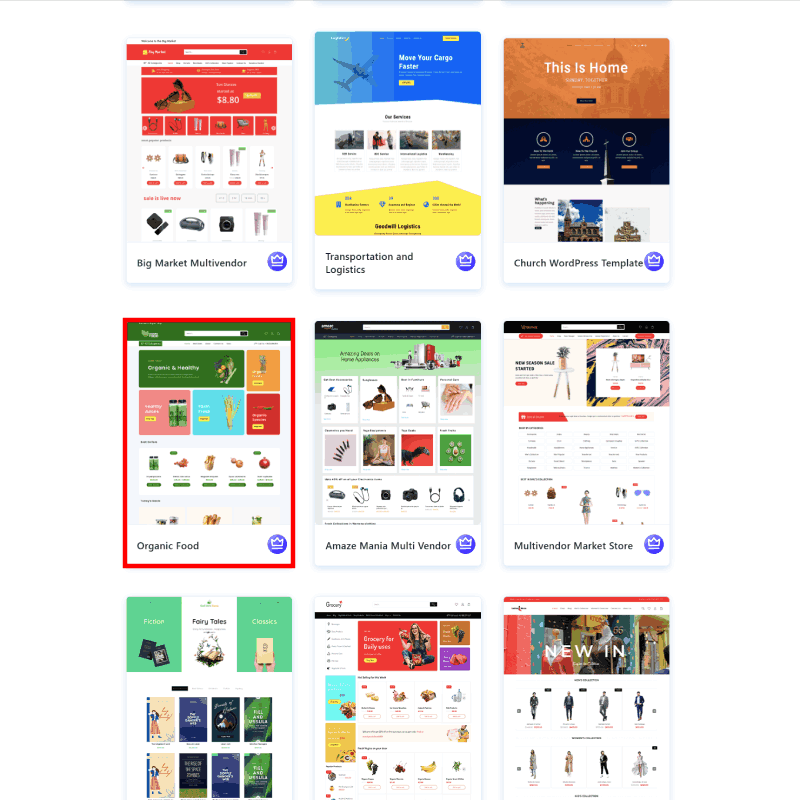
Search for the Organic Food Store template and click on it.
You can see your full site here. When ready, click Continue.
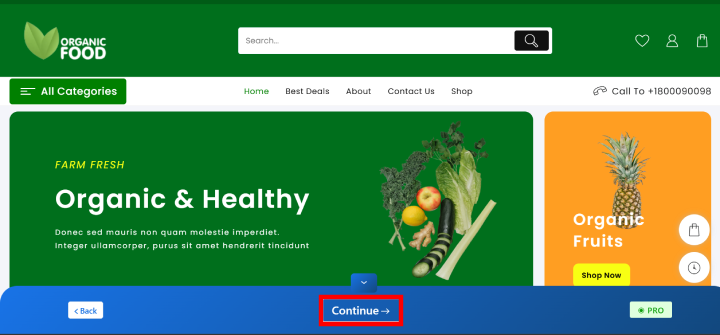
Click on Build My Website

Wait for the process to complete.
Note: Do not close or exit the page while the demo is being imported, as it may cause issues.
Once done, you can customize your site by clicking the Customize button or viewing it using the View Website button.
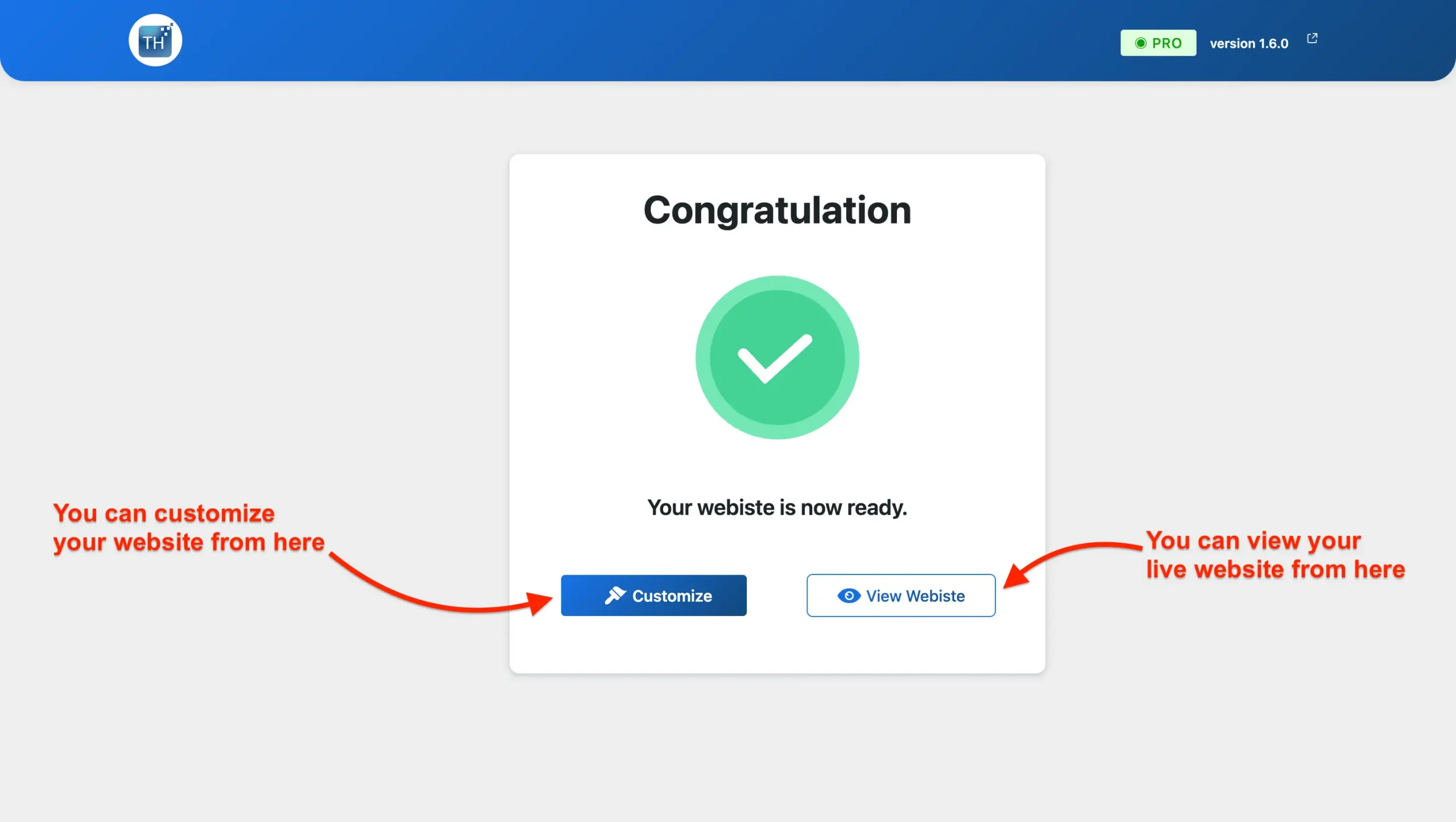
Your website is now ready! You can view it live.
Customizing Your Organic Food Store Template
You can easily customize your website using the Elementor page builder.
Steps to Customize Your Organic Food Website:
Go to your homepage and click Edit With Elementor to start modifying your content, layout, and design effortlessly.
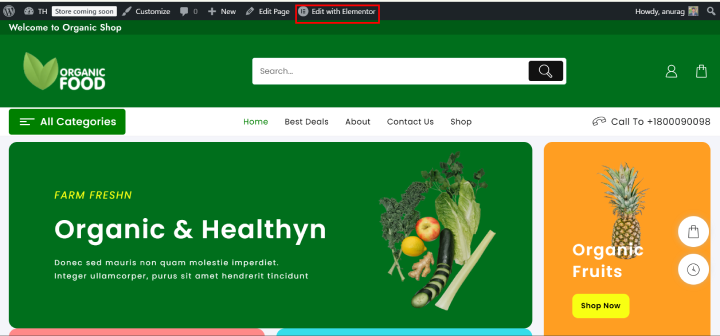
With Elementor’s drag-and-drop builder, customizing your website is effortless. You can modify colors, typography, and content or even change the layout.
Easily add, edit, or replace any section, including banners, to create a unique design.

These steps will guide you in customizing your site effortlessly. With Elementor’s intuitive drag-and-drop builder, designing your pages becomes smooth and simple.
If you have a creative vision for your site, you can bring it to life with ease!
Adding Products to Your Website
When you import a template, placeholder content is included, allowing you to replace it with your original material. Here’s how to add products to your WooCommerce store.
Navigate to the Products section and click on Add New.
On the product creation page, enter the product’s title and description. In the description area, highlight the features, benefits, and other relevant information about the product.
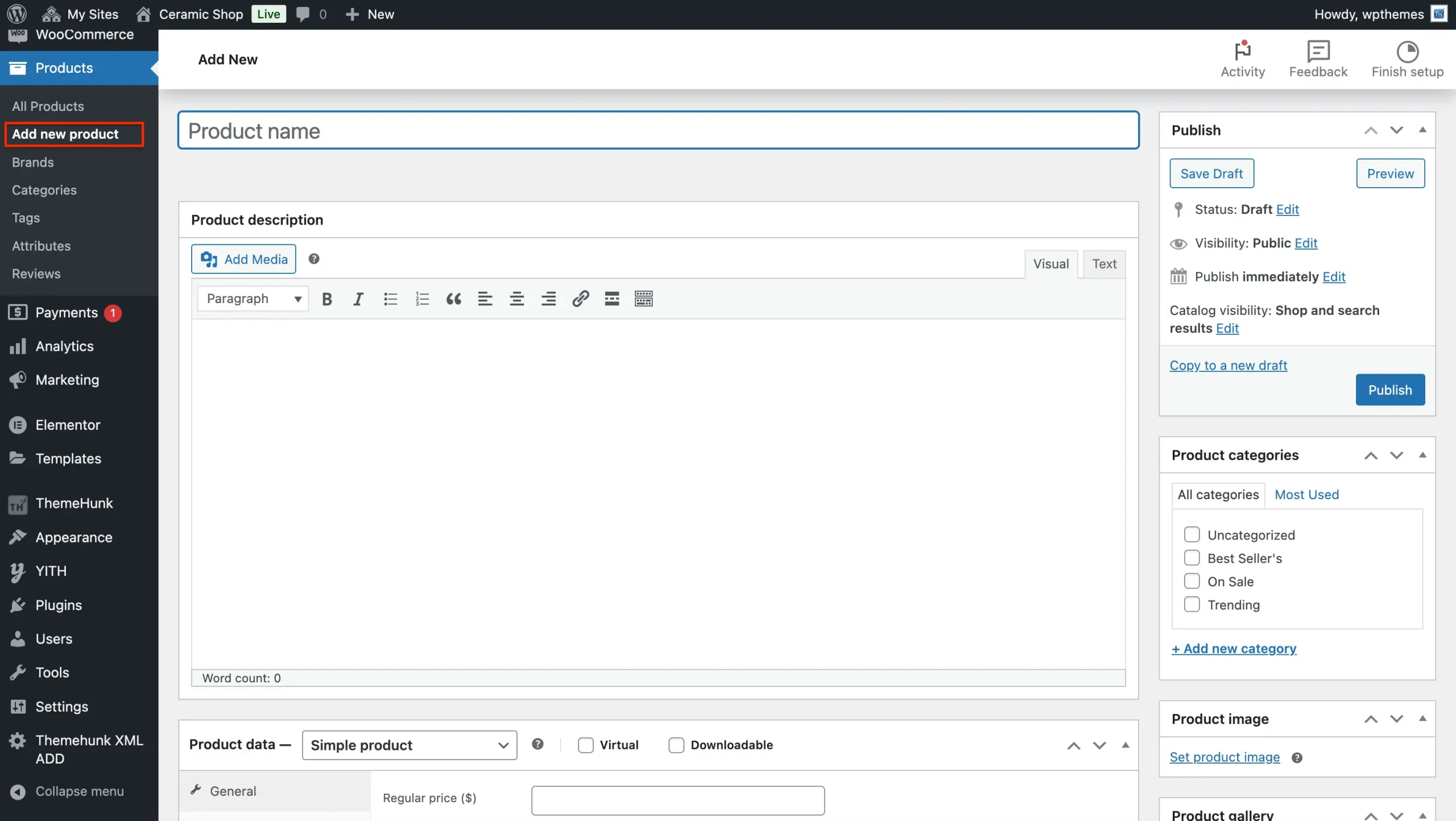
Now scroll; down to Product data and set the product type.
Set Product Type
Here you will get four choices to choose between.
- Simple Product: For physical products that do not have any variations. When selling courses, please check the option for Downloadable.
- Grouped Product: Allows users to select some items for combination purchases.
- External/Affiliate Product: These listings are product links that either provide an affiliate link to other websites or other products.
- Variable Product: Used for products that have variations, such as color, size, etc.
Set Pricing and Inventory
- Regular Price – Enter the regular price.
- Sales Price – Add a discounted price if available.
Upload Product Images
- Product Image – Click on Set Product Image and upload or select an image from your media library.
- Product Gallery – The section of upload vision images for better visualization of the item.
Assign Categories and Tags
- Category – Adding a New Category will enable you to create and assign categories or subcategories.
- Tags – Type relevant keywords for better visibility for the product on your site.
Publish your product
Once everything is just great, click the Publish button to go live with your product on your store.
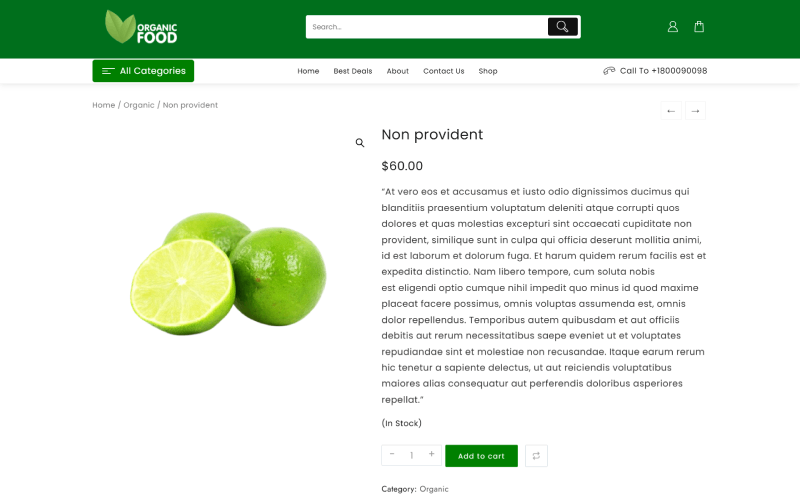
You can preview your product, and if any adjustments are needed, simply click Edit Product to make changes.
Optimizing Your Organic Food Store Website for Higher Conversions
- Track and Analyze Website Performance – Regularly review analytics to identify weak areas and optimize for growth.
- Attract Customers with Free Shipping & Discounts – Special offers encourage more purchases and boost sales.
- Optimize Website Speed for Better User Experience – A fast-loading site keeps visitors engaged and reduces bounce rates.
- Leverage Call-to-Action (CTA) Elements – Use buttons, banners, and offers to guide users toward conversions.
- Conduct Pre-Launch Testing – Ensure all website elements, including pages, buttons, and coupons, function properly before going live.
Essential Tools & Plugins to Enhance Your Organic Food Store’s Functionality
- Product Compare – Allows users to compare multiple products side by side for informed decision-making.
- Woo Cart – Adds a floating cart and menu cart, making it easy for users to proceed to checkout.
- Live Product Search – Helps customers quickly find products and can also enable post and page searches.
- Variation Swatches – Displays visually product variations (e.g., colors, sizes), which is essential for eCommerce stores.
- Lead Form Builder – Collects leads from contact forms for marketing and customer engagement.
- Rank Math – A powerful SEO plugin that enhances search engine visibility for your store.
- WooCommerce Addons – Extends WooCommerce features like inventory management and security enhancements.
- Jetpack – Provides detailed analytics to identify improvement areas and optimize performance.
Conclusion
If you’re looking to build a modern and unique eCommerce website for your organic food store, the Shop Mania theme with its Organic Food Store template is a perfect choice.
With Elementor page builder, you can easily customize your store’s design without any coding.
If you prefer ready-made sections, you can select from pre-built layouts, including headers and other essential elements.
This template is SEO-friendly, making it easier to optimize your site with SEO plugins for better rankings. Additionally, it is fully responsive and retina-ready, ensuring a seamless browsing experience on all devices.
From high performance to a clean and minimal design, this template provides everything you need to create a professional organic food store.
Whether you’re selling fresh produce, organic groceries, or health supplements, this template has you covered.
I hope this blog helps you in setting up your store. If you have any questions or suggestions, feel free to drop a comment below!
You can Subscribe to our YouTube Channel, we also upload great content there, also Do Follow us on Facebook and Twitter.
FAQ
Q: Is this template optimized for SEO?
Ans: Yes, the template is SEO-friendly, meaning you can integrate SEO plugins to improve search rankings and visibility.
Q: Does the template include pre-built layouts?
Ans: Yes, it offers pre-made sections and layouts, including headers, product pages, and banners, to speed up the website-building process.
Q: How can I get support if I have issues?
Ans: You can contact customer support, check the documentation, or visit community forums for help.
Read more:-
- New Website Template For Clothing (One-Click Install)
- New Website Template For Ceramic Shop (One-Click Install)
- New Website Template For Single Product (One-Click Install)


